
Jevia
Route coding tasks by capability and learn from recorded outcomes
Gallery
About Jevia
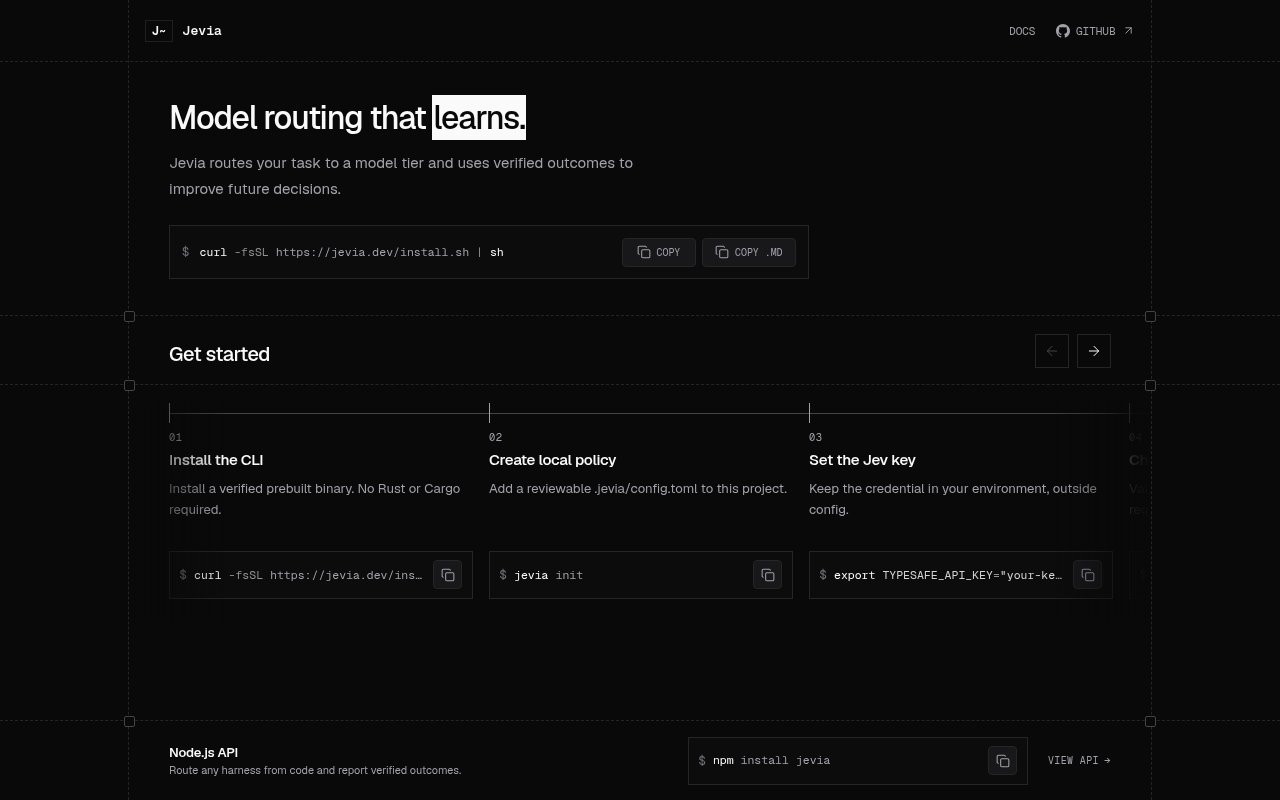
Jevia is an open-source model router for coding agents and command-line harnesses. It looks at a task, selects a capability tier, and hands that choice to a configured agent such as Codex, Claude Code, OpenCode, or Gemini CLI. The aim is to make model selection an explicit part of a development workflow instead of leaving every task on the same model or relying on an opaque guess. Its tiers stay independent of any provider, so a team maps labels such as fast, balanced, and strong to the models its chosen harness already understands. This makes the routing policy reviewable while allowing the concrete model choices to change.
The core workflow starts with a local project configuration. A route command sends the task for a tier decision and saves a traceable run record with a confidence value. A run command goes further by launching the configured harness, recording process facts, and storing supported activity from the session. Jevia doesn't assume that a clean process exit means the coding task succeeded. Known success or failure comes from an optional verifier, explicit application feedback, or human feedback, while an unverified execution remains marked as an observation. That distinction keeps passive history useful without turning weak signals into quality labels. A doctor command checks local configuration and storage without contacting the routing service, while a separate check command makes one live round trip without saving a synthetic run.
Later routes can draw on both recorded activity and trusted outcomes from earlier work in the same project. Jevia keeps those two kinds of evidence separate and includes eligible history automatically, so an integration doesn't have to fetch and attach its own memory on every call. A deterministic routing cache reduces repeated decisions, and changes to evidence, policy, model mapping, or harness configuration alter the cache key. Commands expose recent runs, complete versioned records, summary statistics, cache state, and routing explanations. Each cached decision still receives a fresh run identifier, and a caller can bypass the cache for a live decision. The explanation output covers operational facts such as confidence fallback and the amount of available history rather than claiming to reveal a model's private reasoning.
Storage begins with a local JSONL file, with SQLite available for a local database and PostgreSQL for a shared project history. Setup and migration operations are designed around previews and explicit application, and maintenance commands can inspect, export, import, repair, or archive records. Run lifecycle state is tracked separately from outcome, moving through routed, running, verifying, and completed stages. Recovery can mark an abandoned active run as interrupted after its supervisor is known to be gone. A privacy setting can stop new stored records from retaining task text, though the current task still has to be routed and older records are not rewritten by that switch. Credentials stay in environment variables rather than project configuration. Native activity capture is deliberately bounded, doesn't retain raw prompts or tool contents, and falls back to process-level observations when a harness version is unsupported.
Jevia fits developers who already use coding agents and want a controlled way to choose among models with different cost or capability profiles. Built-in templates cover several popular command-line agents, while explicit command and argument mappings can connect another runner. A typed Node.js package exposes the same routing, run history, feedback, and storage operations to applications that own execution themselves. The SDK calls the local CLI and therefore shares its configuration and records, but it does not instrument an agent merely because an application requested a route. That boundary is useful for teams that want orchestration without pretending the router owns the underlying agent, provider credentials, permissions, or test environment.
What makes Jevia distinctive is its insistence that observed execution and verified success are different facts. It can learn from trustworthy outcomes while leaving uncertain work unknown, and corrections remain visible in feedback history instead of silently replacing the earlier record. The project is still described by its maintainers as experimental, so teams should expect to review compatibility gates, storage schema upgrades, and harness capture coverage as releases change. The CLI, core, website, and Node.js integration are published under the MIT license, making the software itself open source. A live routing check requires a Typesafe API key, and the public product pages do not present a hosted pricing table, so adopters should separately confirm any service costs tied to that key.
Key Features
- Outcome-aware model tier routing
- Configurable coding harness adapters
- Verified and observed run history
- JSONL, SQLite, and PostgreSQL storage
- Deterministic decision caching
- Typed Node.js integration
Pros & Cons
What we like
- Keeps model mappings independent of providers
- Separates process observations from proven outcomes
- Stores reviewable history in local or shared backends
- Works through both a CLI and typed SDK
Room for improvement
- Maintainers still describe the project as experimental
- Live routing requires an external Typesafe API key
- Native capture depends on supported harness versions
- SDK use still requires the local CLI
Frequently Asked Questions
What is Jevia?
Does Jevia run coding agents itself?
How does Jevia decide whether a run succeeded?
Is Jevia free and open source?
Best For
Featured in
Alternatives to Jevia
Cursor
VS Code fork built around an AI pair-programmer

Replit
Browser IDE plus Replit Agent that builds and deploys apps from a prompt
Windsurf
Codeium's AI editor with Cascade agent and deep IDE integration

Vibe Built
Building real apps with agentic AI. What worked, what broke, what shipped.
Reviews (0)
Badge builder
Add Jevia to your website
Choose a badge style and size, preview it here, then copy the generated HTML. Badge images are self-contained SVGs and do not require an external script.

<a href="https://toolindex.net/tools/jevia?ref=badge" target="_blank" rel="noopener">
  <img src="https://toolindex.net/badge/jevia/medium.svg" alt="Jevia - Listed on Tool Index" width="180" height="50" />
</a>How to use the badge
- 1. Pick the style, size, and theme that fit your layout.
- 2. Copy the generated HTML from the code block.
- 3. Paste it into your footer, homepage, or press page.
Standard badge available
The standard listing badge is available now. Score and circle badges are limited to tools currently ranked in the top 10 of a category.
Badge clicks return visitors to this profile with a referral tag so the source remains identifiable.
Related Tools

Bolt.new
Prompt-to-deployed full-stack app inside the browser

Tabnine
Privacy-first enterprise AI code assistant you control, with SaaS, VPC, on-prem, or fully air-gapped deployment
Cursor
VS Code fork built around an AI pair-programmer

Skeezo
Agent-native macOS IDE for coordinating Claude Code and AI agents
Work on Jevia? Request listing access or correction