
Kajabi
All-in-one platform for selling online courses, memberships, and coaching
Gallery
About Kajabi
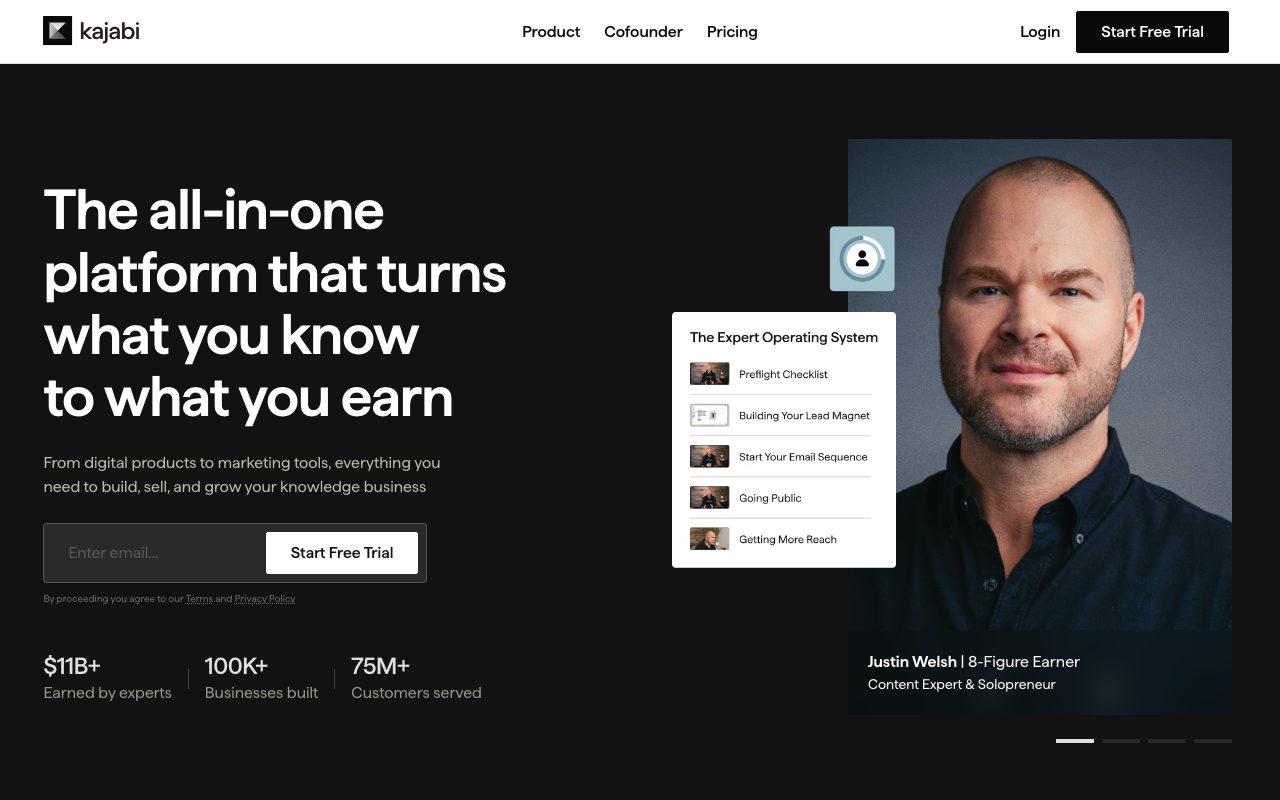
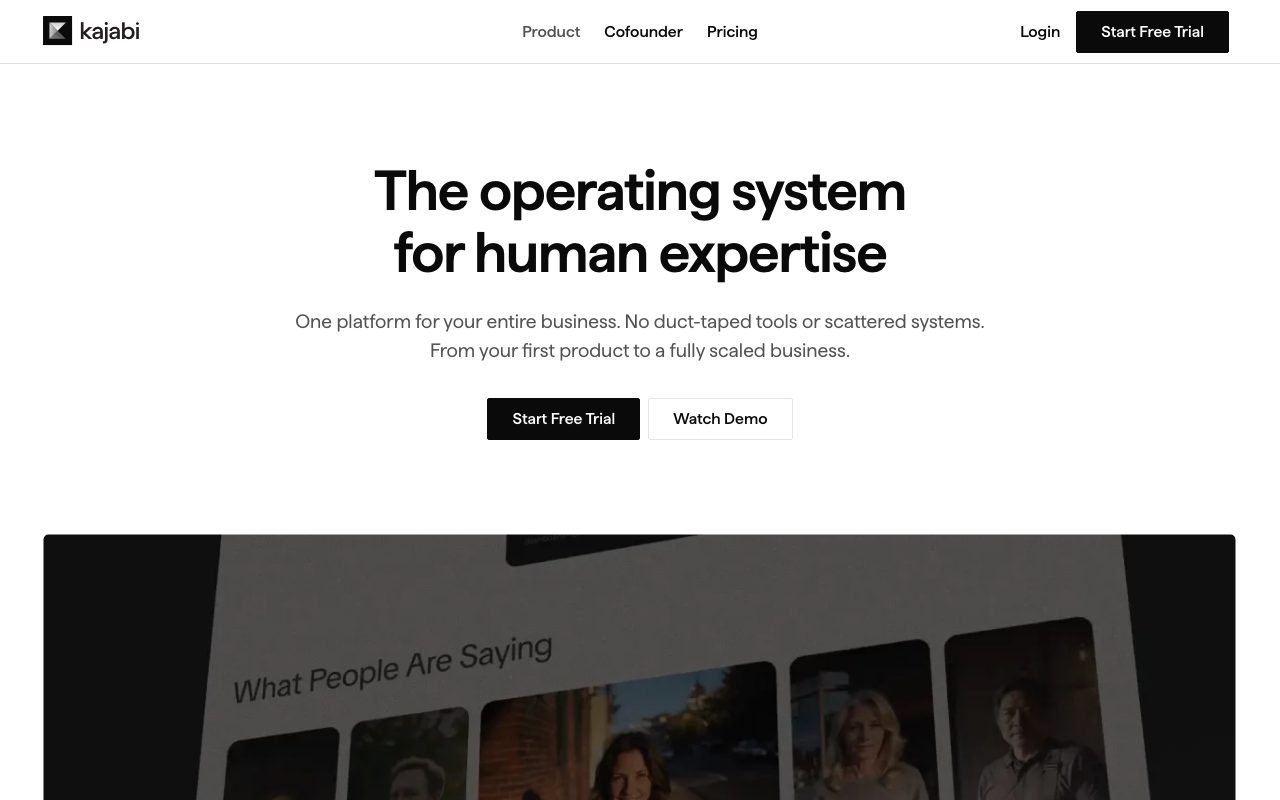
Kajabi is the all-in-one platform for selling online courses, memberships, and coaching. It's been around since 2010, and it bundles website building, email marketing, payments, and content delivery into one bill.
The core idea is "you shouldn't need eight tools to launch a course." Whether that's true depends on your patience with bundled-feature mediocrity, but for many creators, the bundle is worth it.
If you've duct-taped Teachable plus ConvertKit plus a website builder, Kajabi is what you'd build to consolidate.
What Kajabi actually does
Kajabi gives you a website, course player, email tool, sales pages, payment processing, and a community feature. You build a course, attach it to a sales funnel, and Kajabi handles delivery and billing.
It's opinionated. The templates look a certain way. The email editor has its rhythm. You'll bend a little to fit Kajabi's mental model, but you won't be fighting the tool.
Pipelines (their funnel builder)
Kajabi's funnel feature lets you string together opt-in pages, sales pages, checkout, and follow-up emails. It's not as deep as ClickFunnels, but it's good enough for most coaches.
Who Kajabi is for
Coaches, course creators, and digital product sellers who want a single tool for their whole business. People making between five and seven figures on knowledge products.
It's overkill for someone selling one $20 ebook on Gumroad. It's also under-powered for big course empires who'd rather build on a custom stack with Stripe and a self-hosted course platform.
The "I want to focus on content, not plumbing" niche
Most Kajabi users are creators first, technologists never. They pay the premium specifically to avoid wiring up Zapier, Stripe, MailerLite, and a website builder themselves.
Pricing breakdown
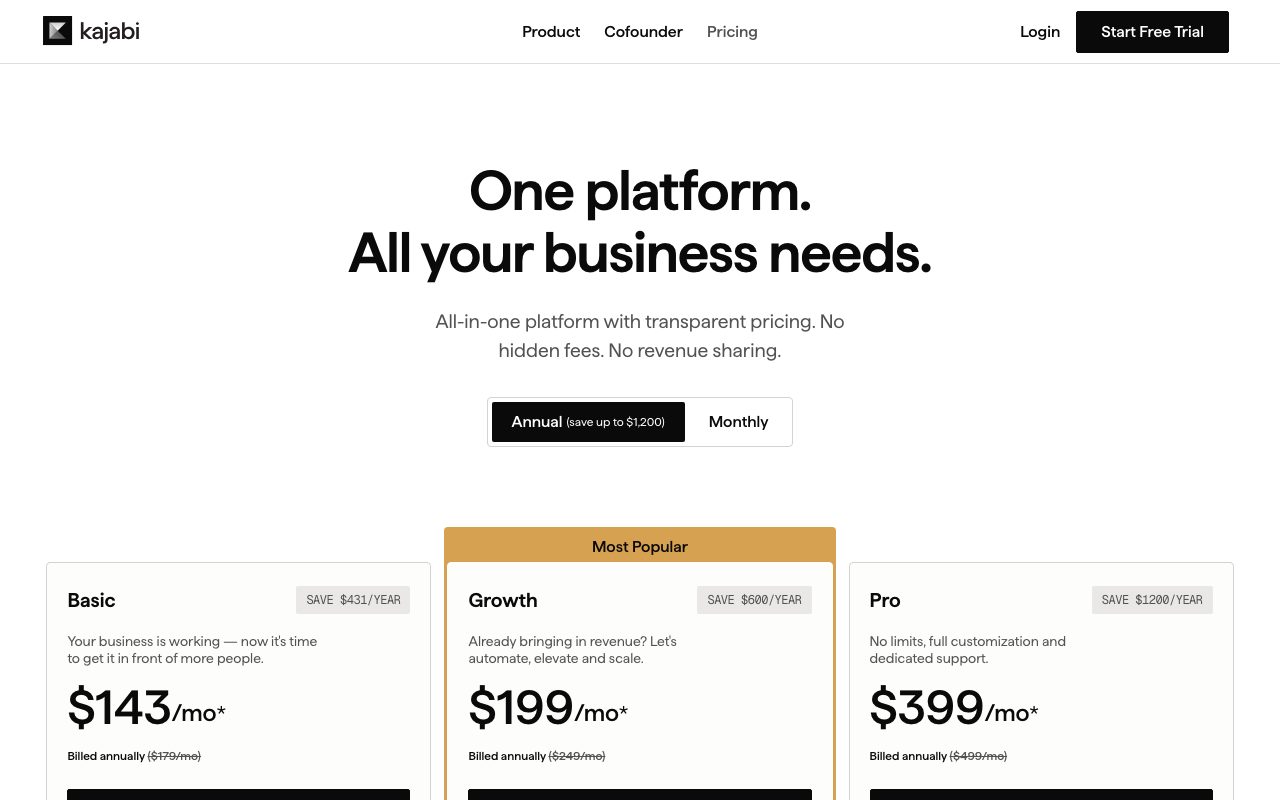
Kickstarter, Basic, Growth, and Pro tiers. Pricing is monthly per account, not per user. The Basic tier covers most solo coaches comfortably.
It's not cheap. Compared to a la carte tools, you're paying a premium for the integration and the polish. The math works once your courses gross more than the subscription cost, which most do.
What unlocks at higher tiers
Number of products, contacts, admin users, and pipelines. Pro adds advanced automations, custom code editing, and white-labeling.
Standout features of Kajabi
The course player is genuinely good. Students don't have to bounce between tabs. The video player, comments, and progress tracking feel cohesive.
Kajabi AI got real upgrades recently. You can outline a course from a prompt, draft email sequences, and generate sales copy. It's not magic but it's a solid first draft.
Communities
Built-in community feature reduces the need for a separate Circle or Mighty Networks subscription. It's not as feature-rich as standalone community tools, but for many creators it's enough.
Honest tradeoffs with Kajabi
The website builder is mediocre. If you care deeply about your design, you'll still want a real CMS. Most people don't and Kajabi is fine.
The email tool is workable but not ConvertKit-tier. Power users sometimes still send emails through a dedicated tool and use Kajabi only for the course delivery half.
Kajabi is the price you pay to stop being your own integrations engineer. For most knowledge-business creators, that's a deal worth making.
Kajabi vs alternatives
Kajabi vs Teachable: Teachable is course-first and cheaper. Kajabi is bigger and bundles more.
Kajabi vs Podia: Podia is the budget option. Kajabi is the premium option.
Kajabi vs Thinkific: Thinkific is closer in scope. Kajabi has more polish and bundled marketing tools.
For the broader category, see the best online course platforms or check Teachable alternatives.
When Kajabi wins
You're a coach or course creator. You want one bill. You hate plumbing.
Bottom line on Kajabi
Kajabi is the all-in-one for creators who'd rather make content than configure SaaS. It's expensive, opinionated, and pretty good at most things.
If you want best-in-class for each piece of your stack, build it yourself. If you want to stop thinking about it, Kajabi is the safe pick. See tools for coaches for adjacent options.
Why Kajabi's bundle pricing makes sense
The math gets interesting when you compare to a la carte. A typical course creator stack might be Teachable plus ConvertKit plus Webflow plus Stripe plus Zapier. Add it up and Kajabi's pricing doesn't look so bad.
The bundle also reduces friction. You're not exporting CSVs to move email lists. You're not setting up webhooks between five tools. The integration is the value, more than any single feature.
Kajabi communities revisited
The community feature has gotten serious investment. It's not Discord or Circle quality, but it's enough for many course creators to skip a separate community subscription. Members get one login for everything.
Kajabi for different creator types
Coaches use it for memberships, group programs, and one-on-one offerings. Course creators use it for cohort and self-paced programs. Knowledge entrepreneurs use it for paid newsletters that bundle into a broader product.
The common thread is "I sell digital products centered on me." Kajabi's design assumes you're the brand, which fits most creators but not all.
Affiliate and referral features
Built-in affiliate program management means you can recruit promoters without setting up a separate tool. Track commissions, pay affiliates, and manage links inside Kajabi. This is genuinely valuable for established creators.
Common Kajabi questions
Does Kajabi handle digital downloads? Yes, files attach to products. Can Kajabi take international payments? Yes, via Stripe or PayPal. Is there a transaction fee? Not on Kajabi's side beyond payment processor fees.
For more, see tools for coaches and Kajabi vs Thinkific.
Final take on Kajabi
Kajabi is the all-in-one for creators who'd rather make than configure. It's expensive, opinionated, and reliable. Most creators making real money on courses and coaching either use Kajabi or wish they'd started there.
Kajabi's website builder reality
The website builder is functional but not best-in-class. Themes are decent. Customization is limited compared to dedicated tools like Webflow or even Squarespace. Most Kajabi users accept this and focus on content over design.
For creators who care deeply about their site's design, the workaround is to keep your main site elsewhere and use Kajabi for the product delivery half. Embed Kajabi checkout and course access into your existing site. Many serious creators run this hybrid model.
Email marketing inside Kajabi
Kajabi's email tool handles broadcasts, sequences, and behavioral triggers. It's not ConvertKit-level for serious newsletter operators, but it's enough for most coaches and course creators. Templates, segmentation, and basic automation all work.
Kajabi pipelines and funnels
Pipelines string together opt-in pages, sales pages, checkout, and follow-up emails. The visual builder lets non-technical users construct funnels without learning ClickFunnels. It's not as deep as ClickFunnels but it covers most launch scenarios.
Pre-built pipeline templates accelerate this further. You can clone a webinar funnel, a launch funnel, or a free-trial flow and customize from there. The starting points are usable, not just demoware.
Kajabi for memberships specifically
Membership sites work well on Kajabi. Drip content, member-only areas, payment plans, and community features all integrate. For coaches running ongoing programs, this consolidation beats stitching MemberPress plus a course tool plus a community.
The member experience is reasonably good. Login, content access, and progress tracking all live in one branded portal. Members aren't bounced between tools.
Kajabi AI capabilities
The AI features handle outline generation, copy drafting, and content suggestions. They're not magic but they reduce blank-page time. Most users treat the AI output as a starting draft to refine.
The "is Kajabi worth it" calculation
The honest math: if you're making more than the subscription cost monthly from your knowledge products, Kajabi probably pays for itself in time saved. Below that, you're better off with cheaper tools. The threshold tends to be around a few thousand a month in revenue.
For pre-revenue creators, start cheaper. Validate that people will pay for your stuff. Move to Kajabi when the integrated workflow saves you more than it costs.
Kajabi wrap-up
The all-in-one bet has aged well. Course creators continue to choose Kajabi because the integration value compounds. Tools-of-tools stacks fight the same operational battles year after year. Kajabi's bundle removes that overhead, and the time saved compounds into more content shipped.
For new course creators, the practical advice is to validate your offering before subscribing. Sell a beta cohort manually, collect payment via Stripe, deliver via Google Drive or Loom. If the offering works, move to Kajabi. If it doesn't, you saved the subscription.
The migration in
If you're already on a stack of separate tools and considering Kajabi, the migration involves moving courses, contacts, sales pages, and email sequences. Plan for two or three weeks of focused work. The payoff is fewer tools, fewer bills, and fewer integration headaches forever after.
One last word on Kajabi's positioning: it's the tool that creators graduate to when they're serious. The platform optimizes for repeat product launches, recurring revenue, and student lifetime value. Casual creators may not need that depth. Serious creators usually do, even if they don't realize it on day one. Plan for the possibility that you'll grow into Kajabi's full feature set over a year or two of running your knowledge business.
For more on this category, see the best coaching platforms and tools for online educators. Each tool in the space has tradeoffs around price, features, and target creator profile. Kajabi sits at the higher-end of price and feature breadth, which fits established creators best.
Tutorial / Demo
Key Features
- Course hosting with drip and progress tracking
- Membership sites and community
- Built-in email marketing and automations
- Sales pages and checkout
- Coaching booking and payment
- Mobile app for learners
Pros & Cons
What we like
- One platform replaces several tools
- Solid for established course creators with audiences
- No transaction fees on top of monthly subscription
Room for improvement
- Pricing is high relative to single-purpose tools
- Overkill if you just need a course player
- Email deliverability tooling is thinner than dedicated ESPs
Frequently Asked Questions
How much does Kajabi cost?
Kajabi vs Teachable vs Thinkific?
Does Kajabi handle EU VAT?
Can I host a community on Kajabi?
Is Kajabi worth it for a single course?
Best For
Featured in
Tags
Alternatives to Kajabi
View all
Teachizy
France-based no-code platform for building, hosting, and selling online courses without tech skills
Stan
All-in-one creator storefront for selling digital products and courses straight from your bio

BigCommerce
Open-architecture e-commerce platform for mid-market and B2B brands
Gumroad
Simple storefront for creators selling digital products
Our take
Tool Index Editorial · May 2026· 4.6/5
If you're evaluating Kajabi, the headline is simple: all-in-one platform for selling online courses, memberships, and coaching, and most teams will get value out of the box.
Where it wins: One platform replaces several tools, Solid for established course creators with audiences, and No transaction fees on top of monthly subscription. Less impressive: Pricing is high relative to single-purpose tools and Overkill if you just need a course player.
In short: Kajabi is a strong pick when you need coaches and creators with paid courses and memberships, and a harder sell if pricing is high relative to single-purpose tools would be a dealbreaker.
Editorial opinion from the Tool Index team, written from the public product pages. Not a user review.
Reviews (6)
Easy 5 from me
First impression of Kajabi was 'huh, this is actually thought through.' Real selling point: solid for established course creators with audiences. Worth the price for what I get out of it.
Pros
- No transaction fees on top of monthly subscription
Honest take after the past sprint cycle
Kajabi solves a real problem for me, but it's not magic. Where it really wins is no transaction fees on top of monthly subscription. Built-in email marketing and automations works the way you'd hope. Hard to imagine going back to my previous setup.
It just works
Hadn't planned on switching, but Kajabi was hard to ignore. Honestly impressed by how solid for established course creators with audiences. Glad I made the switch.
Pros
- Solid for established course creators with audiences
- One platform replaces several tools
- No transaction fees on top of monthly subscription
Best decision this quarter
Tried half a dozen options before landing on Kajabi. Real selling point: one platform replaces several tools. Got real value out of membership sites and community. Glad I made the switch.
Pros
- No transaction fees on top of monthly subscription
- Solid for established course creators with audiences
- One platform replaces several tools
Honest take after two quarters
First impression of Kajabi was 'huh, this is actually thought through.' What stands out is how one platform replaces several tools. Found it works best for operators consolidating off five different tools. Easy yes for anyone weighing the same trade-offs.
Pros
- One platform replaces several tools
- No transaction fees on top of monthly subscription
- Solid for established course creators with audiences
Easy 5 from me
Found Kajabi on a Reddit thread, glad I clicked. What stands out is how no transaction fees on top of monthly subscription. Their take on membership sites and community is solid. Mostly using it for coaches and creators with paid courses and memberships. Still recommending it to people in similar setups.
Pros
- One platform replaces several tools
- Solid for established course creators with audiences
- No transaction fees on top of monthly subscription
Badge builder
Add Kajabi to your website
Choose a badge style and size, preview it here, then copy the generated HTML. Badge images are self-contained SVGs and do not require an external script.

<a href="https://toolindex.net/tools/kajabi?ref=badge" target="_blank" rel="noopener">
  <img src="https://toolindex.net/badge/kajabi/medium.svg" alt="Kajabi - Listed on Tool Index" width="180" height="50" />
</a>How to use the badge
- 1. Pick the style, size, and theme that fit your layout.
- 2. Copy the generated HTML from the code block.
- 3. Paste it into your footer, homepage, or press page.
Score badge available
Kajabi qualifies for the score and circle badges based on its current top-10 positionin E-commerce.
Badge clicks return visitors to this profile with a referral tag so the source remains identifiable.
Related Tools
Stripe
Payment infrastructure for the internet

Klaviyo
Email and SMS platform purpose-built for ecommerce, with deep Shopify integration and revenue-attributed flows.

Chancey
Shopify app for selling gacha-style blind boxes with real inventory and transparent odds

Shopify
Hosted commerce platform for storefronts of every size
Work on Kajabi? Request listing access or correction