
Klo
A native Mac video editor you talk to, describe the edit in plain English and it happens on a real timeline
Gallery
About Klo
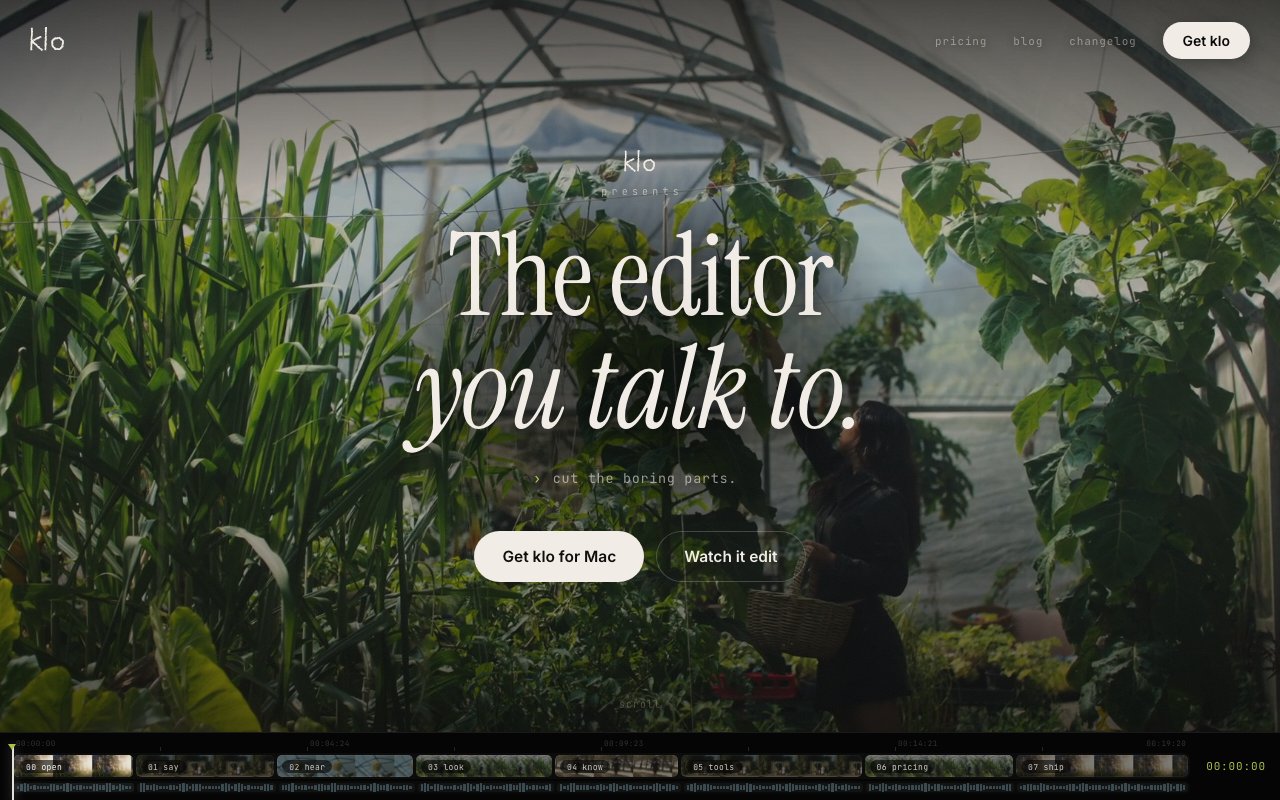
Klo is a native macOS video editor driven by an AI agent. Instead of hunting through menus and dragging clips by hand, you describe the edit in plain English, cut the dead air, caption it word by word, and Klo performs it on a real timeline in front of you. It's the conversational editing idea taken seriously, built as an actual Mac app rather than a web wrapper, with the agent operating the same timeline you could touch yourself.
That last part matters more than it sounds. Plenty of AI video products are black boxes, you upload footage, wait, and get a rendered file back with no way to see or adjust what happened. Klo keeps the timeline at the center. The agent's edits land as real timeline operations, so you can inspect what it did, refine it with another instruction, or take over manually. The conversation is the input method, not a replacement for the edit itself. That workflow also degrades gracefully. When the agent gets an instruction slightly wrong, you're not waiting on a new render from scratch, you're looking at a timeline where the mistake is visible and correctable, either with a follow-up sentence or your own hands. The examples the site leads with are mundane on purpose, cutting dead air and word-by-word captions are the chores every editor knows too well.
The toolset is broad for a young product. Klo ships 83 editing tools covering cutting, color grading, and word-by-word captioning, plus generated music and generated voiceover, so a rough screen recording can pick up a soundtrack and narration without leaving the app. It handles beat-synced cuts for footage that needs to move with the music, and native motion graphics for titles and overlays. When you're done, it exports H.264, HEVC, or ProRes 422 at up to 4K, which covers everything from a quick social clip to footage headed into a bigger post pipeline. Processing happens locally on your Mac. The grading and captioning tools cover the finishing work that usually pushes people out of a quick trimmer and into a full editing suite, which is the gap Klo is clearly aiming to close.
The unusual feature is the MCP server. Klo exposes its timeline through the Model Context Protocol, which means coding agents like Claude Code, Codex, or Cursor can drive the editor programmatically. If you already live in an agent-driven workflow, you can script video production the same way you script everything else, with the agent issuing timeline operations to a real native editor instead of shelling out to ffmpeg and hoping. That makes Klo interesting to developers and automation-minded creators, not just editors. It opens the door to workflows where an agent assembles a rough cut or batches out exports while you supervise the result from inside the app.
The core audience is content creators who produce regularly and feel the grind of repetitive editing, cutting silence, adding captions, syncing to music, exporting variants. Those are exactly the tasks that are easy to describe in a sentence and tedious to do by hand, which is the sweet spot for a conversational editor. It runs on macOS 13 or later and supports both Apple silicon and Intel Macs, so it isn't limited to the newest hardware. Podcasters clipping episodes, course creators captioning lessons, and indie developers cutting demo videos all fit the pattern, frequent output, similar edits every time, and limited appetite for timeline fiddling.
What sets Klo apart from the wave of AI video tools is the combination of native, local, and agentic. It's a real Mac app doing its processing on your machine rather than a browser front end for a render farm, and it's built agent-first, from the plain-English interface down to the MCP server that lets outside agents operate it. Few products in this space check all three of those boxes at once.
Local processing has practical upsides beyond privacy too. Your footage doesn't need to be uploaded before work can start, which matters when source files run to many gigabytes, and the app keeps working regardless of what's happening to anyone's render farm. The ProRes 422 export in particular signals that Klo expects to hand footage into serious post pipelines, not just push compressed clips to social platforms.
Pricing is freemium and metered by asks, the plain-English requests you make of the agent. The free tier includes 10 asks so you can feel out whether talking to an editor suits you. Pro runs $30 a month with 50 asks, and Studio runs $200 a month with 300, aimed at heavier production schedules. The asks model means you're paying for agent work rather than seat time, so manual timeline work doesn't burn through your quota. For anyone curious whether conversational editing is real yet, the free tier is a low-friction way to find out.
Key Features
- Plain-English editing on a real timeline
- 83 editing tools with color grading
- Word-by-word caption generation
- Generated music and voiceover
- MCP server for agent-driven editing
- H.264, HEVC, and ProRes 422 export up to 4K
Pros & Cons
What we like
- Edits land on a real timeline you can inspect and adjust
- Native Mac app with local processing
- MCP server lets Claude Code, Codex, or Cursor drive it
- Works on both Apple silicon and Intel, macOS 13 and up
Room for improvement
- Mac only, no Windows or web version
- Usage is metered in asks with fairly tight plan limits
- Studio tier is pricey at $200 a month
- Young product next to established editing suites
Frequently Asked Questions
What is Klo?
Is Klo free?
What Macs does Klo run on?
How is Klo different from other AI video editors?
Best For
Featured in
Alternatives to Klo

Apatero AI
The creator studio for AI image, video, audio, 3D, and avatars, now at apatero.ai.
Apatero Studio
Creator studio for AI image, video, audio, 3D, and avatars. Every model worth using, in one workspace.

Melodex
Turn your idea into an AI-generated music video

Speel
AI UGC video generator that makes realistic AI avatars hold and talk about your product for ads
Reviews (0)
Badge builder
Add Klo to your website
Choose a badge style and size, preview it here, then copy the generated HTML. Badge images are self-contained SVGs and do not require an external script.

<a href="https://toolindex.net/tools/klo?ref=badge" target="_blank" rel="noopener">
  <img src="https://toolindex.net/badge/klo/medium.svg" alt="Klo - Listed on Tool Index" width="180" height="50" />
</a>How to use the badge
- 1. Pick the style, size, and theme that fit your layout.
- 2. Copy the generated HTML from the code block.
- 3. Paste it into your footer, homepage, or press page.
Standard badge available
The standard listing badge is available now. Score and circle badges are limited to tools currently ranked in the top 10 of a category.
Badge clicks return visitors to this profile with a referral tag so the source remains identifiable.
Related Tools
Apatero AI
The creator studio for AI image, video, audio, 3D, and avatars, now at apatero.ai.

LocalClip
Local-first AI video clipper for Mac that turns long videos into vertical clips
Melodex
Turn your idea into an AI-generated music video
Apatero Studio
Creator studio for AI image, video, audio, 3D, and avatars. Every model worth using, in one workspace.
Work on Klo? Request listing access or correction