
Leadcode
Keep AI coding agents and cloud credentials isolated across client workspaces on one Mac
Gallery
About Leadcode
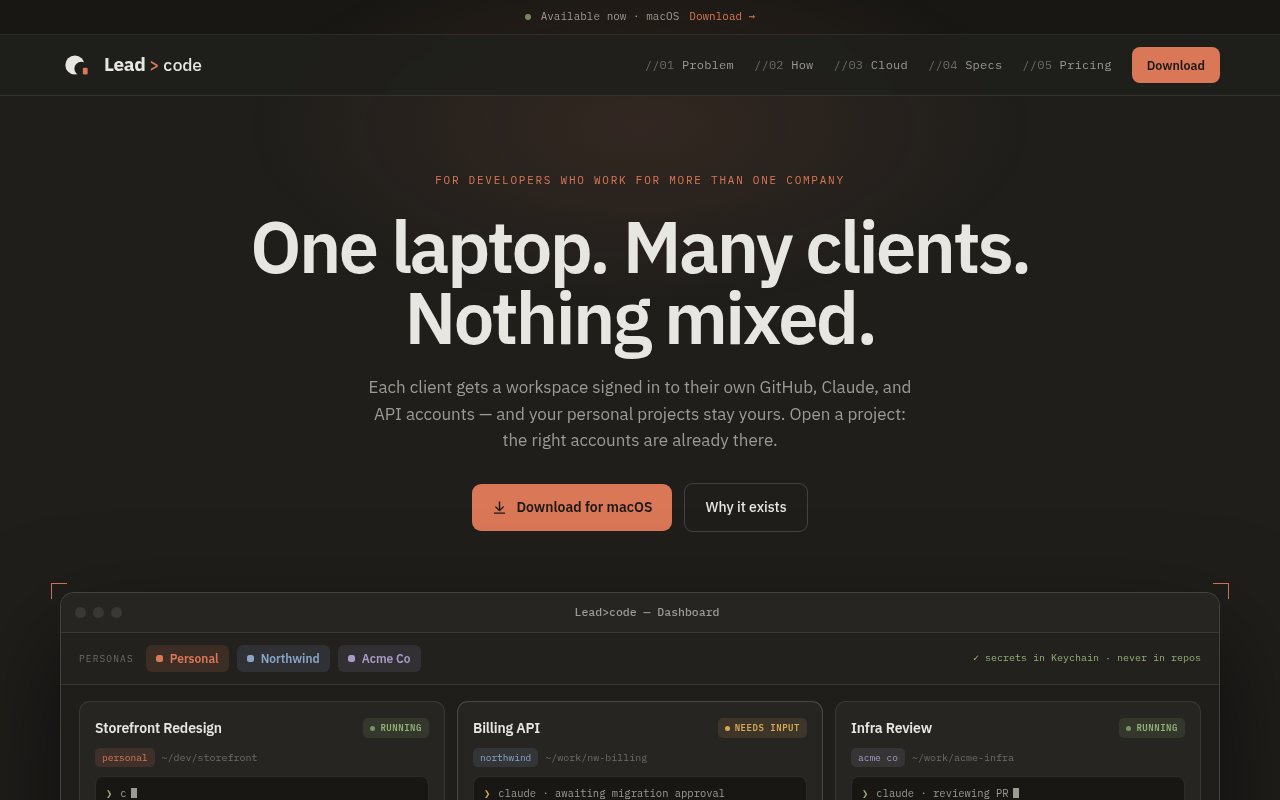
Leadcode is a local macOS application for developers who work across multiple clients, employers, or account sets and need to keep their coding agent identities separate. Each client gets a persona with its own GitHub, Claude Code, OpenAI Codex, and cloud account configuration. Opening a project launches it with the accounts declared for that workspace, so personal work doesn't accidentally use a client's API key, Git identity, or cloud project. The product is currently available as a beta for macOS 13 or later on Apple Silicon and Intel Macs.
The core problem is account confusion rather than source code organization. A consultant may have several Claude accounts, GitHub identities, API keys, and cloud environments on one laptop. Switching them manually means logging out, changing command-line profiles, exporting variables, and remembering which global setting is active. Leadcode moves those choices into a persistent persona and workspace binding. The user signs in once for each account, then each persona receives its own configuration home rather than sharing the default files under the user's normal home directory. A provider router enforces the binding when a session launches. It scrubs ambient credentials such as API keys and GitHub tokens from the inherited environment, injects only the declared account configuration, and refuses to launch when no binding exists. The product calls this a fail-closed model because it won't quietly fall back to whichever credential happens to be active in the shell. Secrets are stored in the macOS Keychain, and the site says they are never placed in repositories or regular on-disk configuration. A built-in byte-level audit is intended to detect secret leakage.
Leadcode runs the providers' own command-line tools in a real pseudoterminal rather than recreating their interfaces. Claude Code and OpenAI Codex are the listed agent providers, so their native features remain available as those tools evolve. Sessions stay alive when the user changes focus or moves between workspaces. Questions from concurrent agents appear in one Activity Center, where the developer can answer the relevant session without bringing every terminal to the front. The design is useful for someone keeping several client tasks running while still needing a clear boundary around which identity owns each process.
The same isolation model extends to cloud and source control identities. GitHub receives a separate GH_CONFIG_DIR for each account. Google Cloud gets its own CLOUDSDK_CONFIG and application default credentials, Firebase gets its own configuration home, and AWS uses distinct configuration and credentials files. That matters when a coding agent is allowed to run deployment or infrastructure commands. The application makes cloud identity part of the workspace structure instead of relying on a developer to remember a last-minute profile switch before an automated command executes.
Leadcode is intentionally local. Its runtime uses SQLite in macOS Application Support, there is no cloud service to keep online, and the published footprint is an 8 MB binary using about 80 MB while idle. Isolation is based on separate configuration homes and scrubbed process environments, not containers. The site also says a stronger sandbox boundary is still planned, so buyers shouldn't confuse credential routing with full operating system isolation. The beta lists 104 tests across runtime and interface promises, but its current platform scope excludes Linux and Windows.
Pricing is freemium and charged per person rather than by agent tokens. Every new account begins with 14 days of full Pro access without a card. After the trial, Solo remains free with unlimited workspaces, terminal sessions, the Activity Center, and the secret leak audit, but allows only one live account per provider. Pro costs $12 per month and unlocks unlimited accounts per provider plus parallel sessions across accounts. Team costs $20 per seat per month and adds shared persona and binding templates for agencies and contractors.
This is a focused tool for consultants, agency engineers, and developers serving more than one organization from a single Mac. It won't replace the coding agents, cloud CLIs, or access policies a team already uses. Instead, it puts a reliable identity boundary around those tools and reduces the chance that work is billed, committed, or deployed under the wrong account. The free tier is enough to evaluate the workspace and terminal experience, while the paid value begins when a developer truly needs multiple simultaneous identities for the same provider.
Key Features
- Per-client account personas
- Fail-closed credential routing
- macOS Keychain secret storage
- Persistent native CLI sessions
- Unified agent activity inbox
- Cloud and GitHub identity binding
Pros & Cons
What we like
- Prevents ambient credentials from leaking into sessions
- Uses the providers' native command-line tools
- Keeps client account configuration separate
- Runs locally without a cloud service
Room for improvement
- Currently limited to macOS 13 or later
- Product is still labeled beta
- Process boundaries are not full containers
- Free tier allows one live account per provider
Frequently Asked Questions
What is Leadcode?
Which coding agents and services does Leadcode support?
Does Leadcode store secrets in the cloud?
Is Leadcode free?
Best For
Featured in
Alternatives to Leadcode
View allCursor
VS Code fork built around an AI pair-programmer

Replit
Browser IDE plus Replit Agent that builds and deploys apps from a prompt
Windsurf
Codeium's AI editor with Cascade agent and deep IDE integration

Vibe Built
Building real apps with agentic AI. What worked, what broke, what shipped.
Our take
Tool Index Editorial · Oct 2026· 3.5/5
Leadcode is a Mac application that keeps coding agents, GitHub identities, and cloud credentials separated by client or project. It launches native Claude Code and Codex sessions with dedicated configuration homes, scrubs ambient credentials, stores secrets in Keychain, and refuses to start an unbound provider. Consultants and agency developers juggling several account sets are the clearest fit.
We found the fail closed account routing more valuable than the mission control interface because a wrong identity can create real billing or deployment damage. A 14 day Pro trial is available, and the free Solo tier supports one live account per provider. The product is Mac only and still young. More importantly, separate process environments are not full containers or an operating system security boundary. It reduces credential mixups, but teams still need provider permissions, cloud policy, and careful review of agent commands.
Editorial opinion from the Tool Index team, written from the public product pages. Not a user review.
Reviews (0)
Badge builder
Add Leadcode to your website
Choose a badge style and size, preview it here, then copy the generated HTML. Badge images are self-contained SVGs and do not require an external script.

<a href="https://toolindex.net/tools/leadcode?ref=badge" target="_blank" rel="noopener">
  <img src="https://toolindex.net/badge/leadcode/medium.svg" alt="Leadcode - Listed on Tool Index" width="180" height="50" />
</a>How to use the badge
- 1. Pick the style, size, and theme that fit your layout.
- 2. Copy the generated HTML from the code block.
- 3. Paste it into your footer, homepage, or press page.
Standard badge available
The standard listing badge is available now. Score and circle badges are limited to tools currently ranked in the top 10 of a category.
Badge clicks return visitors to this profile with a referral tag so the source remains identifiable.
Related Tools

Bolt.new
Prompt-to-deployed full-stack app inside the browser

Tabnine
Privacy-first enterprise AI code assistant you control, with SaaS, VPC, on-prem, or fully air-gapped deployment
Cursor
VS Code fork built around an AI pair-programmer

Skeezo
Agent-native macOS IDE for coordinating Claude Code and AI agents
Work on Leadcode? Request listing access or correction