
Melodusk
AI music generator with lyrics, stems, MIDI editing, and music videos in the browser
Gallery
About Melodusk
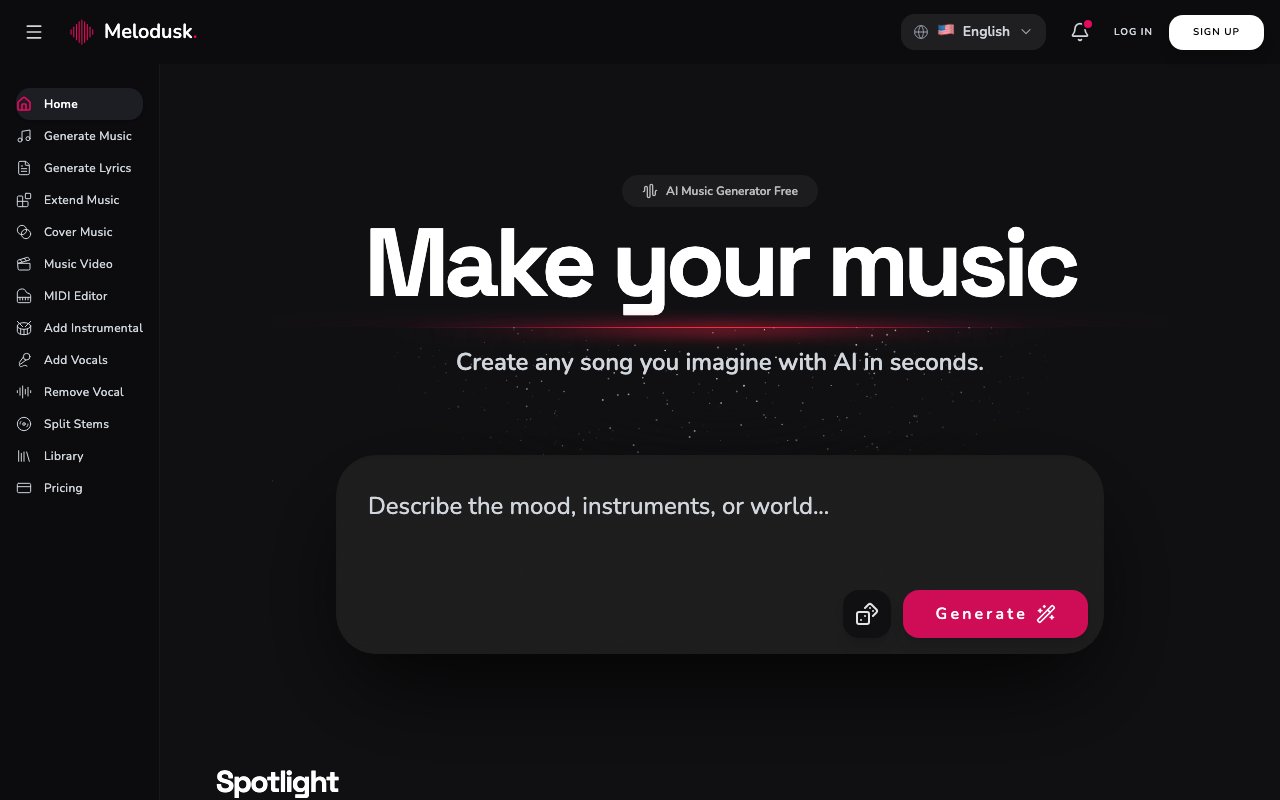
Melodusk is an AI music generator that turns a text description into a finished track, and then gives you a set of tools to keep working on it. The headline promise is "Create any song you imagine with AI in seconds", and the practical version is that you describe the sound you want, the model composes the melody, harmony, and rhythm, and a mastered track lands in under two minutes. Where it goes further than a plain prompt-to-song box is everything after generation, since it also does lyrics, stem splitting, vocal removal, extension, MIDI editing, and music videos.
The problem is the same one every non-musician hits. You need forty seconds of music for a video, a podcast intro, a game loop, or an ad, and the options are all bad. Stock libraries mean hunting through hundreds of near-misses and settling for something everyone else has used. A freelance composer means a brief, a wait, and a bill that dwarfs the project. Learning a digital audio workstation means months you don't have. Melodusk collapses that into typing what you want and getting something back before your coffee cools. The quality bar for background music in a lot of contexts is simply that it fits and it's legally yours, and that's a bar generation clears comfortably now.
Generation covers more than 100 genres, and there are dedicated generators for the ones people actually ask for most, including rap, jingle, lofi, jazz, pop, rock, punk, country, folk, and R&B. Those specialised entry points matter more than they look, because a general prompt box makes you the expert on how to describe a genre, whereas a lofi generator already knows what lofi means. Lyrics have their own tool, so you can write the words in the same place instead of switching to a chatbot and pasting between tabs. Keeping the whole loop in one browser tab sounds like a small thing until you've done it the other way for an afternoon.
The post-generation toolkit is what makes it feel like a workspace rather than a slot machine. You can extend a track that ended too early, which solves the common problem of a great loop that's fifteen seconds short of the edit. You can add or remove vocals, split a song into stems to get the drums or the vocal on their own, and produce cover versions. There's a MIDI editor for fixing what the model got almost right, which is a real distinction, since most generators leave you regenerating and hoping rather than editing. And there's a music video generator if the track needs something to sit against on a social feed, which closes the gap between having a song and having something you can actually post.
The output is pitched as studio-grade with professional mastering, and the licensing follows the same line, with paid tracks being royalty-free for commercial use. That's the detail that decides whether a tool like this is usable at work, and it's worth reading the tier table carefully rather than assuming. Music licensing is where well-meaning projects quietly acquire legal problems, usually months later when a platform's content system notices. Commercial rights come with the paid plans only. The free tier is explicitly excluded, so anything you make there is for trying the product out, not for a client deliverable or a monetised channel.
It fits content creators, video editors, podcasters, indie game developers, and marketers who need original music often and cheaply, plus musicians using it for sketching and reference rather than final output. If you're producing at volume and each track needs to be yours, the economics land well. If you want fine-grained control over arrangement and performance, the MIDI editor helps but this is still generation-first, and a real DAW will beat it on nuance. The realistic use is original music that's good enough to carry a video, an episode, or a level, produced in minutes for the price of a lunch, rather than a record you'd release under your own name.
Pricing is freemium with a genuinely limited free plan. Free gives you 30 generations a month at one per day, access to the V4.5 model only, seven days of storage, and no commercial license. Lite is $9.90 a month for 300 credits, 100 generations, a commercial license, and storage for 1,000 songs. Pro is $19.90 a month for 600 credits, 200 generations, and 2,000 songs. Studio is $59.90 a month for 1,800 credits, 600 generations, and unlimited storage. Annual billing brings the per-generation credit cost down to 3 credits. Support is published at support@melodusk.ai, and you can start creating without paying to see whether the output suits you before committing.
Key Features
- Text-to-music generation across 100+ genres
- AI lyrics writing tool
- Stem splitting and vocal add or remove
- Track extension and cover generation
- Built-in MIDI editor
- AI music video generation
Pros & Cons
What we like
- Finished, mastered tracks in under two minutes from a text description
- Post-generation tools mean you can edit rather than only reroll
- Paid plans include commercial rights on royalty-free output
- Free plan lets you test the model before paying
Room for improvement
- Free tier has no commercial license and only 7 days of storage
- Free plan is capped at one generation a day on the older model
- Credit system means heavy use pushes you up the tiers quickly
- Generation-first, so a real DAW still wins on fine arrangement control
Frequently Asked Questions
What is Melodusk?
Can I use Melodusk music commercially?
Is Melodusk free?
How is Melodusk different from other AI music generators?
Best For
Featured in
Alternatives to Melodusk

Suno
Generate full songs from a prompt, including vocals, lyrics, and all.

Loudly
Berlin-based AI music platform for generating, customizing, and distributing 100% royalty-free tracks

Beatoven.ai
Mood-based royalty-free AI background music for videos, podcasts, games, and ads, built from text prompts
Post2Song
Paste an X post URL, get an original song back using ACE-Step AI composition
Reviews (8)
Good, with a few caveats
Picked Melodusk for the price, stayed for the quality. The track extension and cover generation is more useful than I expected. It would be a five if not for free tier has no commercial license and only 7 days of storage. Glad I made the switch.
Decent with some rough edges
Started using Melodusk casually, now it is pinned in my dock. What stands out is how it handles text-to-music generation across 100+ genres. It just works, day after day, without surprises. Mostly using it for scoring a video or short without licensing stock music. The catch is generation-first, so a real daw still wins on fine arrangement control.
Two months in, no regrets
Melodusk has quietly become part of my daily flow. Got real value out of stem splitting and vocal add or remove. Mostly using it for generating background loops for an indie game. Hard to imagine going back to my old setup.
Quietly excellent
Melodusk has quietly become part of my daily flow. It just works, day after day, without surprises. Recommending it to people in a similar spot.
Quietly excellent
Picked Melodusk for the price, stayed for the quality. Setup was painless and I was productive the same day. Mostly using it for making royalty-free ad music for a client campaign.
Exactly what I needed
Tried Melodusk on a side project first, then rolled it out everywhere. The core workflow is smooth once you are set up. It slotted into my routine without much fuss. It fits well for producing podcast intros and outros in one sitting. Easy yes for anyone weighing the same trade offs.
Decent with some rough edges
Melodusk solves a real problem for me without making a fuss about it. What stands out is how little babysitting it needs. Mostly using it for generating background loops for an indie game. The catch is free plan is capped at one generation a day on the older model. Glad I made the switch.
It just works
Came to Melodusk after getting frustrated with what I had before. Got real value out of track extension and cover generation. It earns its place in my stack.
Badge builder
Add Melodusk to your website
Choose a badge style and size, preview it here, then copy the generated HTML. Badge images are self-contained SVGs and do not require an external script.

<a href="https://toolindex.net/tools/melodusk?ref=badge" target="_blank" rel="noopener">
  <img src="https://toolindex.net/badge/melodusk/medium.svg" alt="Melodusk - Listed on Tool Index" width="180" height="50" />
</a>How to use the badge
- 1. Pick the style, size, and theme that fit your layout.
- 2. Copy the generated HTML from the code block.
- 3. Paste it into your footer, homepage, or press page.
Score badge available
Melodusk qualifies for the score and circle badges based on its current top-10 positionin AI Music Generators.
Badge clicks return visitors to this profile with a referral tag so the source remains identifiable.
Related Tools

Soundraw
AI music generator that builds royalty-free, fully customizable songs from a mood and genre in seconds

Stable Audio
Stability AI's text-to-audio model for generating original music and sound effects from a written prompt
Suno
Generate full songs from a prompt, including vocals, lyrics, and all.

Boomy
Make original AI songs in seconds and distribute them to Spotify, Apple Music, and 40+ streaming platforms
Work on Melodusk? Request listing access or correction