Mirafold
Generative UI layer that turns terminal coding agents into live dashboards with charts, tables, and widgets
Gallery
About Mirafold
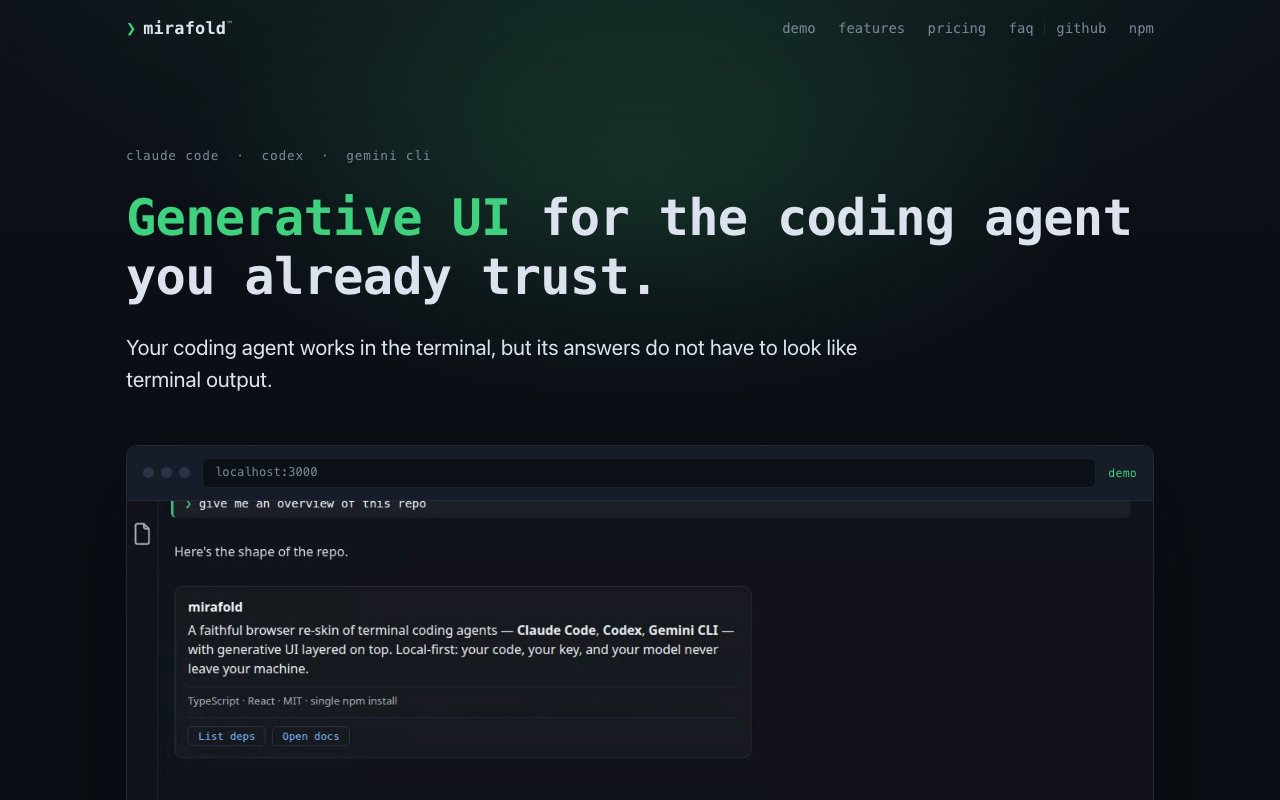
Mirafold is a generative UI layer that renders terminal coding agent output as a browser based interface with live charts, cards, and dashboards. It sits between you and your agent, intercepting the raw scrollback and displaying it visually while preserving full terminal access when you need it. Claude Code, Codex, and Gemini CLI work out of the box through dedicated adapters. Local inference setups like Ollama, LM Studio, and vLLM also work. You keep your existing agent and workflow. Mirafold just gives you a better view of what is happening without changing how your tools behave.
The core capability is transforming agent output into interactive components. As your agent produces markdown, schema validated components, or arbitrary HTML, Mirafold renders them as widgets you can pin and watch update in real time. A progress chart reflects the current state rather than a snapshot from when the agent printed it. A task list stays visible as the session scrolls below it. You can tile multiple widgets side by side and arrange them however makes sense for the task at hand. The interface updates continuously as the agent works, so you never lose context scrolling back through dense output. If your agent emits tables, charts, or status indicators, those render as proper visual elements rather than raw text.
Session multiplexing lets you run multiple agents at once and view them across different devices and browser tabs. You can have Claude Code refactoring one codebase in one session while Codex handles a separate project in another. All sessions are visible in the same browser window, and all viewports stay synchronized during agent processing. If you switch to a different device, the session state follows. That kind of coordination typically requires managing multiple terminals and manually switching between them. Mirafold centralizes the entire workflow into one interface. You do not need to remember which terminal is running which agent or scroll through separate windows to find output.
Real terminal passthrough is built in for situations where you need actual shell access. Commands prefixed with an exclamation mark execute in a real PTY, not a sandboxed mock environment. That means password prompts for sudo and SSH work correctly with masked input. The agent reads command output but never sees the passwords or passphrases you type. You are not giving up shell functionality by running through Mirafold. You are adding a visual layer on top of the shell you already have. When you need to run a privileged command or connect to a remote server, the passthrough handles it without breaking the visual interface.
Security is handled through a clear separation between trusted and untrusted zones. The prompt box, credentials, and socket connection live in a protected area that agent generated content cannot access or modify. When an agent produces arbitrary HTML or UI, it renders in a sandboxed iframe with an opaque origin and a content security policy that blocks all network paths. Server side validation checks component actions against an allowlist before executing anything on your system. API keys remain in the local daemon's environment variables and are never serialized to the browser. That design means an attacker who compromises the browser window cannot extract your credentials. If you are on the Pro tier and use the encrypted relay for cross device access, the relay sees only ciphertext and connection metadata like IP addresses and byte counts. It never sees your keys, code, or conversation content.
Local models are fully supported for developers who want everything to stay on their own machine. Point your agent at an Ollama, LM Studio, or vLLM server and nothing leaves your network. Keys, code, and tokens all stay local. The adapters work the same way regardless of whether inference happens locally or through a remote API. Adding support for a new agent requires implementing a single adapter interface behind the documented specification. The architecture is designed to accommodate whatever tools developers are already using rather than locking you into a specific vendor.
Pricing splits between a free tier and a Pro tier. The free tier includes the entire product running locally with all agents, unlimited sessions, and local API key support. It ships under an MIT license, so you can inspect, modify, and redistribute the code. Pro costs twelve dollars per month or ninety nine dollars per year and adds cross device access through an end to end encrypted relay. QR code pairing connects your phone or tablet to a running session on your workstation. The relay infrastructure is what the Pro payment covers. If you only work from one machine and do not need to monitor sessions remotely, you never need to pay.
Requirements are Node.js 22 or later. Installation runs through npm with a global install command. The platform supports macOS, Linux, and Windows. Setup involves installing the daemon, connecting your agent of choice, and opening the browser interface. From there you work as you normally would, except agent output renders visually instead of scrolling past as raw text. Mirafold is for developers who are comfortable in the terminal and already use coding agents but want a cleaner view when sessions get long or when charts, tables, and dashboards would make complex output easier to follow and act on.
Key Features
- Generative UI with live charts, tables, and cards
- Session multiplexing across multiple agents
- Pinnable widgets that persist during scroll
- Real terminal passthrough with sudo and SSH
- Sandboxed iframe execution for agent HTML
- Local first with API keys never sent to browser
Pros & Cons
What we like
- Open source and fully functional locally for free
- Works with Claude Code, Codex, Gemini CLI, and local inference
- Renders dense terminal output as visual dashboards
- API keys stay secure in the daemon environment
Room for improvement
- Requires Node.js 22 or later
- Cross device sync requires the paid Pro tier
- Learning curve to understand pinning and widget management
- Visual rendering depends on what the agent outputs
Frequently Asked Questions
What is Mirafold?
Is Mirafold free?
Does Mirafold change how my coding agent works?
Which coding agents does Mirafold support?
Best For
Featured in
Alternatives to Mirafold
View allCursor
VS Code fork built around an AI pair-programmer

Replit
Browser IDE plus Replit Agent that builds and deploys apps from a prompt
Windsurf
Codeium's AI editor with Cascade agent and deep IDE integration

Vibe Built
Building real apps with agentic AI. What worked, what broke, what shipped.
Reviews (0)
Badge builder
Add Mirafold to your website
Choose a badge style and size, preview it here, then copy the generated HTML. Badge images are self-contained SVGs and do not require an external script.

<a href="https://toolindex.net/tools/mirafold?ref=badge" target="_blank" rel="noopener">
  <img src="https://toolindex.net/badge/mirafold/medium.svg" alt="Mirafold - Listed on Tool Index" width="180" height="50" />
</a>How to use the badge
- 1. Pick the style, size, and theme that fit your layout.
- 2. Copy the generated HTML from the code block.
- 3. Paste it into your footer, homepage, or press page.
Standard badge available
The standard listing badge is available now. Score and circle badges are limited to tools currently ranked in the top 10 of a category.
Badge clicks return visitors to this profile with a referral tag so the source remains identifiable.
Related Tools

Bolt.new
Prompt-to-deployed full-stack app inside the browser

Tabnine
Privacy-first enterprise AI code assistant you control, with SaaS, VPC, on-prem, or fully air-gapped deployment
Cursor
VS Code fork built around an AI pair-programmer

Skeezo
Agent-native macOS IDE for coordinating Claude Code and AI agents
Work on Mirafold? Request listing access or correction