
NoiseVanish
Review-first background noise removal for spoken-word audio and video, with a free 30-second preview
Gallery
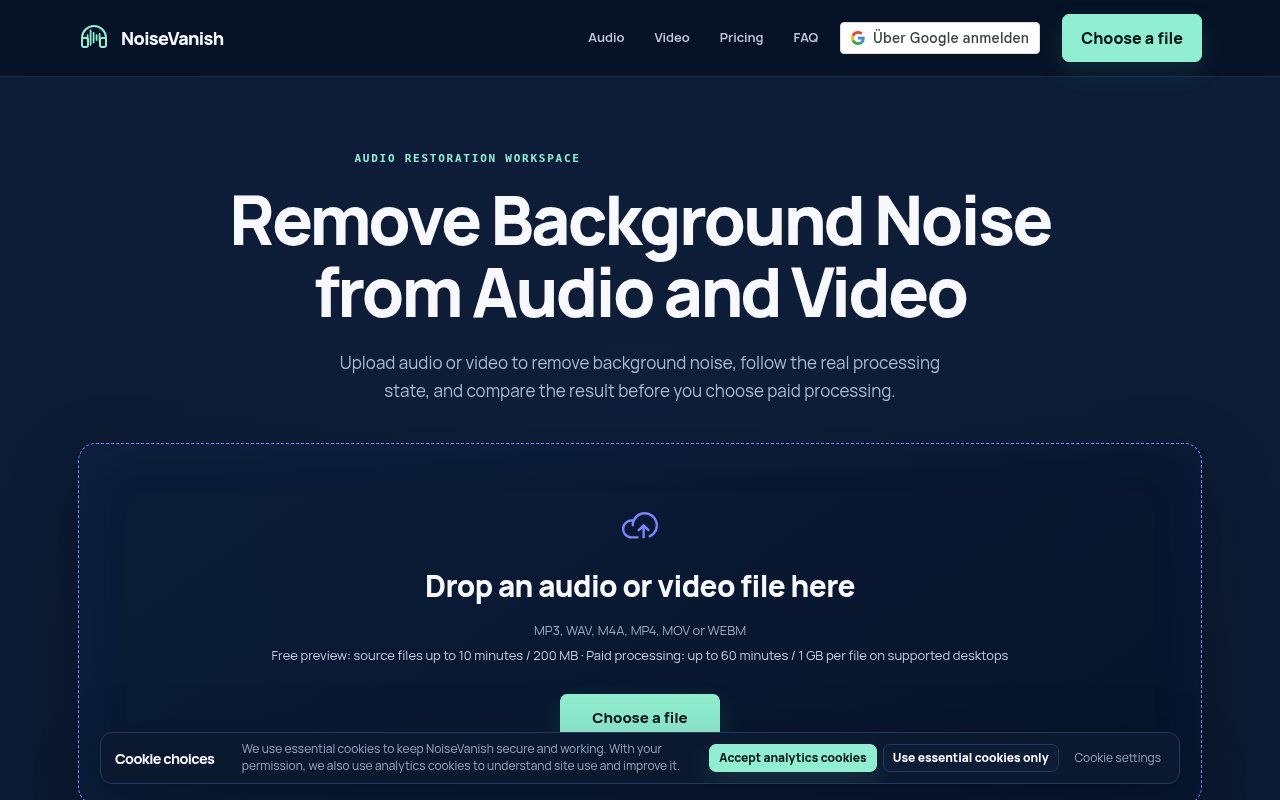
About NoiseVanish
NoiseVanish is a web service that strips steady background noise out of spoken-word audio and video. Fan and air-conditioning rumble, electrical hum, wind and traffic beds, and camera or room hiss are the targets, and the point is to make the voice easier to hear without turning it into something robotic. You upload a file, hear what the result sounds like, and only then decide whether to pay for the full clean. The site's own phrase for the approach is review-first, and the whole product is arranged around letting you check the work before you're charged for it.
The problem is one every podcaster and course producer knows. The recording is fine except for the refrigerator in the next room, and the choice is between an afternoon in an audio editor or a subscription to a suite you'll use one feature of. Desktop audio suites do the job well but take time to learn, and many online cleaners charge before you've heard the output, which means you're paying to find out whether it worked. NoiseVanish is built around the opposite order.
The flow has three visible stages. First it verifies the source file so you know what was actually received. Then it shows an honest processing state rather than a spinner that may or may not mean anything. Finally it gives you a free 30-second preview and a comparison player that keeps volume fixed and playback position synced while you flip between the original and the cleaned version, so you're judging the noise floor and not a louder file. Minutes are only consumed when a result reaches ready status, and downloading a finished file never costs extra. It accepts MP3, WAV, M4A, MP4, MOV, and WEBM, with paid files up to 60 minutes or 1 GB on desktop and 30 minutes or 500 MB on mobile, and the free preview tier takes files up to 10 minutes or 200 MB, which is enough to test a real episode segment. There's nothing to install, since everything runs through the browser, and the site says uploads aren't used for advertising or model training, with finished jobs expiring and being deleted, though it doesn't publish the exact retention window.
It's for podcasters, content creators, course producers, and anyone who records people talking and wants the background gone before publishing. Interview shows recorded over a call, voiceovers done in an untreated room, and lecture captures with ventilation noise are the typical jobs. Video creators get the same treatment as audio producers, since MP4, MOV, and WEBM go through the same pipeline and come back with the soundtrack cleaned. It isn't a mixing or mastering suite, and it makes no claim to fix everything, which is part of why it's easy to trust for the narrow job it does.
The honesty about limits is what makes it different. The site says plainly that it goes after steady noise, and that transient sounds such as barks, keyboard clatter, dishes, and door slams may remain. That's the trade most single-purpose cleaners make quietly, and NoiseVanish makes it out loud. The preview-before-payment design and the truthful processing states are the other half of the pitch, and they're aimed squarely at the frustration of paying for audio you haven't heard. The fixed-volume comparison exists so a louder cleaned file can't fool your ears, and because minutes are only charged once a result is ready, a failed or abandoned job doesn't cost you anything.
Where it falls short is depth. There's no manual control over how aggressive the reduction is, no multitrack work, and no batch pipeline for a back catalogue. The site doesn't mention an API, so it doesn't slot into an automated publishing workflow. Files with a lot of intermittent noise will still need a proper editor afterwards, the length and size caps mean a long recording session has to be split before upload, and the mobile caps are tighter than the desktop ones. The subscription's minutes also don't carry over from one month to the next, so a light month is money left on the table unless you buy packs instead.
Access is freemium. The free preview tier gives you the 30-second sample on files up to 10 minutes. Creator Monthly is $9.99 a month for 600 minutes per billing cycle, auto-renewing, and it suits a weekly show. If you'd rather not subscribe, one-time packs run $3.99 for 60 minutes, $8.99 for 300, and $14.99 for 600, each valid for 12 months, which is the better fit for occasional use. An unused pack can be refunded within 14 days as long as zero seconds of it were consumed, while subscriptions and partly used packs carry no refund guarantee. Payment is only triggered by processing, never by downloading a file you've already paid for. Support is at support@noisevanish.com.
Key Features
- Steady background noise removal
- Free 30-second preview before paying
- Synced original versus cleaned comparison player
- Visible processing states
- Supports MP3, WAV, M4A, MP4, MOV, and WEBM
- Subscription or one-time minute packs
Pros & Cons
What we like
- Hear the result before you pay
- Minutes only charged when a file is ready
- Clear about which noise types it can't fix
- Media isn't used for training or advertising
Room for improvement
- Transient sounds like barks and clicks may remain
- No manual control over reduction strength
- File caps of 60 minutes or 1 GB per upload
- Subscription minutes don't roll over
Frequently Asked Questions
What is NoiseVanish?
Is NoiseVanish free?
What noise can't it remove?
What file types does it accept?
Best For
Featured in
Alternatives to NoiseVanish
View all
Apatero AI
The creator studio for AI image, video, audio, 3D, and avatars, now at apatero.ai.
Apatero Studio
Creator studio for AI image, video, audio, 3D, and avatars. Every model worth using, in one workspace.

Melodex
Turn your idea into an AI-generated music video

Speel
AI UGC video generator that makes realistic AI avatars hold and talk about your product for ads
Our take
Tool Index Editorial · Sep 2026· 3.5/5
NoiseVanish removes steady background noise from spoken audio and video, then gives the user a 30 second result before charging. That review first flow is its best feature because it lets podcasters, course makers, and video creators judge a real file at matched playback position. Creator Monthly costs $9.99 for 600 minutes, while packs start at $3.99 for 60 minutes and last 12 months.
We like the clear limits. The site says barks, keyboards, dishes, and other transient sounds may remain, and it caps desktop files at 60 minutes or 1 GB. There is no strength control, batch workflow, or API, and subscription minutes do not roll over. For occasional cleanup the packs are sensible, but difficult recordings will still need a proper editor.
Editorial opinion from the Tool Index team, written from the public product pages. Not a user review.
Reviews (0)
Badge builder
Add NoiseVanish to your website
Choose a badge style and size, preview it here, then copy the generated HTML. Badge images are self-contained SVGs and do not require an external script.

<a href="https://toolindex.net/tools/noisevanish?ref=badge" target="_blank" rel="noopener">
  <img src="https://toolindex.net/badge/noisevanish/medium.svg" alt="NoiseVanish - Listed on Tool Index" width="180" height="50" />
</a>How to use the badge
- 1. Pick the style, size, and theme that fit your layout.
- 2. Copy the generated HTML from the code block.
- 3. Paste it into your footer, homepage, or press page.
Standard badge available
The standard listing badge is available now. Score and circle badges are limited to tools currently ranked in the top 10 of a category.
Badge clicks return visitors to this profile with a referral tag so the source remains identifiable.
Related Tools
Apatero AI
The creator studio for AI image, video, audio, 3D, and avatars, now at apatero.ai.

LocalClip
Local-first AI video clipper for Mac that turns long videos into vertical clips
Melodex
Turn your idea into an AI-generated music video
Apatero Studio
Creator studio for AI image, video, audio, 3D, and avatars. Every model worth using, in one workspace.
Work on NoiseVanish? Request listing access or correction