
Orcah Studio
Index and search video libraries on a Mac with local multimodal analysis
Gallery
About Orcah Studio
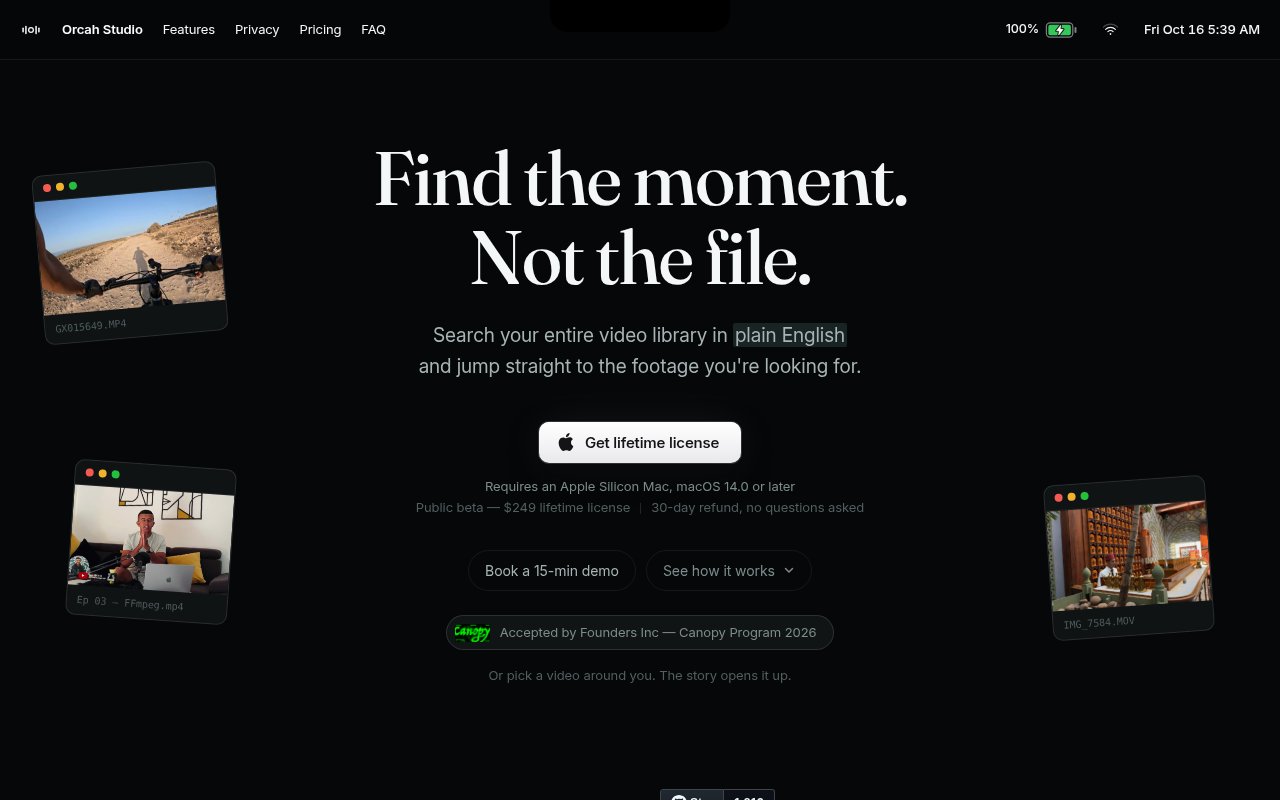
Orcah Studio is a local-first Mac application for turning a video library into a searchable knowledge base. It is the renamed desktop product that grew from the Edit Mind project, with a focus on finding exact moments in footage without uploading the underlying media to a cloud video service. The app analyzes spoken words and visual content, stores the resulting index on the user's machine, and accepts natural-language searches for scenes that would otherwise require scrubbing through hours of material. It is aimed at editors, filmmakers, content teams, researchers, and anyone with a large archive whose file names reveal little about what is actually inside each clip.
Indexing combines several forms of analysis. Orcah Studio can transcribe audio with timestamps, separate speakers, recognize faces, detect objects, read text visible in frames, and describe scenes. Those signals are organized so a search can match what was said as well as what appeared on screen. A user might look for a person discussing a topic, an object appearing in a shot, words shown on a sign, or a scene described in ordinary language. Results point back to the relevant moment rather than merely returning a whole file. The product also supports visual search from a reference image or a color and audio search from a supplied sound file. This opens searches that are hard to phrase, such as locating shots visually similar to a still or finding scenes that contain a particular sound.
The local-first model is a practical part of the product rather than a label attached to a cloud workflow. Footage stays on local disks, external drives, or connected storage while analysis and search run on the Mac. This matters for unreleased work, client material, private archives, and footage covered by nondisclosure agreements. It also avoids repeatedly transferring large source files before they can be searched. Local processing has a tradeoff, since indexing speed and available models depend on the machine doing the work. Large libraries still need time and local storage for derived metadata, even when the originals remain where the editor already keeps them. The process is better understood as preparing a reusable local catalog than as an instant search over untouched files.
Orcah Studio is designed to sit beside an editing workflow rather than replace the nonlinear editor. The desktop lineage documents direct handoff to Final Cut Pro and DaVinci Resolve, with Adobe Premiere Pro integration part of the product direction. Once a result is found, the goal is to move the relevant clip or moment into the edit without a long export and reimport sequence. The app also exposes an MCP connection for tools such as Claude Code, Codex, and OpenCode, letting those clients search an indexed video library. That makes the same media index useful both through the visual desktop interface and through an agent-aware development or research workflow. Editors can stay in a visual search flow, while technical users can ask another application to retrieve moments from the indexed archive.
The closest free alternative from the same maker is the source-available Edit Mind stack. It can be self-hosted with Docker and provides local video indexing, multimodal analysis, semantic search, and exports. That stack documents Whisper transcription, object and face analysis, OCR, scene processing, text, visual, and audio embeddings, plus local database services. It is a better fit for technical users willing to operate several services and manage their own configuration. Orcah Studio is the packaged commercial route for Mac users who want installation and hardware integration handled as a desktop application. The maker notes that the Docker and desktop versions are not identical, and the desktop app has richer scene data and direct editing integrations. Buyers should evaluate the Mac build on its own rather than assuming complete feature parity with the repository.
Orcah Studio is sold as a paid desktop product rather than a free cloud account. Current public material describes a one-time lifetime license and a refund window, while the related self-hosted project remains available for people who prefer a technical setup. The product is young and its rebrand from Edit Mind is recent, so documentation, naming, and commercial terms may still settle. There is also no broad Windows desktop promise on the current Orcah Studio positioning, which specifically highlights Mac availability. For Mac-based video workers with sensitive or sprawling footage, its appeal is clear. It searches across speech, faces, objects, text, images, colors, and sound while keeping the actual library close to the editing machine.
Key Features
- Local multimodal video indexing
- Natural-language moment search
- Face object and OCR detection
- Timecoded speaker-aware transcription
- Image color and audio search
- Editing and MCP integrations
Pros & Cons
What we like
- Keeps source footage on local storage
- Searches both spoken and visual content
- Returns exact moments rather than whole files
- Connects the index to editors and agents
Room for improvement
- The packaged desktop app is currently Mac focused
- Large libraries require local processing time
- Recent rebranding leaves documentation in transition
- Desktop and self-hosted versions are not identical
Frequently Asked Questions
What is Orcah Studio?
Does Orcah Studio upload my videos?
What can Orcah Studio search for?
Is Orcah Studio free?
Best For
Featured in
Alternatives to Orcah Studio

Apatero AI
The creator studio for AI image, video, audio, 3D, and avatars, now at apatero.ai.
Apatero Studio
Creator studio for AI image, video, audio, 3D, and avatars. Every model worth using, in one workspace.

Melodex
Turn your idea into an AI-generated music video

Speel
AI UGC video generator that makes realistic AI avatars hold and talk about your product for ads
Our take
Tool Index Editorial · Oct 2026· 3.5/5
Orcah Studio is a Mac app that indexes spoken and visual content in a video library, then returns exact moments from natural-language, image, color, face, object, text, or audio searches. We found a strong fit for editors and researchers with large or sensitive archives because footage and the search index stay on the machine. The public beta costs $249 once and includes a 30-day refund period.
Direct handoff to Final Cut Pro and DaVinci Resolve makes the result more practical than a detached catalog. The limits are substantial, though. It requires an Apple Silicon Mac running macOS 14 or later, local indexing can take time and storage, and access is currently invite-only. The product is young and recently renamed, so buyers should use the trial on representative footage before committing.
Editorial opinion from the Tool Index team, written from the public product pages. Not a user review.
Reviews (0)
Badge builder
Add Orcah Studio to your website
Choose a badge style and size, preview it here, then copy the generated HTML. Badge images are self-contained SVGs and do not require an external script.

<a href="https://toolindex.net/tools/orcah-studio?ref=badge" target="_blank" rel="noopener">
  <img src="https://toolindex.net/badge/orcah-studio/medium.svg" alt="Orcah Studio - Listed on Tool Index" width="180" height="50" />
</a>How to use the badge
- 1. Pick the style, size, and theme that fit your layout.
- 2. Copy the generated HTML from the code block.
- 3. Paste it into your footer, homepage, or press page.
Standard badge available
The standard listing badge is available now. Score and circle badges are limited to tools currently ranked in the top 10 of a category.
Badge clicks return visitors to this profile with a referral tag so the source remains identifiable.
Related Tools
Apatero AI
The creator studio for AI image, video, audio, 3D, and avatars, now at apatero.ai.

LocalClip
Local-first AI video clipper for Mac that turns long videos into vertical clips
Melodex
Turn your idea into an AI-generated music video
Apatero Studio
Creator studio for AI image, video, audio, 3D, and avatars. Every model worth using, in one workspace.
Work on Orcah Studio? Request listing access or correction