Recap Studio
Record polished Mac demos with automatic zooms, cursor smoothing, and local editing
Gallery
About Recap Studio
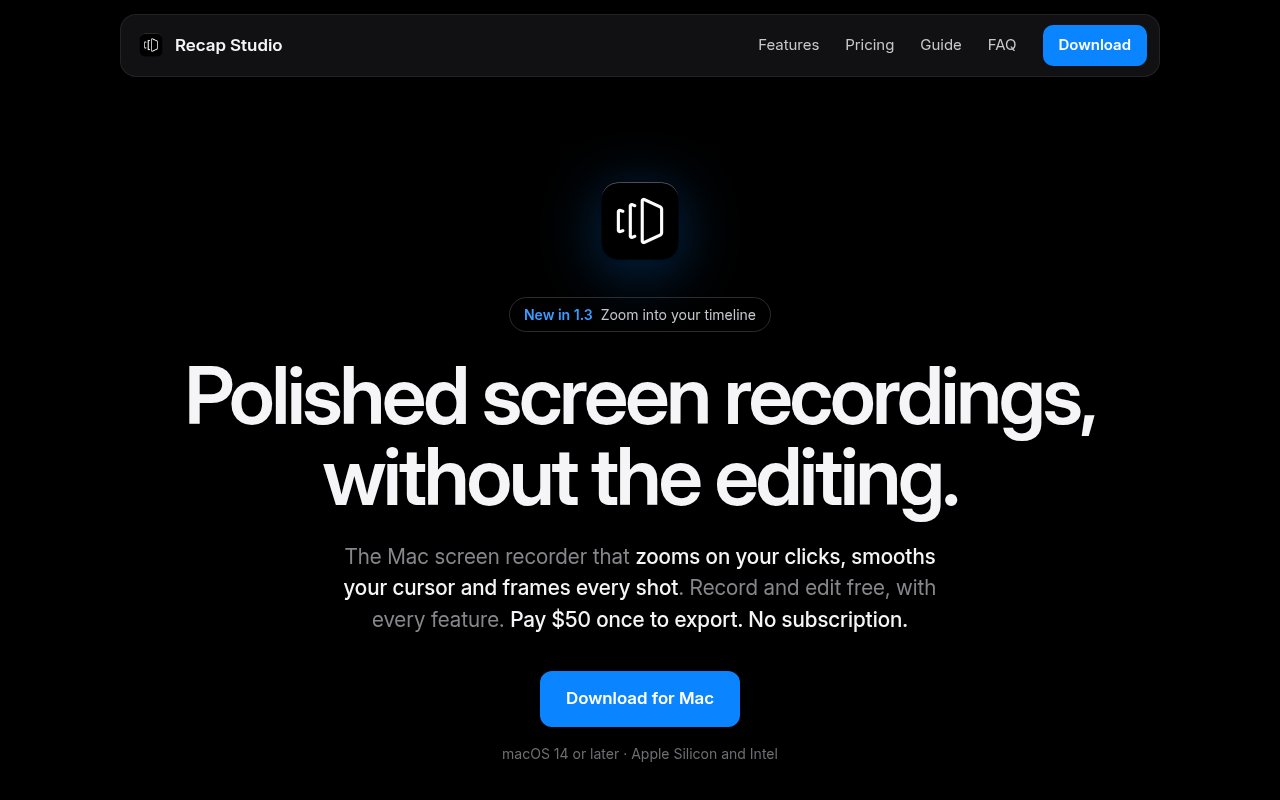
Recap Studio is a native Mac screen recorder built to make product demos and walkthroughs look edited without requiring a long post-production session. It watches where someone clicks, adds zooms around those moments, smooths the recorded cursor, and places the capture in a polished frame. A presenter can record the full display, one window, or a selected area along with microphone and system audio. The app includes a timeline for trimming dead space, speeding up slow sections, muting individual clips, and adjusting the automatic zooms. Recording and editing are free with the complete editor, while MP4 and GIF export require a one-time Pro license.
Automatic zoom is the central feature. Each click becomes a zoom event on the timeline, and the user can change its depth, drag it to a different time, stretch its duration, or delete it. If a clip is cut or sped up, the zoom remains attached to the relevant moment instead of drifting out of sync. This creates the familiar guided-camera effect used in polished software demos without asking the recorder to animate keyframes manually. The newest version highlighted on the site also lets users zoom into the timeline itself, which should make small edits easier. The automation is useful, but it remains editable, so an accidental click doesn't have to become part of the final visual rhythm.
The cursor is captured separately from the video. After recording, it can be smoothed, resized, and restyled with seven cursor styles plus optional click circles or ripples. Recap Studio can fade the pointer while it is idle and hold still the final stray movement before a pause. This separate cursor layer is also what distinguishes it from the built-in macOS screen recorder, which bakes cursor motion into the footage. For framing, users can choose from 17 wallpapers, a gradient, a solid color, or their own image, then adjust padding, rounded corners, and shadow. A webcam bubble can sit in any corner and keep a face centered, while pressed shortcuts can appear on screen.
One recording can be reframed for six aspect ratios, including 16:9, 1:1, 4:3, 9:16, 3:4, and 4:5. That covers widescreen demos, square posts, and the vertical formats used by Reels and TikTok. Pro exports MP4 at up to 4K and 60 frames per second, or produces looping GIFs that fit documentation, changelogs, and README files. The editing tools include a countdown, pause and resume, a recording indicator that doesn't appear in the output, per-clip mute, and speed changes up to 24 times. It isn't presented as a full video editor with layered media tracks, effects libraries, or collaborative review. Its focus stays on quickly refining one screen recording.
Recap Studio fits founders, developers, designers, support teams, and marketers who make software demos often enough to care about clarity but don't want a complex editing workflow. It can produce launch clips for social channels, short how-to recordings for documentation, feature updates for a changelog, and internal walkthroughs for Slack or Notion. The app runs on both Apple Silicon and Intel Macs, but it requires macOS 14 Sonoma or later. There is no Windows, Linux, web, iPhone, or iPad version documented. Teams with mixed operating systems should treat that platform boundary as a real purchasing constraint rather than assuming projects can move across devices.
Privacy is simple because the workflow is local by default. Projects are stored as files on the Mac, recordings aren't uploaded, and no account is required to download or begin using the app. Recap Studio uses Apple's ScreenCaptureKit and captures at the display's full resolution up to 60 frames per second. The free edition allows unlimited recording and full use of the editor, including auto zoom, cursor treatment, and backdrops, but it cannot export. Pro costs $50 once, works on up to three Macs, and includes future updates as well as MP4 and GIF export. This pricing makes it possible to test the complete editing experience against real recordings before paying, which is more informative than a short trial. The export lock is still absolute. A project can be recorded, trimmed, reframed, and styled for free, but there is no published free export allowance. Compared with the built-in Mac recorder, the purchase mainly pays for editable cursor data, automatic zooms, framing, multiple ratios, and export rather than basic capture alone. That makes the free version a meaningful evaluation environment, though anyone who needs to publish even one result must buy the lifetime license.
Key Features
- Automatic click-based zooms
- Post-recording cursor smoothing
- Custom frames and backdrops
- Six export aspect ratios
- 4K MP4 and GIF export
- Local account-free projects
Pros & Cons
What we like
- Automates the most visible demo polish
- Keeps recordings and projects on the Mac
- One license covers up to three Macs
- Full editor is available before purchase
Room for improvement
- Free edition cannot export
- Requires macOS 14 or later
- No Windows or browser version
- Editing scope is intentionally focused
Frequently Asked Questions
What is Recap Studio?
Is Recap Studio free?
Does Recap Studio upload recordings?
Which Macs does Recap Studio support?
Best For
Featured in
Alternatives to Recap Studio
View all
Apatero AI
The creator studio for AI image, video, audio, 3D, and avatars, now at apatero.ai.
Apatero Studio
Creator studio for AI image, video, audio, 3D, and avatars. Every model worth using, in one workspace.

Melodex
Turn your idea into an AI-generated music video

Speel
AI UGC video generator that makes realistic AI avatars hold and talk about your product for ads
Reviews (0)
Badge builder
Add Recap Studio to your website
Choose a badge style and size, preview it here, then copy the generated HTML. Badge images are self-contained SVGs and do not require an external script.

<a href="https://toolindex.net/tools/recap-studio?ref=badge" target="_blank" rel="noopener">
  <img src="https://toolindex.net/badge/recap-studio/medium.svg" alt="Recap Studio - Listed on Tool Index" width="180" height="50" />
</a>How to use the badge
- 1. Pick the style, size, and theme that fit your layout.
- 2. Copy the generated HTML from the code block.
- 3. Paste it into your footer, homepage, or press page.
Standard badge available
The standard listing badge is available now. Score and circle badges are limited to tools currently ranked in the top 10 of a category.
Badge clicks return visitors to this profile with a referral tag so the source remains identifiable.
Related Tools
Apatero AI
The creator studio for AI image, video, audio, 3D, and avatars, now at apatero.ai.
LocalClip
Local-first AI video clipper for Mac that turns long videos into vertical clips
Melodex
Turn your idea into an AI-generated music video
Apatero Studio
Creator studio for AI image, video, audio, 3D, and avatars. Every model worth using, in one workspace.
Work on Recap Studio? Request listing access or correction