
Reclip
AI video clipper and creator toolkit for finding, editing, and generating short-form content
Gallery
About Reclip
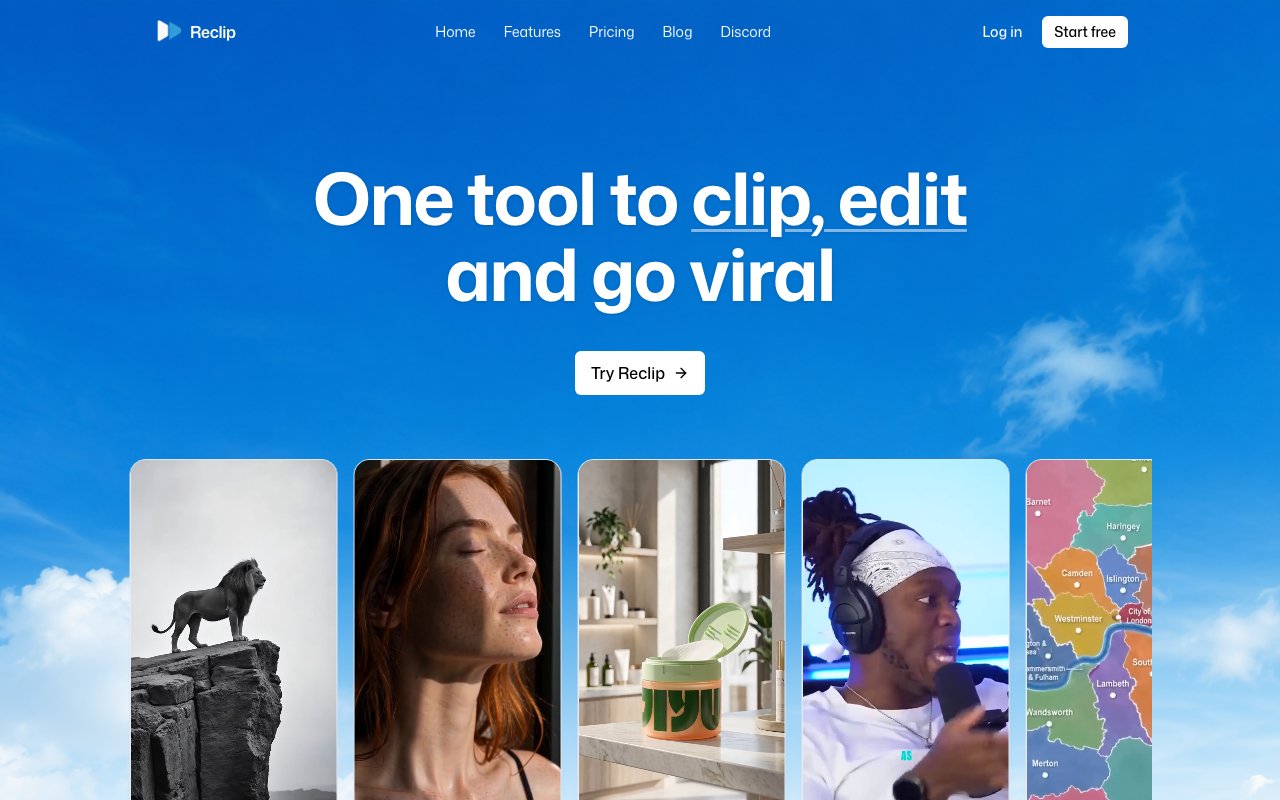
Reclip packages the entire video creation workflow into a single platform, combining AI-powered generation tools with practical editing features that content creators actually use daily. The service targets anyone publishing regularly to Instagram, YouTube, TikTok, or Twitch who needs to produce high volumes of content without spending hours in traditional editing software. Rather than juggling subscriptions across multiple specialized tools, each with its own learning curve and billing cycle, creators can handle clipping, voiceovers, ad generation, compression, and video downloads from one unified dashboard. This consolidation saves both money and the mental overhead of context-switching between applications.
The AI Clipper feature addresses one of the most tedious tasks in content repurposing. Upload a long-form video and the system automatically identifies compelling moments worth extracting as standalone clips. Creators who record hour-long streams, lengthy podcast episodes, or extended tutorial content can quickly generate dozens of short-form pieces without manually scrubbing through footage hunting for highlights. The AI analyzes engagement patterns and content structure to surface moments that work as TikToks, YouTube Shorts, or Instagram Reels. This capability transforms content strategy by making repurposing practical rather than prohibitively time-consuming.
Voiceover capabilities leverage ElevenLabs technology to generate professional narration without requiring you to record anything yourself. This opens up video production to creators who don't want to appear on camera, whose content benefits from polished audio delivery, or who simply don't have access to quiet recording environments. The unlimited voiceover generation means you can experiment freely, trying different tones and styles without worrying about per-generation costs eating into your budget. International creators can produce content in languages they don't speak fluently, expanding their potential audience significantly.
The AI Video Generator goes further by creating entire videos from text prompts or images using models like Google Omni and Kling 3.0. All generated content comes without watermarks, making it immediately usable for publishing or client work without additional editing steps. This feature serves creators who need supplementary footage, abstract backgrounds, or visual concepts that would be difficult or expensive to source otherwise. The AI Ad Generator specifically serves those who monetize through product promotions or run e-commerce businesses. Feed it product images and creative direction, and it produces video advertisements ready for paid campaigns on social platforms.
Practical utility features round out the toolkit and address workflows that other AI-focused platforms often ignore. A video downloader pulls content from YouTube, TikTok, Instagram, and other platforms for remixing, reference, or archival purposes. Caption removal strips burned-in subtitles from clips when you need clean footage. Background removal works on images for thumbnail creation or overlay assets used in video editing. Video compression lets you reduce file sizes while maintaining visual quality, useful for platforms with strict upload limits or for faster loading on websites and in email attachments.
Multi-language support covers over fifty languages, making the platform accessible to creators producing content for global audiences. This isn't limited to interface translation. The AI features themselves can work across languages for voiceover generation and content understanding. Creators building international brands or serving multilingual communities will find this breadth particularly valuable compared to tools that only support English properly.
Pricing follows a credit-based subscription model across three tiers designed for different production volumes. The Starter plan runs nineteen dollars monthly for 220 credits, suitable for creators testing the platform or producing content occasionally. Pro at thirty-nine dollars monthly includes 520 credits and handles moderate publishing schedules with room for experimentation. Creator tier at sixty-nine dollars monthly provides 1,050 credits for high-volume producers who publish daily across multiple platforms. All plans include access to the core feature set with higher tiers adding priority processing during busy periods and early access to new tools before general release. A limited free tier lets you test capabilities before committing money, though serious production work will require a paid subscription to access sufficient credits.
Key Features
- AI clipper for long-form videos
- ElevenLabs-powered voiceover generation
- Caption removal from existing videos
- Video compression with quality control
- Video downloader for major platforms
- Text and image to video generation
Pros & Cons
What we like
- All-in-one toolkit replaces multiple editing apps
- AI clipper saves hours of manual scrubbing
- Browser-based with no installation required
- Supports over fifty languages for voiceovers
Room for improvement
- No free tier, starts at $19/month
- Credit system requires tracking usage
- Video processing capped at 60 minutes max
- Dependent on ElevenLabs for voice quality
Frequently Asked Questions
What is Reclip?
Is Reclip free?
How does the AI clipper work?
Who is Reclip for?
Best For
Featured in
Alternatives to Reclip
View all
Apatero AI
The creator studio for AI image, video, audio, 3D, and avatars, now at apatero.ai.
Apatero Studio
Creator studio for AI image, video, audio, 3D, and avatars. Every model worth using, in one workspace.

Melodex
Turn your idea into an AI-generated music video

Speel
AI UGC video generator that makes realistic AI avatars hold and talk about your product for ads
Reviews (0)
Badge builder
Add Reclip to your website
Choose a badge style and size, preview it here, then copy the generated HTML. Badge images are self-contained SVGs and do not require an external script.

<a href="https://toolindex.net/tools/reclip?ref=badge" target="_blank" rel="noopener">
  <img src="https://toolindex.net/badge/reclip/medium.svg" alt="Reclip - Listed on Tool Index" width="180" height="50" />
</a>How to use the badge
- 1. Pick the style, size, and theme that fit your layout.
- 2. Copy the generated HTML from the code block.
- 3. Paste it into your footer, homepage, or press page.
Standard badge available
The standard listing badge is available now. Score and circle badges are limited to tools currently ranked in the top 10 of a category.
Badge clicks return visitors to this profile with a referral tag so the source remains identifiable.
Related Tools
Apatero AI
The creator studio for AI image, video, audio, 3D, and avatars, now at apatero.ai.

LocalClip
Local-first AI video clipper for Mac that turns long videos into vertical clips
Melodex
Turn your idea into an AI-generated music video
Apatero Studio
Creator studio for AI image, video, audio, 3D, and avatars. Every model worth using, in one workspace.
Work on Reclip? Request listing access or correction