Screenshot API
API for converting URLs and HTML into screenshots and PDFs with ad blocking and CSS injection
Gallery
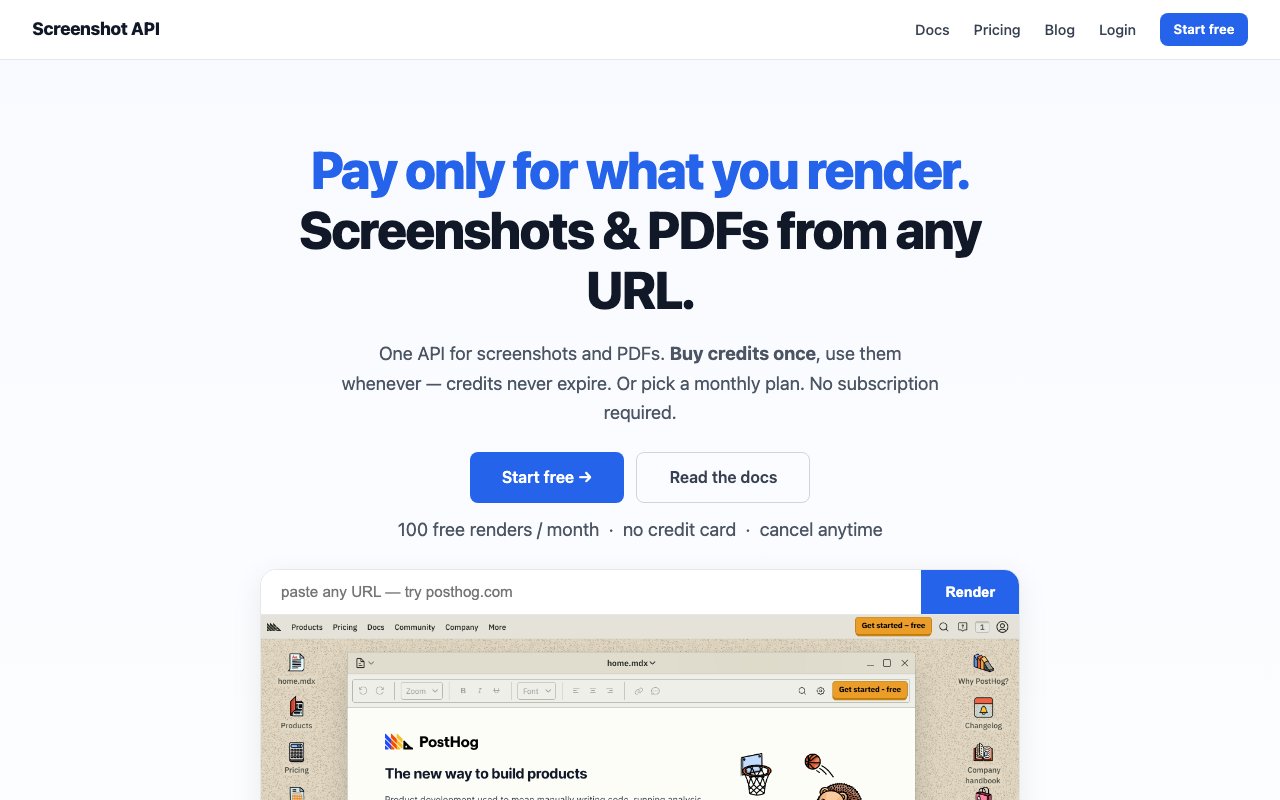
About Screenshot API
Screenshot API is a cloud rendering service that converts URLs and raw HTML into images and PDFs through a simple programmatic interface. Developers submit a web address or HTML content via API call, and the service returns a rendered screenshot in PNG, JPEG, or WebP format, or generates a PDF document in standard sizes like A4, Letter, Legal, or Tabloid. Built on Playwright and Chromium, the platform handles all the browser automation complexity including JavaScript execution, font rendering, and viewport management so developers can focus on building their applications rather than managing headless browser infrastructure or dealing with cross platform rendering inconsistencies.
The rendering engine supports features that go well beyond basic page capture. Element specific rendering lets developers target particular CSS selectors to generate focused images, which proves especially useful for creating Open Graph social cards that need to capture just a specific component rather than an entire page, or extracting particular elements from larger layouts. Custom CSS and JavaScript injection runs before rendering, enabling dynamic modifications like hiding cookie banners and consent dialogs, adjusting styling for the screenshot context, or populating data programmatically before the screenshot captures the final state. Ad and tracker blocking comes built in, ensuring clean captures without unwanted third party elements that would clutter the final images.
Processing happens quickly, with most renders completing in under a second according to the platform's documented benchmarks. The Playwright foundation ensures that even complex JavaScript heavy pages render completely before capture, avoiding the partial render problems that plague simpler screenshot tools. For workflows that can't wait synchronously for results, webhook callbacks deliver completed screenshots asynchronously, allowing applications to continue processing other work while screenshots generate in the background. The API provides comprehensive client libraries and code examples for cURL, Python, Node.js, and Go, making integration straightforward regardless of what backend stack the developer happens to be using.
Pricing follows a flexible model specifically designed to accommodate different usage patterns without forcing developers into subscriptions that might not fit their needs. A free tier provides 100 monthly renders with no credit card required, giving developers room to prototype and thoroughly test integrations before committing any budget. Subscription plans range from $19 to $299 per month, scaling from 2,000 to 75,000 monthly renders depending on volume needs. For projects with irregular or unpredictable usage patterns, pay as you go credit purchases never expire, eliminating the pressure of monthly quotas that force developers to use renders whether they need them or not. One credit equals one render across all plans, keeping the billing model transparent and predictable without hidden fees for higher resolution or certain output formats.
Common use cases span link preview generation for social platforms and messaging applications, visual regression testing in continuous integration pipelines, invoice and report PDF creation from HTML templates, dynamic social card generation for content sites, and batch processing for content archival projects. Agencies building client dashboards can generate visual snapshots of competitor sites on schedules. SaaS products can create automatic thumbnail previews of user submitted URLs for display in feeds and listings. QA testing teams can capture baseline screenshots for automated visual comparison that catches CSS regressions before they ship. The API handles all the rendering infrastructure so implementing these features requires minimal custom code compared to running your own headless browser fleet.
What differentiates Screenshot API from alternatives is its flexibility around commitment and pricing structure. Users aren't locked into monthly subscriptions if their screenshot needs fluctuate seasonally or by project. The credit based system works equally well for a side project generating a few dozen captures monthly or an enterprise batch processing tens of thousands of pages daily. Credits never expire, so purchasing a block for a one time migration project doesn't create waste. Combined with comprehensive ad and tracker blocking capabilities, code injection for customization, and sub second render times, the platform positions itself as a genuinely developer friendly tool that scales smoothly from prototype through production without requiring migration to a different provider as needs grow.
The technical foundation on Playwright ensures modern browser compatibility and accurate rendering of JavaScript heavy single page applications built with frameworks like React, Vue, Svelte, and other modern tooling. This matters increasingly as web development shifts away from server rendered HTML toward client side applications where traditional screenshot tools that don't execute JavaScript properly fail to capture the actual rendered content users see. Screenshot API handles these modern sites correctly, waiting for dynamic content to load and hydrate before capturing, while remaining simple enough that basic static pages render just as efficiently without wasting processing time.
Key Features
- Render URLs or raw HTML to images and PDFs
- Ad and tracker blocking built in
- CSS and JavaScript injection before capture
- Element-specific captures via CSS selector
- Webhook callbacks for async results
- Credits that never expire
Pros & Cons
What we like
- Free tier with 100 renders per month
- Flexible output formats including WebP and multi-size PDFs
- One-time credit purchases available for agencies
- Client libraries for Python, Node, Go, and cURL
Room for improvement
- Complex pages may require tuning timing and viewport settings
- Higher volume plans get expensive at scale
- No self-hosted option for teams that need on-prem
- Documentation covers basics but not every edge case
Frequently Asked Questions
What is Screenshot API?
Is Screenshot API free?
What languages does the API support?
Can I capture just part of a page?
Best For
Featured in
Alternatives to Screenshot API
View all
1Lookup
Real-time data verification API for phone, email, IP, and domain validation to fight fraud

Kevin Gabeci
Solo developer building web apps, cozy browser games, and AI creator toolkits.

Codedex
A gamified, story-driven platform that teaches Python, web dev, and more like an RPG quest
Hack2hire
Practice real SDE interview questions from top tech companies with expert worked solutions
Reviews (12)
Good, with a few caveats
Three months of Screenshot API later, here is what holds up. Their take on credits that never expire is genuinely good. What stands out is how little babysitting it needs. It fits well for capturing pages for visual regression testing. It would be a five if not for documentation covers basics but not every edge case.
Exactly what I needed
Screenshot API has quietly become part of my daily flow. Their take on credits that never expire is genuinely good. It handles the boring parts so I can focus on the work that matters. No regrets so far.
Pulled its weight from week one
Found Screenshot API on a Show HN thread and I am glad I clicked. Got real value out of client libraries for python, node, go, and curl. What stands out is how little babysitting it needs. Found it works best for rendering invoices and receipts as pdfs. Would sign up again without thinking twice.
Pulled its weight from week one
Have been running Screenshot API for a while, here is where I land. Got real value out of render urls or raw html to images and pdfs.
Genuinely impressed
Hadn't planned on switching, but Screenshot API was hard to ignore. Their take on element-specific captures via css selector is genuinely good. No regrets so far.
Decent with some rough edges
Tried Screenshot API on a side project first, then rolled it out everywhere. Their take on webhook callbacks for async results is genuinely good. Setup was painless and I was productive the same day. Mostly using it for generating link previews and social cards at scale. It would be a five if not for higher volume plans get expensive at scale. Glad I made the switch.
Quietly excellent
Tried Screenshot API on a side project first, then rolled it out everywhere. Their take on ad and tracker blocking built in is genuinely good. It slotted into my routine without much fuss. It fits well for building a screenshot gallery of competitor sites. Easy yes for anyone weighing the same trade offs.
Finally something that fits
Tried Screenshot API on a side project first, then rolled it out everywhere. Where it really wins is render urls or raw html to images and pdfs. It fits well for generating link previews and social cards at scale. Easy yes for anyone weighing the same trade offs.
Does the job, a few gripes
Picked Screenshot API for the price, stayed for the quality. What stands out is how little babysitting it needs. It does what it says, which is rarer than it should be. The catch is higher volume plans get expensive at scale. It earns its place in my stack.
Recommended without reservation
Hadn't planned on switching, but Screenshot API was hard to ignore. Their take on flexible output formats including webp and multi-size pdfs is genuinely good. It slotted into my routine without much fuss. Found it works best for building a screenshot gallery of competitor sites. Glad I made the switch.
Pulled its weight from week one
Screenshot API solves a real problem for me without making a fuss about it. The output quality holds up better than I expected. It fits well for generating link previews and social cards at scale. It earns its place in my stack.
Finally something that fits
Three months of Screenshot API later, here is what holds up. It just works, day after day, without surprises.
Badge builder
Add Screenshot API to your website
Choose a badge style and size, preview it here, then copy the generated HTML. Badge images are self-contained SVGs and do not require an external script.

<a href="https://toolindex.net/tools/screenshotapis?ref=badge" target="_blank" rel="noopener">
  <img src="https://toolindex.net/badge/screenshotapis/medium.svg" alt="Screenshot API - Listed on Tool Index" width="180" height="50" />
</a>How to use the badge
- 1. Pick the style, size, and theme that fit your layout.
- 2. Copy the generated HTML from the code block.
- 3. Paste it into your footer, homepage, or press page.
Standard badge available
The standard listing badge is available now. Score and circle badges are limited to tools currently ranked in the top 10 of a category.
Badge clicks return visitors to this profile with a referral tag so the source remains identifiable.
Related Tools
Kevin Gabeci
Solo developer building web apps, cozy browser games, and AI creator toolkits.

Coolify
Self-hostable, open source alternative to Heroku and Netlify

Warp
The modern terminal reimagined with AI and collaboration

Bolt.new
Prompt-to-deployed full-stack app inside the browser
Work on Screenshot API? Request listing access or correction