
Shipmail
Check your email domain health and DNS configuration with a single free scan
Gallery
About Shipmail
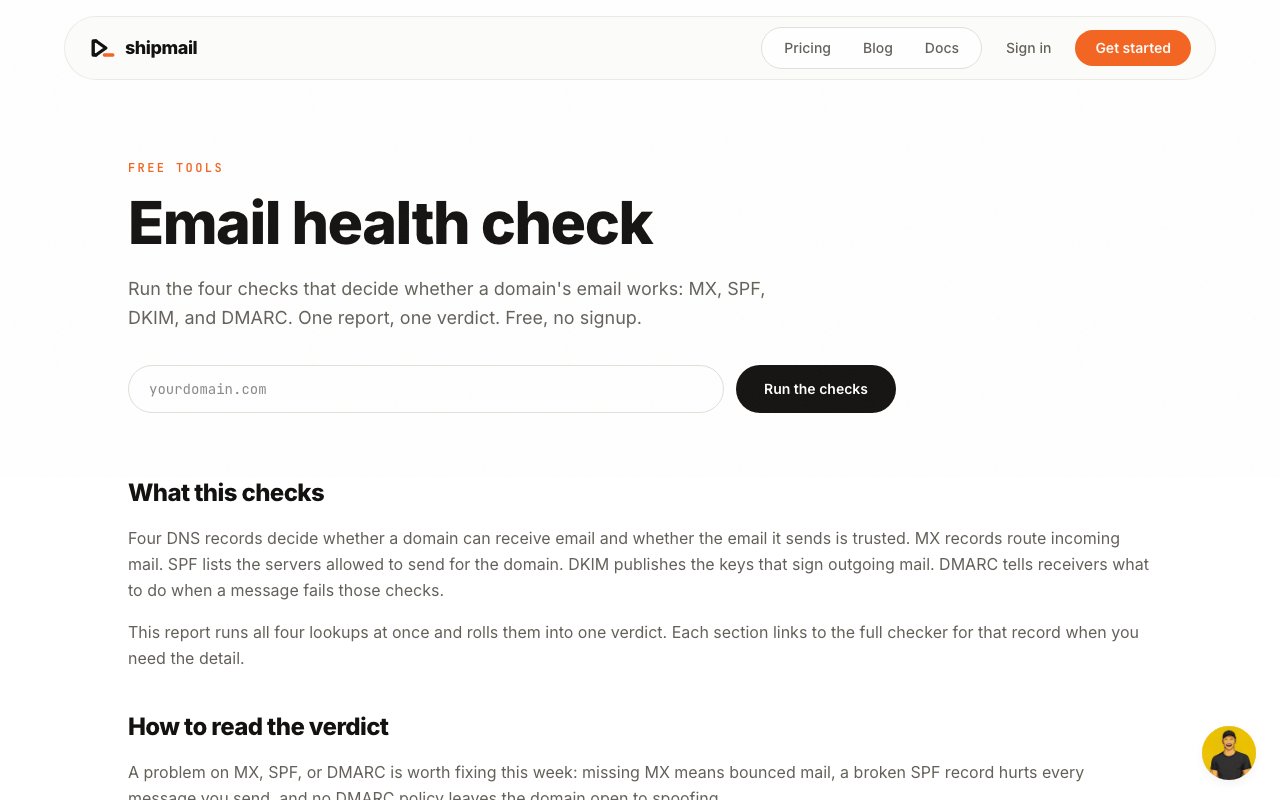
Shipmail offers an email health checker that diagnoses whether your domain's email infrastructure is configured correctly by evaluating the four DNS records that determine deliverability. It checks MX records, SPF records, DKIM records, and DMARC records in a single scan, then gives you a consolidated verdict along with guidance on what needs attention. The check is free, requires no signup, and takes only seconds to run. If you have ever wondered why your emails are landing in spam folders or bouncing, this is the first diagnostic to run.
The problem it addresses is that email deliverability depends on invisible DNS settings that most people never think about until something goes wrong. When you send an email from your domain, the receiving server checks your DNS to verify that you are who you claim to be and that the message has not been tampered with. If your DNS is misconfigured, those checks fail, and your emails either get rejected outright or quietly routed to spam. The frustrating part is that nothing in your email client tells you this is happening. You just wonder why nobody responds to your messages.
There are four record types that matter. MX records tell receiving servers where to route incoming mail for your domain. If these are missing or wrong, people cannot send mail to you. SPF records list which servers are authorized to send mail on your domain's behalf. If you send from a server not in your SPF record, receiving systems flag that as suspicious. DKIM adds cryptographic signatures to outgoing messages, proving they have not been altered in transit. If the signature does not verify, the message looks tampered with. DMARC ties it all together by telling receiving servers what to do when SPF or DKIM checks fail, whether to reject the message, quarantine it, or let it through with a warning. All four need to be configured correctly for your emails to reliably reach their destination.
Running the check is straightforward. You enter your domain, click the button, and Shipmail queries your DNS to see what is configured. Within a few seconds it reports back on each of the four record types, flagging problems and explaining their severity. MX, SPF, and DMARC issues warrant immediate attention since they directly affect whether your mail arrives. The tool also links to dedicated deep dive checkers if you need to investigate a specific record further. These individual checkers let you test with different parameters or dig into the exact values your DNS is returning.
One limitation worth knowing is that the DKIM scan only tests common selector names like google or selector1. DKIM records are stored under a selector prefix in your DNS, and there is no standard way to discover what selectors a domain uses. Shipmail guesses the common ones. If your organization uses custom selectors, perhaps because your email provider chose unusual names, the automated check will not find them. In that case you need to run the dedicated DKIM checker with your specific selector name. This is a reasonable tradeoff for a quick health check, but it means a green light on DKIM is not a guarantee if you have a nonstandard setup.
The tool also does not evaluate sender reputation or message content. DNS configuration is only one piece of the deliverability puzzle. If your emails are landing in spam despite clean DNS, the issue may be your IP reputation, your content triggering filters, or your sending patterns. Mailbox providers track how recipients interact with your messages, and if people frequently mark your emails as spam or delete them without reading, your reputation suffers regardless of how perfect your DNS is. Shipmail catches infrastructure problems but cannot diagnose those other factors.
Beyond the free health check, Shipmail offers a paid service starting at four dollars a month that handles automated configuration and continuous monitoring of these records. If you do not want to manage DNS yourself, or you want alerts when something breaks, the paid tier takes that off your plate. This is useful if you run multiple domains or do not have dedicated technical staff to monitor email infrastructure. For most people running a quick diagnostic, the free tool is enough to identify problems even if you fix them yourself.
The audience is anyone who sends email from a custom domain and wants to make sure their messages actually arrive. Startups launching their first product, small businesses running email campaigns, freelancers using custom domains for client communication, and developers wiring up transactional email all benefit from knowing their DNS is right before they send.
Key Features
- MX, SPF, DKIM, and DMARC checks
- Consolidated health verdict
- Links to dedicated deep dive checkers
- No signup required for free scan
- Clear severity guidance for issues
- Paid continuous monitoring option
Pros & Cons
What we like
- Free instant check with no account needed
- Covers all four critical email DNS records
- Explains what each issue means and its urgency
- Affordable paid tier for ongoing monitoring
Room for improvement
- DKIM only checks common selector names
- Does not evaluate sender reputation or content
- Deep fixes require DNS access you may not have
- Single domain focus per check
Frequently Asked Questions
What is Shipmail?
Is the email health check free?
What does the DKIM check actually test?
Will this fix my deliverability problems?
Best For
Featured in
Alternatives to Shipmail
View all
Apatero AI
The creator studio for AI image, video, audio, 3D, and avatars, now at apatero.ai.

Prompted Income
Make money with AI, documented with the receipts instead of the screenshots.

Sellsmithy
The workshop side of selling digital products. Built first, fees counted, duds included.

Postdex
An exclusive marketplace for finished, human-made articles. Every piece sells once.
Reviews (0)
Badge builder
Add Shipmail to your website
Choose a badge style and size, preview it here, then copy the generated HTML. Badge images are self-contained SVGs and do not require an external script.

<a href="https://toolindex.net/tools/shipmail?ref=badge" target="_blank" rel="noopener">
  <img src="https://toolindex.net/badge/shipmail/medium.svg" alt="Shipmail - Listed on Tool Index" width="180" height="50" />
</a>How to use the badge
- 1. Pick the style, size, and theme that fit your layout.
- 2. Copy the generated HTML from the code block.
- 3. Paste it into your footer, homepage, or press page.
Standard badge available
The standard listing badge is available now. Score and circle badges are limited to tools currently ranked in the top 10 of a category.
Badge clicks return visitors to this profile with a referral tag so the source remains identifiable.
Related Tools
Apatero AI
The creator studio for AI image, video, audio, 3D, and avatars, now at apatero.ai.

SEObot
Autonomous AI SEO agent that runs your blog and link building on autopilot

Substack
Hosted newsletter and publication platform with built-in payments, recommendations, and an audience network for writers.

MailerLite
Friendly, affordable email marketing tool with newsletters, automations, landing pages, and a growing creator toolkit.
Work on Shipmail? Request listing access or correction