Shorz
AI video editor for Windows that turns text instructions into finished edits
Gallery
About Shorz
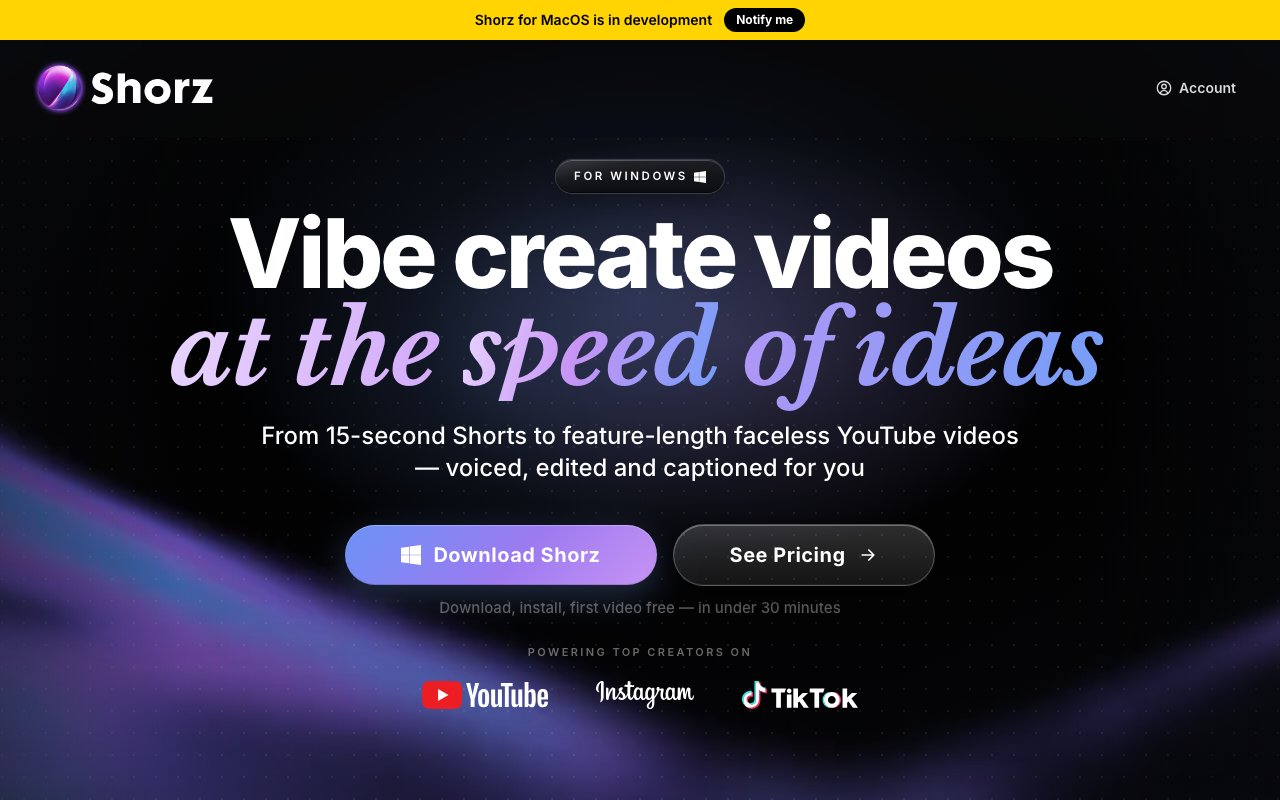
Shorz is a Windows video editing application that automates timeline work through natural language instructions. Instead of manually cutting clips, adding captions, and layering b-roll, you describe what you want and the software handles the assembly. It is built for creators who need to produce a lot of video without spending hours in a traditional editor. The workflow flips the usual process. Rather than dragging clips around a timeline, you input your raw footage, describe the edit you want, and receive a finished video with cuts, subtitles, zooms, and transitions already in place.
The core feature is called Auto Edit. You feed it raw footage and it returns a finished video with everything assembled. There is also a clipping mode that takes long form content like podcasts or streams and segments it into up to eight vertical shorts optimized for TikTok, Instagram Reels, or YouTube Shorts. Both features aim to collapse the post production step that usually eats most of a creator's time. If you are repurposing a single long video across multiple platforms, this is where the time savings compound. Instead of manually finding clip boundaries and reformatting for each aspect ratio, you describe what you want and let the software handle the extraction.
Beyond editing existing footage, Shorz can generate video from scratch. It offers text to video using Nano Banana 2 and Kling v3, a talking avatar feature that turns a single image plus a script into lip synced video, and an AI podcast mode that produces animated avatar conversations from a topic or script. These are not editing tools exactly, but they sit alongside the editor so you can mix generated and shot footage in one workflow. If you need a talking head video but do not want to be on camera, the avatar feature lets you supply a photo and a script and get a video where the face moves naturally and the lips match the audio.
The software supports face tracking, auto zoom, and dubbing into twenty nine languages through ElevenLabs. There is a thumbnail creator for generating still images and an animation studio for graphics and motion elements. The app integrates several large language models internally, including GPT, Claude, and Gemini, so the natural language instructions can be fairly conversational rather than requiring precise syntax. Once you are done, you can publish directly to YouTube, TikTok, Instagram, Facebook, X, LinkedIn, Threads, and Pinterest without exporting and reuploading manually. That is eight platforms from one button, which matters if distribution is part of your daily routine.
Pricing is credit based with no subscription. One credit costs one euro cent. A starter pack is 19.90 euros for 1,990 credits, a creator pack is 99.90 euros for 9,990 credits, and a studio pack is 199.90 euros for 19,990 credits. Credits never expire. There is also a free tier that lets you produce four edited videos per week using only the Auto Edit and Clipping features with no credit card required. Costs vary by task, roughly eight credits for AI images, nine credits per second for generated video, and eighteen credits per second for avatar video. The credit model means you pay only for what you use, but heavy users generating lots of AI video can run up costs quickly.
One unusual capability is MCP support, which lets you control Shorz from Claude, Cursor, Codex, or Gemini. If you are already using an AI coding or writing assistant, you can issue video editing commands through that interface rather than clicking around in the app. It turns video editing into something you can script or prompt from another tool. For developers or power users who live in their terminal or editor, this is a way to integrate video production into an existing workflow without context switching into a separate GUI.
The target audience is faceless creators, short form content producers, marketers, and founders who need video output at scale. It does not replace a full nonlinear editor for complex projects with precise timing requirements or heavy color grading. But for the repetitive stuff, churning out daily shorts, repurposing long content, generating talking head videos without filming, it takes the tedious work off your plate. The tradeoff is that you are trusting the AI to make editorial choices, so it works best when you have a clear structure in mind and want to skip the manual execution.
Shorz runs on Windows 10 or 11 and benefits from an Nvidia GPU for hardware acceleration. A Mac version is in development but not yet available. The download is around 1.6 GB. It exports in multiple aspect ratios, so you can produce landscape, square, and vertical versions from the same project. You retain full commercial rights to everything you create, which matters if you are producing content for clients or for sale.
Key Features
- Auto Edit from raw footage to finished video
- Clipping for long content into vertical shorts
- Text to video with Kling v3 and Nano Banana 2
- Talking avatar from a single image and script
- 29 language dubbing through ElevenLabs
- MCP server for control via Claude or Cursor
Pros & Cons
What we like
- Automates repetitive editing tasks with natural language
- Credit based pricing means you pay only for what you use
- Direct publishing to seven social platforms
- MCP support integrates editing into AI assistant workflows
Room for improvement
- Windows only, no Mac or Linux version
- Nvidia GPU recommended for best performance
- Credit costs can add up quickly for generated video
- AI editorial choices may not match your taste
Frequently Asked Questions
What is Shorz?
How does pricing work?
What is the MCP server feature?
Who is Shorz for?
Best For
Featured in
Alternatives to Shorz
View all
Apatero AI
The creator studio for AI image, video, audio, 3D, and avatars, now at apatero.ai.
Apatero Studio
Creator studio for AI image, video, audio, 3D, and avatars. Every model worth using, in one workspace.

Melodex
Turn your idea into an AI-generated music video

Speel
AI UGC video generator that makes realistic AI avatars hold and talk about your product for ads
Our take
Tool Index Editorial · Sep 2026· 3.5/5
Shorz is a Windows video editor that turns instructions and source media into finished edits, clips, captions, generated assets, and social versions. We found a broad toolset spanning automatic editing, long video clipping, avatars, dubbing, publishing, and agent control. Auto Edit and Clipping include four free videos a week. Paid generation uses nonexpiring credits, with packs starting at $19.90 and published estimates from $0.90 per automatic edit.
It suits creators who value volume and repurposing more than frame by frame craft. The range is impressive, but it also makes cost and quality harder to predict because generated video and avatars are materially dearer than basic edits. AI choices still need taste and correction, and the current app is Windows only. Mac users are being asked to wait, while serious editors may still need a traditional timeline for precise finishing.
Editorial opinion from the Tool Index team, written from the public product pages. Not a user review.
Reviews (0)
Badge builder
Add Shorz to your website
Choose a badge style and size, preview it here, then copy the generated HTML. Badge images are self-contained SVGs and do not require an external script.

<a href="https://toolindex.net/tools/shorz?ref=badge" target="_blank" rel="noopener">
  <img src="https://toolindex.net/badge/shorz/medium.svg" alt="Shorz - Listed on Tool Index" width="180" height="50" />
</a>How to use the badge
- 1. Pick the style, size, and theme that fit your layout.
- 2. Copy the generated HTML from the code block.
- 3. Paste it into your footer, homepage, or press page.
Standard badge available
The standard listing badge is available now. Score and circle badges are limited to tools currently ranked in the top 10 of a category.
Badge clicks return visitors to this profile with a referral tag so the source remains identifiable.
Related Tools
Apatero AI
The creator studio for AI image, video, audio, 3D, and avatars, now at apatero.ai.

LocalClip
Local-first AI video clipper for Mac that turns long videos into vertical clips
Melodex
Turn your idea into an AI-generated music video
Apatero Studio
Creator studio for AI image, video, audio, 3D, and avatars. Every model worth using, in one workspace.
Work on Shorz? Request listing access or correction