
Show Notes Generator
AI transcription and show notes for podcasters, ready to paste into your publishing platform
Gallery
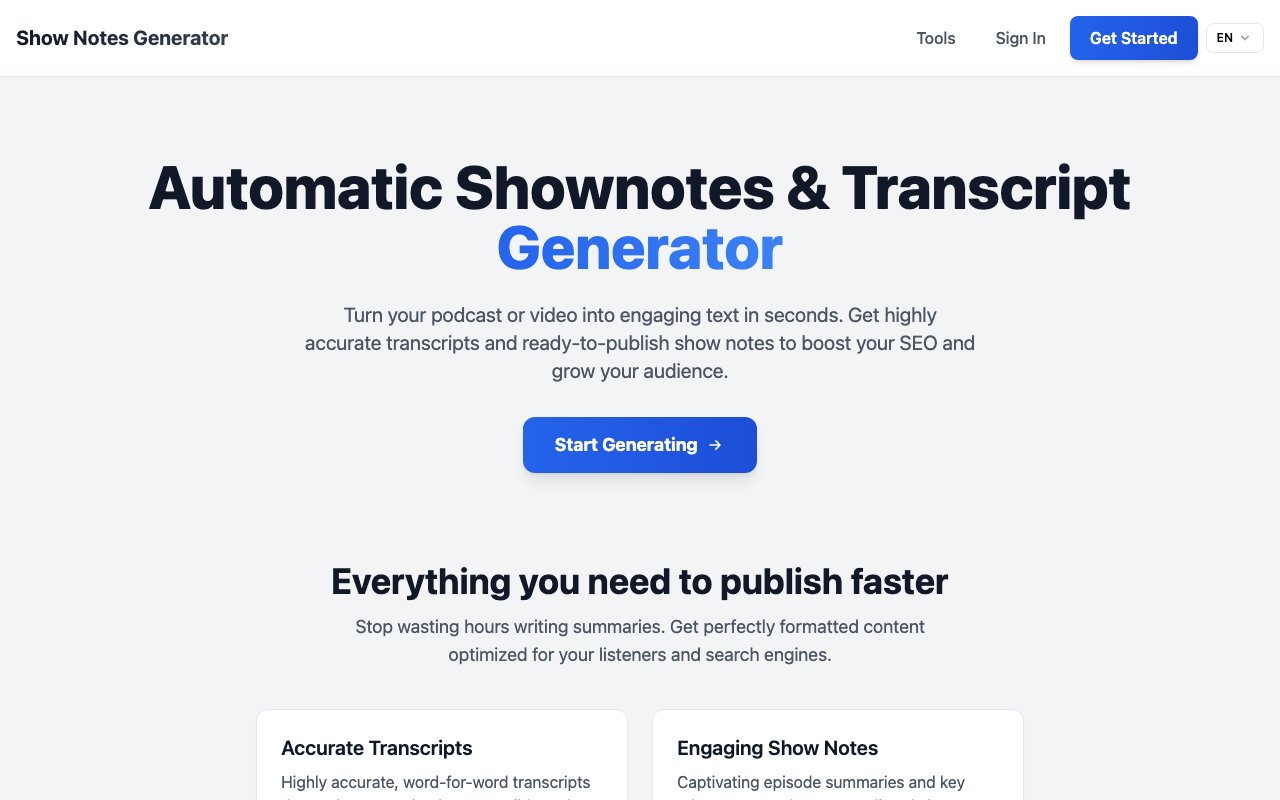
About Show Notes Generator
Show Notes Generator is an AI-powered tool that takes a podcast episode and produces a word-for-word transcript plus polished show notes you can paste directly into Apple Podcasts, Spotify, or your website. If you have ever spent an hour manually writing up episode summaries and timestamps, this is the automation that reclaims that time. The platform focuses on the post-production writing work that follows every recording session, turning raw audio into structured, searchable text that serves both listeners and search engines. For podcasters who publish weekly or more frequently, that time savings compounds into hours reclaimed each month that can go toward content creation instead of administrative tasks.
The problem it solves is the grunt work around every episode release. Recording and editing take enough energy. Writing the description, pulling out key takeaways, and formatting everything for SEO should not add another hour to the workflow. This tool handles that step by processing the audio and delivering structured, ready-to-publish text. The output includes episode summaries, key takeaways, and whatever other formatting your platform requires, so you can go from final edit to published episode faster. For podcasters who treat their show as a business, that efficiency translates directly into more time for promotion, guest outreach, or creating additional content around each episode.
Under the hood, it runs transcription on your uploaded file and then summarizes the content using AI, likely powered by models like Whisper for transcription and ChatGPT-style summarization for the show notes. The transcripts are described as highly accurate and word-for-word, which matters if you also use them for accessibility, search indexing, or repurposing into blog posts. The speed claim is seconds, though actual processing time likely depends on episode length. For hour-long interviews, expect a short wait, but even that beats the alternative of transcribing and summarizing manually. The combination of fast processing and accurate output means you can integrate this into your publishing workflow without adding significant time to the process.
Beyond the core generator, the platform sits within a broader ecosystem of podcast tools. The same team offers an audio editor for cutting and trimming, an audio enhancer for cleaning up recordings with noise reduction and level normalization, and a podcast page builder for creating dedicated show sites. There is also a topics generator if you need help coming up with episode ideas. That suite positioning suggests the product is part of a larger toolkit rather than a standalone one-trick feature. If you find the show notes useful, you can explore the adjacent tools and consolidate more of your workflow in one place, reducing the number of separate services you need to manage.
It fits podcasters at any scale, from solo shows that need efficiency to production teams that want to standardize the post-production pipeline. If you are running a coaching business, interview show, or niche podcast where every minute counts, the time savings compound quickly across dozens of episodes. The tool also appeals to anyone who wants to improve discoverability without investing in SEO expertise. Because the output is formatted for search engines, you get better indexing without having to learn keyword optimization yourself. That is particularly valuable for independent creators who do not have marketing support and need their content to surface organically.
The transcripts double as accessibility assets. Publishing a full transcript alongside your episode makes it accessible to deaf and hard-of-hearing listeners, and it gives search engines more text to index. That combination of accessibility and SEO is why many podcasters now consider transcripts essential rather than optional. Show Notes Generator handles both needs in a single pass, so you do not have to run separate tools for transcription and summarization. For shows that want to reach the widest possible audience, this matters both as an ethical consideration and as a practical one. Transcripts also enable content repurposing into blog posts, social media quotes, and newsletter excerpts, multiplying the value of each episode.
Pricing is not explicit on the homepage, but there is a free app available, which suggests either a freemium model or a trial period. You can test the tool on an episode before deciding whether to commit to a paid tier. Contact is available at sng@jmmay.com if you need support or have questions about limits. For podcasters who treat their show as a business, the time savings alone make this worth evaluating. For hobbyists, the free tier offers a way to professionalize your publishing workflow without spending money upfront. The tool joins a growing category of AI-powered podcast utilities that are making it easier for independent creators to produce professional-quality content without a production team.
Key Features
- Word-for-word AI transcription
- Episode summaries and key takeaways
- SEO-optimized formatting for platforms
- Fast processing in seconds
- Ready-to-paste output for publishing
- Part of a broader podcast tool suite
Pros & Cons
What we like
- Saves significant time on episode post-production
- Transcripts double as accessibility and SEO assets
- Output is formatted for direct publishing
- Companion tools for editing and enhancement available
Room for improvement
- Pricing tiers not clearly listed on the homepage
- Accuracy depends on audio quality
- Focused narrowly on podcasts, not general transcription
- Smaller brand compared to major transcription services
Frequently Asked Questions
What is Show Notes Generator?
Is Show Notes Generator free?
Who is this tool for?
How accurate are the transcripts?
Best For
Featured in
Alternatives to Show Notes Generator
View all
Wordtune
AI rewriting and editing assistant by AI21 Labs that rephrases, adjusts tone, and shortens or expands your text

Jasper
AI marketing platform that puts brand voice, agents, and on-brand content production in one workspace

QuillBot
AI paraphraser, grammar checker, summarizer, and citation suite in one writing workspace

Copy.ai
GTM AI platform that turns sales and marketing workflows into automated, reusable content pipelines
Reviews (0)
No reviews yet
Be the first to share your experience with Show Notes Generator
Sign in to write a reviewBadge builder
Add Show Notes Generator to your website
Choose a badge style and size, preview it here, then copy the generated HTML. Badge images are self-contained SVGs and do not require an external script.

<a href="https://toolindex.net/tools/show-notes-generator?ref=badge" target="_blank" rel="noopener">
  <img src="https://toolindex.net/badge/show-notes-generator/medium.svg" alt="Show Notes Generator - Listed on Tool Index" width="180" height="50" />
</a>How to use the badge
- 1. Pick the style, size, and theme that fit your layout.
- 2. Copy the generated HTML from the code block.
- 3. Paste it into your footer, homepage, or press page.
Standard badge available
The standard listing badge is available now. Score and circle badges are limited to tools currently ranked in the top 10 of a category.
Badge clicks return visitors to this profile with a referral tag so the source remains identifiable.
Related Tools
Rytr
Budget-friendly AI writing assistant with 40+ use cases, 20+ tones, and a free tier built for fast, affordable copy

Prompt Larder
A small shelf of prompts that were actually run, labelled with the model and the reason they work.
QuillBot
AI paraphraser, grammar checker, summarizer, and citation suite in one writing workspace
Wordtune
AI rewriting and editing assistant by AI21 Labs that rephrases, adjusts tone, and shortens or expands your text
Work on Show Notes Generator? Request listing access or correction