Skybits
AI document editor where humans and agents collaborate with reviewable suggestions
Gallery
About Skybits
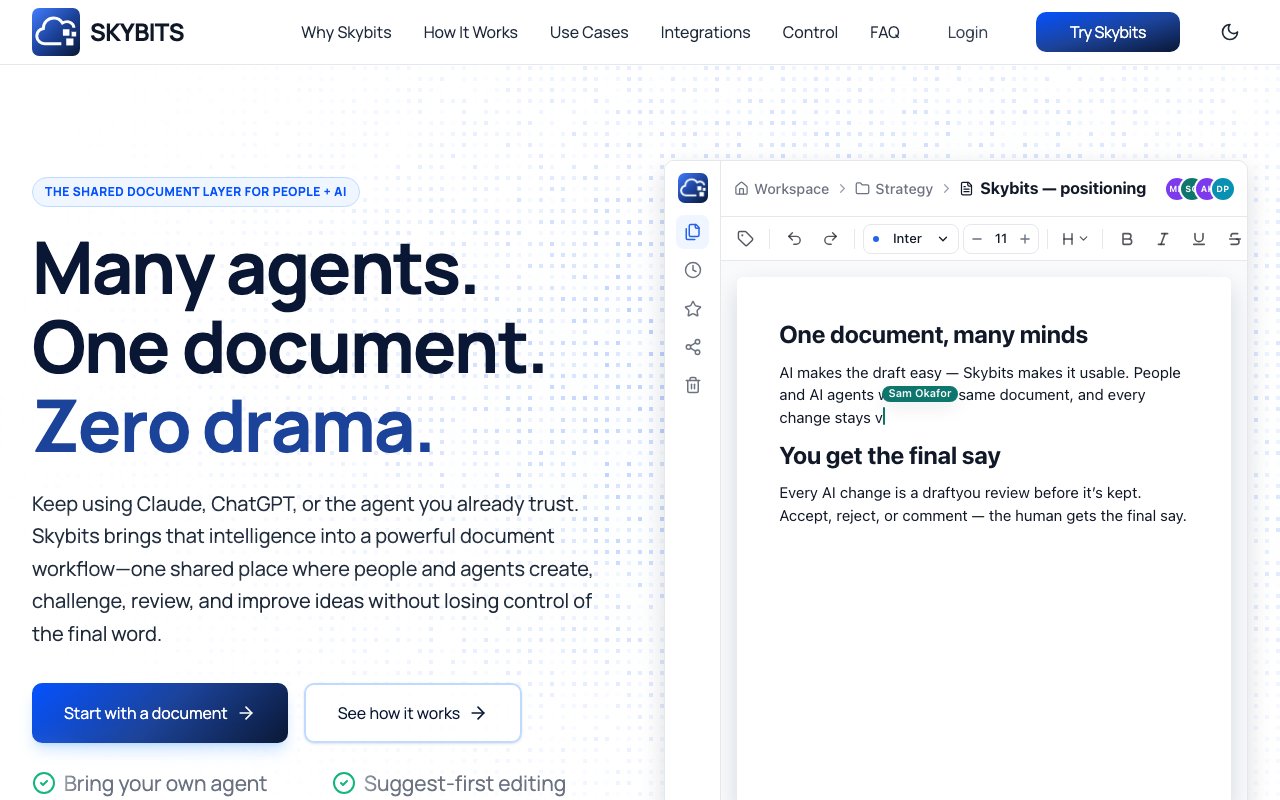
Skybits is a document editor built for teams that want AI agents working alongside human collaborators without giving up control over the final output. The core idea is that AI edits arrive as reviewable suggestions rather than automatic changes, so you keep approval authority over every modification. Multiple agents and people can work on the same document simultaneously, with changes merging cleanly instead of overwriting each other. It positions itself as the shared document layer for people and AI, treating agent contributions as first class participants in the editing process rather than external inputs you have to copy and paste into a separate document.
The problem it addresses is the awkward handoff between AI tools and human editors. If you've drafted something with Claude or ChatGPT and then had to manually paste revisions back and forth, losing track of who changed what, you know the friction. Version control breaks down, attribution disappears, and you end up with a mess of conflicting edits nobody can trace. Skybits aims to eliminate that by putting everything in one shared environment with version history, comparison tools, and clear attribution for every edit. When an AI suggests a change, you see exactly what it wants to modify and can accept, reject, or comment before anything becomes final. The suggestion workflow means nothing changes behind your back.
Under the hood, the editor works with any MCP compatible AI agent. That includes Claude, ChatGPT, Cursor, Grok, Perplexity, and others that support the Model Context Protocol. You can bring your own preferred models and API keys or use the built in Skybits agent if you don't want to manage credentials. The architecture is model agnostic, so you're not locked into a single vendor or forced to use whatever AI the platform chose for you. Tasks can be assigned at the section level, letting you direct different agents to different parts of a document while you maintain oversight of the whole thing. One agent might handle the executive summary while another works on technical specifications, and you review both streams in the same interface without switching tools.
The workflow follows a pattern of create, connect, iterate, review, and share. You start with a blank document, an import from existing content, or an AI generated draft. Connect your preferred agents, then assign tasks to them or your human collaborators. Everyone works in the same space with their changes tracked and attributed. When edits come in, you review suggestions before anything becomes final. Compare mode lets you see what changed between versions, and the full edit history shows exactly who made which modifications and when. Once the document is polished and approved, you share it out to stakeholders who may not have been part of the drafting process. The export options work for standard publishing workflows.
It fits product managers drafting specs and product requirements documents, founders building strategy documents or fundraising decks, consultants putting together client deliverables, and researchers producing reports where sources and reasoning need to be preserved. Essentially anyone who leans on AI generated content but needs a human checkpoint before publishing. The scoped permissions and role based access make it practical for teams rather than just solo users. You can give different collaborators different levels of access, controlling who can approve final changes versus who can only suggest edits. This matters when you have junior team members or external contractors who should contribute but not finalize.
Where Skybits stands apart from regular document editors is the first class treatment of AI agents as collaborators. Unlike Google Docs, which is built for human collaboration and treats AI as an afterthought, or ChatGPT Canvas and Claude Artifacts, which are single platform generation tools that don't play well with others, Skybits focuses on what happens after the initial draft. It isn't a chat interface that happens to produce text. It's a structured editor where agent contributions are tracked, reviewable, and version controlled just like human contributions. Source verification for claims and automated content updates against named sources add another layer of trust, making it easier to catch AI hallucinations before they make it into your final deliverable.
Access is free to start. The landing page doesn't detail exact paid tiers, but the model appears to be freemium with additional features at higher plans for team collaboration and advanced integrations. If you're using AI tools heavily in your writing workflow and want tighter control over the collaboration loop, Skybits is worth exploring as a purpose built environment. It solves the specific problem of multi agent document collaboration in a way that generic editors and chat interfaces simply weren't designed for, and it does so without forcing you onto any particular AI vendor's platform.
Key Features
- Multi-agent real-time document collaboration
- Reviewable AI suggestions with human approval
- Full version history and comparison tools
- Works with Claude, ChatGPT, Cursor, Grok, Perplexity
- Section-level task assignment
- Source verification for claims
Pros & Cons
What we like
- AI edits arrive as suggestions, not automatic changes
- Model-agnostic architecture prevents vendor lock-in
- Clear attribution shows who changed what
- Supports any MCP-compatible agent
Room for improvement
- Paid tier details not clearly published yet
- Newer product with a smaller user base
- Requires learning a new editing environment
- Best suited for teams already heavy on AI writing
Frequently Asked Questions
What is Skybits?
Which AI models does Skybits support?
Is Skybits free?
Who is Skybits for?
Best For
Featured in
Alternatives to Skybits

Wordtune
AI rewriting and editing assistant by AI21 Labs that rephrases, adjusts tone, and shortens or expands your text

QuillBot
AI paraphraser, grammar checker, summarizer, and citation suite in one writing workspace
Rytr
Budget-friendly AI writing assistant with 40+ use cases, 20+ tones, and a free tier built for fast, affordable copy

Prompt Larder
A small shelf of prompts that were actually run, labelled with the model and the reason they work.
Reviews (0)
Badge builder
Add Skybits to your website
Choose a badge style and size, preview it here, then copy the generated HTML. Badge images are self-contained SVGs and do not require an external script.

<a href="https://toolindex.net/tools/skybits?ref=badge" target="_blank" rel="noopener">
  <img src="https://toolindex.net/badge/skybits/medium.svg" alt="Skybits - Listed on Tool Index" width="180" height="50" />
</a>How to use the badge
- 1. Pick the style, size, and theme that fit your layout.
- 2. Copy the generated HTML from the code block.
- 3. Paste it into your footer, homepage, or press page.
Standard badge available
The standard listing badge is available now. Score and circle badges are limited to tools currently ranked in the top 10 of a category.
Badge clicks return visitors to this profile with a referral tag so the source remains identifiable.
Related Tools
Rytr
Budget-friendly AI writing assistant with 40+ use cases, 20+ tones, and a free tier built for fast, affordable copy
Prompt Larder
A small shelf of prompts that were actually run, labelled with the model and the reason they work.
QuillBot
AI paraphraser, grammar checker, summarizer, and citation suite in one writing workspace
Wordtune
AI rewriting and editing assistant by AI21 Labs that rephrases, adjusts tone, and shortens or expands your text
Work on Skybits? Request listing access or correction