
Spiel
Self-hosted media player that streams your personal film and TV library across all devices
Gallery
About Spiel
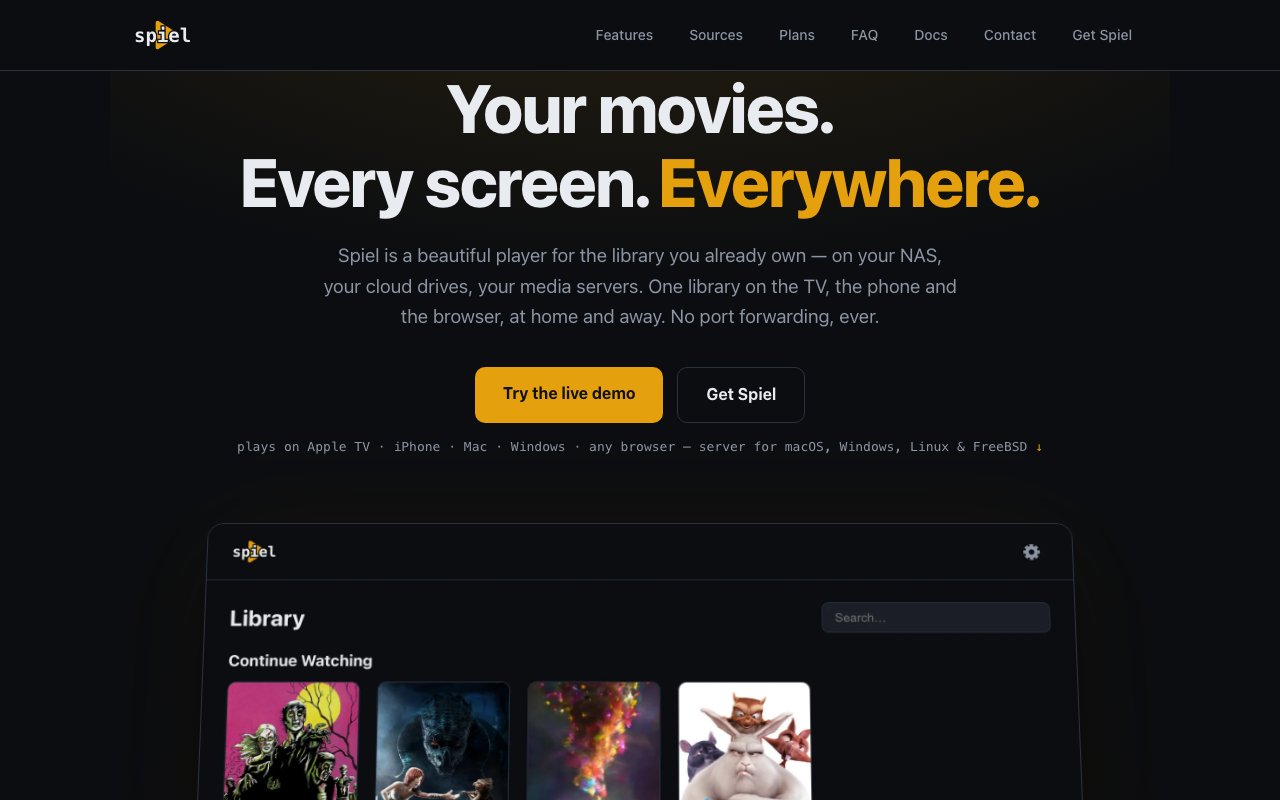
Spiel is a self-hosted media player for people who maintain their own collections of films and television shows. You run a server on your Mac, Windows, Linux, or FreeBSD machine, point it at your library, and stream to Apple TV, iPhone, iPad, Mac, Windows, Linux, or any web browser. The library stays on your hardware, under your control, with playback progress synced across every device you use. The pitch is simple: own your media experience without depending on subscription services that can raise prices, remove content, or shut down.
The core value proposition is self-hosting without the typical self-hosting tradeoffs. If you've built a personal media collection over the years, you've probably tried solutions that either require significant technical overhead to maintain, look visually dated compared to commercial apps, or lack the polish of streaming services like Netflix or Plex. Spiel tries to deliver a native, living-room-quality interface while keeping the self-hosted ethos intact. Your files never leave your hardware, but the experience feels like a modern streaming app rather than a file browser.
Setup starts with installing the server component on your machine and adding your media folders. The system reads filenames and automatically fetches metadata from online databases, pulling in posters, ratings, episode information, cast details, and artwork without manual tagging or folder organization. It supports a wide range of storage sources including local folders, network shares via SMB or NFS, WebDAV, FTP, SFTP, and cloud storage from Google Drive, OneDrive, Dropbox, and several regional providers including Aliyun, 115, Quark, Baidu, PikPak, MEGA, and S3-compatible storage. If you already have Plex, Jellyfin, or Emby running, Spiel can integrate with those installations and use them as a library source, letting you layer Spiel's playback apps on top without migrating your entire setup.
The interface is designed for the living room first. On Apple TV, you get poster rows, smooth Siri Remote navigation, scrubber previews, skip-intro buttons, and auto-play for the next episode. The ten-foot UI feels native to the platform rather than a web view stretched to fit a TV screen. On smaller screens like phones and tablets, the apps adapt their layout accordingly. Server-side transcoding happens on the fly when a device can't handle the original codec, which means instant seeking even on files that would otherwise require buffering while the device converts the format. The system supports diverse formats including MKV containers, HEVC encoding, multiple audio tracks, and both embedded and sidecar subtitle files.
Multi-user support lets family members maintain separate profiles with their own watch states, preferences, and continue-watching queues. Resume sync is the standout convenience feature that ties it all together. Pause on your TV, pick up on your phone during a commute, finish on your laptop before bed. The system tracks progress per profile and keeps it current across all playback clients without manual intervention.
Pricing is freemium with a generous free tier. The free plan gives you full playback functionality, all media source integrations, and local network resume with no artificial limits on library size or features. Pro subscriptions unlock remote access over the internet, letting you stream your library from anywhere without requiring router configuration, port forwarding, or VPN setup. The remote feature uses an outbound-only connection from your server through Spiel's relay infrastructure, which handles the NAT traversal complexity for you. Monthly Pro costs $0.99, yearly is $9.99, and lifetime access is $49.99 as a one-time purchase. All media and metadata stay on your hardware throughout.
Platform support is broad and focused on the Apple ecosystem alongside general-purpose options. The server runs on macOS, Windows, Linux, and FreeBSD. Client apps exist for Apple TV, iPhone, iPad, Mac, Windows, Linux, and web browsers. The Apple TV and iOS apps are currently in beta. Android and Fire TV clients are listed as coming soon, which is worth knowing if your household isn't primarily Apple-based. For anyone who has been waiting for a self-hosted media player that actually feels like a consumer product rather than a hobbyist project, Spiel makes a strong case with its combination of polish, privacy, and practical pricing.
Key Features
- Cross-device resume sync
- Automatic metadata and artwork fetching
- On-the-fly transcoding for any codec
- Multi-user profiles with separate watch states
- Living room interface with Siri Remote support
- Integrates with Plex, Jellyfin, and Emby
Pros & Cons
What we like
- Native apps for Apple TV, iOS, Mac, and web
- Resume sync works seamlessly across devices
- Connects to cloud storage and network shares
- Free tier has no library or feature limits
Room for improvement
- Android and Fire TV apps not yet available
- Remote access requires a paid subscription
- Apple TV and iOS apps still in beta
- Requires running your own server
Frequently Asked Questions
What is Spiel?
Is Spiel free?
What media sources does Spiel support?
Who is Spiel for?
Best For
Featured in
Alternatives to Spiel
View all
Apatero AI
The creator studio for AI image, video, audio, 3D, and avatars, now at apatero.ai.
Apatero Studio
Creator studio for AI image, video, audio, 3D, and avatars. Every model worth using, in one workspace.

Melodex
Turn your idea into an AI-generated music video

Speel
AI UGC video generator that makes realistic AI avatars hold and talk about your product for ads
Our take
Tool Index Editorial · Oct 2026· 3.5/5
Spiel is a self-hosted media player that puts local folders, NAS shares, cloud drives, and existing Plex, Jellyfin, or Emby libraries behind one polished interface. The server handles metadata and transcoding, while profiles and resume state follow viewers across TV, phone, desktop, and web clients. We like that home playback, sources, and formats are free rather than being carved into artificial tiers.
Remote access through Spiel's relay costs $0.99 monthly, $9.99 yearly, or $49.99 for lifetime access. The tradeoffs are those of a young self-hosted stack. A machine must stay running, Apple TV and iOS clients are still beta, Android and Fire TV are not available yet, and the macOS server isn't notarized. It is appealing for Apple-heavy households, but mixed-device homes should wait for the client roadmap to catch up.
Editorial opinion from the Tool Index team, written from the public product pages. Not a user review.
Reviews (0)
Badge builder
Add Spiel to your website
Choose a badge style and size, preview it here, then copy the generated HTML. Badge images are self-contained SVGs and do not require an external script.

<a href="https://toolindex.net/tools/spiel?ref=badge" target="_blank" rel="noopener">
  <img src="https://toolindex.net/badge/spiel/medium.svg" alt="Spiel - Listed on Tool Index" width="180" height="50" />
</a>How to use the badge
- 1. Pick the style, size, and theme that fit your layout.
- 2. Copy the generated HTML from the code block.
- 3. Paste it into your footer, homepage, or press page.
Standard badge available
The standard listing badge is available now. Score and circle badges are limited to tools currently ranked in the top 10 of a category.
Badge clicks return visitors to this profile with a referral tag so the source remains identifiable.
Related Tools
Apatero AI
The creator studio for AI image, video, audio, 3D, and avatars, now at apatero.ai.

LocalClip
Local-first AI video clipper for Mac that turns long videos into vertical clips
Melodex
Turn your idea into an AI-generated music video
Apatero Studio
Creator studio for AI image, video, audio, 3D, and avatars. Every model worth using, in one workspace.
Work on Spiel? Request listing access or correction