
SubtitleGenerator
AI transcription with confidence flagging so you can review uncertain words before export
Gallery
About SubtitleGenerator
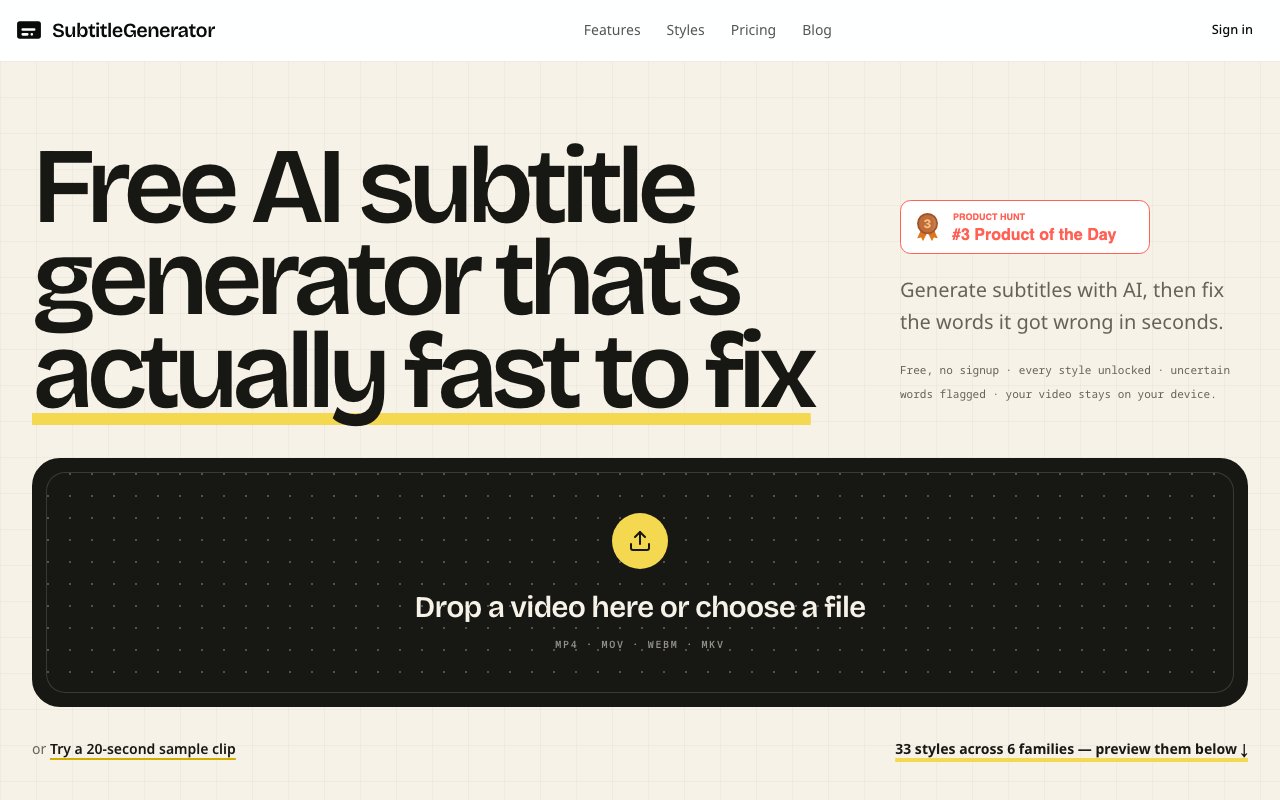
SubtitleGenerator is a browser based tool that transcribes video and audio into timestamped subtitles using AI, then flags low confidence words so you can review and correct them before exporting. The core problem it solves is the tedious post production task of hunting through footage for transcription errors. Instead of watching your entire video at half speed with a finger on the pause button, you get a queue of uncertain words that the AI itself identified as potentially wrong. You fix those, skip the rest, and export in whatever format your workflow requires. It turns subtitle quality control from a time sink into a focused review session that takes minutes instead of hours.
The workflow starts when you drag a video file into the browser. SubtitleGenerator extracts the audio track and sends it to its transcription servers while the video itself stays on your device. This keeps uploads fast since you are transmitting megabytes of audio rather than gigabytes of video. The AI returns word level timestamps with confidence scores attached to each word. Anything the model was uncertain about gets highlighted in the text and marked on the timeline. You can click through these flags one by one, correcting mistakes as you go. If a whole section went wrong because of background noise or a speaker mumbling, you can re transcribe just that segment without redoing the entire file. The interface also shows silent gaps with add cue buttons so you can insert missing captions at the exact right position.
Export options cover the formats that actually matter. SRT and VTT handle most video platforms and editing software. ASS and SSA give you more styling control for players that support them. SBV works with YouTube. SMI handles legacy Windows Media needs. TXT gives you a plain transcript for repurposing as show notes or articles. JSON exports structured data if you need to feed the captions into another tool or script. Beyond subtitle files, SubtitleGenerator can also render burned in captions directly in your browser and export the result as a video file. This happens locally rather than uploading to a server, which means you keep control of your footage and avoid cloud rendering queues.
The styling system includes 33 caption styles organized into six design families. Clean styles prioritize readability with minimal decoration. Creator styles add animated text like you see on YouTube and TikTok. Karaoke styles highlight words as they are spoken. Cinematic styles use letterboxing and positioning that feels more like film subtitles. Pop styles go bolder with colors and movement. Branded styles let Pro and Max subscribers save custom presets with their own fonts and colors. The font pool is curated from open license typefaces so you do not have to worry about rights issues. You can preview any style on your own video before committing, which saves the trial and error of exporting, watching, adjusting, and re exporting.
For vertical video creators, SubtitleGenerator includes 9 by 16 safe area guides so you can position captions where they will not get covered by platform UI. This matters for TikTok, Instagram Reels, and YouTube Shorts where the lower third of the screen is often occupied by buttons and overlays. Getting caption placement wrong means viewers either cannot read your text or have to watch the video twice. The preview catches these issues before you export.
Pricing runs on a time based model. The free tier gives you 60 minutes of transcription per month with individual videos capped at 10 minutes. Exports render at 720p with a watermark. The Pro plan costs nine dollars per month or ninety dollars annually and bumps your allowance to 700 minutes with 30 minute videos, HD exports without watermarks, high accuracy mode, custom brand styles, and subtitle translation. The Max plan costs fifteen dollars per month or one fifty annually and increases your monthly minutes to 1,400 with hour long videos and 3 gigabyte uploads. Annual plans include two months free. Pay as you go pricing starts at three dollars and gives you twenty minutes of transcription per dollar.
The tool addresses several distinct workflows. Podcasters use it for long form episodes where speaker clarity varies and names or technical terms trip up the AI. YouTube creators use it to generate SRT files for platform uploads or burned in captions for accessibility. Short form creators working in vertical formats use it for styled text overlays that drive retention on social platforms. Video editors in Premiere Pro or DaVinci Resolve use it to prep subtitle assets before the main edit, exporting the formats those applications import natively. Educators use it for lecture recordings where dense explanations need accurate captions. Agencies building video content for clients use the branded style system to maintain visual consistency across projects.
SubtitleGenerator runs entirely in the browser with no desktop application to install. Video files stay on your device. Only audio transmits to the transcription servers, and it gets deleted after processing. The rendering for burned in exports also happens locally using browser based video encoding. This setup keeps your footage private and your workflow portable across machines. For anyone who produces captioned video regularly, the confidence flagging system alone justifies the cost. It surfaces the problems the AI knows it might have gotten wrong instead of forcing you to find them yourself. That is the difference between subtitling as a chore and subtitling as a quick final step before publishing.
Key Features
- AI transcription with word level timing
- Low confidence word flagging for review
- 33 caption styles across six style families
- Export to SRT, VTT, ASS, SSA, SBV, SMI, TXT, JSON
- In browser editing with timing adjustment
- Local video processing with only audio sent for transcription
Pros & Cons
What we like
- Confidence flagging surfaces errors without watching the whole video
- Browser based with no install or heavy uploads
- Wide range of export formats for any workflow
- Straightforward time based pricing with a real free tier
Room for improvement
- Free tier has tight limits at 60 minutes per month
- Per video cap may not fit long form content on lower plans
- Transcription accuracy depends on audio quality and accents
- No desktop app for offline work
Frequently Asked Questions
What is SubtitleGenerator?
Is SubtitleGenerator free?
Does SubtitleGenerator upload my video files?
Who is SubtitleGenerator for?
Best For
Featured in
Alternatives to SubtitleGenerator
View all
Apatero AI
The creator studio for AI image, video, audio, 3D, and avatars, now at apatero.ai.
Apatero Studio
Creator studio for AI image, video, audio, 3D, and avatars. Every model worth using, in one workspace.

Melodex
Turn your idea into an AI-generated music video

Speel
AI UGC video generator that makes realistic AI avatars hold and talk about your product for ads
Our take
Tool Index Editorial · Oct 2026· 3.5/5
SubtitleGenerator is a browser editor that transcribes video, flags uncertain words and speaker labels, and lets creators correct only the questionable cues. It fits podcasters, video editors, educators, and short-form creators who need subtitle files or styled burned-in captions. Free includes 60 minutes a month, 10-minute videos, 720p output, and a watermark. Pro is $9 a month and Max is $15.
The review queue is the strongest idea here. Confidence flags and selective retranscription reduce the amount of footage a human has to inspect, while eight subtitle formats cover common editing workflows. Video stays on the device, but extracted audio is processed for transcription, and local drafts do not follow users to another browser or device. Accuracy will still fall with noise, overlap, names, and accents, so client work needs a full human pass despite the useful flags.
Editorial opinion from the Tool Index team, written from the public product pages. Not a user review.
Reviews (0)
No reviews yet
Be the first to share your experience with SubtitleGenerator
Sign in to write a reviewBadge builder
Add SubtitleGenerator to your website
Choose a badge style and size, preview it here, then copy the generated HTML. Badge images are self-contained SVGs and do not require an external script.

<a href="https://toolindex.net/tools/subtitle-generator?ref=badge" target="_blank" rel="noopener">
  <img src="https://toolindex.net/badge/subtitle-generator/medium.svg" alt="SubtitleGenerator - Listed on Tool Index" width="180" height="50" />
</a>How to use the badge
- 1. Pick the style, size, and theme that fit your layout.
- 2. Copy the generated HTML from the code block.
- 3. Paste it into your footer, homepage, or press page.
Standard badge available
The standard listing badge is available now. Score and circle badges are limited to tools currently ranked in the top 10 of a category.
Badge clicks return visitors to this profile with a referral tag so the source remains identifiable.
Related Tools
Apatero AI
The creator studio for AI image, video, audio, 3D, and avatars, now at apatero.ai.

LocalClip
Local-first AI video clipper for Mac that turns long videos into vertical clips
Melodex
Turn your idea into an AI-generated music video
Apatero Studio
Creator studio for AI image, video, audio, 3D, and avatars. Every model worth using, in one workspace.
Work on SubtitleGenerator? Request listing access or correction