
Superagent
An open-source Mac app that gives Claude Code and Codex a browser, an iPhone simulator, and persistent chats
Gallery
About Superagent
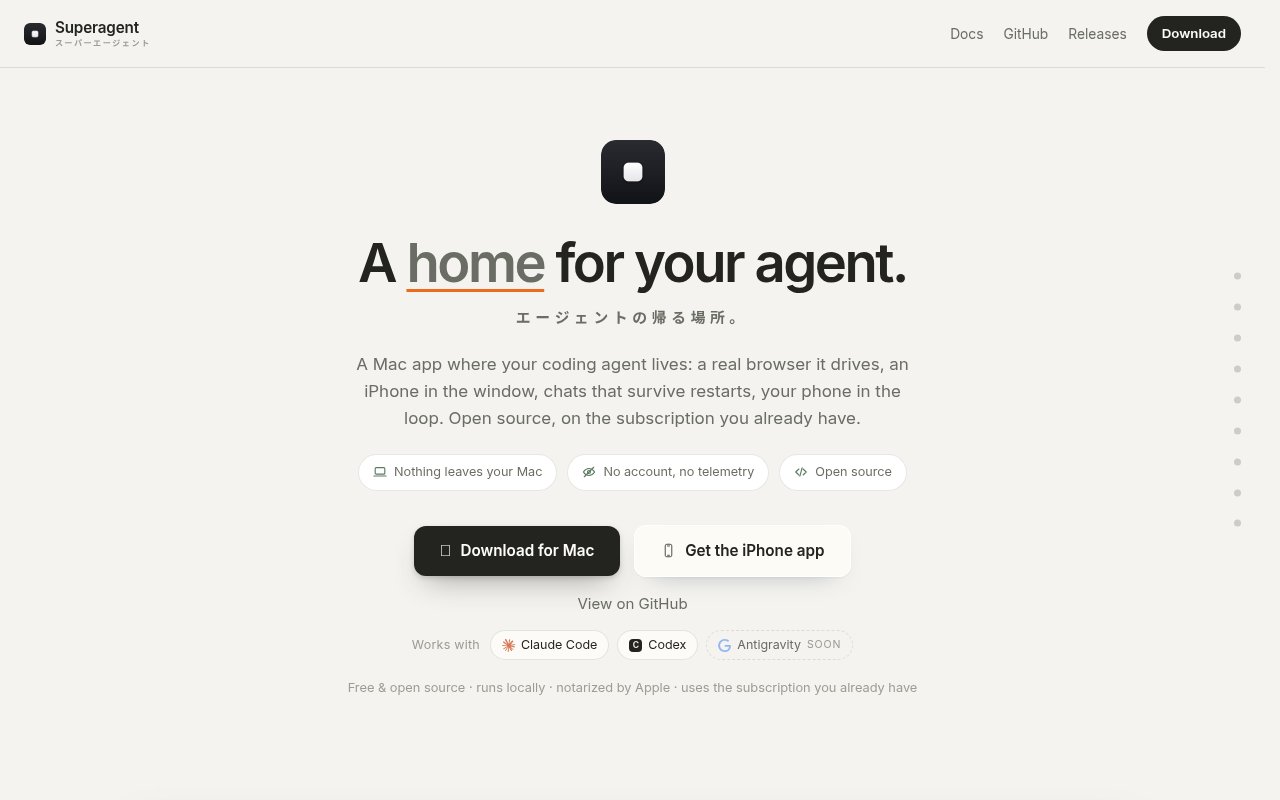
Superagent is an open-source Mac desktop app that gives a coding agent a place to live. The site calls it a home for your agent, with a real browser it drives, an iPhone in the window, and chats that survive restarts. It runs Claude Code and Codex, with Antigravity marked as coming soon, and wraps them in a workspace where you can see what the agent is doing rather than reading a terminal scroll. It's a Mac app, MIT licensed, and there's no service behind it.
The problem it solves is that terminal agents are blind to the result. An agent can change a web page or an iOS layout, but checking the change means switching to a browser or a simulator and looking yourself, and the chat history evaporates when the terminal closes, so tomorrow's session starts from nothing. Superagent puts the browser and the simulator in the same window as the conversation, and keeps every chat organised by project and branch so you can come back later and carry on where the agent left off. It's a workspace rather than a new agent, which is worth being clear about, since the models and tools are still Claude Code's and Codex's own.
The mechanics are specific. Each conversation runs on its own Git worktree, so the agent's commits land on a separate branch and never touch your main checkout, and several conversations can work on one repository at the same time without stepping on each other. The browser it drives uses your existing logged-in sessions, so it can click, type, and read on sites you're already signed into without a separate login dance. The iOS simulator is a real one, streamed into the window by its framebuffer, which lets the agent and you test iPhone layouts without installing anything on a device. A dual-screen view shows the desktop and phone viewports side by side from one session, and notifications arrive as ordinary macOS notifications without the window stealing focus, so you can leave the agent working and get on with something else. Chats are organised by project and branch, so the history of what the agent tried on a feature stays with that feature rather than in one long undifferentiated log.
The iPhone companion app, available through TestFlight, pairs with the Mac by scanning a QR code and lets you approve agent actions from your phone when you're away from the desk. Traffic goes through a blind relay with end-to-end encryption, using keys that exist only in the pairing code, and you can self-host the relay if you'd rather not trust anyone's. That fits the broader architecture. There is no Superagent server, no account, and no analytics or telemetry. Everything stays on your disk, browser sessions live in a standard macOS profile the way any browser stores them, and the app is signed, notarised by Apple, and updates itself in the background. Since the relay is only needed for the phone link, a Mac-only workflow never touches the network for anything except the agents' own API calls.
The site says it's built the other way round, for the person who doesn't write code first and the person who does second. In practice that means designers, founders, and product people who want to direct an agent and see the outcome, as well as developers who are tired of switching between a terminal, a browser, and Xcode's simulator to check what just changed. You need an Apple Silicon Mac and your own subscription to the agents it drives, since Superagent bills nothing itself and simply uses the Claude or Codex access you already have. Because it uses the subscriptions you already have, there's no second bill to justify.
What distinguishes it from other agent front ends is the combination of a driven browser with your real sessions, a streamed iOS simulator, per-branch worktrees, and a fully local footprint under an MIT license. The caveats are that it's Mac-only on Apple Silicon, the iPhone app is still on TestFlight rather than the App Store, and Antigravity support isn't shipped yet. It's also a young project without a company behind it that the site names, so support is whatever the GitHub issues provide, and giving an agent a browser with your logged-in sessions is a level of access you should think about before switching it on. On the other side of that trade, everything the agent does stays inspectable, since the code lands on a branch you can diff and the browser is one you can watch.
Access is free and open source under MIT. The desktop app, iPhone app, and relay are separate repositories on GitHub under pungme, and the Mac build is a .dmg from the releases page. There's no pricing, no plan, and no published contact email, so issues and questions go through GitHub. The three repositories are separate, so you can read the relay code before deciding whether to run your own, and the fastest evaluation is to download the .dmg, point it at a repository, and give Claude Code or Codex a small task you can check in the built-in browser.
Key Features
- Runs Claude Code and Codex locally
- Driven browser using your logged-in sessions
- Real iOS simulator streamed into the window
- One Git worktree per conversation
- iPhone companion app for remote approvals
- No server, account, or telemetry
Pros & Cons
What we like
- See the browser and phone result next to the chat
- Worktrees keep agent commits off your main branch
- Everything stays local under an MIT license
- Self-hostable relay for the phone link
Room for improvement
- Apple Silicon Macs only
- iPhone app is still on TestFlight
- Antigravity support marked as coming soon
- Young project with no named maintainer or support channel
Frequently Asked Questions
What is Superagent?
Is Superagent free?
Does Superagent send my data anywhere?
Which Macs does it run on?
Best For
Featured in
Alternatives to Superagent
View allCursor
VS Code fork built around an AI pair-programmer

Replit
Browser IDE plus Replit Agent that builds and deploys apps from a prompt
Windsurf
Codeium's AI editor with Cascade agent and deep IDE integration

Vibe Built
Building real apps with agentic AI. What worked, what broke, what shipped.
Our take
Tool Index Editorial · Sep 2026· 3.5/5
Superagent is a free open source Mac workspace for Claude Code and Codex, with persistent chats, a driven browser, Git worktrees, and an iOS simulator in the same window. It is useful for developers and product people who want to watch an agent test what it changed instead of bouncing among a terminal, browser, and simulator. It uses the agent subscriptions the user already has.
We like the one worktree per conversation model and the absence of a Superagent account or telemetry. The iPhone companion and self hostable relay are thoughtful extras. The constraints are significant. It is Mac only, the phone app is distributed through TestFlight, and allowing an agent to drive a browser with existing logged in sessions raises the impact of a bad instruction. Start with low privilege accounts and review branch diffs carefully.
Editorial opinion from the Tool Index team, written from the public product pages. Not a user review.
Reviews (0)
Badge builder
Add Superagent to your website
Choose a badge style and size, preview it here, then copy the generated HTML. Badge images are self-contained SVGs and do not require an external script.

<a href="https://toolindex.net/tools/superagent?ref=badge" target="_blank" rel="noopener">
  <img src="https://toolindex.net/badge/superagent/medium.svg" alt="Superagent - Listed on Tool Index" width="180" height="50" />
</a>How to use the badge
- 1. Pick the style, size, and theme that fit your layout.
- 2. Copy the generated HTML from the code block.
- 3. Paste it into your footer, homepage, or press page.
Standard badge available
The standard listing badge is available now. Score and circle badges are limited to tools currently ranked in the top 10 of a category.
Badge clicks return visitors to this profile with a referral tag so the source remains identifiable.
Related Tools

Bolt.new
Prompt-to-deployed full-stack app inside the browser

Tabnine
Privacy-first enterprise AI code assistant you control, with SaaS, VPC, on-prem, or fully air-gapped deployment
Cursor
VS Code fork built around an AI pair-programmer

Skeezo
Agent-native macOS IDE for coordinating Claude Code and AI agents
Work on Superagent? Request listing access or correction