Sylix
A free, Rust-based AI code editor that runs locally with bring-your-own-key
Gallery
About Sylix
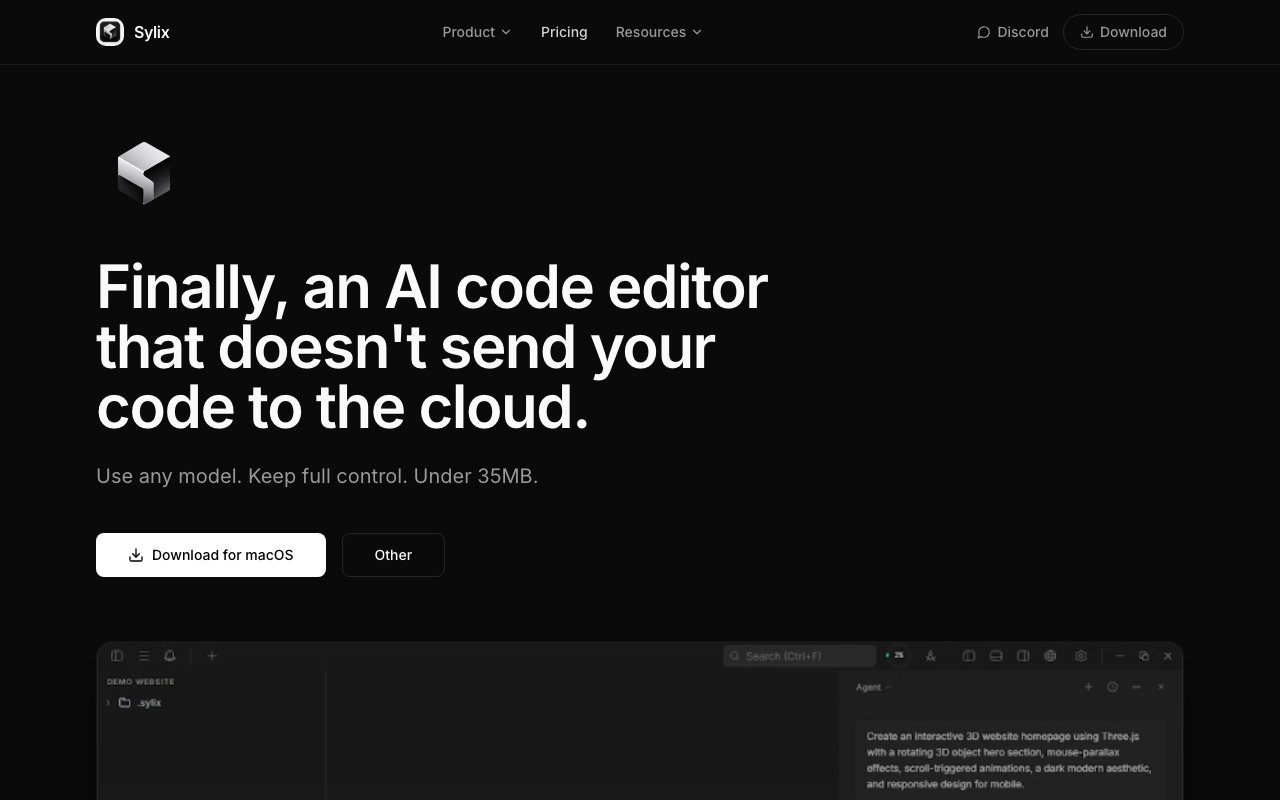
Sylix is an AI-powered code editor built entirely in Rust, designed as a free alternative to commercial tools like Cursor. Unlike many editors that start as Visual Studio Code forks and layer AI features on top of an existing architecture, Sylix was written from scratch with AI assistance as a core design consideration rather than an afterthought. This ground-up approach gives the editor a remarkably small footprint. The entire application weighs under 35 megabytes, which is exceptionally light for a modern code editor with full AI capabilities. Most competitors require hundreds of megabytes or more, and that difference shows up in startup times, memory usage, and overall system responsiveness.
The editor follows a BYOK model, meaning you bring your own API key from whichever AI provider you prefer. This approach accomplishes two things simultaneously. First, it keeps the editor itself completely free. There's no subscription fee, no monthly charge, no trial period that expires. You download Sylix, install it, and use it forever at no cost. Second, it gives you control over your AI spending and provider choice. If you have an OpenAI API key, configure that. If you prefer Anthropic's Claude, use that key instead. If you're running a local model through an OpenAI-compatible endpoint, that works too. You pay your AI provider directly based on your actual usage, and you choose the model that best fits your workflow and budget.
Project memory is one of Sylix's distinguishing features. The editor maintains context about your codebase across sessions, remembering your project structure, the files you've been working on, the patterns in your code, and the conversations you've had with the AI assistant. This persistent context eliminates the cold-start problem that plagues simpler AI coding tools. You don't have to re-explain your project architecture every time you ask for help. The AI understands you're continuing work on the same authentication system, the same API endpoint, or the same feature branch you were building yesterday. Context accumulates over time, making the AI assistance increasingly relevant to your specific codebase rather than generic suggestions that ignore your existing conventions.
Another distinguishing capability is automatic code testing. When Sylix generates code suggestions, it can run your test suite to verify the output actually works before presenting it to you. This addresses one of the most common frustrations with AI-assisted coding: generated code that looks syntactically correct and logically plausible but fails at runtime due to subtle bugs, missing imports, or incorrect assumptions about your project's dependencies. Instead of blindly accepting AI suggestions and discovering problems when you try to run the code, you get immediate feedback about whether the generated code passes your existing tests. This shifts the verification burden from you to the editor and catches errors before they enter your codebase.
Sylix runs entirely locally on your machine with no cloud processing of your code beyond what you explicitly send to your AI provider. For developers working on proprietary codebases, in security-conscious environments, or for companies with strict data handling policies, this local-first design matters significantly. Your code stays on your hardware. The editor itself doesn't phone home, collect telemetry, or require an internet connection to function. AI features obviously need connectivity to reach your chosen model provider, but the editing experience works offline, and you retain complete control over what gets transmitted. This stands in contrast to editors that process code server-side or require cloud accounts to function.
Platform support covers Windows, macOS, and Linux, making Sylix accessible across the major development operating systems. Installation is straightforward given the small binary size. There's no lengthy setup wizard, no plugin ecosystem you need to configure before you can be productive. You download the application, add your API key in settings, and start coding. The Rust foundation provides solid performance characteristics throughout the experience. Startup times are fast because there's less code to load. Editing large files stays responsive because Rust handles memory efficiently. The entire application feels snappy in a way that heavier Electron-based editors often struggle to match.
The project is built and maintained by Sairaj Ambekar, an independent developer active on GitHub, LinkedIn, and other platforms. This independent origin represents a different philosophy than venture-backed AI coding tools. There's no pressure to maximize subscription revenue or lock users into proprietary ecosystems. The BYOK model means Sylix's interests align with yours: you want an efficient editor that doesn't waste API tokens, and so does the tool. For developers who want AI-assisted coding without monthly charges, who prefer controlling exactly which AI model powers their suggestions, and who value a lightweight tool over a feature-bloated one, Sylix offers a compelling alternative to the established players in this rapidly evolving space.
Key Features
- Native Rust and Tauri architecture under 35MB
- Bring-your-own-key for AI model access
- Local self-correcting verification engine
- Project context memory across sessions
- Cross-platform for Windows, macOS, and Linux
- Not based on VS Code or Electron
Pros & Cons
What we like
- Completely free with no subscription fees
- Runs locally so your code never leaves your machine
- Lightweight compared to Electron-based editors
- Bring your own API key from any provider
Room for improvement
- Solo developer project with minimal documentation
- Smaller community than established AI editors
- Feature set is narrower than Cursor or Copilot
- Early-stage software with rougher edges
Frequently Asked Questions
What is Sylix?
Is Sylix free?
How is Sylix different from Cursor?
Who is Sylix for?
Best For
Featured in
Alternatives to Sylix
View allCursor
VS Code fork built around an AI pair-programmer

Replit
Browser IDE plus Replit Agent that builds and deploys apps from a prompt
Windsurf
Codeium's AI editor with Cascade agent and deep IDE integration

Vibe Built
Building real apps with agentic AI. What worked, what broke, what shipped.
Reviews (0)
Badge builder
Add Sylix to your website
Choose a badge style and size, preview it here, then copy the generated HTML. Badge images are self-contained SVGs and do not require an external script.

<a href="https://toolindex.net/tools/sylix?ref=badge" target="_blank" rel="noopener">
  <img src="https://toolindex.net/badge/sylix/medium.svg" alt="Sylix - Listed on Tool Index" width="180" height="50" />
</a>How to use the badge
- 1. Pick the style, size, and theme that fit your layout.
- 2. Copy the generated HTML from the code block.
- 3. Paste it into your footer, homepage, or press page.
Standard badge available
The standard listing badge is available now. Score and circle badges are limited to tools currently ranked in the top 10 of a category.
Badge clicks return visitors to this profile with a referral tag so the source remains identifiable.
Related Tools

Bolt.new
Prompt-to-deployed full-stack app inside the browser

Tabnine
Privacy-first enterprise AI code assistant you control, with SaaS, VPC, on-prem, or fully air-gapped deployment
Cursor
VS Code fork built around an AI pair-programmer

Skeezo
Agent-native macOS IDE for coordinating Claude Code and AI agents
Work on Sylix? Request listing access or correction