
Traccar
Open-source GPS tracking and fleet management platform you can self-host
Gallery
About Traccar
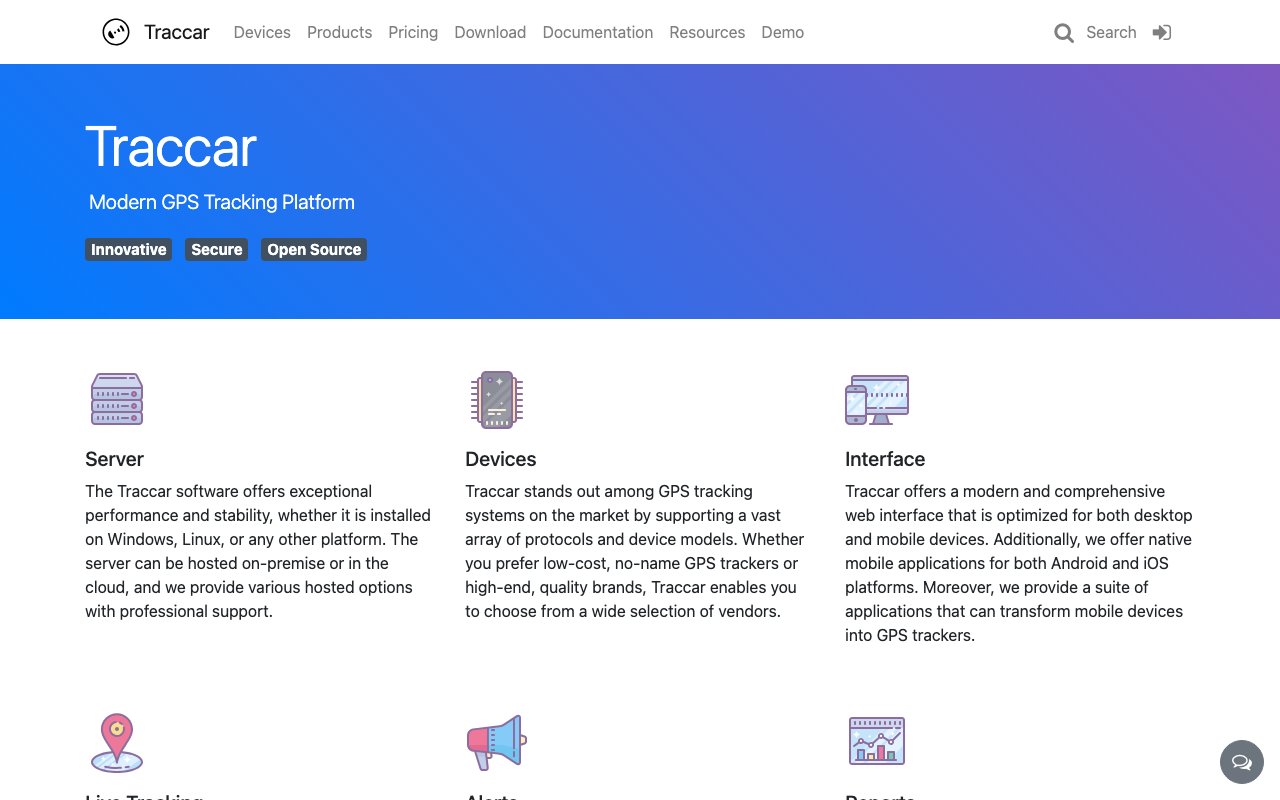
Traccar is an open-source GPS tracking platform that collects location data from dedicated trackers, phones, and vehicle hardware, then turns that stream into live maps, alerts, and reports. It has been around long enough to be one of the standard answers when someone asks how to run fleet tracking without signing a per-vehicle subscription with a closed vendor. The server is free to download, it runs on Windows, Linux, or effectively any platform you can host, and the project states plainly that the software will always be free and fully open source. You can deploy it on a box in your office, on a cloud instance, or use the hosted service the team sells, and the code stays the same either way.
The problem it goes after is the bundle. Commercial fleet tracking usually arrives as a single package where you buy the hardware from one company and that company's software only speaks to that company's hardware, at a monthly fee per vehicle that never ends. Switching vendors means throwing out the devices and the platform together, which is exactly why the pricing holds. Traccar breaks the link by supporting a vast array of protocols and device models, covering cheap generic trackers from a marketplace all the way up to premium branded units. The device you buy and the software you run become two separate decisions rather than one locked contract, and if a tracker vendor disappoints you, you swap the tracker and keep everything else.
In practice you stand up the server, point your devices at it, and they start reporting positions over whichever protocol they happen to speak. Traccar decodes those protocols, stores the history, and serves a web interface where you watch everything move in real time across several map layers including satellite imagery. There's no polling delay to sit through, since positions land as the devices send them. Notifications go out by push, email, and other methods when something needs a human, and the alert rules cover what fleet operators actually watch for, including geo-fence breaches, harsh driving, sudden fuel drops, and maintenance intervals coming due. Mobile apps cover the phone-as-tracker case, which is often how people pilot the system before buying any hardware at all.
Reporting is where a tracking system either earns its keep or quietly doesn't. Traccar produces location history, trip breakdowns, charts, and summary reports, and exports them to Excel so the numbers can leave the tool and land in whatever spreadsheet the business already runs on. That matters more than it sounds. Plenty of tracking platforms trap their data behind a dashboard and charge for the export, whereas here you own the server and the database underneath it, so the raw data was never hostage in the first place.
The project also ships a Client SDK, and it's the piece that turns Traccar from a server you run into something you can build on. It's a background location library that collects positions on Android and iOS, stores them locally, and uploads them to a Traccar server or any compatible endpoint. It handles the genuinely awkward parts of mobile location work, keeping a background process alive against OS restrictions, pausing GPS when the device sits still so the battery survives a shift, and retrying uploads that failed while the phone had no signal. It ships as native Android and iOS versions plus Flutter and React Native bindings, all under the Apache 2.0 license, with source on GitHub. The team notes it's the same code that powers their own client app, so it's been tested in the field rather than only in a demo, and it replaces an earlier approach that leaned on a third-party library with commercial licensing attached to some features.
It suits self-hosters, small and mid-size fleet operators, and developers who want tracking inside their own product instead of a third-party dashboard bolted on beside it. If you run field service vehicles, a delivery operation, rental equipment, or you're building an app that needs to know where something is, you get the protocol handling, the storage, and the map layer without writing device drivers yourself. The honest trade is that you're on the hook for the server, the upgrades, the database, and the uptime. Teams without someone comfortable doing that will feel it, which is presumably why the hosted tier exists.
Access is open source first and the rest is optional. Self-hosting stays free with no per-device ceiling, and if you'd rather not run infrastructure the team sells hosted plans alongside it, with tracking accounts starting from about $7.95 a month, hosted tracking servers from roughly $39.95 a month, and professional services from $50 an hour. Support runs through those paid channels and through a public community, and the published contact is support@traccar.org. Those revenues fund the open-source work rather than gating it, which is the arrangement that has kept the self-hosted build a real product instead of a crippled teaser for the paid one.
Key Features
- Real-time tracking on multiple map layers
- Support for a vast range of device protocols
- Geo-fence, fuel, and maintenance alerts
- Trip, chart, and summary reports with Excel export
- Push and email notifications
- Apache 2.0 background location Client SDK
Pros & Cons
What we like
- Software is free and fully open source with no per-device fees
- Broad protocol support means you're not locked to one hardware vendor
- Reports export to Excel and you own the underlying database
- Client SDK covers Android, iOS, Flutter, and React Native under Apache 2.0
Room for improvement
- Self-hosting means you own the server, upgrades, and uptime
- Interface is functional rather than polished next to commercial fleet suites
- Broad device support means occasional quirks with individual tracker models
- Hosted plans and professional support cost extra
Frequently Asked Questions
What is Traccar?
Is Traccar free?
What devices work with Traccar?
What is the Traccar Client SDK?
Best For
Featured in
Alternatives to Traccar
View all
1Lookup
Real-time data verification API for phone, email, IP, and domain validation to fight fraud

Kevin Gabeci
Solo developer building web apps, cozy browser games, and AI creator toolkits.

Codedex
A gamified, story-driven platform that teaches Python, web dev, and more like an RPG quest
Hack2hire
Practice real SDE interview questions from top tech companies with expert worked solutions
Reviews (12)
Worth a look
Found Traccar on a Show HN thread and I am glad I clicked. Got real value out of apache 2.0 background location client sdk. It fits well for monitoring field service vehicles and geo-fence breaches. Worth it for what I get out of it.
Exactly what I needed
Traccar has quietly become part of my daily flow. What stands out is how it handles client sdk covers android, ios, flutter, and react native under apache 2.0. It does what it says, which is rarer than it should be. Mostly using it for monitoring field service vehicles and geo-fence breaches. Glad I made the switch.
Solid but not perfect
Picked Traccar for the price, stayed for the quality. The thing I keep coming back to is how reliable it is. The defaults are sensible, so I was not fighting settings on day one. Found it works best for tracking a delivery fleet without per-vehicle subscriptions. The catch is self-hosting means you own the server, upgrades, and uptime. It earns its place in my stack.
Recommended without reservation
Found Traccar on a Show HN thread and I am glad I clicked. What stands out is how it handles support for a vast range of device protocols. Found it works best for building background location tracking into a mobile app. Hard to imagine going back to my old setup.
Solid but not perfect
Picked Traccar for the price, stayed for the quality. What stands out is how it handles geo-fence, fuel, and maintenance alerts. Performance has been steady even when I lean on it hard. It would be a five if not for hosted plans and professional support cost extra. It earns its place in my stack.
Solid daily driver
Found Traccar on a Show HN thread and I am glad I clicked. Got real value out of trip, chart, and summary reports with excel export. Found it works best for self-hosting location data for privacy or compliance reasons. Would sign up again without thinking twice.
Two months in, no regrets
Have been running Traccar for a while, here is where I land. The support for a vast range of device protocols is more useful than I expected. It has shaved real time off my week. Found it works best for monitoring field service vehicles and geo-fence breaches. Easy yes for anyone weighing the same trade offs.
Solid daily driver
Traccar has quietly become part of my daily flow. Where it really wins is client sdk covers android, ios, flutter, and react native under apache 2.0. Mostly using it for monitoring field service vehicles and geo-fence breaches.
Decent with some rough edges
Three months of Traccar later, here is what holds up. The reports export to excel and you own the underlying database is more useful than I expected. The output quality holds up better than I expected. Mostly using it for monitoring field service vehicles and geo-fence breaches. One thing that bugs me is self-hosting means you own the server, upgrades, and uptime. It earns its place in my stack.
Finally something that fits
Found Traccar on a Show HN thread and I am glad I clicked. What stands out is how it handles apache 2.0 background location client sdk. What stands out is how little babysitting it needs.
Exactly what I needed
Traccar has quietly become part of my daily flow. The client sdk covers android, ios, flutter, and react native under apache 2.0 is more useful than I expected. Recommending it to people in a similar spot.
Quietly excellent
Found Traccar on a Show HN thread and I am glad I clicked. What stands out is how it handles client sdk covers android, ios, flutter, and react native under apache 2.0. Support actually answered when I had a question, which surprised me. Mostly using it for self-hosting location data for privacy or compliance reasons. No regrets so far.
Badge builder
Add Traccar to your website
Choose a badge style and size, preview it here, then copy the generated HTML. Badge images are self-contained SVGs and do not require an external script.

<a href="https://toolindex.net/tools/traccar?ref=badge" target="_blank" rel="noopener">
  <img src="https://toolindex.net/badge/traccar/medium.svg" alt="Traccar - Listed on Tool Index" width="180" height="50" />
</a>How to use the badge
- 1. Pick the style, size, and theme that fit your layout.
- 2. Copy the generated HTML from the code block.
- 3. Paste it into your footer, homepage, or press page.
Standard badge available
The standard listing badge is available now. Score and circle badges are limited to tools currently ranked in the top 10 of a category.
Badge clicks return visitors to this profile with a referral tag so the source remains identifiable.
Related Tools
Kevin Gabeci
Solo developer building web apps, cozy browser games, and AI creator toolkits.

Coolify
Self-hostable, open source alternative to Heroku and Netlify

Warp
The modern terminal reimagined with AI and collaboration

Bolt.new
Prompt-to-deployed full-stack app inside the browser
Work on Traccar? Request listing access or correction