
Vidmoat
AI video editor that turns prompts into finished videos with agent integration
Gallery
About Vidmoat
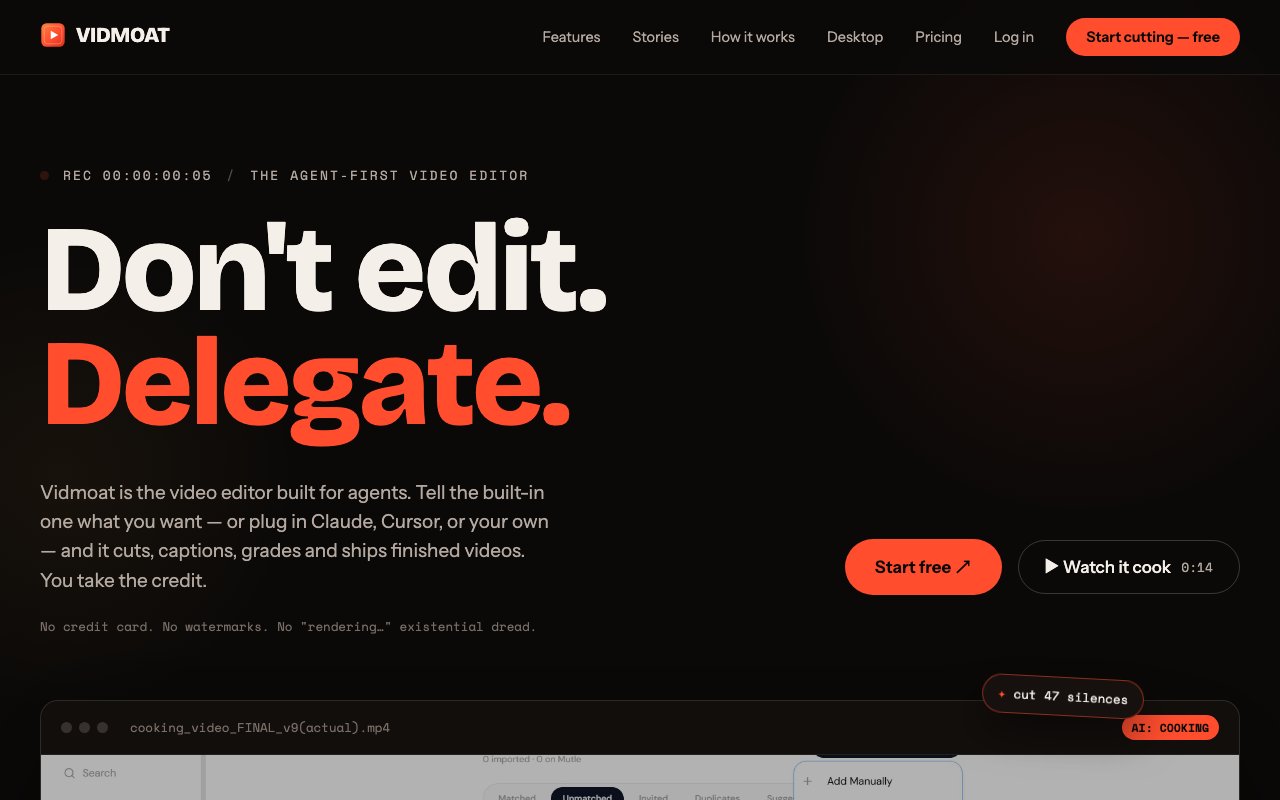
Vidmoat is an AI-powered video editor that automates the tedious parts of post-production. You give it footage and describe what you want in plain language, and its AI agent handles cutting, captioning, color grading, silence removal, and reformatting for different platforms. The goal is to turn hours of raw video into polished, platform-ready content without the manual timeline scrubbing that makes traditional editing so time-consuming. It runs as a desktop app, handling files up to 10GB locally without requiring cloud uploads, waiting in rendering queues, or trusting sensitive footage to someone else's servers. If you've ever spent an afternoon trimming dead air from a podcast recording, this is the category of pain it targets.
The auto-cut feature is where most of the time savings come from. It watches your entire recording, detects silences and pauses, and removes them automatically so you don't have to scrub through every minute of footage hunting for gaps. For content with a beat or rhythm, there's smart beat-sync editing that aligns cuts to the audio track. Color grading uses LUTs that you can apply across an entire project in one pass rather than adjusting clips individually. If you need to remove a background or clean up unwanted elements in frame, there's green screen support and a cleanup brush for quick fixes without switching to a dedicated compositing tool. None of this requires manual keyframing or frame-by-frame adjustments.
Captioning is handled at the word level with automatic synchronization. You get standard subtitles or karaoke-style captions that highlight each word as it's spoken, which is the format that performs well on short-form social platforms where viewers watch on mute. The transcription engine catches filler words like ums and uhs so you can strip them out with a toggle rather than hunting through a transcript manually. This is particularly useful for talking-head content where natural speech patterns include hesitations you'd rather cut.
Once your edit is done, the platform can reframe it for different aspect ratios including 9:16 vertical, 1:1 square, and 16:9 widescreen, so one piece of content turns into multiple cuts optimized for TikTok, Instagram Reels, YouTube Shorts, and standard YouTube without re-editing from scratch. The multi-platform export is a significant time saver for creators who need to publish to several channels but don't want to maintain separate project files for each format. You edit once and let the AI handle the crop and reframe logic.
For power users and developers, Vidmoat exposes more than 65 scriptable timeline commands and includes an MCP server that lets external AI agents drive the editor programmatically. That means you can connect it to Claude or Cursor and control edits through conversation or code rather than clicking through a UI. There's also a REST API for custom integrations, plus Telegram and WhatsApp bots if you want to kick off edits from your phone while away from your desk. It's an unusual level of openness for a consumer video tool, and it makes Vidmoat appealing to anyone building automated content pipelines or batch processing workflows.
The target user is a content creator producing short-form video regularly, whether that's podcast clips, fitness tutorials, cooking content, vlogs, or anything else destined for social feeds. If you're spending hours trimming silence and adding captions by hand, or paying an editor to do the repetitive work, this is meant to collapse that workflow into minutes. The desktop app approach means you aren't uploading sensitive footage to someone else's cloud or waiting for remote processing to finish before you can see the result. Everything happens on your machine, which matters for creators who work with unreleased material or simply have spotty internet.
Pricing splits into three tiers. The Hobby plan is free and includes three projects, 720p exports, and a watermark on output. Creator costs 19 dollars a month and unlocks unlimited projects, 4K exports, the full AI editing suite including auto-cut and captioning, and no watermarks. Studio at 49 dollars a month adds team features with five seats, a shared media library for collaborative work, and API access for custom integrations. There are no rendering queues on paid plans, which means you aren't waiting behind other users to get your exports, and watermarks disappear entirely once you're paying. The free tier is limited enough to be a trial rather than a viable long-term workflow, but it lets you see whether the AI actually handles your footage well before committing.
Key Features
- Auto-cut silence and dead air removal
- Word-level synchronized AI captions
- One-click background removal
- Text-to-edit transcript deletion
- 65+ scriptable timeline commands
- MCP server for AI agent control
Pros & Cons
What we like
- External AI agents can control the editor programmatically
- Desktop app handles 10GB files without uploading
- Auto-reframes to multiple aspect ratios in one pass
- Free tier includes core AI features for testing
Room for improvement
- Free tier limited to 720p with watermark
- Not a replacement for complex multi-track editing
- Agent integration requires MCP familiarity
- Younger product with a smaller user community
Frequently Asked Questions
What is Vidmoat?
Is Vidmoat free?
What platforms does Vidmoat export to?
How does the AI agent integration work?
Best For
Featured in
Alternatives to Vidmoat

Apatero AI
The creator studio for AI image, video, audio, 3D, and avatars, now at apatero.ai.
Apatero Studio
Creator studio for AI image, video, audio, 3D, and avatars. Every model worth using, in one workspace.

Melodex
Turn your idea into an AI-generated music video

Speel
AI UGC video generator that makes realistic AI avatars hold and talk about your product for ads
Reviews (10)
Two months in, no regrets
Picked Vidmoat for the price, stayed for the quality. Where it really wins is auto-reframes to multiple aspect ratios in one pass. Setup was painless and I was productive the same day. No regrets so far.
Quietly excellent
Came to Vidmoat after getting frustrated with what I had before. It handles the boring parts so I can focus on the work that matters. It has shaved real time off my week. Found it works best for removing silence and adding captions to coaching videos.
Quietly excellent
Vidmoat has quietly become part of my daily flow. Their take on word-level synchronized ai captions is genuinely good. It earns its place in my stack.
Solid daily driver
Three months of Vidmoat later, here is what holds up. What stands out is how little babysitting it needs. It has shaved real time off my week. Worth it for what I get out of it.
Two months in, no regrets
Vidmoat has quietly become part of my daily flow. Where it really wins is auto-cut silence and dead air removal. The output quality holds up better than I expected. It fits well for batch exporting vertical videos for multiple social platforms. Would sign up again without thinking twice.
Worth a look
Tried Vidmoat on a side project first, then rolled it out everywhere. Their take on auto-reframes to multiple aspect ratios in one pass is genuinely good. It fits well for batch exporting vertical videos for multiple social platforms. Glad I made the switch.
Genuinely impressed
Vidmoat has quietly become part of my daily flow. Got real value out of mcp server for ai agent control. It fits well for batch exporting vertical videos for multiple social platforms. It earns its place in my stack.
It just works
Three months of Vidmoat later, here is what holds up. The output quality holds up better than I expected. Found it works best for removing silence and adding captions to coaching videos. Recommending it to people in a similar spot.
Does the job, a few gripes
Three months of Vidmoat later, here is what holds up. The defaults are sensible, so I was not fighting settings on day one. What stands out is how little babysitting it needs. It would be a five if not for not a replacement for complex multi-track editing. Would sign up again without thinking twice.
Finally something that fits
Three months of Vidmoat later, here is what holds up. The text-to-edit transcript deletion is more useful than I expected. It fits well for automating repetitive editing workflows with ai agents. Recommending it to people in a similar spot.
Badge builder
Add Vidmoat to your website
Choose a badge style and size, preview it here, then copy the generated HTML. Badge images are self-contained SVGs and do not require an external script.

<a href="https://toolindex.net/tools/vidmoat?ref=badge" target="_blank" rel="noopener">
  <img src="https://toolindex.net/badge/vidmoat/medium.svg" alt="Vidmoat - Listed on Tool Index" width="180" height="50" />
</a>How to use the badge
- 1. Pick the style, size, and theme that fit your layout.
- 2. Copy the generated HTML from the code block.
- 3. Paste it into your footer, homepage, or press page.
Standard badge available
The standard listing badge is available now. Score and circle badges are limited to tools currently ranked in the top 10 of a category.
Badge clicks return visitors to this profile with a referral tag so the source remains identifiable.
Related Tools
Apatero AI
The creator studio for AI image, video, audio, 3D, and avatars, now at apatero.ai.

LocalClip
Local-first AI video clipper for Mac that turns long videos into vertical clips
Melodex
Turn your idea into an AI-generated music video
Apatero Studio
Creator studio for AI image, video, audio, 3D, and avatars. Every model worth using, in one workspace.
Work on Vidmoat? Request listing access or correction