
Waku
Native macOS app for managing coding agents with unified sessions and checkpoints
Gallery
About Waku
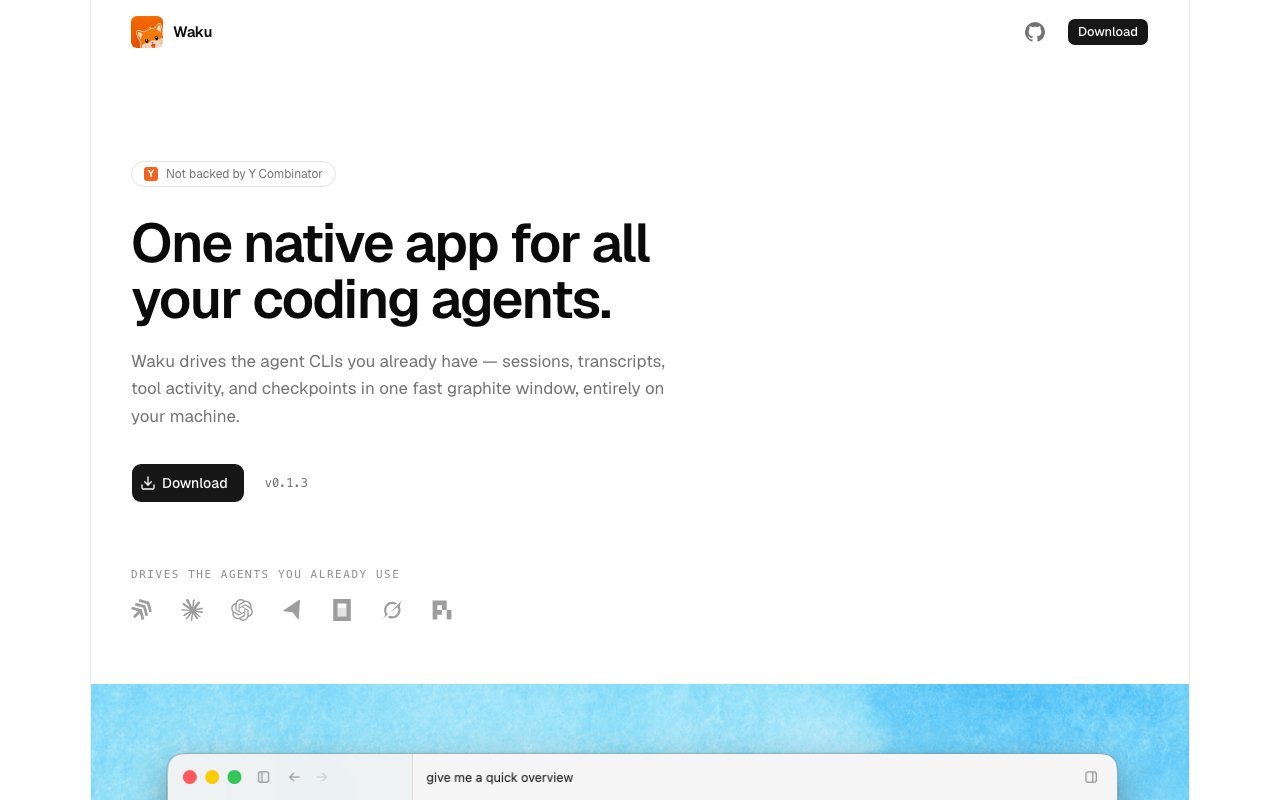
Waku is a native desktop app that consolidates multiple AI coding agents into a single interface. Instead of juggling separate terminal windows or browser tabs for Claude Code, Aider, Cursor background agents, or whatever else you run, Waku gives you one place to see sessions, transcripts, and tool activity. It is built in Rust using GPUI, the same GPU accelerated framework behind the Zed editor, so it launches instantly and scrolls smoothly through years of conversation history. The site describes it as a fast graphite window running locally on your machine, which captures the aesthetic and the performance claim in one phrase. The choice of GPUI over Electron is intentional and means the app stays lightweight while handling large amounts of transcript data.
The problem it solves is session sprawl. If you use more than one coding agent, each one tracks its own history in its own format. Finding what you asked three weeks ago means hunting through logs or hoping the agent's built in search works. Waku normalizes outputs from different agents into a unified model, so everything lives in one searchable archive. The app connects to agents through their native interfaces, including stream JSON, JSON RPC, and live event protocols. It translates all of these into a provider neutral format, which means switching between agents doesn't mean learning a new data model each time. This normalization is what lets you search across providers and compare how different agents handled similar prompts.
The checkpoint system is one of the sharper features. Each prompt automatically checkpoints your working tree state under a hidden git ref. This isn't just a conversation snapshot, it captures the actual code at that moment. If an agent took your project in a bad direction, you roll back to a checkpoint and continue from there without manually reconstructing what the codebase looked like. The site emphasizes that you can roll back code and conversations together rather than just chat logs, which is the key distinction from tools that only archive transcripts. This matters because the worst coding agent mistakes are the ones where you can't remember what the code looked like before the agent started making changes.
Keyboard navigation is central to the workflow. Command N starts a new session. Return queues a follow up even while the agent is still working on the current turn, so you can line up your next prompt without waiting for the current one to finish. Command Shift lets you steer the agent mid turn, and Escape stops it entirely. If you're used to mouse heavy tools, the shortcuts take a bit of learning, but once internalized they make the workflow faster. The interface prioritizes keyboard first control throughout, not just for these core actions but across the whole experience. The design assumes you're working in a code editor already and don't want to reach for the mouse every time you interact with an agent.
Privacy is a core design decision rather than an afterthought. All projects, sessions, transcripts, and provider IDs stay local on your disk. There's no account creation, no telemetry, and no cloud sync. The site explicitly states there's no Waku cloud, which is unusual for a product category that often defaults to syncing everything to a server. If you work with sensitive code or just prefer not to route your coding conversations through a third party, this matters. The data stays on your machine entirely, stored wherever your platform's standard application data directory lives.
Waku is currently macOS only. The latest version as of August 2026 is 0.1.3. It's free to download with no pricing tier mentioned on the site. Updates arrive via Sparkle with binary deltas, so you're not redownloading the whole app each time and updates stay small. The app is signed and notarized for macOS, so it installs without Gatekeeper warnings. Windows and Linux support appears as a FAQ question on the site but without a clear answer, so cross platform teams will need to wait or look elsewhere for now. The Rust and GPUI foundation would make ports possible in theory, but nothing is promised.
The target user is a developer who runs multiple coding agents and wants a unified control surface. If you treat AI agents as part of your daily tooling rather than an occasional experiment, the session management and checkpoint features pay off quickly. The architecture built on Rust and GPUI means the app handles years of transcript data without slowing down, which is a practical concern if you're a heavy user who accumulates thousands of sessions. If you only use one agent casually, the overhead of another app may not be worth it, but for anyone juggling Claude Code, Aider, Cursor, and similar tools, Waku removes the friction of context switching between them and gives you a history that spans all of them.
Key Features
- Unified interface for multiple coding agents
- Rust and GPUI architecture, no Electron
- Checkpoint system with git ref snapshots
- Local storage with no cloud or telemetry
- Keyboard first navigation and shortcuts
- Automatic updates via Sparkle
Pros & Cons
What we like
- Instant launch and smooth scrolling on large transcripts
- Checkpoints let you rewind code and conversation together
- No account required, all data stays local
- Normalizes output from multiple agent providers
Room for improvement
- macOS only, no Windows or Linux support yet
- Keyboard heavy workflow has a learning curve
- Value limited if you only use one coding agent
- Newer app with a smaller community
Frequently Asked Questions
What is Waku?
Is Waku free?
Does Waku support Windows or Linux?
Who is Waku for?
Best For
Featured in
Alternatives to Waku
Cursor
VS Code fork built around an AI pair-programmer

Replit
Browser IDE plus Replit Agent that builds and deploys apps from a prompt
Windsurf
Codeium's AI editor with Cascade agent and deep IDE integration

Vibe Built
Building real apps with agentic AI. What worked, what broke, what shipped.
Reviews (0)
Badge builder
Add Waku to your website
Choose a badge style and size, preview it here, then copy the generated HTML. Badge images are self-contained SVGs and do not require an external script.

<a href="https://toolindex.net/tools/waku?ref=badge" target="_blank" rel="noopener">
  <img src="https://toolindex.net/badge/waku/medium.svg" alt="Waku - Listed on Tool Index" width="180" height="50" />
</a>How to use the badge
- 1. Pick the style, size, and theme that fit your layout.
- 2. Copy the generated HTML from the code block.
- 3. Paste it into your footer, homepage, or press page.
Standard badge available
The standard listing badge is available now. Score and circle badges are limited to tools currently ranked in the top 10 of a category.
Badge clicks return visitors to this profile with a referral tag so the source remains identifiable.
Related Tools

Bolt.new
Prompt-to-deployed full-stack app inside the browser

Tabnine
Privacy-first enterprise AI code assistant you control, with SaaS, VPC, on-prem, or fully air-gapped deployment
Cursor
VS Code fork built around an AI pair-programmer

Skeezo
Agent-native macOS IDE for coordinating Claude Code and AI agents
Work on Waku? Request listing access or correction