
Wave
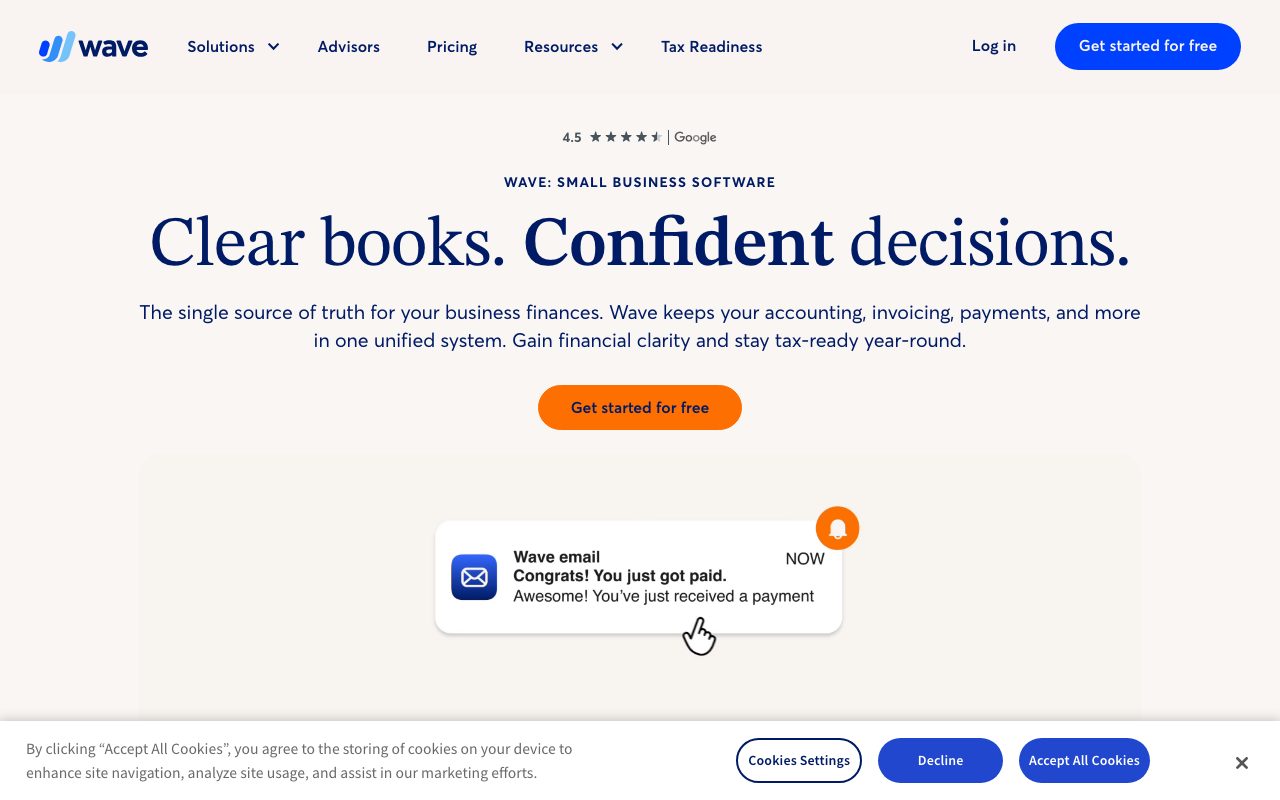
Free accounting and invoicing for very small businesses
Gallery
About Wave
Wave is the free accounting and invoicing platform for very small businesses. Founded in Toronto in 2009, Wave has been giving away accounting software for over 15 years and somehow staying in business by selling adjacent services.
The company was acquired by H&R Block in 2019 for $405M, which validated the long-tail SMB business model. Wave kept its product focus and didn't get absorbed into H&R Block's tax software.
If you're a freelancer, side-hustler, or microbusiness owner shopping accounting tools, you've probably looked at Wave, QuickBooks, FreshBooks, and Xero. Here's where Wave fits.
What Wave actually does
Wave provides invoicing, accounting, receipt scanning, and basic financial reporting. The accounting side handles double-entry bookkeeping, chart of accounts, bank reconciliation, and produces P&L and balance sheets.
The invoicing tool sends professional invoices, accepts online payments (Wave Payments handles cards and ACH for a fee), and tracks who's paid. Recurring invoices and reminders work as expected.
Wave Payroll is a paid add-on for actual payroll runs. Wave Advisors is human bookkeeping support, also paid. The free product doesn't include either.
Who Wave is for
Freelancers, consultants, sole proprietors, and micro-businesses with simple finances are the perfect fit. If you have under $250K in annual revenue, no inventory, and 1-3 employees, Wave covers your needs.
Side-hustlers and indie creators love it. The price (free) is unbeatable. The feature set is enough to handle taxes, track income, and look professional to clients.
Where Wave doesn't fit: businesses with inventory (no inventory module), complex multi-entity structures, anyone needing advanced reporting, or businesses growing past $1M revenue. QuickBooks or Xero are better at scale.
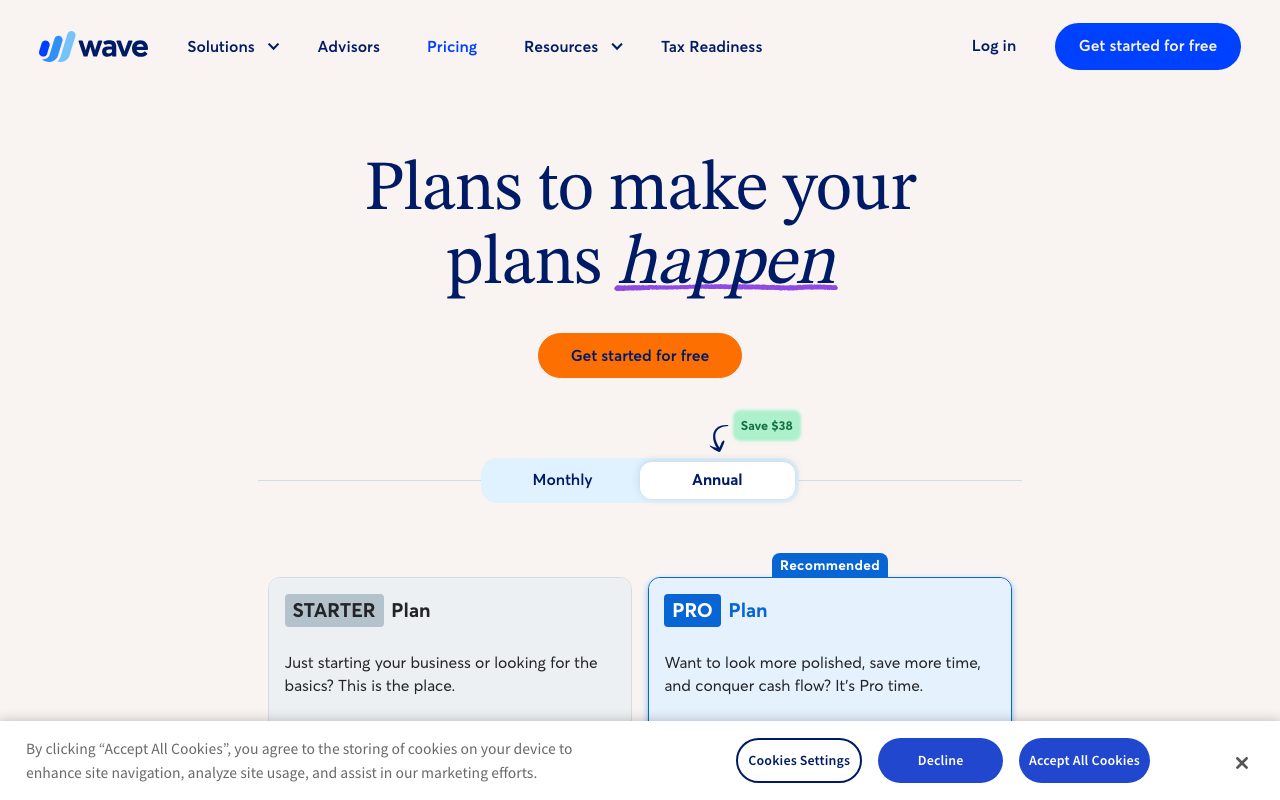
Pricing breakdown
The core accounting and invoicing software is genuinely free. No paywall, no premium tier, no time limit. You can run a business on Wave forever without paying.
Wave Payments charges 2.9% + $0.60 per credit card transaction (3.4% + $0.60 for Amex). ACH is 1% with $1 minimum. These are the rates Wave makes money on.
Wave Payroll is $40/month base plus $6/employee in tax-service states, $20/month plus $6/employee in self-service states. Wave Advisors (bookkeeping help) starts at $149/month.
Standout features
Genuinely free accounting
Most "free" accounting tools have severe limits or require an upgrade for basic features. Wave's free tier includes unlimited invoices, unlimited income/expense tracking, multi-currency, and full reports.
This is the headline. For a freelancer who needs to send 50 invoices a year and track expenses, Wave costs $0 and works.
Invoice professionalism
Wave invoices look polished. Branded templates, online payment links, automatic late reminders, recurring billing. Clients see the same quality they'd see from a $30/month FreshBooks account.
Receipt scanning
The mobile app captures receipts via your phone camera. OCR extracts vendor, date, and amount. Categorize once, and Wave's AI learns to do it automatically next time.
Wave's pricing model is genuinely strange and genuinely valuable. Free accounting is rare. Wave makes money when you accept payments, not when you keep books.
Honest tradeoffs
The product evolution has slowed since the H&R Block acquisition. Major features ship infrequently. Bugs sometimes linger. The team is competent but not aggressive.
Customer support on the free tier is slow. Email-only, sometimes days to respond. Paid Advisors get faster help. The trade-off for "free" is "patient."
Inventory management isn't there. If you sell physical products with stock tracking, Wave won't cover you. QuickBooks Online or Zoho Inventory are the alternatives.
Wave vs alternatives
Versus QuickBooks Online: QuickBooks is the small business standard. More features (inventory, more reports, better integrations), starts at $30/month. Wave is free and covers basics. Choose QuickBooks if you need depth, Wave if you need affordable.
Versus FreshBooks: FreshBooks is invoice-first with light accounting. $19/month and up. Better invoicing UX, narrower accounting. Wave matches FreshBooks' invoicing for free.
Versus Xero: Xero is the global standard for small to mid businesses. $15-78/month. More features than Wave, less features than QuickBooks Online for US businesses. Strong choice for non-US markets.
Versus Zoho Books: Zoho's accounting is part of their broader business suite. $20+/month, more depth than Wave. Worth it if you're already in Zoho's ecosystem.
For more options, see best accounting software or tools for freelancers.
Bottom line
Wave is the right answer for freelancers and microbusinesses that need real accounting without paying for it. The free product is honest, the experience is good, and you can grow with it for years before outgrowing it.
For businesses past $250K in revenue, with inventory, or needing complex reporting, the upgrade to QuickBooks or Xero pays back. For everyone smaller, Wave is hard to beat.
Try Wave for one billing cycle. If it covers your accounting needs, you've saved $360/year compared to QuickBooks Simple Start. That's a meaningful number for a small business.
Wave for freelancers and consultants
The freelance use case is Wave's sweet spot. Send invoices, track payments, log expenses, generate Schedule C-ready reports at year-end. Wave covers it all for free.
The invoice-to-payment workflow is genuinely good. Send a professional invoice with a "Pay Now" button, client pays via card or ACH, money lands in your account in 2-7 days.
Recurring invoices automate retainer billing. Set up once, Wave generates and sends each month. Late payment reminders go automatically. Cash flow improves without you babysitting it.
Tax preparation
Wave's reports support standard tax forms: Schedule C for sole proprietors, P&L summaries, expense categorizations. Export to your accountant or CPA at year-end.
The categorization happens during the year. Wave learns from your patterns and suggests categories for new transactions. By December, most categorization is automatic.
For Schedule C filers, Wave's tax-ready reports save real time. CPAs charge less when records are clean. The savings can pay for years of paid software.
Wave for very small businesses
Beyond freelancers, Wave fits very small businesses with simple finances. Service businesses (cleaning, lawn care, photography), small consultancies, microbusinesses with under $250K revenue.
Bank reconciliation works via direct connections. Wave imports transactions, you categorize, the books reconcile automatically. Daily 5-minute habit replaces monthly reconciliation pain.
Multiple bank accounts work fine. Personal vs business separation is handled. Multi-currency is supported but limited; international businesses might prefer Xero.
What Wave doesn't do
No inventory management. No project profitability tracking. No advanced reporting (cash flow forecasts, budgets vs actuals). No multi-entity accounting.
If you need any of these, Wave isn't the tool. QuickBooks, Xero, or NetSuite cover them at higher price points.
Common Wave questions
Is Wave really free forever?
The accounting and invoicing software is free. Wave makes money on payment processing fees and the Payroll add-on. You can use the free product indefinitely without ever paying.
This pricing model has held since 2009. The H&R Block acquisition didn't change it. The model is durable.
How does Wave Payments compare?
Standard fees: 2.9% + $0.60 per credit card transaction (3.4% + $0.60 for Amex), 1% for ACH. Comparable to Stripe and Square.
The advantage is integration. Wave Payments updates your accounting automatically. Stripe or Square require manual reconciliation or Zapier-style sync.
Can I migrate from QuickBooks?
Yes, with effort. Wave imports CSV exports of transactions. Custom field mapping requires manual work. Plan a weekend for a clean migration.
For complex QuickBooks setups (multiple entities, custom reports, payroll), migration to Wave usually doesn't make sense. Wave is for simpler businesses.
For more accounting options, see best accounting software or Wave vs QuickBooks.
Wave under H&R Block
The H&R Block acquisition has been quiet. Wave kept its product focus, didn't get rolled into H&R Block Online, and the free tier persisted.
The trade-off post-acquisition is slower product velocity. Wave ships less frequently than smaller competitors. For a free product with stable basics, this is acceptable.
For freelancers, Wave remains the best free accounting option. The strategic positioning (free product, monetize via payments) is durable.
For more options, see best accounting software.
Wave for first-time business owners
If you're starting your first business, Wave is the right place to begin. The free price means no commitment. The simplicity means no learning curve. The basics are covered.
As your business grows, you'll know when to upgrade. The signs: needing inventory tracking, needing project profitability, needing multi-entity reporting, needing multi-user access.
Until those needs materialize, Wave covers the requirements. Don't pay for software you don't yet need.
For more SMB tooling, see tools for small businesses.
The bigger picture for small businesses
Free accounting isn't where Wave's value ends. The bigger story is reducing friction for very small businesses to operate professionally. Branded invoices, automatic reminders, clean books, all without budget commitments.
For service businesses where every hour matters, Wave's time-savings beat its price tag. You spend less time on bookkeeping and more time on client work.
If your business outgrows Wave, the migration to QuickBooks or Xero is straightforward. The accounting principles transfer; only the tool changes.
Tutorial / Demo
Key Features
- Free invoicing and accounting modules
- Bank reconciliation
- Receipt scanning via mobile app
- Online payments with per-transaction fees
- Optional payroll in supported US/Canada states
- Sales tax tracking
Pros & Cons
What we like
- Genuinely free for the basics
- Clean UI for non-accountants
- Good fit for one-person businesses
Room for improvement
- Smaller integration ecosystem than QuickBooks or Xero
- Payroll only in some US states and Canada
- Limited multi-user controls
Frequently Asked Questions
Is Wave really free?
Wave vs QuickBooks, which is better?
Does Wave handle sales tax?
Where is Wave available?
Can my accountant work in Wave?
Best For
Featured in
Alternatives to Wave
View all
QuickBooks Online
Cloud accounting and bookkeeping for US small businesses
Xero
Cloud accounting software for small businesses and their advisors
FreshBooks
Cloud accounting designed for service-based small businesses and freelancers

BILL
Accounts payable, receivable, and spend management for SMBs
Our take
Tool Index Editorial · May 2026· 4.6/5
Wave positions itself as free accounting and invoicing for very small businesses, and on the whole it earns the framing.
What it actually does well: Genuinely free for the basics, Clean UI for non-accountants, and Good fit for one-person businesses. Less impressive: Smaller integration ecosystem than QuickBooks or Xero and Payroll only in some US states and Canada.
Verdict: Wave comfortably earns its spot in the category — a smart default when you need freelancers sending a few invoices a month.
Editorial opinion from the Tool Index team, written from the public product pages. Not a user review.
Reviews (6)
Worth the price of admission
Wave isn't perfect but it's the best I've used in this category. Real selling point: clean UI for non-accountants. Found it works best for solo consultants who do not need full accounting software. Honest gripe: limited multi-user controls.
Half a star away from a wholehearted yes
Tried Wave on a side project first. The thing I keep coming back to: clean UI for non-accountants. Their take on sales tax tracking is solid. Mostly using it for solo consultants who do not need full accounting software.
Cons
- Smaller integration ecosystem than QuickBooks or Xero
The kind of tool you forget you're paying for
Been using Wave for a month now. The biggest win has been good fit for one-person businesses. It fits well for freelancers sending a few invoices a month. Glad I made the switch.
Recommended without reservation
Started using Wave casually, now it's pinned in my dock. The thing I keep coming back to: genuinely free for the basics. Their take on sales tax tracking is solid. That said, smaller integration ecosystem than QuickBooks or Xero is a real gripe. Hard to imagine going back to my previous setup.
Pros
- Good fit for one-person businesses
- Genuinely free for the basics
Cons
- Limited multi-user controls
Beautiful demo, painful reality
Almost a year of using Wave, here's what holds up. Where it really wins is clean UI for non-accountants. Their take on free invoicing and accounting modules is solid. Probably better for someone with different needs.
Honest take after the past sprint cycle
Came to Wave after frustration with what I had before. Where it really wins is genuinely free for the basics. Their take on bank reconciliation is solid. Main use case: freelancers sending a few invoices a month.
Badge builder
Add Wave to your website
Choose a badge style and size, preview it here, then copy the generated HTML. Badge images are self-contained SVGs and do not require an external script.

<a href="https://toolindex.net/tools/wave?ref=badge" target="_blank" rel="noopener">
  <img src="https://toolindex.net/badge/wave/medium.svg" alt="Wave - Listed on Tool Index" width="180" height="50" />
</a>How to use the badge
- 1. Pick the style, size, and theme that fit your layout.
- 2. Copy the generated HTML from the code block.
- 3. Paste it into your footer, homepage, or press page.
Standard badge available
The standard listing badge is available now. Score and circle badges are limited to tools currently ranked in the top 10 of a category.
Badge clicks return visitors to this profile with a referral tag so the source remains identifiable.
Related Tools
Simple RMD
Calculate, aggregate, and manage your annual IRA required minimum distributions.
FreshBooks
Cloud accounting designed for service-based small businesses and freelancers
Deel
Global payroll, contractor, and EOR platform
Chargebee
Subscription billing and revenue management for B2B SaaS
Work on Wave? Request listing access or correction