Xero
Cloud accounting software for small businesses and their advisors
Gallery
About Xero
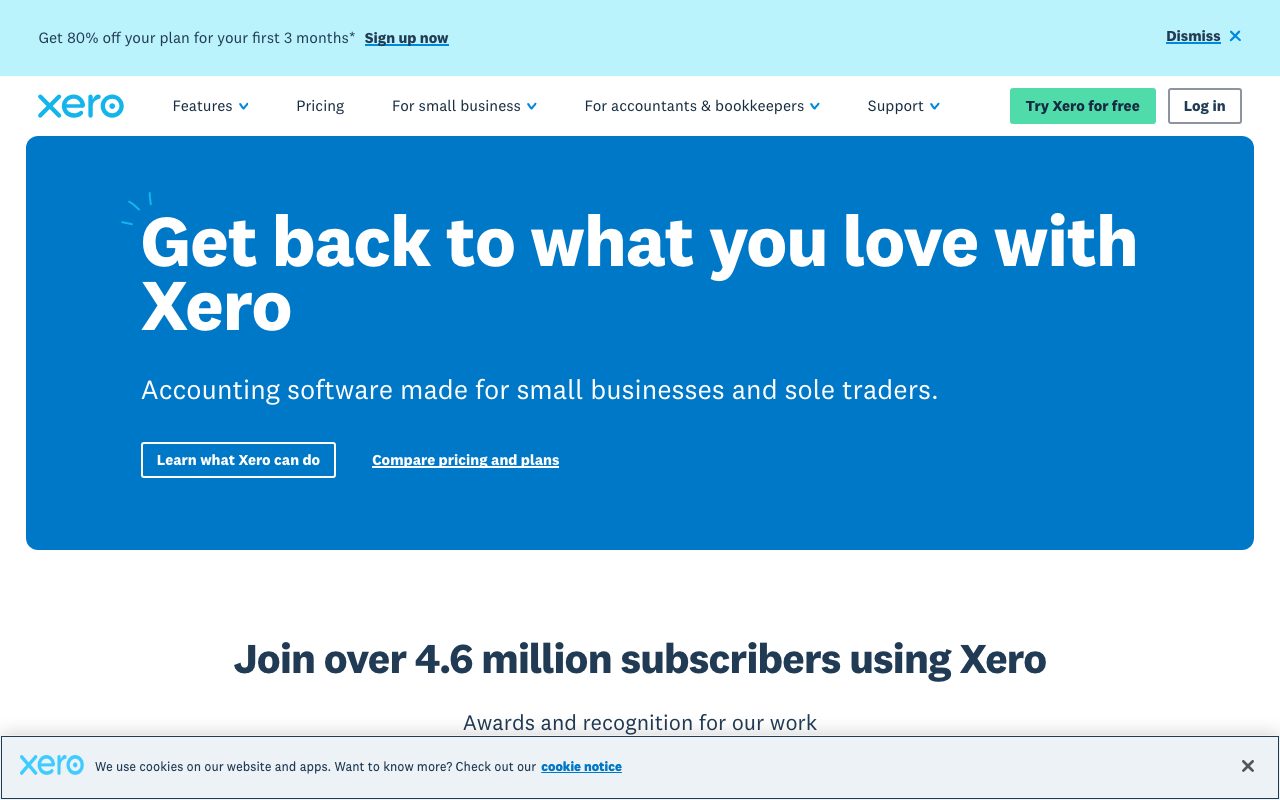
Xero is the cloud accounting platform that took New Zealand global. Small businesses, accountants, and bookkeepers run their books on Xero in dozens of countries. The product is the modern alternative to QuickBooks for anyone who wants the workflow that doesn't feel stuck in 2008.
The pitch is straightforward. Bank feeds are clean. Reconciliation is fast. Reports are decent. The collaboration model with your accountant is friendly. Most of what a small business books need, done well.
It's not for every market equally. Xero dominates Australia and New Zealand. It's strong in the UK. In the US, QuickBooks still owns the room. Pick based on which accountants in your country know the tool.
What Xero does
You connect your bank account. Transactions stream into Xero daily. You categorize them, often through suggested matches and rules. Reconciliation goes from a Saturday afternoon chore to a Tuesday five minute task.
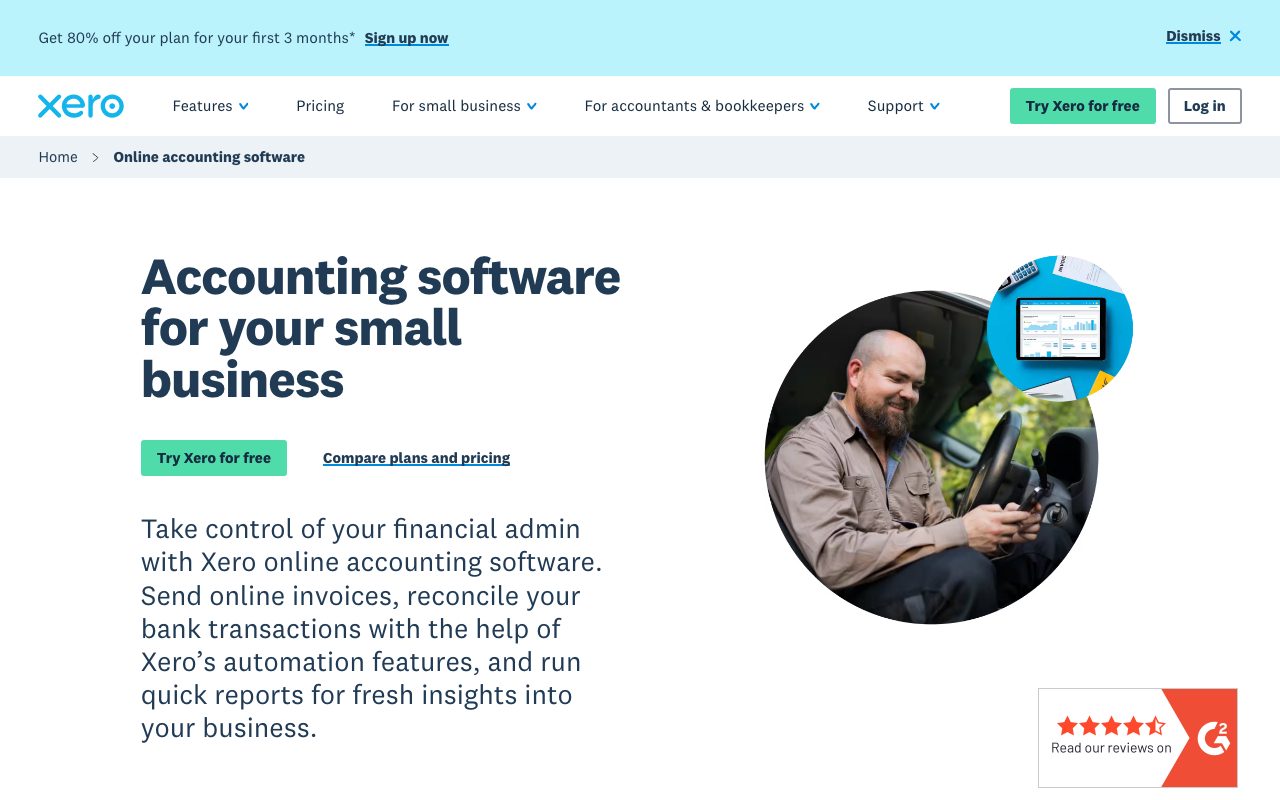
Beyond bookkeeping, Xero handles invoicing, expense claims, bills, inventory, projects, payroll (in some countries), and tax filings (especially in Australia, NZ, and UK). The Xero App Store extends with hundreds of integrations.
The collaboration model is unique. You invite your accountant or bookkeeper as a user. They see live data. No more emailing CSVs. They fix things in real time.
Who Xero is for
Small businesses with 1 to 100 employees. Solo consultants. E commerce shops. Agencies. Tradespeople. Restaurants. Anyone who needs real accounting and not just income tracking.
Accountants and bookkeepers are heavy users. Many practices run their entire client base on Xero. The advisor experience drives a lot of the product investment.
Companies with international operations like Xero's multi currency support. Manage clients in three currencies without spreadsheet acrobatics.
Pricing
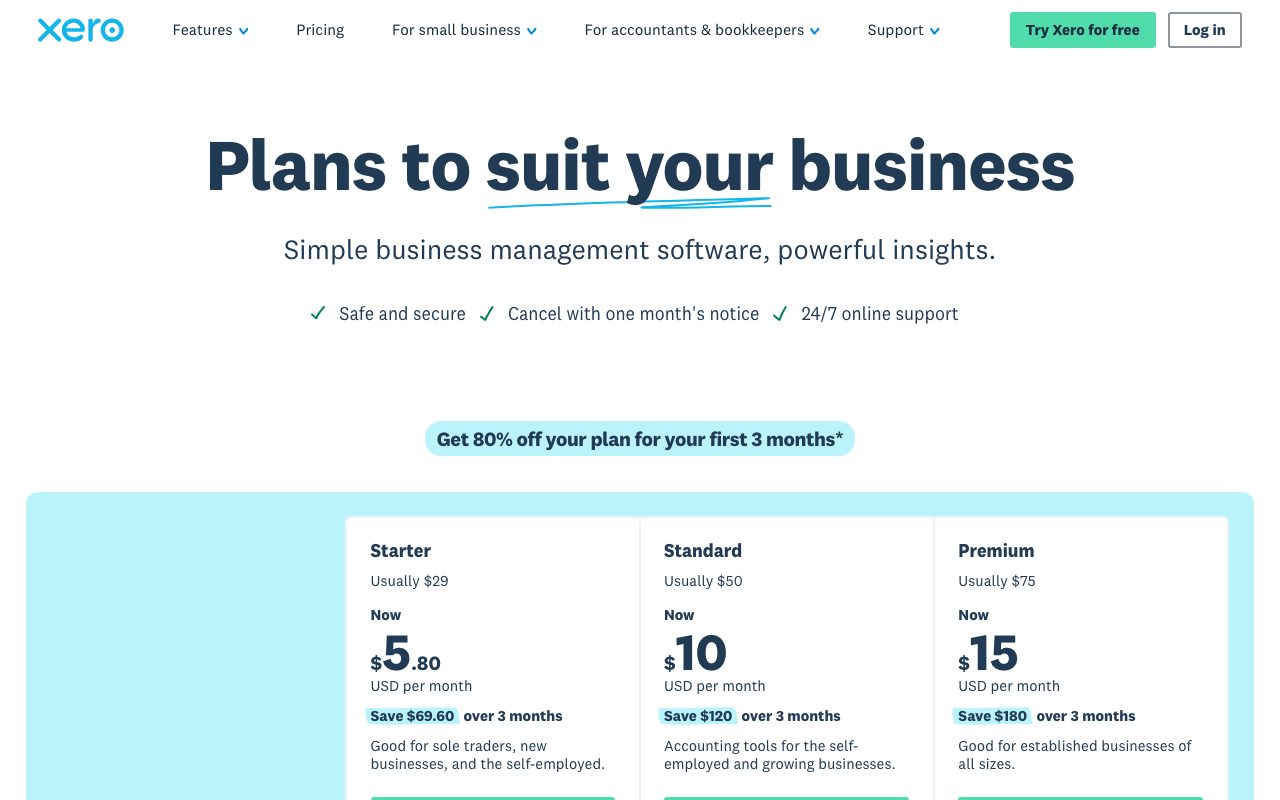
Pricing varies by country but the structure is similar. A starter plan limits the number of invoices and bills per month. A standard plan removes the limits. A premium plan adds multi currency.
In the US, plans start around $20 per month for Starter and climb to about $80 per month for the Established plan. International prices roughly track that range with currency conversion.
Add ons exist for payroll, projects, expenses, and analytics. Buy them as you need them. The base plan covers the core books well.
Features that earn the bill
Bank feeds are the killer feature. Real, daily, automated. The reconciliation flow guesses matches and learns your patterns. The first month is setup. Every month after is fast.
Invoicing is clean. Branded templates, online payment links via Stripe or local providers, automatic reminders for overdue invoices, recurring invoices for retainers. The cash flow lift from automatic reminders is real.
The Xero App Store has integrations with Stripe, Shopify, WooCommerce, HubSpot, Gusto, Hubdoc (for receipts), and hundreds more. The accountant facing reports cover the standards plus custom report packs.
Where Xero falls short
The US market presence is thinner than QuickBooks. Some US accountants don't know Xero well. If your accountant is QuickBooks only, switching costs friction.
Xero's US payroll has moved through several iterations. Some users use Gusto for payroll and Xero for accounting. The integration is fine.
The interface, while modern, has aged. Some workflows take more clicks than they should. Recent product investment is improving this but it's not as fresh as the original 2010 era launch.
Xero vs the alternatives
QuickBooks Online is the big rival, especially in North America. Bigger ecosystem, more accountants familiar with it. We compare in Xero vs QuickBooks.
FreshBooks is the simpler alternative for service based solos. See best accounting software for the field.
Wave is the free option for very small businesses. Limited but real. Browse Xero alternatives for more.
If your business is in Australia, NZ, or the UK, Xero is the default and most accountants know it. In the US, the choice between Xero and QuickBooks usually comes down to your accountant's preference.
Common Xero questions
Does Xero handle multi currency? Yes, on the higher tier plans. The exchange rate handling is automatic.
Can Xero do payroll? In some countries (Australia, UK, NZ) natively. In the US, you'll often pair it with Gusto. Browse accounting tools for related picks.
How does the accountant collaboration work? You invite them as an Adviser. They see your data live and can post journal entries directly. No file sharing.
The bottom line on Xero
Xero is the modern small business accounting platform that won most non US English speaking markets. The bank feeds, the reconciliation, and the advisor model still set the standard.
If you're starting a business in Australia, NZ, or the UK, Xero is the default pick. If you're in the US, the QuickBooks vs Xero debate is real and your accountant's preference is the deciding factor.
The category is mature and Xero has earned its place. Once you're set up, the monthly upkeep is minimal and the data quality stays high. Browse the toolindex catalog for the surrounding finance ops stack.
Xero migration from QuickBooks
The migration is real work. Chart of accounts maps over with care. Open invoices and bills migrate. Historical transactions can come along but the level of detail depends on the migration tool.
Most companies migrate at fiscal year boundaries. Clean the books, close the year in QuickBooks, start fresh in Xero on January 1.
For mid year migrations, expect to spend two weeks getting the books reconciled. Bring your accountant in early. Don't try to do this alone.
Xero bank reconciliation flow
Bank feeds bring in transactions daily. Each transaction gets a suggested match. You confirm or override.
Bank rules automate categorization for recurring transactions. Stripe deposits, Wise transfers, payroll runs, monthly subscriptions. Set the rule once. The matching becomes one click.
For unmatched transactions, create the bill or invoice from the transaction. Xero matches them. The reconciliation goes from chore to game.
Xero for e commerce sellers
Shopify integrates natively. Daily sales summaries flow into Xero. The Stripe fees, refunds, and currency conversions are handled.
Inventory tracking in Xero handles low complexity catalogs. For real warehouse and SKU management, integrate with a dedicated tool like Cin7 or Dear Inventory.
Multi currency e commerce works well. Sales in five currencies show up in their native amounts. The exchange rate handling is automatic. The reporting rolls up cleanly.
Xero advisor mode
Your accountant logs in as an Adviser. They see your data live. They can post journal entries, fix categorizations, and run reports without bothering you.
The advisor pricing tier exists. Accountants pay a reduced rate for their primary subscription. They roll the cost into their fees to clients.
For year end, the advisor takes over. They review the books, post adjustments, and prepare your tax return. The collaboration is the smoothest in the small business accounting space.
Xero invoicing best practices
Set up branded invoice templates. The template controls tone for client perception.
Enable online payments. Stripe in most countries, plus local providers like GoCardless and PayPal. Payment time drops dramatically.
Set up automatic reminders. First reminder three days late. Second reminder seven days late. Third reminder fourteen days late. The cash flow lift is real.
Xero for cash flow forecasting
The short term cash flow projection uses your invoices, bills, and bank balance to estimate the next 30 days.
For deeper forecasting, integrate with Float, Fathom, or Spotlight Reporting. Xero's native forecasting is decent but not designed for sophisticated finance teams.
Run the cash flow review weekly. Five minutes on Monday morning. The discipline catches issues before they become emergencies.
Xero VAT and tax filing
UK VAT returns get filed directly to HMRC through Xero. Making Tax Digital compliant. Useful for UK businesses crossing the threshold.
Australian BAS submissions go through Xero to the ATO. New Zealand GST same.
For US sales tax, Xero integrates with Avalara or TaxJar. Native US sales tax handling is thinner than the international tax flows.
Xero ecosystem and apps
The Xero App Store has hundreds of integrations. Inventory tools, time tracking apps, expense management, reporting, e commerce platforms.
Pick the apps that match your workflow. Don't install ten apps because they look interesting. Each integration is another point of failure.
Review installed apps quarterly. Remove ones you don't use. The connections eat tokens and slow things down.
Xero common adoption patterns
Solo consultant migrates from spreadsheets. Sets up Xero in a weekend. Connects bank account. Imports past invoices. Done in a week.
Small business migrates from QuickBooks Desktop. Two weeks of cleanup. One week of running parallel. Then full switchover.
Growing company adds Xero alongside existing accounting tool. Runs both for a quarter. Picks the winner. Cancels the loser.
Xero FAQ from new users
Can I cancel anytime? Yes, monthly billing means no contracts.
Does Xero support multiple businesses? You'd buy a subscription per business. The advisor pricing tier helps for accountants managing many.
Is my data backed up? Yes, by Xero. You can also export your data for your own records anytime.
Xero for service business owners
Time tracking integration captures billable hours. Hours flow into invoices. Invoices go to clients. Payment links bring in cash.
Project tracking shows profitability per project. The data drives pricing decisions for future engagements.
Recurring invoicing for retainers runs on autopilot. The cash flow predictability changes how the business operates.
Xero in the modern accounting landscape
The category has settled into a few major players. Xero, QuickBooks, FreshBooks. Each has its strongholds.
Xero leads in Australia, NZ, UK, and parts of Asia. QuickBooks leads in North America. The accountant ecosystem in your country drives the choice.
Both are mature platforms. The product differences are smaller than the brand and ecosystem differences.
Tutorial / Demo
Key Features
- Bank feeds and automated reconciliation
- Invoicing with online payment links
- Bills and expense management
- Payroll in supported regions
- Multi-currency accounting
- Marketplace of 1,000+ integrations
Pros & Cons
What we like
- Clean UI compared to legacy desktop accounting tools
- Strong accountant and bookkeeper ecosystem
- Predictable monthly subscription
Room for improvement
- Payroll only included in some regions
- Reporting customization is more limited than NetSuite
- US users sometimes find QuickBooks better localized
Frequently Asked Questions
How much does Xero cost?
Xero vs QuickBooks, which is better?
Does Xero handle multi-currency?
Can I import data from QuickBooks into Xero?
Does Xero have an API?
Best For
Featured in
Alternatives to Xero
View all
QuickBooks Online
Cloud accounting and bookkeeping for US small businesses

Wave
Free accounting and invoicing for very small businesses
FreshBooks
Cloud accounting designed for service-based small businesses and freelancers

BILL
Accounts payable, receivable, and spend management for SMBs
Our take
Tool Index Editorial · May 2026· 4.8/5
If you're evaluating Xero, the headline is simple: cloud accounting software for small businesses and their advisors, and most teams will get value out of the box.
The standout points: Clean UI compared to legacy desktop accounting tools, Strong accountant and bookkeeper ecosystem, and Predictable monthly subscription. Where it stumbles: Payroll only included in some regions and Reporting customization is more limited than NetSuite.
Bottom line: pick Xero when you need sMB bookkeeping and tax preparation; look elsewhere if payroll only included in some regions would be a dealbreaker.
Editorial opinion from the Tool Index team, written from the public product pages. Not a user review.
Reviews (7)
Genuinely impressed
Got Xero on the recommendation of someone I trust. What stands out is how predictable monthly subscription. Invoicing with online payment links works the way you'd hope.
Pros
- Clean UI compared to legacy desktop accounting tools
Two months in, no regrets
Honest take: Xero delivers most of what the marketing promises. The thing I keep coming back to: strong accountant and bookkeeper ecosystem. Wish they'd address how US users sometimes find QuickBooks better localized.
Cons
- Payroll only included in some regions
Pulled its weight from week one
Have been using Xero for a while, here's where I land. The biggest win has been strong accountant and bookkeeper ecosystem. Main use case: multi-entity small groups in AU/NZ/UK. Hard to imagine going back to my previous setup.
Pros
- Strong accountant and bookkeeper ecosystem
- Clean UI compared to legacy desktop accounting tools
Solid product, even better support
Two quarters of using Xero, here's what holds up. The thing I keep coming back to: clean UI compared to legacy desktop accounting tools. Their take on bank feeds and automated reconciliation is solid. It would be a 5 if not for payroll only included in some regions.
Pros
- Predictable monthly subscription
- Strong accountant and bookkeeper ecosystem
- Clean UI compared to legacy desktop accounting tools
Mixed feelings, but mostly positive
First impression of Xero was 'huh, this is actually thought through.' Genuine strength: strong accountant and bookkeeper ecosystem. Main use case: multi-entity small groups in AU/NZ/UK. It would be a 5 if not for reporting customization is more limited than NetSuite. Decent value once you accept the rough edges.
Worth the price of admission
Xero solves a real problem for me, but it's not magic. Genuine strength: predictable monthly subscription. Worth calling out the marketplace of 1,000+ integrations too. Hard to imagine going back to my previous setup.
Pros
- Strong accountant and bookkeeper ecosystem
- Predictable monthly subscription
- Clean UI compared to legacy desktop accounting tools
Honest take after the last quarter
The last quarter of using Xero, here's what holds up. What stands out is how strong accountant and bookkeeper ecosystem. Main use case: multi-entity small groups in AU/NZ/UK. Worth the price for what I get out of it.
Badge builder
Add Xero to your website
Choose a badge style and size, preview it here, then copy the generated HTML. Badge images are self-contained SVGs and do not require an external script.

<a href="https://toolindex.net/tools/xero?ref=badge" target="_blank" rel="noopener">
  <img src="https://toolindex.net/badge/xero/medium.svg" alt="Xero - Listed on Tool Index" width="180" height="50" />
</a>How to use the badge
- 1. Pick the style, size, and theme that fit your layout.
- 2. Copy the generated HTML from the code block.
- 3. Paste it into your footer, homepage, or press page.
Score badge available
Xero qualifies for the score and circle badges based on its current top-10 positionin Finance.
Badge clicks return visitors to this profile with a referral tag so the source remains identifiable.
Related Tools

Simple RMD
Calculate, aggregate, and manage your annual IRA required minimum distributions.
FreshBooks
Cloud accounting designed for service-based small businesses and freelancers
Deel
Global payroll, contractor, and EOR platform
Chargebee
Subscription billing and revenue management for B2B SaaS
Work on Xero? Request listing access or correction