
Zuse
Desktop workspace for running multiple coding agents across Git repositories simultaneously
Gallery
About Zuse
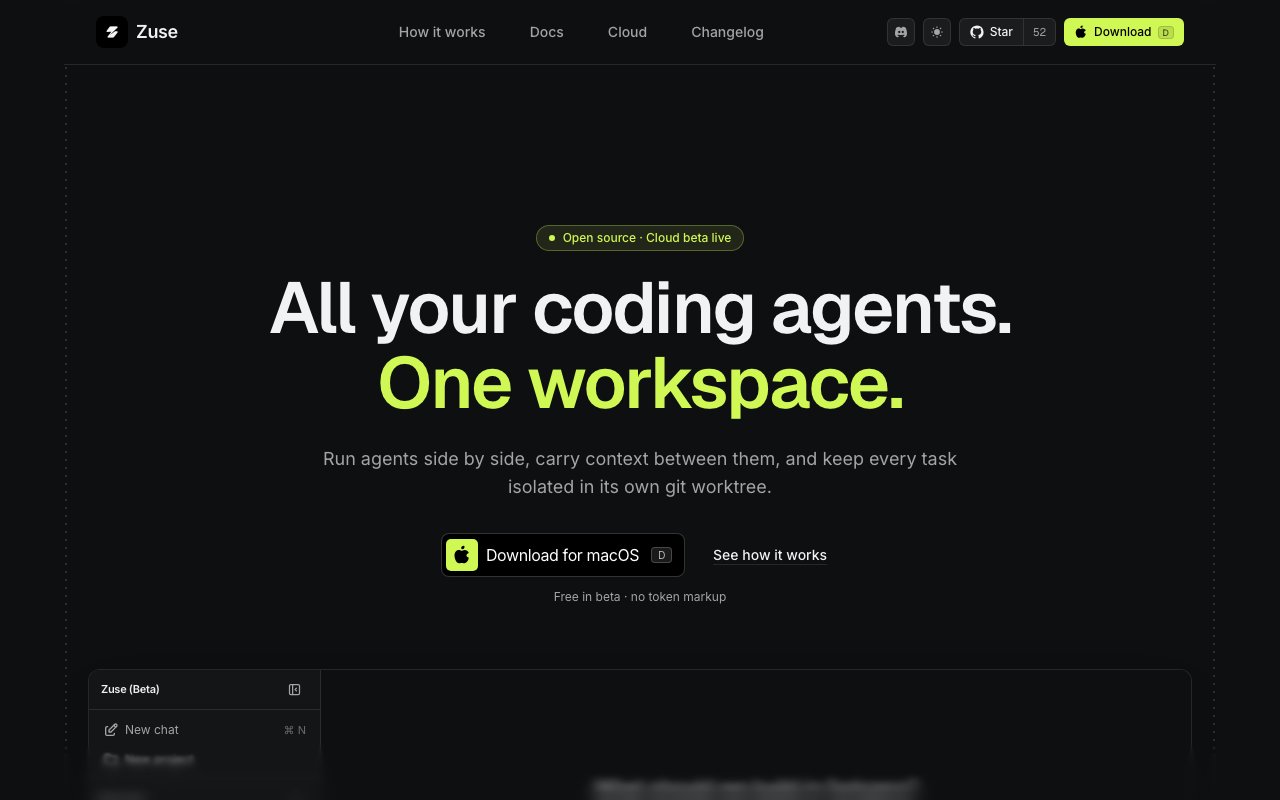
Zuse is an open source desktop application that provides developers with a unified workspace to run multiple AI coding agents simultaneously across their Git repositories. Rather than bouncing between separate terminal windows, browser tabs, and IDE extensions for each agent, Zuse consolidates everything into a single interface where developers can orchestrate Claude Code, Codex, Cursor, Gemini, Grok, OpenCode, and Kiro working in parallel on different tasks. The application runs locally on macOS, connecting to whatever AI provider subscriptions a developer already has rather than requiring new accounts or selling its own model credits.
The coordination problem Zuse solves becomes apparent once you try running more than one AI coding assistant on the same codebase. Hand two agents different tasks and they will both want to make changes, often to the same files, often creating conflicts that take longer to untangle than the original work would have taken manually. Zuse sidesteps this entirely by giving each task its own Git worktree, an isolated working directory that shares the repository history but keeps each agent's changes separate until you explicitly merge them. Two agents can edit the same codebase without ever touching each other's work in progress, and when they finish you review their diffs independently before deciding what makes it into your main branch.
The workflow starts with opening a repository in Zuse and selecting which agent you want to handle a particular task. You describe what needs to happen, the agent runs using your existing subscription, and Zuse captures everything in a persistent session. The workspace displays the conversation history, the files being edited, terminal output, diffs, check results, browser runs if applicable, and pull request context all in one place. Nothing hides in a background process or requires switching to another tool to inspect. If the agent stalls on something or you decide a different model might handle the problem better, you can swap agents mid task without losing the session context. The worktree, the changes made so far, and the conversation all stay intact while the new agent picks up where the previous one left off.
Developers who maintain multiple AI subscriptions will find Zuse particularly useful because it lets them use those subscriptions together rather than in isolation. Someone paying for Claude and Codex and Cursor can spin up all three on different parts of a project without needing to manually coordinate which tool is editing which files. The orchestration layer that Zuse provides is agnostic about which provider powers each task, it simply routes your existing credentials and lets you leverage each model's strengths on the tasks where those strengths matter most. One agent might be better at refactoring while another handles documentation, and Zuse makes it trivial to split work that way.
The parallel execution model scales to realistic workloads. If you have twenty issues in Linear or a backlog of tickets in whatever tracker you use, you can assign each one to its own worktree with its own agent and let them all run at once. The interface gives you visibility into all of them from a single dashboard, showing progress, terminal output, and diffs as they emerge. You review changes when each task completes, approve or request revisions, and merge the results when you are satisfied. This turns what would otherwise be serial work, waiting for one agent to finish before starting another, into a supervisory role where you watch many tasks progress simultaneously and intervene only when something needs human judgment.
Zuse does not abstract away the underlying Git mechanics or hide what agents are doing behind a polished consumer interface. The workspace exposes branches, changes, commands, permissions, and results explicitly, which makes it powerful for developers already comfortable with Git workflows but potentially overwhelming for those looking for a more guided experience. Session persistence means you can close Zuse, come back later, and pick up exactly where you left off with full context retained, but understanding what happened in a session requires reading terminal output and diffs rather than summaries.
The project is open source under an MIT license with the source code available on GitHub. There is no hosted service, no subscription fee for Zuse itself, and no lock in to a particular provider. You download the macOS desktop application, point it at your repositories, configure your AI provider credentials, and run it locally. Cloud and mobile experiences are under development but not yet generally available, so for now the workflow is desktop and local only. The open source nature means you can inspect exactly what Zuse does with your credentials and code, and contribute improvements if you want. For solo developers it is a way to parallelize work that would otherwise be sequential, and for teams it provides a shared surface where everyone can see which agents are working on which tasks and step in when needed.
Key Features
- Unified interface for multiple AI coding agents
- Parallel task execution in separate Git worktrees
- Persistent sessions with full context retention
- Live diffs and terminal output for each agent
- Mid task agent switching without losing progress
- Support for Claude Code, Codex, Cursor, Gemini, Grok, OpenCode, Kiro
Pros & Cons
What we like
- Orchestrates multiple agents from one desktop app
- Git worktrees prevent branch conflicts between parallel tasks
- Open source with no subscription or model credits to buy
- Switch agents mid task while keeping the session context
Room for improvement
- macOS only at this time
- Requires existing subscriptions with AI coding providers
- Interface assumes comfort with Git and terminal workflows
- Younger project with a smaller community
Frequently Asked Questions
What is Zuse?
Is Zuse free?
Which coding agents does Zuse support?
Who is Zuse for?
Best For
Featured in
Alternatives to Zuse
View allCursor
VS Code fork built around an AI pair-programmer

Replit
Browser IDE plus Replit Agent that builds and deploys apps from a prompt
Windsurf
Codeium's AI editor with Cascade agent and deep IDE integration

Vibe Built
Building real apps with agentic AI. What worked, what broke, what shipped.
Our take
Tool Index Editorial · Oct 2026· 4.0/5
Zuse is a workspace for running several coding agents against the same repository while isolating each task in a Git worktree. It is for developers already comfortable with Git, diffs, terminals, and provider-specific agent subscriptions. Local use is free during beta. Cloud Workspace is $40 a month with $35 of infrastructure compute included, while model usage remains separately billed by the provider.
We like the practical focus on handoffs, parallel branches, review, tests, and browser evidence instead of another chat wrapper. The docs also show desktop, browser, iPhone, and self-hosted access, though the main download callout still emphasizes macOS and the product remains in beta. Zuse does not replace judgment or merge discipline, and costs can stack once cloud compute and multiple model plans are involved. For serious multi-agent work, however, the coordination layer is unusually coherent.
Editorial opinion from the Tool Index team, written from the public product pages. Not a user review.
Reviews (0)
Badge builder
Add Zuse to your website
Choose a badge style and size, preview it here, then copy the generated HTML. Badge images are self-contained SVGs and do not require an external script.

<a href="https://toolindex.net/tools/zuse?ref=badge" target="_blank" rel="noopener">
  <img src="https://toolindex.net/badge/zuse/medium.svg" alt="Zuse - Listed on Tool Index" width="180" height="50" />
</a>How to use the badge
- 1. Pick the style, size, and theme that fit your layout.
- 2. Copy the generated HTML from the code block.
- 3. Paste it into your footer, homepage, or press page.
Standard badge available
The standard listing badge is available now. Score and circle badges are limited to tools currently ranked in the top 10 of a category.
Badge clicks return visitors to this profile with a referral tag so the source remains identifiable.
Related Tools

Bolt.new
Prompt-to-deployed full-stack app inside the browser

Tabnine
Privacy-first enterprise AI code assistant you control, with SaaS, VPC, on-prem, or fully air-gapped deployment
Cursor
VS Code fork built around an AI pair-programmer

Skeezo
Agent-native macOS IDE for coordinating Claude Code and AI agents
Work on Zuse? Request listing access or correction