
AIDemo.Video
Paste a website URL and get a narrated 1080p product demo video with captions in minutes
Gallery
About AIDemo.Video
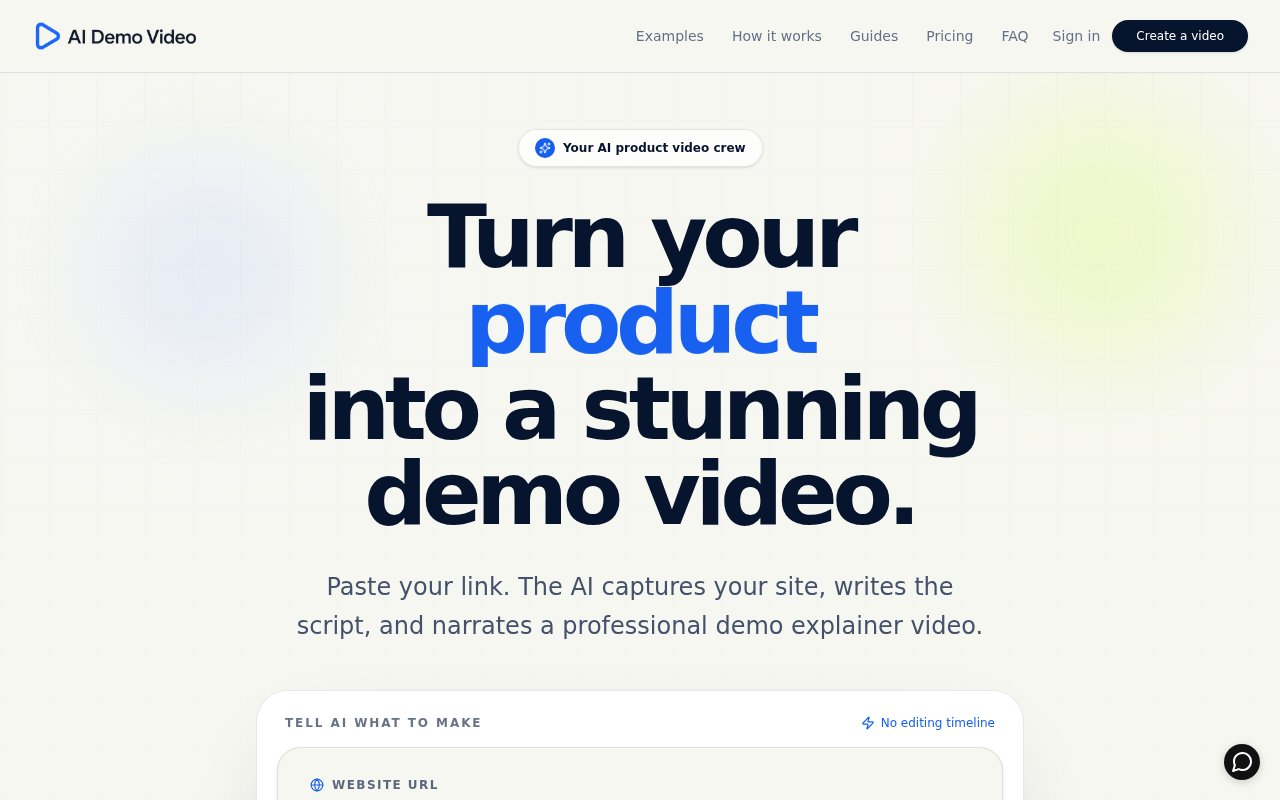
AIDemo.Video turns a website into a narrated product demo video from nothing more than its URL. You paste the address of a SaaS product, an app page or a marketing site, optionally tell it what to focus on, and it comes back a few minutes later with a finished 1080p MP4 that has a script, a voiceover, timed captions, sound effects and scenes cut from the real pages. There's no screen recording session and no editing timeline to learn. It's aimed squarely at the demo, explainer, launch and onboarding videos that every software product needs and few teams get around to making.
The problem it solves is that demo videos are expensive in time even when they're cheap in money. Somebody has to write the script, record the screen without mistakes, record or generate the narration, sync the two, and cut captions, and the whole thing goes stale the next time the product ships a redesign. For small teams that means the demo never gets made or never gets updated. Even teams with a designer tend to put the demo video at the bottom of the list because it's a day of work for a two-minute asset. AIDemo.Video compresses that into a form you fill in and a few minutes of waiting.
The pipeline works like this. An AI browser loads your site and identifies the key screens, a script is written around what it found and any direction you gave, narration is generated in the language you choose, and scenes, captions and sound effects are assembled around it. When it's done you can download the finished MP4 or the individual parts, which means a clean video track without narration, the voiceover as a WAV file, the sound effects track, and captions as SRT or VTT, so a video editor can rework it if you want to. Scenes are built from the actual pages rather than stock footage, so the video shows the product as it looks today, and the research step means the script reflects what the site says about the product rather than a generic template.
Editing after the fact is built in rather than a restart. You can revise the script, regenerate a single scene, or talk to the AI editor in plain language and let it make the change. Audio is re-synced automatically after edits, so nudging a sentence doesn't leave the narration drifting out of step. When the product changes, you regenerate rather than starting from scratch. The one hard requirement is that pages have to be publicly reachable. For a product behind a login, the guidance is to point it at a demo environment or the marketing site instead. A short description of what to emphasise, such as a particular feature or audience, steers both the screens it picks and the script it writes.
It's for SaaS companies, product teams, indie app developers and marketers who need demo, explainer, launch and onboarding videos and don't have a video person. It also suits agencies and freelancers producing a lot of short product videos for clients, where the per-video cost matters more than fine creative control. Founders launching on a directory or a marketplace listing, where a short video lifts a page, are an obvious fit, as are teams that need the same demo in more than one language for different markets.
What sets it apart is the way credits work. Credits are usage-based rather than a flat per-video charge. The system reserves a safe maximum before generation, measures what the AI, voice, imagery, research and rendering actually used, and returns the rest automatically. A typical video lands between roughly 25 and 120 credits, with a short focused clip nearer the bottom and a long narrated piece well above it. Failed generations aren't charged, monthly credits roll over for one extra month, and the videos you make are yours to use in ads, on your site and on social. The FAQ is specific about credit rules, rollover and what happens when a job fails, which is more than most credit-based tools spell out.
Access is paid, and free creation is currently paused during high usage. The cheapest way in is a one-time First Video Pass at $1.90 for 20 credits, followed by a $4 Starter Plus Pass with 50 credits, both valid for 30 days. Subscriptions are Creator at $14 a month for 300 credits, Pro at $29 a month for 1,000 credits, and Studio at $59 a month for 2,200 credits. Support runs through a contact form, and the site promises to make it right when something fails on their side. No watermark or resolution limit is mentioned on the pricing page, and the one-time passes are the sensible way to test whether the automatic script and pacing suit your product before committing to a subscription.
Key Features
- Demo video generated from a website URL
- AI-written script and generated voiceover
- Timed captions exported as SRT or VTT
- Finished 1080p MP4 plus separate audio and video tracks
- Scene-level regeneration and a chat-based editor
- Multiple narration and caption languages
Pros & Cons
What we like
- No screen recording or editing timeline
- Unused credits are returned after each render
- Individual tracks let an editor finish the job
- Cheap one-time pass to try it
Room for improvement
- No free tier while free creation is paused
- Only works on publicly reachable pages
- Credit cost per video varies and needs watching
- Generated narration and pacing still need a review before launch
Frequently Asked Questions
What is AIDemo.Video?
Is AIDemo.Video free?
Does it work on apps behind a login?
Can I edit the video afterwards?
Best For
Featured in
Alternatives to AIDemo.Video
View allKling AI
Kuaishou's video model that punches above its weight on motion
Luma Dream Machine
Fast, photoreal video generation from the team behind Genie 3D
HeyGen
Generate talking-head avatar videos in dozens of languages

Runway
Video generation, editing, and effects in one creative suite
Our take
Tool Index Editorial · Sep 2026· 3.5/5
AIDemo.Video turns a public website into a narrated 1080p product video with captions, scene planning and downloadable component tracks. It is for small product teams and agencies that need a credible demo without recording a flawless walkthrough. Scene regeneration and separate audio, video and subtitle exports give it more recovery room than a one-click black box.
A first pass costs $1.90 for 20 credits or $4 for 50. Monthly plans run from $14 for 300 credits to $59 for 2,200, with unused reservations returned and one month of rollover. We like the inexpensive trial path and transparent usage estimates. The limits are public-page access and variable credit consumption, and generated narration still needs a human review for accuracy, pacing and claims. It is a useful production shortcut, not an automatic final approval.
Editorial opinion from the Tool Index team, written from the public product pages. Not a user review.
Reviews (0)
Badge builder
Add AIDemo.Video to your website
Choose a badge style and size, preview it here, then copy the generated HTML. Badge images are self-contained SVGs and do not require an external script.

<a href="https://toolindex.net/tools/aidemo-video?ref=badge" target="_blank" rel="noopener">
  <img src="https://toolindex.net/badge/aidemo-video/medium.svg" alt="AIDemo.Video - Listed on Tool Index" width="180" height="50" />
</a>How to use the badge
- 1. Pick the style, size, and theme that fit your layout.
- 2. Copy the generated HTML from the code block.
- 3. Paste it into your footer, homepage, or press page.
Standard badge available
The standard listing badge is available now. Score and circle badges are limited to tools currently ranked in the top 10 of a category.
Badge clicks return visitors to this profile with a referral tag so the source remains identifiable.
Related Tools
Pika
Playful AI video generator known for fun effects and short clips

Vidu
AI video generator built around reference-to-video, keep characters, props and styles consistent across every clip
Luma Dream Machine
Fast, photoreal video generation from the team behind Genie 3D
Seedance
ByteDance's benchmark-leading AI video model that delivers cinematic, audio-synced clips at a fraction of rival pricing
Work on AIDemo.Video? Request listing access or correction