Pika
Playful AI video generator known for fun effects and short clips
Gallery

About Pika
Pika is the playful AI video generator that became known for fun effects and short, viral clips. It's not the most powerful in the category, but it's one of the easiest to fall in love with.
The product leans into delight. The "Pikaffects" library has effects like "explode," "melt," "squish," and "inflate" that turn boring source images into shareable moments in a few seconds.
If you've watched Runway and felt intimidated, Pika is the friendlier door. Same general space, much less learning curve.
What Pika actually does
You upload an image or describe a scene, and Pika generates a short video clip. You can apply preset effects, control camera moves, and chain clips into longer compositions.
The output length is shorter than Runway or Sora. You're working in seconds, not minutes. That constraint is part of the design and matches how people consume short-form content.
Pikaffects
The signature feature. Hundreds of effects you can apply with one click. Most are physics-based or visually surreal. They're addictive and they're the reason Pika spreads on social.
Who Pika is for
Casual creators. Social media managers who need fast novelty. Marketers building short ad variants. Designers prototyping motion concepts.
It's not for filmmakers or VFX professionals. The output isn't broadcast-quality and the control surface is shallow on purpose. Pika is built for speed and play.
The "make my photo do something weird" niche
Pika nails the meme-adjacent use case. Take a normal photo, apply an effect, post it. The output is fun in a way that other AI video tools rarely manage.
Pricing breakdown
Free tier with limited credits. Standard, Pro, and Fancy tiers add more credits, faster generation, and longer videos. The free tier is enough to figure out if Pika is for you.
Compared to Runway, Pika is generally cheaper for similar volume. The output style is different, so it's not a direct trade, but the bill is gentler.
Where credits matter
Each generation costs credits. Effects, longer clips, and higher quality cost more. The credit pool is the main lever in your monthly cost.
Standout features of Pika
The effect library. Nothing else in the AI video space has this much pre-built motion variety with one-click application.
The community vibe. Pika's Discord and shared galleries make discovery part of the experience. You see what's possible and you riff on it.
Lip sync and sound effects
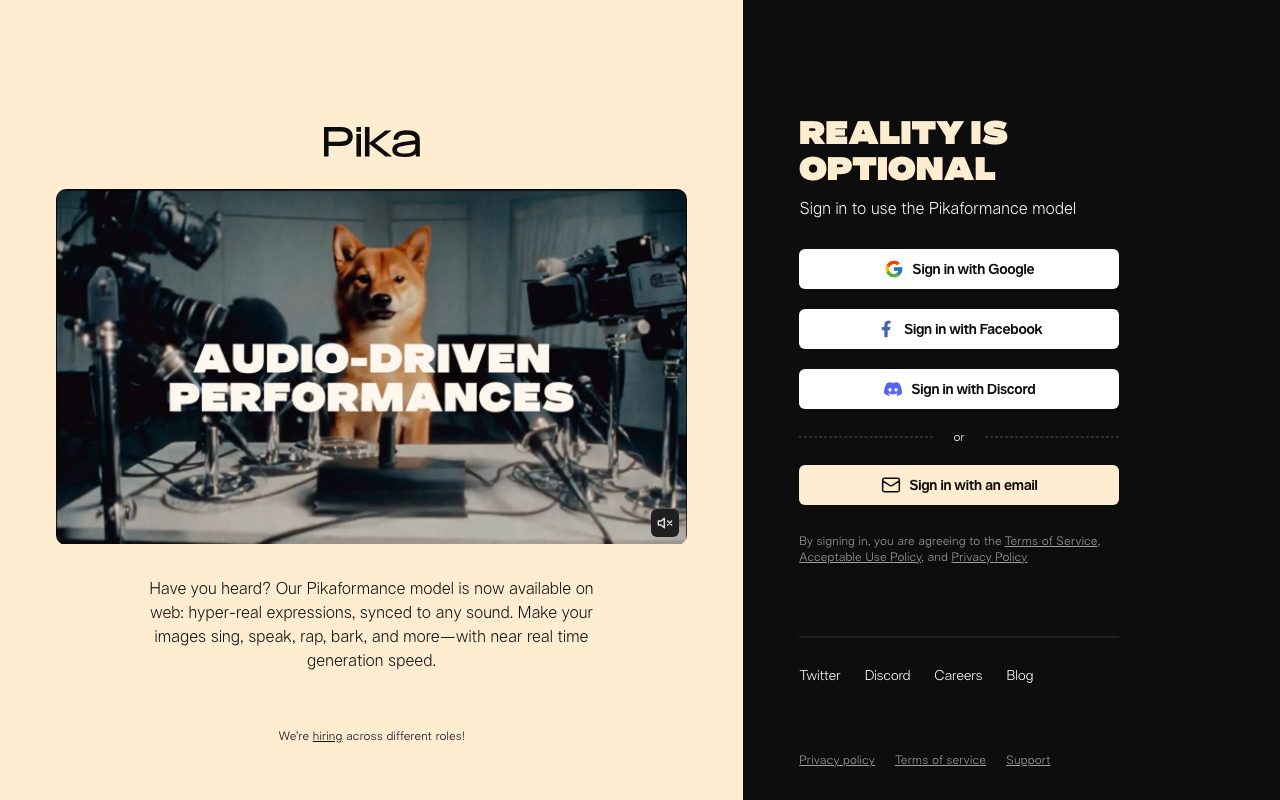
Pika added lip-sync from text and audio, which means you can make characters in your generated videos talk. It's not perfect but it's good enough for short-form.
Honest tradeoffs with Pika
The control surface is shallow compared to Runway. If you want precise camera moves, scene composition, and frame-by-frame edits, Pika won't satisfy you.
Output consistency varies. Some prompts land beautifully, others don't. You'll generate a few times before getting the take you want. Budget credits accordingly.
Pika is the AI video tool that remembers most people aren't making movies, they're making moments. That focus is its superpower.
Pika vs alternatives
Pika vs Runway: Runway has more control, longer outputs, more pro features. Pika has more fun and lower friction.
Pika vs Luma Dream Machine: Both target similar creators. Luma leans more cinematic. Pika leans more playful.
Pika vs Sora: Sora is OpenAI's heavyweight. Different category, different price point.
For the broader category, see the best AI video tools or check Runway alternatives.
When Pika wins
You want fun, not film. You're publishing short-form. You don't want to learn another pro tool.
Bottom line on Pika
Pika is the AI video tool that prioritizes joy. The output isn't the most polished in the category, but it's the most likely to make someone smile and share.
If you're a pro filmmaker, look at Runway. If you're a creator chasing short-form social moments, Pika is probably already on your radar. See tools for social media managers for related picks.
Why Pika spreads on social
The Pikaffects library is engineered for shareability. Effects like "explode," "melt," and "squish" produce outputs that read instantly as fun. People share fun things. Pika's growth loop is built into its output.
That shareability isn't accidental. The team studied what travels on TikTok and Instagram and built tools that produce that kind of content. It's a clear design choice and it's working.
The community gallery
Pika's public gallery shows what other creators are making. This serves as both inspiration and a discovery loop for users. You see something cool, you remix it, your remix gets seen. Network effects show up early.
Pika in marketing workflows
Brand teams use Pika to make short product reveals. E-commerce sellers use it for animated product showcases. Agencies use it for fast variant generation across many platforms. The output isn't broadcast quality but it's good enough for organic social.
The cost-per-output is low compared to commissioning custom motion graphics. For experimentation and high-volume publishing, the math works.
Lip sync and dialog
The lip sync feature lets you give characters in your generated videos voices. You can write or generate dialog and Pika animates the mouth. Quality varies but it's improving with each model version.
Common Pika questions
Is Pika free? There's a free tier with limited credits. Can you commercialize the output? On paid tiers, generally yes, check terms. How long are typical clips? A few seconds, optimized for short-form.
For more, see tools for social media managers and Pika vs Runway.
Final take on Pika
Pika is the AI video tool that prioritizes joy and shareability over technical perfection. For creators chasing short-form moments, that prioritization is exactly right. The output makes people smile, which is rarer than it should be.
Pikaffects in detail
The effect library spans physics-based effects (explode, melt, squish, inflate), motion effects (camera moves, zoom, dolly), and stylistic effects (cartoon, painted, sketch). Hundreds of options, all one-click. New effects ship regularly.
The effects' quality varies. Some land beautifully on the first try. Others take a few attempts. Building a personal short-list of reliable effects helps. The community's gallery is a useful guide for what works on what kinds of source material.
Source image quality matters
Better source images produce better outputs. Sharp, well-lit, high-resolution photos work best. Low-quality phone snaps produce mediocre results. This isn't a Pika quirk, it's true across AI video tools, but it's worth remembering.
Pika for ad creative
Marketers use Pika to generate variant creative for paid social testing. Same product, ten different motion treatments, see which lands. The cost is low enough to make wide testing affordable. The output quality fits organic social and paid social well.
For polished broadcast ads, you'd still go to a real motion graphics shop. Pika fills the gap between "Canva animation" and "real motion design," which is a much larger gap than people realized.
Workflow integrations
Pika exports to standard video formats that drop into any editing tool. You can take Pika clips into Premiere, CapCut, or Final Cut for further editing. The output isn't a final master, but it's a great starting layer.
Many creators use Pika for concept clips that they then composite into longer videos. Pika does the magic moments. Traditional editing chains them together.
Lip sync and dialog
Lip sync from text or audio lets you make characters speak. Quality varies based on the source character and the dialog length. For short snappy lines, it works well. For long monologues, the tells become obvious.
Pika's community as a feature
The Discord and public gallery serve as both inspiration and informal documentation. You see what's working, copy the approach, post your own version. The network effects feed Pika's growth.
This community vibe matters more than feature comparisons in many ways. People stay on Pika because the surrounding ecosystem of remixes and shared techniques is alive. Other tools have features. Pika has a culture.
Practical limits
Output length caps at seconds, not minutes. Resolution is web-quality. Style consistency across multiple clips drifts. None of these are blockers for the short-form use case but they're real ceilings.
The Pika decision framework
If you're publishing short-form social content and want fun, novel motion fast, Pika is hard to beat. If you're making polished commercials or films, look elsewhere. The match between Pika's strengths and short-form social is exact.
Pika wrap-up
The platform's growth is a referendum on what creators actually want from AI video. The answer turns out to be less control and more delight. Tools that prioritized professional features missed the much larger market of creators who'd rather have fun than orchestrate.
For social-first creators, Pika belongs in the rotation alongside whatever editing tool you use. It's not a replacement for editing software. It's a generation tool that produces clips you'll then edit and post. The workflow integration is the value.
The free tier reality
Try Pika's free credits before committing. If the output style fits your content and the effects deliver shareable moments, the paid tiers pay off through engagement. If the output feels off-brand or the effects miss your aesthetic, no paid tier will fix that. Trust the trial.
Tutorial / Demo
Key Features
- Pikaffects for one-click visual gags
- Scene Ingredients for combining objects/characters
- Image-to-video and text-to-video
- Lip-sync and audio generation
- Camera controls and motion direction
- Mobile and web clients
Pros & Cons
What we like
- Genuinely fun output that performs well on social
- Cheap entry tier
- Fast generation times
- Strong consumer UX
Room for improvement
- Not meant for serious cinematic work
- Short max clip length
- Output can be low resolution unless you pay up
- Quality lags Runway and Veo on realism
Frequently Asked Questions
Is Pika free?
Pika vs Runway vs Luma, which is best?
How long can Pika videos be?
Can I use Pika videos commercially?
Does Pika support image-to-video?
Best For
Featured in
Tags
Alternatives to Pika
Kling AI
Kuaishou's video model that punches above its weight on motion
Luma Dream Machine
Fast, photoreal video generation from the team behind Genie 3D
HeyGen
Generate talking-head avatar videos in dozens of languages

Runway
Video generation, editing, and effects in one creative suite
Our take
Tool Index Editorial · May 2026· 4.4/5
If you're evaluating Pika, the headline is simple: playful ai video generator known for fun effects and short clips, and most teams will get value out of the box.
The standout points: Genuinely fun output that performs well on social, Cheap entry tier, and Fast generation times. Where it stumbles: Not meant for serious cinematic work and Short max clip length.
Recommendation: this is a strong default when you need short-form social video creation. If not meant for serious cinematic work would be a dealbreaker, the alternatives section below is worth a scroll.
Editorial opinion from the Tool Index team, written from the public product pages. Not a user review.
Reviews (6)
Not for us, but might suit others
Been using Pika for the past year now. What stands out is how genuinely fun output that performs well on social. Got real value out of pikaffects for one-click visual gags. Main use case: short-form social video creation. That said, not meant for serious cinematic work is a real gripe.
Pros
- Genuinely fun output that performs well on social
- Fast generation times
Switched away after the last quarter
Pika has quietly become part of my daily flow. What stands out is how cheap entry tier. Mostly using it for short-form social video creation. Looking at alternatives but not in a rush.
Useful but pricey
Started using Pika casually, now it's pinned in my dock. What stands out is how cheap entry tier. Their take on mobile and web clients is solid. Mostly using it for meme and gag content. One thing that bugs me: quality lags Runway and Veo on realism.
Pros
- Fast generation times
- Cheap entry tier
- Strong consumer UX
Cons
- Quality lags Runway and Veo on realism
Cancelled after the past year
Pika has quietly become part of my daily flow. Real selling point: genuinely fun output that performs well on social. Honest gripe: output can be low resolution unless you pay up. Might revisit when they iterate further.
Genuinely impressed
Picked Pika for the lower price, stayed for the actual quality. The biggest win has been fast generation times. Got real value out of image-to-video and text-to-video. Hard to imagine going back to my previous setup.
Easy 5 from me
Skeptical at first because Pika looked too simple. It's not. Genuine strength: fast generation times. Got real value out of lip-sync and audio generation. It fits well for short-form social video creation. Easy yes for anyone weighing the same trade-offs.
Pros
- Fast generation times
- Strong consumer UX
Cons
- Not meant for serious cinematic work
- Quality lags Runway and Veo on realism
Badge builder
Add Pika to your website
Choose a badge style and size, preview it here, then copy the generated HTML. Badge images are self-contained SVGs and do not require an external script.

<a href="https://toolindex.net/tools/pika?ref=badge" target="_blank" rel="noopener">
  <img src="https://toolindex.net/badge/pika/medium.svg" alt="Pika - Listed on Tool Index" width="180" height="50" />
</a>How to use the badge
- 1. Pick the style, size, and theme that fit your layout.
- 2. Copy the generated HTML from the code block.
- 3. Paste it into your footer, homepage, or press page.
Score badge available
Pika qualifies for the score and circle badges based on its current top-10 positionin AI Video Generators.
Badge clicks return visitors to this profile with a referral tag so the source remains identifiable.
Related Tools

Apatero AI
The creator studio for AI image, video, audio, 3D, and avatars, now at apatero.ai.
Kevin Gabeci Toolkits
Seven AI toolkits for writing books, making music, cutting video, and building agents.

Warp
The modern terminal reimagined with AI and collaboration

Bolt.new
Prompt-to-deployed full-stack app inside the browser
Work on Pika? Request listing access or correction