AIVA
AI music composer built for cinematic and classical soundtracks, with 250+ styles and a MIDI editor
Gallery
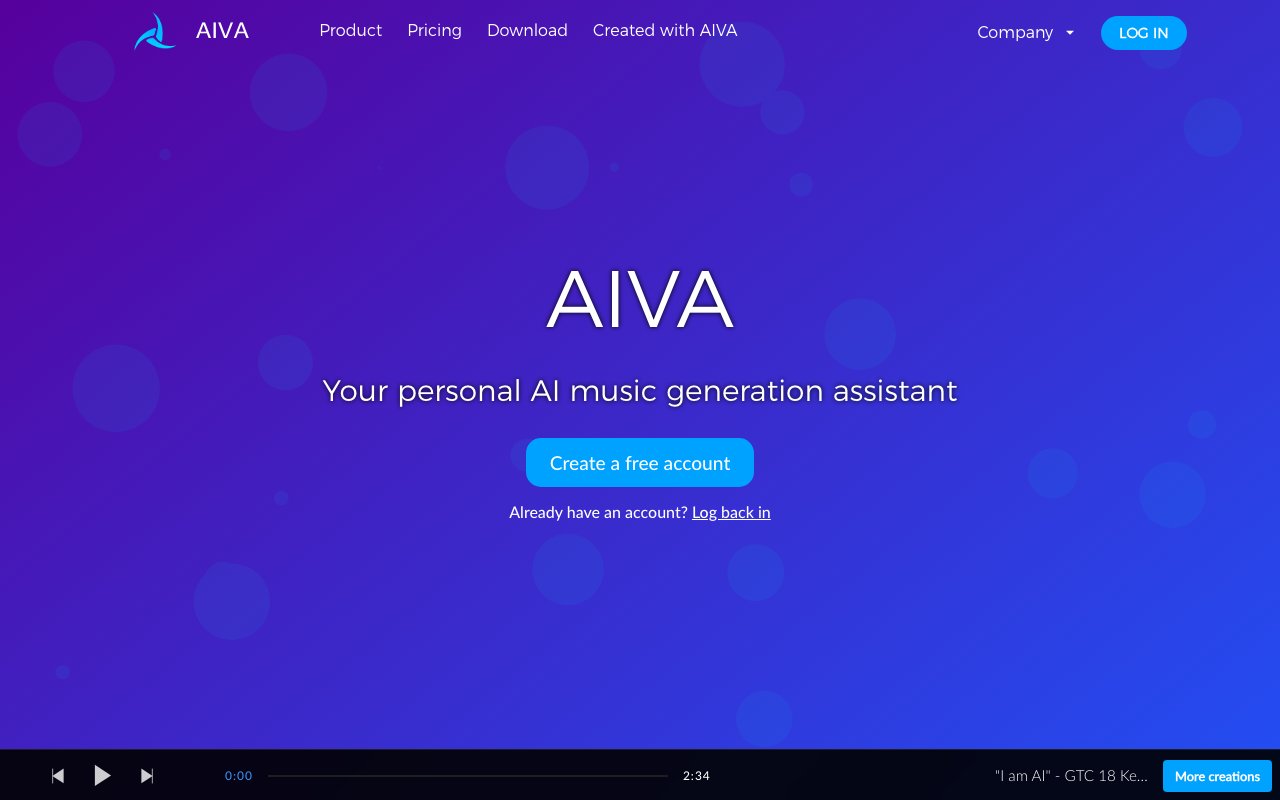
About AIVA
AIVA is an AI music composition tool that generates original soundtracks for videos, games, commercials, and other creative projects. The name stands for Artificial Intelligence Virtual Artist, and the system has been trained on thousands of classical compositions to understand musical theory, structure, and emotional dynamics. You tell it what kind of music you want, and it produces a complete track in seconds. No musical training required. The output ranges from orchestral scores to electronic beats to ambient textures, covering more than 250 distinct styles. AIVA positions itself as a creative collaborator for people who need original music but don't have the time, budget, or skills to compose it themselves.
The workflow is straightforward. You pick a style or mood, set some parameters like duration and intensity, and AIVA generates a track. If the first result isn't quite right, you can regenerate or tweak the settings. The system also accepts audio or MIDI uploads as influences, so you can feed it a reference track and get something in the same vein. Once you have a composition you like, you can edit it before downloading. Exports are available in multiple formats including MP3, WAV, and MIDI, with the MIDI option being particularly useful for people who want to bring the composition into their own DAW for further refinement. The ability to customize style models means power users can train the system on their preferred sounds and get more consistent results across projects.
AIVA targets three distinct user groups. Hobbyists and beginners who want to play with AI music generation can use the free tier, though they're limited to non-commercial use and must credit AIVA in any public releases. Content creators on YouTube, TikTok, Twitch, Instagram, and similar platforms make up the middle tier, needing royalty-free music for their videos without worrying about copyright strikes. Professional creators in advertising, film, and games form the high end, requiring full copyright ownership and unlimited monetization rights for commercial work. The tiered approach lets casual users experiment for free while serious users pay for the rights they need.
The pricing breaks down into three plans. The free tier costs nothing but limits you to non-commercial use with mandatory AIVA attribution. The Standard plan runs 11 euros per month when billed annually and allows monetization on social platforms with some restrictions, giving you 15 downloads per month. The Pro plan at 33 euros per month annually is where most professional users land, offering full copyright ownership, 300 downloads monthly, and exports in all available formats. With Pro, you own the music completely and can use it however you want, including in commercial projects, advertisements, and licensed media. That copyright transfer is rare among AI music tools and represents AIVA's main competitive advantage for working professionals.
The technology behind AIVA draws on deep learning trained on a massive corpus of music. The system learned composition principles by analyzing everything from Bach to film scores, giving it an understanding of how melodies develop, how harmonies progress, and how different instruments interact. This foundation means the output tends to be structurally coherent rather than just random sounds strung together. The AI can compose in multiple genres, though it's particularly strong in cinematic and classical styles where the training data was richest. Electronic and modern pop styles work too, but the orchestral output is generally more impressive.
The target audience spans indie game developers who need background music but can't afford a composer, YouTubers looking for intro music and background tracks, filmmakers working on short films and documentaries, and businesses creating promotional videos and advertisements. AIVA has been used in real productions, and the company highlights this as evidence that the output is production-ready rather than just demos. For small teams and solo creators, having access to original music that they fully own eliminates a major production bottleneck and legal headache.
Compared to stock music libraries, AIVA offers originality. Every track is generated fresh, so you won't hear the same tune in ten other videos. Compared to hiring a composer, it's dramatically cheaper and faster. Compared to other AI music tools, the copyright ownership on the Pro tier is the differentiator. Many competitors keep ownership or impose restrictions on commercial use. AIVA lets Pro users treat the music as if they composed it themselves. The tradeoff is that AI-generated music still lacks the nuance and intentionality of human composition, but for background music and supporting scores, that often doesn't matter.
Key Features
- 250+ style presets including cinematic, classical, jazz, and lo-fi
- Upload audio or MIDI as an influence to generate similar original pieces
- Built-in piano-roll editor to edit notes, instruments, and dynamics
- Style Designer for training custom style models
- Export to MP3, MIDI, and WAV formats
- Pro plan grants full copyright ownership of your tracks
Pros & Cons
What we like
- Strong at orchestral and cinematic scoring, not just pop loops
- MIDI export and a real editor give you control most generators lack
- Free tier lets you try unlimited generation before paying
- Pro plan gives you full ownership and unrestricted monetization
Room for improvement
- Free and Standard plans keep copyright with AIVA, not you
- Free downloads are watermarked and capped per month
- Best results need MIDI and arranging knowledge, so it's less beginner-friendly
- Vocals are not the focus, so it's weaker for songs with lyrics
Frequently Asked Questions
What is AIVA?
Is AIVA free?
Who is AIVA for?
Who owns the copyright to AIVA compositions?
Best For
Featured in
Alternatives to AIVA
View all
Suno
Generate full songs from a prompt, including vocals, lyrics, and all.
Udio
AI music generator that leans into mixing fidelity and stems

Soundraw
AI music generator that builds royalty-free, fully customizable songs from a mood and genre in seconds

Mubert
Generative AI engine that builds royalty-free music for video, streaming, apps, and infinite background soundtracks.
Reviews (12)
Recommended without reservation
Tried AIVA on a side project first, then rolled it out everywhere. The free tier lets you try unlimited generation before paying is more useful than I expected.
Good, with a few caveats
Almost a year on AIVA now, no plans to leave. What stands out is how it handles pro plan gives you full ownership and unrestricted monetization. What stands out is how little babysitting it needs. My only gripe is free and standard plans keep copyright with aiva, not you.
Bought it for one feature, stayed for ten
AIVA solves a real problem for me without making a fuss about it. Real selling point for me was style designer for training custom style models. It has been a fit for scoring film, trailers, and short videos. Hard to imagine going back to my old setup.
Worth the price of admission
Tried AIVA on a side project first, then rolled it out everywhere. Real selling point for me was midi export and a real editor give you control most generators lack. Glad I made the switch.
Genuinely impressed
Tried AIVA on a side project first, then rolled it out everywhere. What stands out is how it handles pro plan gives you full ownership and unrestricted monetization. Setup was painless and I was productive the same day. It has been a fit for scoring film, trailers, and short videos.
Does the job, a few gripes
Picked AIVA for the price, stayed for the quality. Where it really wins is 250+ style presets including cinematic, classical, jazz, and lo-fi. One thing that bugs me is free and standard plans keep copyright with aiva, not you. Glad I made the switch.
Best decision this quarter
AIVA has quietly become part of my daily flow. The defaults are sensible, so I was not fighting settings on day one. Performance has been steady even when I lean on it hard. It earns its place in my stack.
Recommended without reservation
Picked AIVA for the price, stayed for the quality. Their take on free tier lets you try unlimited generation before paying is genuinely good. It does what it says, which is rarer than it should be. It has been a fit for background music for games and apps. Recommending it to people in a similar spot.
Solid but not perfect
Started using AIVA casually, now it is pinned in my dock. What stands out is how it handles free tier lets you try unlimited generation before paying. Found it works best for composers drafting orchestral sketches to refine in a daw. It would be a five if not for free and standard plans keep copyright with aiva, not you. It earns its place in my stack.
Two months in, no regrets
Hadn't planned on switching, but AIVA was hard to ignore. The defaults are sensible, so I was not fighting settings on day one. Worth the price for what I get out of it.
Does the job, a few gripes
Almost a year on AIVA now, no plans to leave. Nothing flashy, it simply pulls its weight every day. The thing I keep coming back to is how reliable it is. It would be a five if not for best results need midi and arranging knowledge, so it's less beginner-friendly. Worth the price for what I get out of it.
Finally something that fits
Onboarded the whole team to AIVA in an afternoon. The export to mp3, midi, and wav formats is more useful than I expected. It fits well for royalty-free tracks for youtube and twitch content. It earns its place in my stack.
Badge builder
Add AIVA to your website
Choose a badge style and size, preview it here, then copy the generated HTML. Badge images are self-contained SVGs and do not require an external script.

<a href="https://toolindex.net/tools/aiva?ref=badge" target="_blank" rel="noopener">
  <img src="https://toolindex.net/badge/aiva/medium.svg" alt="AIVA - Listed on Tool Index" width="180" height="50" />
</a>How to use the badge
- 1. Pick the style, size, and theme that fit your layout.
- 2. Copy the generated HTML from the code block.
- 3. Paste it into your footer, homepage, or press page.
Standard badge available
The standard listing badge is available now. Score and circle badges are limited to tools currently ranked in the top 10 of a category.
Badge clicks return visitors to this profile with a referral tag so the source remains identifiable.
Related Tools
Soundraw
AI music generator that builds royalty-free, fully customizable songs from a mood and genre in seconds

Stable Audio
Stability AI's text-to-audio model for generating original music and sound effects from a written prompt
Suno
Generate full songs from a prompt, including vocals, lyrics, and all.

Boomy
Make original AI songs in seconds and distribute them to Spotify, Apple Music, and 40+ streaming platforms
Work on AIVA? Request listing access or correction