ApplyMyResume
Upload a resume and get a curated list of matching US jobs with direct links to employer career pages
Gallery
About ApplyMyResume
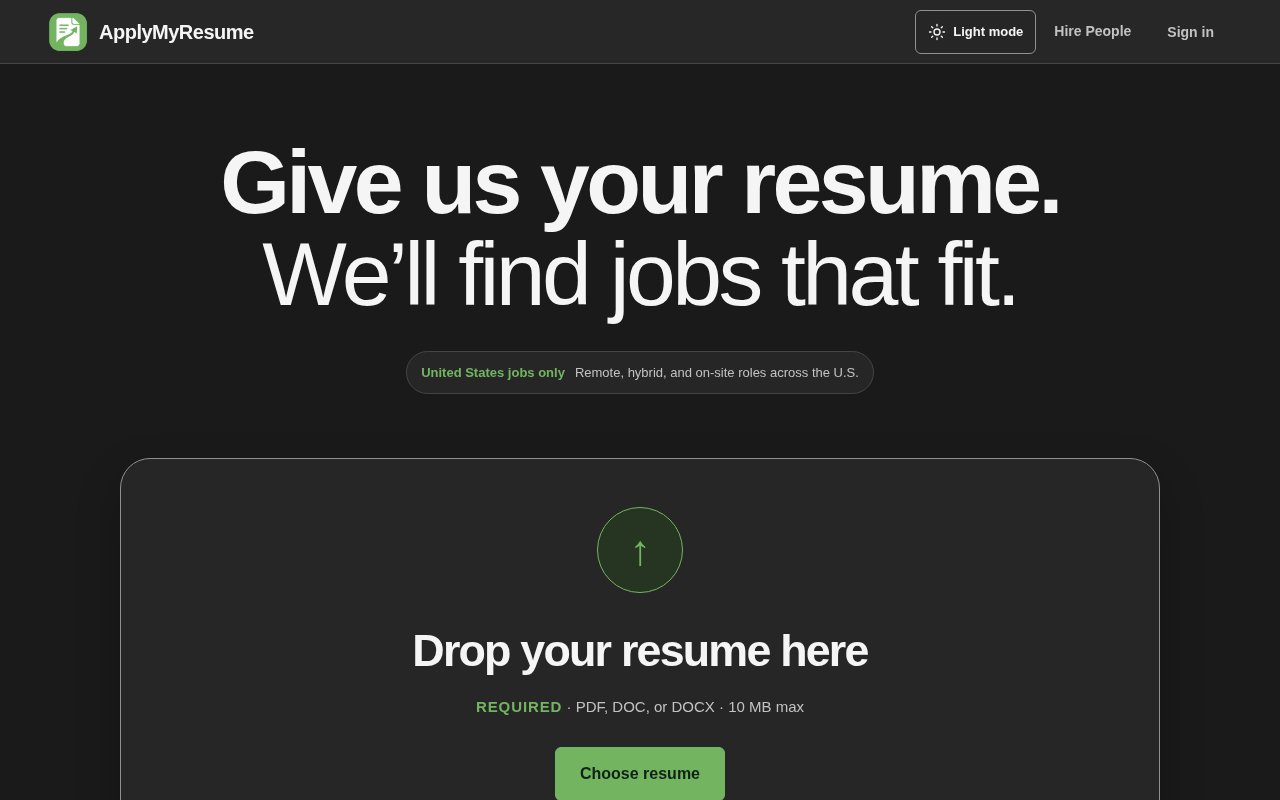
ApplyMyResume is a job discovery service that starts from your resume rather than from a search box. You upload the file, it works out what you do, and it builds a private list of current openings in the United States that fit, each one linking to the employer's own career page or applicant tracking system. The pitch is an agent that finds you jobs from nothing more than the resume, and the problem it's solving is the state of job boards, where the same posting shows up five times, half the listings are stale, and the matches are keyword coincidences rather than fits.
The workflow runs in four steps. Upload a resume as PDF, DOC, or DOCX up to 10 MB. The service extracts job titles, experience, skills, and career details, suggests the titles it thinks you should be searching for, and lets you review and edit the profile it built. Then you set preferences, the roles you want, US locations, remote, hybrid, or on-site, compensation, experience level, and the kinds of companies you'd consider. From there it searches public employer career pages, established applicant tracking systems, and other trusted sources, weighs each opening against the resume and those saved preferences, validates every link before it shows one, and organises the results in your account. A private history stops it recommending the same job twice, and direct employer links are preferred whenever they exist. The preferences also drive the ordering, so the list reflects what you said you wanted rather than whatever the sources happened to return first.
Inside the account, each listing can be favourited, marked as applied, dismissed, or removed, and you can clear the whole list and start over. Marking a role as applied or dismissing it keeps the list honest as you work through it. What it deliberately doesn't do is apply for you. It never submits an application and never sends your resume to an employer. You pick which employer page to open and what to provide there, and the employer's page stays the source of truth for the job's details. The site is candid that automated matching can miss or misunderstand a requirement, so it tells you to read a posting before you apply.
Data handling is spelled out in the FAQ. Raw resume files aren't retained after processing, resumes are never shared with employers during discovery or display, analytics only run with consent, and card details go to Stripe rather than to the service. Because the raw file is discarded, what persists is the structured profile you reviewed, which you can edit as your search changes. It's operated by Renaissance Apps, and the stated aim is filtering out duplicates and weak matches so what's left is worth your time rather than a longer list to scroll.
It's for US job seekers at any level, in remote, hybrid, or on-site roles, who want a shortlist they can work through rather than another feed. It doesn't cover other countries, so anyone searching outside the United States should look elsewhere. There's an employer side too, with plans for posting a single job, a team pack of five, a growth pack of 25, or unlimited postings, billed monthly or yearly with roughly a quarter off on annual. Employer prices aren't published on the pages checked, so hiring teams will need to look at the plan page after signing up. The plans are sized by open positions rather than by seats, which suits a small company posting a handful of roles.
Where it stands apart from the wave of auto-apply agents is restraint. Plenty of tools promise to fire off hundreds of applications on your behalf; this one finds, filters, and hands you the link, which keeps you in control of what an employer sees and avoids the reputational cost of spray-and-pray applying. The trade-off is that you still do the applying, and the quality of the shortlist depends on how well the resume and preferences describe what you actually want, which is why the profile review step matters. It also fits people who already have a resume they trust and want to skip the profile-building forms most job sites demand, since the upload does that work.
Access is free for job seekers, with no paid tier on the candidate side. Employers pay for postings, and the service applies short-window rate limits and protection controls even to unlimited accounts. No plan guarantees views, interviews, or hires, and the FAQ is unusually direct about what the service can and can't promise, which is a decent sign in a category prone to overclaiming. Support runs through a form on the site, and the team can be reached at team@renaissanceapps.com.
Key Features
- Resume upload with automatic profile extraction
- Preference filters for role, location, and work mode
- Job discovery from employer career pages and ATSs
- Link validation before a job is shown
- Favourite, applied, and dismissed tracking
- Employer job posting plans
Pros & Cons
What we like
- Free for job seekers
- Links go to the employer's own page, not a middleman
- Never auto-applies or shares your resume
- Raw resume files aren't kept after processing
Room for improvement
- United States only
- You still apply manually on each employer site
- Matching can miss requirements, so postings need reading
- Employer plan prices aren't shown on the public pages
Frequently Asked Questions
What is ApplyMyResume?
Is ApplyMyResume free?
Does ApplyMyResume apply to jobs for me?
What happens to my resume?
Best For
Featured in
Alternatives to ApplyMyResume
View allOur take
Tool Index Editorial · Sep 2026· 3.5/5
ApplyMyResume uses an uploaded resume and stated preferences to assemble a private list of matching US jobs, then sends the user to the employer's own career page to apply. It extracts a profile for review, checks destination links, tracks favorites and dismissed roles, and avoids showing the same opening repeatedly. Job seekers are not subjected to an automatic application bot, and the service says it does not send resumes to employers.
We prefer that restraint to mass applying. The candidate still reads each post and controls what an employer receives, while the tool does the repetitive discovery and cleanup. The service is limited to the United States, matching can misunderstand requirements, and every application remains manual. Candidate access is presented as free, but employer prices are not public. Its value depends almost entirely on the quality and freshness of the shortlist, which buyers can only judge after uploading.
Editorial opinion from the Tool Index team, written from the public product pages. Not a user review.
Reviews (0)
Badge builder
Add ApplyMyResume to your website
Choose a badge style and size, preview it here, then copy the generated HTML. Badge images are self-contained SVGs and do not require an external script.

<a href="https://toolindex.net/tools/applymyresume?ref=badge" target="_blank" rel="noopener">
  <img src="https://toolindex.net/badge/applymyresume/medium.svg" alt="ApplyMyResume - Listed on Tool Index" width="180" height="50" />
</a>How to use the badge
- 1. Pick the style, size, and theme that fit your layout.
- 2. Copy the generated HTML from the code block.
- 3. Paste it into your footer, homepage, or press page.
Standard badge available
The standard listing badge is available now. Score and circle badges are limited to tools currently ranked in the top 10 of a category.
Badge clicks return visitors to this profile with a referral tag so the source remains identifiable.
Related Tools
Deel
Global payroll, contractor, and EOR platform

Rippling
Workforce platform unifying HR, IT, and finance

Lattice
People management platform for performance, engagement, and growth

OfferFlow AI
AI email tool that detects recruiter messages and drafts professional replies
Work on ApplyMyResume? Request listing access or correction