
ContextVault
Shared memory layer that lets every AI client on your team recall the same context
Gallery
About ContextVault
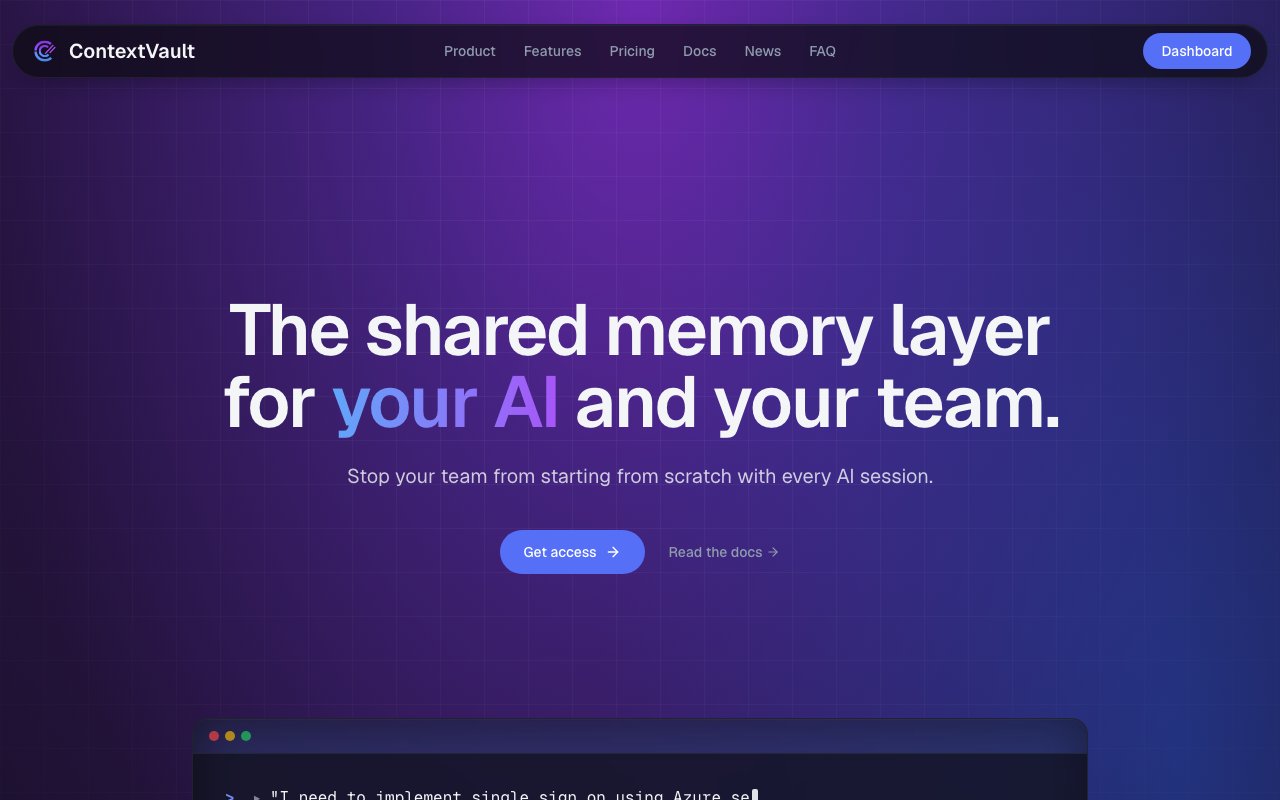
ContextVault is a shared memory layer for AI systems. The idea is that a team stores a useful memory once and every AI client anyone on that team uses can recall it, reuse it, and build on it, instead of each person re-explaining the same context to a fresh chat every morning. The site's own framing of the goal is short, stop your team from starting from scratch with every AI session.
The problem it names is familiar to anyone who's leaned on AI tools at work for more than a few weeks. Context ends up scattered across Markdown files, half-stale project folders, and individual chat histories nobody else can see. One engineer solves a gnarly deployment problem on Tuesday and the answer dies in their session, so a teammate reruns the same investigation on Thursday. Most AI tools help individuals work faster, and ContextVault's pitch is that it's aimed one level up, at helping organizations retain and reuse what they learn. A useful side effect it claims is lower context load on every request, since clients pull what's relevant from the vault rather than having everything stuffed into a prompt up front.
Mechanically it's a single vault your clients read from and write to over MCP. Every entry is scoped to an organization and gated further by role and group access controls, so nothing crosses tenant boundaries and memories stay visible to the right team, department, or project group without leaking context everywhere. Retrieval is hybrid, combining vector and full-text ranking in one query, which the site says is tuned for code and ops recall rather than general prose. Memories stay durable across sessions, agents, and model vendors, so decisions, fixes, preferences, and lessons carry forward even when a chat resets, a project gets archived, or a tool gets swapped out entirely.
Because it rides on MCP, the client list is broad and setup is short. Claude Code, Claude Desktop, OpenAI Codex, ChatGPT, Microsoft CoPilot and its desktop app, and Google Gemini all connect, as do VSCode, Cursor, Windsurf, Visual Studio, and JetBrains IDEs. Google Gemini Desktop is marked planned. Anything else that speaks MCP plugs in the same way, and the FAQ pegs integration at seconds since you're only adding an MCP server to a client you already run. You can use it from as many machines as you like so long as the account is valid and authenticated, sign-in goes through single sign on with major providers, and the vault is model-agnostic by design, so nobody gets locked into one vendor's client.
The comparison table on the site is where the positioning gets clearest. ContextVault sets itself against local AI memory and prompt docs on six axes, namely whether knowledge is shared across teams, whether it works across different AI tools, whether storage is centralized for the organization, whether past solutions are searchable, whether it's MCP compatible, and whether it was built for long-term organizational learning. Local memory and a folder of prompt docs each tick some of those boxes partially. The argument is that neither does all of them, which is a fair way to frame it.
On the security side, ContextVault runs a shared Postgres with org_id enforcement in the application layer, encryption at rest, and per-tenant audit trails. Enterprise customers can get dedicated single-tenant deploys. That's a reasonable posture for a young product, though it's worth reading closely if your memories would hold client-confidential material, because app-layer enforcement is a different guarantee from physical separation on the lower tiers. Who it's for is teams rather than solo tinkerers, even though a Solo plan exists. If you're one person with one editor, a folder of Markdown probably still does the job. If you're ten people spread across Claude Code, Cursor, and ChatGPT who keep rediscovering the same things, that's the gap it aims at.
Access is currently a private beta and the pricing ladder is public. A seven-day free trial gives one seat, a single default group, and 50 memories to test the workflow. Solo runs $9.99 a month for one seat and 500 memories with full MCP and API access, pitched at a single operator, consultant, or founder. Team is $49.99 a month for 10 seats, 15 groups, 2,500 memories, and 15,000 monthly queries, and adds member management, workspace controls, and shared memory collections. Enterprise is custom and brings 20 seats, unlimited groups, memories, and queries, plus data export and procurement support. Importing from an existing vector store isn't available yet and is planned as a soft beta feature once the core store and search workflow settle.
Key Features
- MCP server for any compatible client
- Hybrid vector and full-text retrieval
- User, group, and organization scoping
- Audit trails and tenant isolation
- Shared memory collections across teams
- Cross-vendor memory that survives sessions
Pros & Cons
What we like
- Works with almost any MCP client, so there's no vendor lock-in
- Memories persist across tools, sessions, and model vendors
- Group scoping keeps context from leaking across teams
- Setup is just adding an MCP server to a client you already run
Room for improvement
- Only a seven-day trial, with no permanent free tier
- Importing from an existing vector store isn't supported yet
- Still a private beta with a short track record
- Lower tiers share Postgres rather than single-tenant deploys
Frequently Asked Questions
What is ContextVault?
Which AI tools does ContextVault work with?
Is ContextVault free?
How is memory scoped and secured?
Best For
Featured in
Alternatives to ContextVault

Reviews (9)
Exactly what I needed
ContextVault has quietly become part of my daily flow. What stands out is how it handles user, group, and organization scoping. It fits well for retaining decisions and preferences after a chat resets. Worth it for what I get out of it.
Recommended without reservation
Have been running ContextVault for a while, here is where I land. Their take on audit trails and tenant isolation is genuinely good. The output quality holds up better than I expected. Found it works best for retaining decisions and preferences after a chat resets. No regrets so far.
Exactly what I needed
Tried ContextVault on a side project first, then rolled it out everywhere. Got real value out of hybrid vector and full-text retrieval.
Genuinely impressed
ContextVault has quietly become part of my daily flow. The interface stays out of my way, which I appreciate. The core workflow is smooth once you are set up.
Pulled its weight from week one
ContextVault has quietly become part of my daily flow. Where it really wins is user, group, and organization scoping. The defaults are sensible, so I was not fighting settings on day one. No regrets so far.
Recommended without reservation
Tried ContextVault on a side project first, then rolled it out everywhere. What stands out is how it handles hybrid vector and full-text retrieval. Recommending it to people in a similar spot.
Exactly what I needed
Tried ContextVault on a side project first, then rolled it out everywhere. Got real value out of shared memory collections across teams. Would sign up again without thinking twice.
Solid daily driver
Three months of ContextVault later, here is what holds up. Got real value out of user, group, and organization scoping. The defaults are sensible, so I was not fighting settings on day one. Found it works best for keeping onboarding knowledge reachable from every ai client. Recommending it to people in a similar spot.
Exactly what I needed
Hadn't planned on switching, but ContextVault was hard to ignore. The interface stays out of my way, which I appreciate.
Badge builder
Add ContextVault to your website
Choose a badge style and size, preview it here, then copy the generated HTML. Badge images are self-contained SVGs and do not require an external script.

<a href="https://toolindex.net/tools/contextvault?ref=badge" target="_blank" rel="noopener">
  <img src="https://toolindex.net/badge/contextvault/medium.svg" alt="ContextVault - Listed on Tool Index" width="180" height="50" />
</a>How to use the badge
- 1. Pick the style, size, and theme that fit your layout.
- 2. Copy the generated HTML from the code block.
- 3. Paste it into your footer, homepage, or press page.
Standard badge available
The standard listing badge is available now. Score and circle badges are limited to tools currently ranked in the top 10 of a category.
Badge clicks return visitors to this profile with a referral tag so the source remains identifiable.
Related Tools

Apatero AI
The creator studio for AI image, video, audio, 3D, and avatars, now at apatero.ai.
Kevin Gabeci Toolkits
Seven AI toolkits for writing books, making music, cutting video, and building agents.

Warp
The modern terminal reimagined with AI and collaboration

Bolt.new
Prompt-to-deployed full-stack app inside the browser
Work on ContextVault? Request listing access or correction