
CrunchMyPay
Free browser-based calculators for paychecks, debt, loans, and everyday money
Gallery
About CrunchMyPay
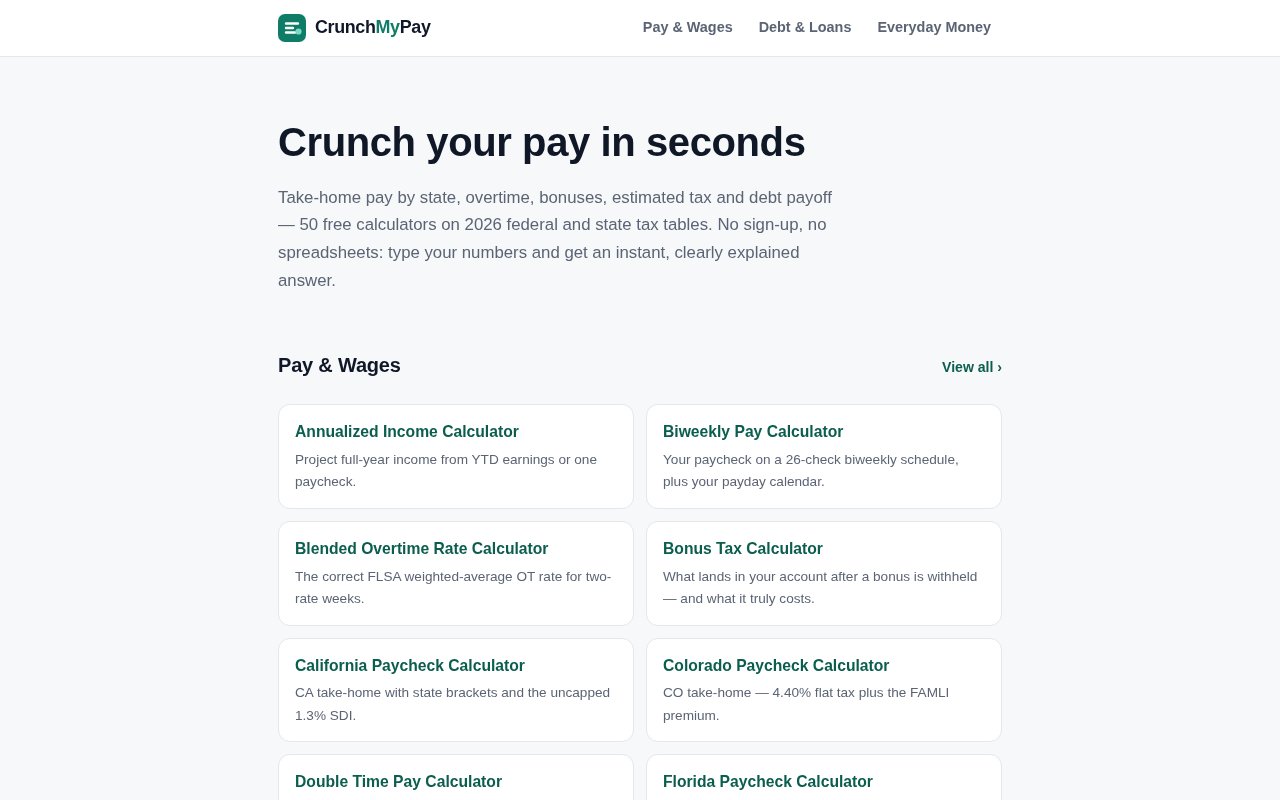
CrunchMyPay is a collection of free calculators for practical questions about wages, taxes, debt, loans, and household money. Its catalog contains 50 focused tools built around questions such as what an overtime shift pays, how much of a bonus reaches a bank account, when a debt will be paid off, or how to divide take-home income into a budget. The site uses 2026 federal and state tax tables where a calculation calls for them. There is no sign-up flow or spreadsheet to prepare. A visitor enters the relevant numbers and gets an immediate estimate with an explanation of how it was reached.
The product is deliberately organized around one question per calculator. Instead of placing many unrelated fields into a broad financial form, CrunchMyPay gives annualized income, biweekly pay, blended overtime, bonus withholding, gross-up pay, prorated salary, severance, and other topics their own pages. Every calculator shows its formula and a worked example, so the answer is not presented as an unexplained number. Inputs update the result as the user types. Each page also records the assumptions or conventions behind the math and shows when it was last reviewed, which makes it easier to judge whether a result fits a real situation.
Privacy is unusually straightforward for this kind of utility. All of the math runs locally in the browser, and the site says the numbers a visitor enters are not sent to its servers, stored, or shared. That matters when the inputs may include salary, debt balances, housing costs, or other personal financial details. The local approach also keeps the interaction quick. Users can test a different hourly rate, extra payment, or savings contribution without creating an account or saving a financial profile. CrunchMyPay still asks people not to send sensitive information when contacting the team, which is a sensible boundary for a calculator site rather than a financial account.
The pay and wages section is the deepest part of the catalog. It covers conversions between hourly and annual compensation, paycheck estimates, overtime at different multipliers, shift differentials, holiday and weekend pay, on-call time, retroactive pay, PTO payouts, and vacation accrual. State-specific paycheck tools account for the rules described on their pages, while the general take-home calculator combines federal, FICA, and state taxes. There are also calculators for quarterly estimated tax, freelance hourly rates, mileage reimbursement, per diem, and payroll situations such as a mid-period start. This range makes the site useful to employees, freelancers, and anyone checking an employer's rough calculation.
CrunchMyPay also reaches beyond payroll. Its debt and loan tools include the avalanche and snowball payoff methods, credit card minimum payments, mortgage schedules, extra principal, general loan payoff, and debt-to-income ratios. Everyday money calculators cover emergency funds, a 50/30/20 budget, savings goals, rent-to-income, prorated rent, tipping, and bill splitting. These are planning aids rather than connected financial software. They do not import transactions, move money, prepare a tax return, or replace a payroll system. The advantage is focus, while the tradeoff is that users must supply their own figures and decide whether the stated assumptions apply.
The site is aimed at people who want a quick check they can understand, especially before a pay conversation, a debt decision, a move, or a savings plan. Showing the formula makes it possible to verify the arithmetic or repeat it on paper. Worked examples help explain terms that may be unfamiliar, and the narrow scope of each page reduces the chance of overlooking a field hidden among unrelated settings. At the same time, results remain estimates. Real paychecks can include benefits, local taxes, employer policies, and state details that a general calculator cannot fully model, while lending and tax decisions may depend on facts the site never asks for.
Every CrunchMyPay calculator is free to use, with no paid tier shown on the site. That makes it easy to reach for one tool once, compare several scenarios, or return when a rate or balance changes. The site's clearest distinction is not automation but transparency. It pairs a broad collection of focused calculators with local processing, visible formulas, examples, and review dates. For routine planning and sanity checks, that is a useful package. For a decision with legal, tax, payroll, or lending consequences, CrunchMyPay explicitly recommends verifying the figure with an employer, lender, or qualified professional.
Key Features
- Fifty focused money calculators
- Current federal and state tables
- Browser-only local calculations
- Visible formulas and worked examples
- Instant results while typing
- Pay, debt, and budget tools
Pros & Cons
What we like
- All calculators are free without sign-up
- Sensitive inputs stay in the browser
- Formulas and examples make results checkable
- Focused pages cover many everyday questions
Room for improvement
- Calculations focus mainly on U.S. rules
- Results are estimates rather than professional advice
- Users must enter figures manually
- Complex employer policies may need separate verification
Frequently Asked Questions
What is CrunchMyPay?
Is CrunchMyPay free?
Does CrunchMyPay store financial inputs?
Can CrunchMyPay replace tax or payroll advice?
Best For
Featured in
Alternatives to CrunchMyPay



Reviews (0)
Badge builder
Add CrunchMyPay to your website
Choose a badge style and size, preview it here, then copy the generated HTML. Badge images are self-contained SVGs and do not require an external script.

<a href="https://toolindex.net/tools/crunchmypay?ref=badge" target="_blank" rel="noopener">
  <img src="https://toolindex.net/badge/crunchmypay/medium.svg" alt="CrunchMyPay - Listed on Tool Index" width="180" height="50" />
</a>How to use the badge
- 1. Pick the style, size, and theme that fit your layout.
- 2. Copy the generated HTML from the code block.
- 3. Paste it into your footer, homepage, or press page.
Standard badge available
The standard listing badge is available now. Score and circle badges are limited to tools currently ranked in the top 10 of a category.
Badge clicks return visitors to this profile with a referral tag so the source remains identifiable.
Related Tools

Simple RMD
Calculate, aggregate, and manage your annual IRA required minimum distributions.
FreshBooks
Cloud accounting designed for service-based small businesses and freelancers
Deel
Global payroll, contractor, and EOR platform
Chargebee
Subscription billing and revenue management for B2B SaaS
Work on CrunchMyPay? Request listing access or correction