
DataGridXL
High-performance Excel-like JavaScript data grid for editing huge datasets in the browser
Gallery
About DataGridXL
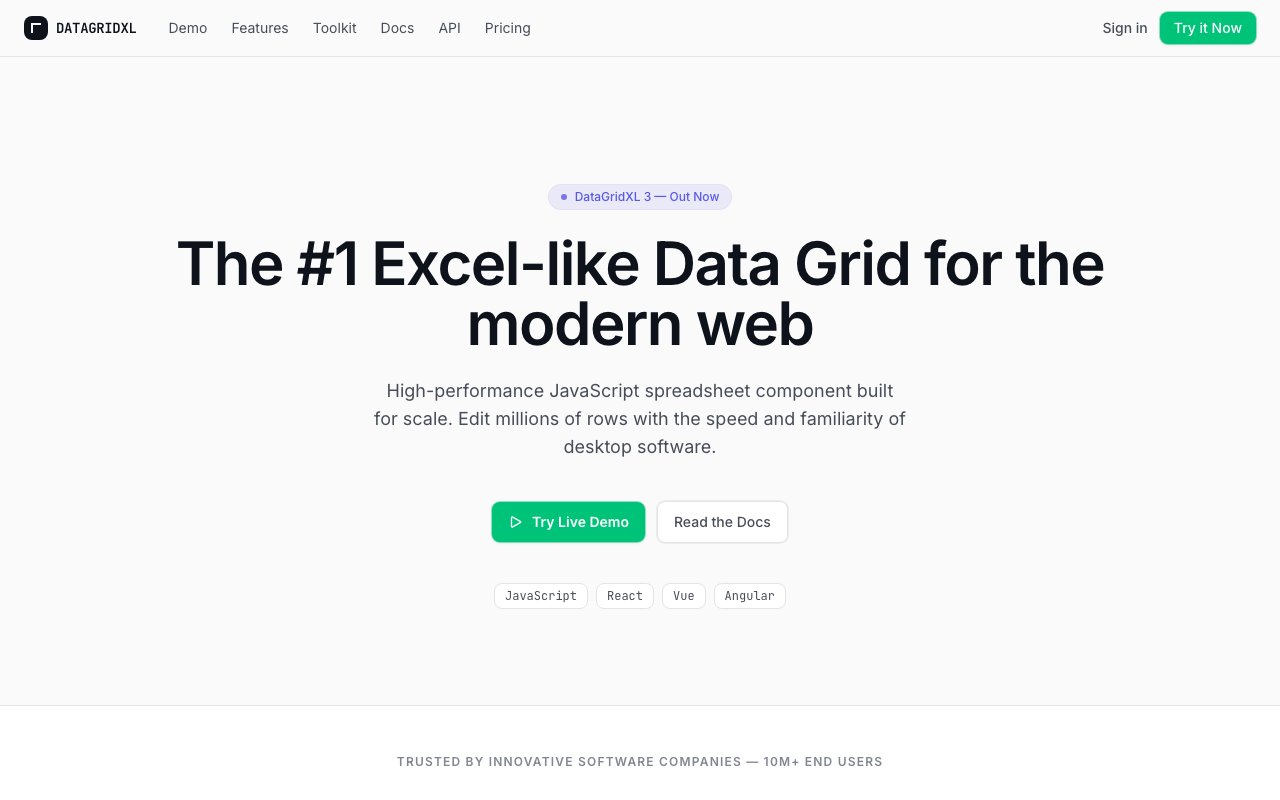
DataGridXL is a JavaScript data grid component that gives a web app the look and behavior of a real spreadsheet. It renders an editable, Excel-like table directly in the browser and quietly handles the parts that usually turn into an ongoing maintenance headache, from fast scrolling and multi-cell range selection to copy and paste, undo, and full keyboard navigation across very large datasets. The whole point is to let people edit tabular data inline, on the page, without the interface ever grinding to a halt.
The problem it goes after is one nearly every frontend team eventually runs into. Product owners want users to edit rows and columns directly, the way they would in a familiar desktop spreadsheet, and the naive approach of rendering thousands of table rows as DOM nodes collapses the moment the sheet grows. Pages start to stutter, memory balloons, and small actions like selecting an entire column or pasting a block of values begin to lag. DataGridXL was built specifically to make that class of problem disappear.
Under the hood it uses a curated Virtual DOM that only draws the cells sitting inside the current viewport. As you scroll, it recycles and repaints just the visible cells rather than trying to keep the whole grid in the document at once, which is how it holds a steady 60 frames per second even when the table contains a million rows or more. Editing feels immediate for the same reason, because the component is not fighting the browser to keep an enormous DOM alive while a user types, selects, and scrolls.
Because it ships with zero dependencies, you can drop it into a plain JavaScript page or into a React, Vue, or Angular project without pulling in a framework of its own or bloating your bundle. The controls deliberately mirror what people already know from Excel and other desktop spreadsheets, so Ctrl+C and Ctrl+V, undo, click-and-drag range selection, and touch gestures all behave the way a user expects on the first try. There is no new interaction model to teach, which is often the quiet reason inline editing features get abandoned.
It also takes the harder integration requirements seriously. The grid is Content Security Policy compliant, with no eval and support for strict-dynamic, which matters a great deal for teams working under strict security review. On top of that it offers theming so the table can match your product's design, plus localization and responsive behavior so it works across languages and screen sizes rather than looking like a bolted-on widget.
The natural audience is product and engineering teams building data-heavy interfaces, things like admin panels, internal tools, financial and trading views, reporting dashboards, or any screen where users expect to grab a block of cells and manipulate it the way they would in a spreadsheet. It is already running in production behind well-known apps such as amCharts and Piktochart, collectively serving very large end-user bases, so it has been stress-tested at real scale rather than only in a controlled demo.
What sets it apart is a single-minded focus on performance and familiarity instead of an endless feature checklist. Plenty of grid libraries try to be everything at once and grow heavy in the process, which shows up as a large bundle, unpredictable edge cases, and a steep configuration burden. DataGridXL keeps its surface deliberately tight, leans on virtualization to do the heavy lifting, and puts the editing experience first, so what you integrate stays lean, fast, and predictable over the life of the project.
Access is commercial, with a genuinely free evaluation path. You can build and test non-production prototypes for nothing, which lets a team validate performance, integration, and fit before spending a cent. Production use then runs on a per-developer annual license at EUR 999 for each named frontend developer, and volume discounts are applied automatically once you reach three, five, and ten seats, so larger teams pay proportionally less per head.
The license terms are refreshingly clear for this kind of tool. One subscription covers a single product with unlimited end users and servers, and it spans production, staging, development, and testing deployments, along with updates and support for as long as the subscription stays active. Backend developers, designers, QA testers, and end users do not need seats, only the named frontend developers who work with the grid do, and enterprise, OEM, multi-product, and reseller arrangements are handled through direct sales.
Key Features
- Virtualized viewport rendering
- Excel-like keyboard and mouse controls
- Zero-dependency drop-in component
- Works with React, Vue, and Angular
- Content Security Policy compliant
- Theming and localization support
Pros & Cons
What we like
- Handles a million rows at 60 frames per second
- No framework lock-in and no dependencies
- Familiar spreadsheet controls users already know
- Proven in production at large-scale apps
Room for improvement
- Commercial license required for production use
- Subscription-based, no perpetual license
- Priced per named frontend developer seat
- Focused on grids, not full spreadsheet features
Frequently Asked Questions
What is DataGridXL?
Is DataGridXL free?
Which frameworks does it work with?
Who is DataGridXL for?
Best For
Featured in
Alternatives to DataGridXL

1Lookup
Real-time data verification API for phone, email, IP, and domain validation to fight fraud

Codedex
A gamified, story-driven platform that teaches Python, web dev, and more like an RPG quest
Hack2hire
Practice real SDE interview questions from top tech companies with expert worked solutions
Cloudflare Pages
Free Jamstack hosting on Cloudflares edge with unlimited bandwidth and tight integration with Workers.
Reviews (11)
Worth a look
Picked DataGridXL for the price, stayed for the quality. Got real value out of handles a million rows at 60 frames per second. Setup was painless and I was productive the same day. Mostly using it for adding spreadsheet editing to a dashboard. Easy yes for anyone weighing the same trade offs.
Genuinely impressed
Started using DataGridXL casually, now it is pinned in my dock. It handles the boring parts so I can focus on the work that matters. Would sign up again without thinking twice.
Good, with a few caveats
Hadn't planned on switching, but DataGridXL was hard to ignore. Their take on works with react, vue, and angular is genuinely good. It would be a five if not for priced per named frontend developer seat.
Solid daily driver
Started using DataGridXL casually, now it is pinned in my dock. What stands out is how it handles virtualized viewport rendering. Recommending it to people in a similar spot.
Does the job, a few gripes
Came to DataGridXL after getting frustrated with what I had before. The defaults are sensible, so I was not fighting settings on day one. It would be a five if not for priced per named frontend developer seat. Worth it for what I get out of it.
Two months in, no regrets
Found DataGridXL on a Show HN thread and I am glad I clicked. Their take on works with react, vue, and angular is genuinely good. Mostly using it for building an editable admin data table.
It just works
Have been running DataGridXL for a while, here is where I land. The core workflow is smooth once you are set up. The interface stays out of my way, which I appreciate. It fits well for handling million-row datasets in the browser. Would sign up again without thinking twice.
Does the job, a few gripes
Started using DataGridXL casually, now it is pinned in my dock. Their take on proven in production at large-scale apps is genuinely good. Mostly using it for handling million-row datasets in the browser. My only gripe is focused on grids, not full spreadsheet features. Would sign up again without thinking twice.
Worth a look
Started using DataGridXL casually, now it is pinned in my dock. The output quality holds up better than I expected. Found it works best for replacing a slow in-house grid component. It earns its place in my stack.
Solid daily driver
Three months of DataGridXL later, here is what holds up. Got real value out of virtualized viewport rendering. Recommending it to people in a similar spot.
Finally something that fits
Tried DataGridXL on a side project first, then rolled it out everywhere. Their take on proven in production at large-scale apps is genuinely good. What stands out is how little babysitting it needs. Found it works best for adding spreadsheet editing to a dashboard. It earns its place in my stack.
Badge builder
Add DataGridXL to your website
Choose a badge style and size, preview it here, then copy the generated HTML. Badge images are self-contained SVGs and do not require an external script.

<a href="https://toolindex.net/tools/datagridxl?ref=badge" target="_blank" rel="noopener">
  <img src="https://toolindex.net/badge/datagridxl/medium.svg" alt="DataGridXL - Listed on Tool Index" width="180" height="50" />
</a>How to use the badge
- 1. Pick the style, size, and theme that fit your layout.
- 2. Copy the generated HTML from the code block.
- 3. Paste it into your footer, homepage, or press page.
Standard badge available
The standard listing badge is available now. Score and circle badges are limited to tools currently ranked in the top 10 of a category.
Badge clicks return visitors to this profile with a referral tag so the source remains identifiable.
Related Tools

Kevin Gabeci
Solo developer building web apps, cozy browser games, and AI creator toolkits.

Coolify
Self-hostable, open source alternative to Heroku and Netlify

Warp
The modern terminal reimagined with AI and collaboration

Bolt.new
Prompt-to-deployed full-stack app inside the browser
Work on DataGridXL? Request listing access or correction