
Davit
Native macOS UI for Apple's container platform on Apple silicon
Gallery
About Davit
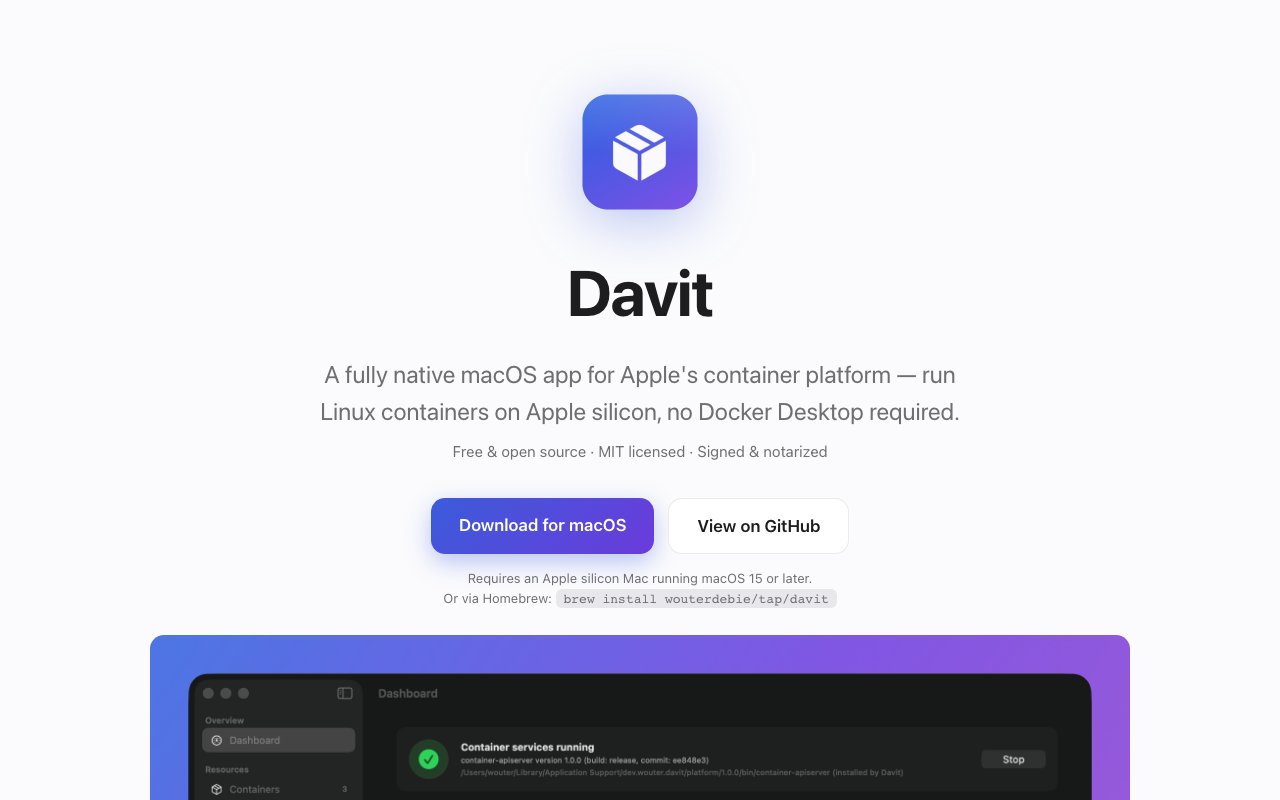
Davit is a native macOS app that gives Apple's own container platform a real graphical interface, so you can run Linux containers on an Apple silicon Mac without Docker Desktop. Apple ships a container stack that treats Linux containers as lightweight virtual machines, and it's fast and well integrated, but it's driven from the command line. Davit puts a proper UI on top of it, close in spirit to OrbStack or Docker Desktop while staying entirely within Apple's stack.
The context matters here. Apple's container platform is relatively new, and while the command-line tools are solid, most people expect a desktop app to manage containers the way Docker Desktop or OrbStack does. Davit fills that gap without dragging in a second runtime. It doesn't replace Apple's containers with its own engine, it drives the one Apple already gives you, so what you see in the app and what you get on the command line stay in sync.
What makes it different from a typical desktop container app is how thin it is. Davit is built entirely in SwiftUI with no Electron, no web views, and no background agents. It talks straight to Apple's container daemon over XPC, the same protocol the command-line tool uses, instead of shelling out to the CLI or running a hidden service. The result feels like a Mac app rather than a browser bolted onto a tray icon, and it keeps memory and CPU use low even when it's sitting in the background.
The main screen is a dashboard that shows service status, resource usage, and live CPU charts, so you can tell at a glance whether the platform is healthy and what your containers are doing. From the container list you can start, stop, restart, delete, and recreate, with live monitoring of CPU, memory, and IP address per container. An Edit and Recreate flow lets you change ports, environment variables, and resource limits by standing up a fresh container from an existing config, which sidesteps the usual problem of tweaking a container you can't easily modify in place.
Beyond lifecycle control, Davit covers the everyday work of living with containers. You can open an interactive shell straight into Terminal or iTerm, and a built-in file browser lets you navigate, download, upload, and delete files inside a running container. Image handling includes pulling with progress tracking, tagging, deletion, and platform variants, with registry support for Docker Hub, ghcr.io, quay.io, and private registries behind authentication. There's volume and network management, and a configuration editor that exposes the platform's full settings with validation so you don't hand-edit files blindly.
For a lot of Mac developers the appeal is simple. Apple's container platform is fast and built on Apple's own virtualization, but staring at command output to check what's running gets old quickly. Davit gives that workflow a face, with the same actions available as buttons and a live view of what each container is doing, and it stays out of the way the rest of the time. It's the kind of tool you leave in the menu bar and forget about until you need it, then it's right there.
Small touches make it feel finished. A menu bar item gives you quick actions and service status from anywhere without opening the main window, and in-app updates check for new versions and install them with one click. Because the whole thing speaks directly to Apple's daemon, the state you see in Davit is the real state of the platform rather than a cached snapshot, which matters when you're switching between the app and the command line during a debugging session.
It's aimed at developers on Apple silicon who already lean on containers and would rather not run Docker Desktop, whether for licensing reasons, resource overhead, or a preference for staying native. You'll want an Apple silicon Mac on macOS 15 or later, with macOS 26 recommended, and Apple's container platform installed. Davit can install that platform for you if it's missing, and it does so without asking for an admin password, which lowers the barrier to a first run considerably.
Davit is free and open source under the MIT license, with the full source on GitHub. You can install it in one line through Homebrew with brew install wouterdebie/tap/davit, or grab a signed release from the project's GitHub page. Because it's a thin native client over Apple's own daemon, it lives or dies with that platform, which means it only runs on recent Apple silicon Macs and won't help on Intel machines or other operating systems. If your world is already Apple silicon and Apple's containers, that focus is the point rather than a limitation.
Key Features
- Native SwiftUI, no Electron
- Direct XPC link to Apple's daemon
- Full container lifecycle controls
- In-container file browser
- Image pulls and registry auth
- Menu bar quick actions
Pros & Cons
What we like
- Fully native Mac app with low overhead
- Free and open source under MIT
- No Docker Desktop required
- One-line Homebrew install
Room for improvement
- Apple silicon and macOS 15 only
- Tied to Apple's container platform
- No Intel Mac or cross-platform build
- Younger project with a smaller community
Frequently Asked Questions
What is Davit?
Is Davit free?
What do I need to run Davit?
How is Davit different from Docker Desktop?
Best For
Featured in
Alternatives to Davit

1Lookup
Real-time data verification API for phone, email, IP, and domain validation to fight fraud

Codedex
A gamified, story-driven platform that teaches Python, web dev, and more like an RPG quest
Hack2hire
Practice real SDE interview questions from top tech companies with expert worked solutions

Leafwright
A hosted PDF render API and studio, so you never run your own headless browser
Reviews (11)
Pulled its weight from week one
Davit solves a real problem for me without making a fuss about it. Their take on fully native mac app with low overhead is genuinely good. Hard to imagine going back to my old setup.
It just works
Have been running Davit for a while, here is where I land. The output quality holds up better than I expected. Worth it for what I get out of it.
It just works
Have been running Davit for a while, here is where I land. Their take on direct xpc link to apple's daemon is genuinely good. Glad I made the switch.
Exactly what I needed
Started using Davit casually, now it is pinned in my dock. The direct xpc link to apple's daemon is more useful than I expected. It does what it says, which is rarer than it should be. Found it works best for pulling images from private registries. Glad I made the switch.
Pulled its weight from week one
Picked Davit for the price, stayed for the quality. It does what it says, which is rarer than it should be. It slotted into my routine without much fuss. Recommending it to people in a similar spot.
Pulled its weight from week one
Davit solves a real problem for me without making a fuss about it. What stands out is how it handles one-line homebrew install.
Recommended without reservation
Tried Davit on a side project first, then rolled it out everywhere. Got real value out of full container lifecycle controls. It just works, day after day, without surprises. Mostly using it for browsing and editing files inside a container. It earns its place in my stack.
It just works
Found Davit on a Show HN thread and I am glad I clicked. Where it really wins is native swiftui, no electron. Mostly using it for browsing and editing files inside a container. Glad I made the switch.
Worth a look
Davit has quietly become part of my daily flow. Their take on image pulls and registry auth is genuinely good. What stands out is how little babysitting it needs. Mostly using it for pulling images from private registries. Glad I made the switch.
Pulled its weight from week one
Davit has quietly become part of my daily flow. Got real value out of fully native mac app with low overhead. It does what it says, which is rarer than it should be. Found it works best for browsing and editing files inside a container. Hard to imagine going back to my old setup.
Good, with a few caveats
Found Davit on a Show HN thread and I am glad I clicked. What stands out is how it handles native swiftui, no electron. It has shaved real time off my week. Mostly using it for pulling images from private registries. One thing that bugs me is no intel mac or cross-platform build. No regrets so far.
Badge builder
Add Davit to your website
Choose a badge style and size, preview it here, then copy the generated HTML. Badge images are self-contained SVGs and do not require an external script.

<a href="https://toolindex.net/tools/davit?ref=badge" target="_blank" rel="noopener">
  <img src="https://toolindex.net/badge/davit/medium.svg" alt="Davit - Listed on Tool Index" width="180" height="50" />
</a>How to use the badge
- 1. Pick the style, size, and theme that fit your layout.
- 2. Copy the generated HTML from the code block.
- 3. Paste it into your footer, homepage, or press page.
Standard badge available
The standard listing badge is available now. Score and circle badges are limited to tools currently ranked in the top 10 of a category.
Badge clicks return visitors to this profile with a referral tag so the source remains identifiable.
Related Tools

Kevin Gabeci
Solo developer building web apps, cozy browser games, and AI creator toolkits.

Coolify
Self-hostable, open source alternative to Heroku and Netlify

Warp
The modern terminal reimagined with AI and collaboration

Bolt.new
Prompt-to-deployed full-stack app inside the browser
Work on Davit? Request listing access or correction