
dynpipe
Peer-to-peer file and text transfer over the web and CLI using simple share codes
Gallery
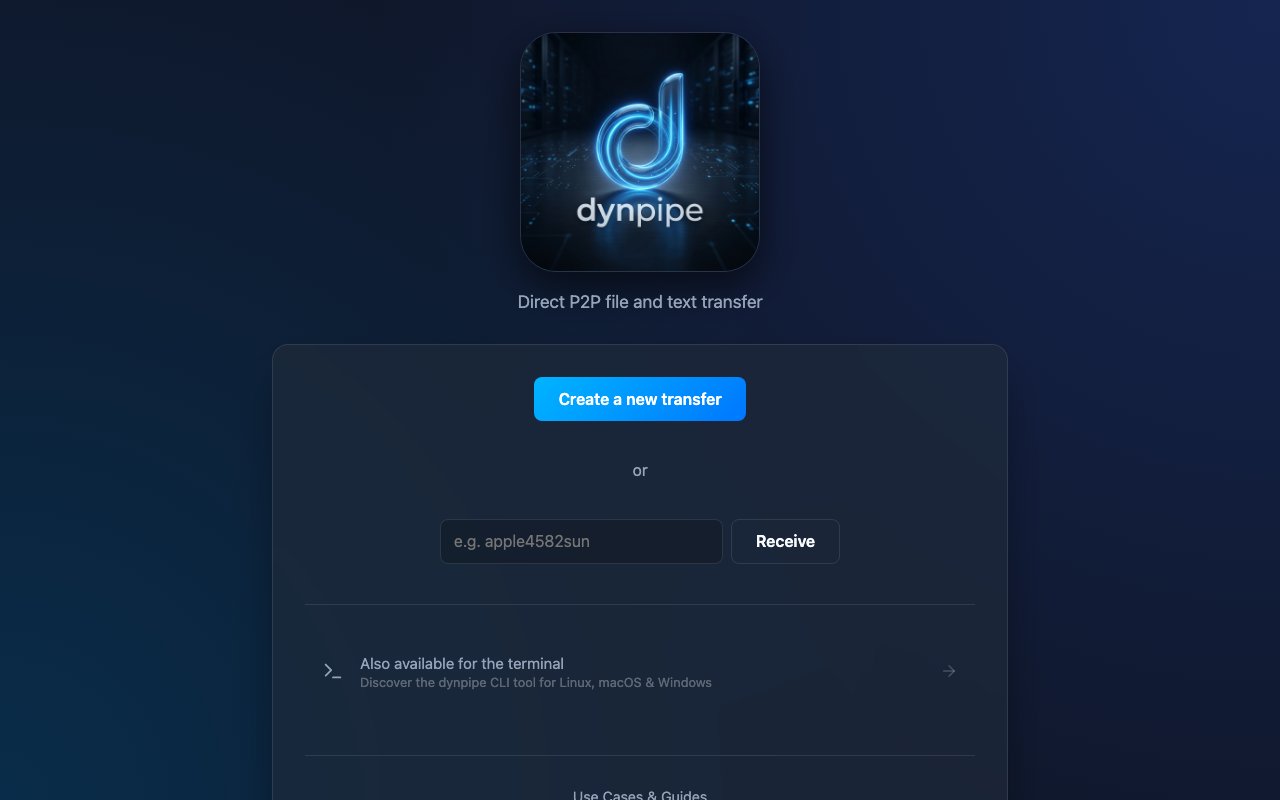
About dynpipe
dynpipe is a peer-to-peer file and text transfer tool that moves data straight from one device to another without parking it on a server first. You open the site, add a file or paste some text, and share a direct link, a short secret code, or a QR code with whoever is on the other end. When they open it, the transfer runs directly between the two machines. The problem it goes after is the awkward middle ground of getting something from one place to another when email attachments are too small, a full cloud upload feels like overkill, and you'd rather your data not sit in someone else's storage bucket.
The transfer itself runs over WebRTC, the same peer-to-peer technology browsers use for video calls, so the bytes travel directly between sender and receiver and stay end-to-end encrypted in transit. Because nothing is staged on a central server, there's no imposed file size limit and no leftover copy of your file after the session ends. You can send a single large video, a batch of documents, or a quick block of text the same way, and the receiver pulls it down while the connection stays open between the two devices.
That direct model is also what separates dynpipe from the cloud lockers most people default to. Services like those upload your file to their storage, hand you a link, and keep a copy until it expires or you delete it, which is convenient but means your data lives on their servers and often runs into a size ceiling on the free tier. dynpipe trades the store-and-forward convenience for a live pipe, so the file exists in two places, your device and the recipient's, and nowhere in between. The tradeoff is that both sides need to be online at the same moment, since there's no server holding the file for a later pickup.
Sharing is deliberately low-friction. Every transfer produces a direct link you can drop into a chat, a short secret code that's easy to read aloud, and a QR code for hopping between a computer and a phone. That last path is the one most people reach for, moving a photo or a PDF from a laptop to a handset with no cables, no AirDrop restrictions, and no account on either side. Whoever receives a transfer doesn't have to sign up for anything, which keeps it usable when you're sending to someone who has never heard of the tool.
It isn't only for files. The same channel carries text, so you can fire a snippet of code, a long URL, a password, or a wall of notes from one device to another without emailing yourself or fumbling with a notes app that syncs on its own schedule. For anyone who regularly needs to get a chunk of text off a phone and onto a computer, or the other way around, that turns into a surprisingly handy everyday habit.
Alongside the web app there's a dynpipe CLI for Linux, macOS, and Windows that brings the same peer-to-peer pipe into the terminal. That's aimed at people who live in a shell and want to push a build artifact, a log bundle, or a config file to another machine without leaving the command line or wiring up scp keys first. The web and command-line sides speak the same protocol, so a file sent from a terminal can be received in a browser tab and the reverse works just as well, which makes it easy to bridge a headless server and a laptop.
The site organizes the common situations into short guides, moving large files, sending things from a PC to a phone, sharing videos, transferring between Linux and Windows machines, and doing all of it securely. Each one walks through the same core flow with the small wrinkles of that particular case, which makes the tool approachable even for someone who has never touched a peer-to-peer transfer before. The mental model stays the same throughout, add something, share a code, receive it on the other side.
It fits anyone who shuttles files across devices often and cares that the data doesn't linger in the cloud, from developers passing artifacts between machines to regular users sending a big clip to a friend. Access is about as simple as it gets, since you can use the web transfer directly in a browser with no account and the CLI covers the three major desktop platforms. The site leads with the free, no-signup experience rather than a pricing table, so the barrier to trying it is essentially opening the page and dragging in a file. Because there's nothing to install for the web path and no inbox to refresh on the receiving end, a first transfer usually takes seconds from landing on the page to the file arriving. If you've ever wanted the ease of AirDrop but across any two devices and any two operating systems, this is that shape of tool.
Key Features
- Direct peer-to-peer WebRTC transfer
- End-to-end encrypted in transit
- No imposed file size limit
- Share via link, code, or QR
- Cross-platform CLI tool
- No account required to receive
Pros & Cons
What we like
- Data never sits on a central server
- No arbitrary file size cap
- Works from browser or terminal
- Receiver needs no signup
Room for improvement
- Both devices must be online at once
- No cloud storage or resume for later pickup
- Sparse public docs on internals
- Pricing posture not spelled out on the site
Frequently Asked Questions
What is dynpipe?
Is dynpipe secure?
Is there a file size limit?
Does dynpipe have a command-line tool?
Best For
Featured in
Alternatives to dynpipe

1Lookup
Real-time data verification API for phone, email, IP, and domain validation to fight fraud

Codedex
A gamified, story-driven platform that teaches Python, web dev, and more like an RPG quest
Hack2hire
Practice real SDE interview questions from top tech companies with expert worked solutions
Cloudflare Pages
Free Jamstack hosting on Cloudflares edge with unlimited bandwidth and tight integration with Workers.
Reviews (8)
Quietly excellent
Came to dynpipe after getting frustrated with what I had before. The core workflow is smooth once you are set up. It slotted into my routine without much fuss. Mostly using it for pushing a build artifact between machines from the terminal. No regrets so far.
Recommended without reservation
Started using dynpipe casually, now it is pinned in my dock. What stands out is how it handles receiver needs no signup. Found it works best for moving a file from a laptop to a phone. Would sign up again without thinking twice.
It just works
Came to dynpipe after getting frustrated with what I had before. What stands out is how it handles no account required to receive. It slotted into my routine without much fuss. Easy yes for anyone weighing the same trade offs.
Finally something that fits
Picked dynpipe for the price, stayed for the quality. The cross-platform cli tool is more useful than I expected. Found it works best for sending a large video without a cloud upload. Glad I made the switch.
Exactly what I needed
dynpipe solves a real problem for me without making a fuss about it. The works from browser or terminal is more useful than I expected. Support actually answered when I had a question, which surprised me. It fits well for sharing a document with someone who has no account. It earns its place in my stack.
Quietly excellent
Picked dynpipe for the price, stayed for the quality. What stands out is how it handles end-to-end encrypted in transit. Mostly using it for sending a large video without a cloud upload. Worth it for what I get out of it.
Does the job, a few gripes
Tried dynpipe on a side project first, then rolled it out everywhere. Where it really wins is no account required to receive. One thing that bugs me is sparse public docs on internals. No regrets so far.
It just works
Came to dynpipe after getting frustrated with what I had before. The thing I keep coming back to is how reliable it is.
Badge builder
Add dynpipe to your website
Choose a badge style and size, preview it here, then copy the generated HTML. Badge images are self-contained SVGs and do not require an external script.

<a href="https://toolindex.net/tools/dynpipe?ref=badge" target="_blank" rel="noopener">
  <img src="https://toolindex.net/badge/dynpipe/medium.svg" alt="dynpipe - Listed on Tool Index" width="180" height="50" />
</a>How to use the badge
- 1. Pick the style, size, and theme that fit your layout.
- 2. Copy the generated HTML from the code block.
- 3. Paste it into your footer, homepage, or press page.
Standard badge available
The standard listing badge is available now. Score and circle badges are limited to tools currently ranked in the top 10 of a category.
Badge clicks return visitors to this profile with a referral tag so the source remains identifiable.
Related Tools

Kevin Gabeci
Solo developer building web apps, cozy browser games, and AI creator toolkits.

Coolify
Self-hostable, open source alternative to Heroku and Netlify

Warp
The modern terminal reimagined with AI and collaboration

Bolt.new
Prompt-to-deployed full-stack app inside the browser
Work on dynpipe? Request listing access or correction