
Engineer Profiles
Developer portfolio platform that syncs contributions from GitHub, Stack Overflow, and more
Gallery
About Engineer Profiles
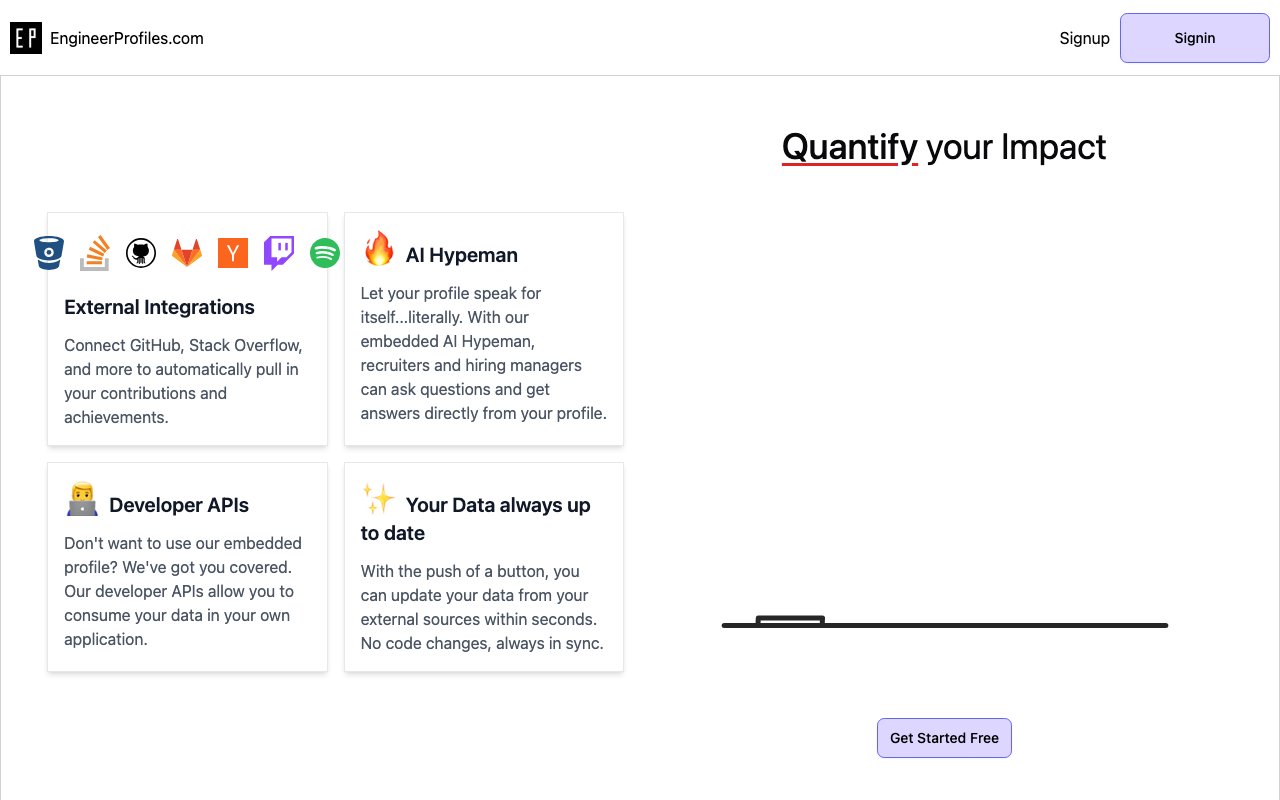
Engineer Profiles is a job search automation platform built specifically for software developers who want to spend less time customizing resumes and hunting for openings. It takes the repetitive parts of the job hunt and hands them to three AI characters, each handling a different piece of the workflow. The result is a system where you set up your profile once, connect your existing accounts, and let the platform do the legwork of finding matches, generating tailored resumes, and even fielding recruiter questions on your behalf. If you've ever spent an afternoon reformatting the same resume for five different job descriptions, this is trying to make that process disappear.
The first character, called the Engineer Huntress, scans job boards for openings that match your desired roles and locations. You specify what you're looking for, and she brings back a list of opportunities without you needing to scroll through listings manually. On the free plan you get two hunting trips per month, which is enough to test whether the matches are relevant. The Pro plan expands that to thirty trips, which is closer to what an active job seeker would need. The second character, the Engineer Handyman, generates customized resumes on demand. Rather than tweaking your master resume every time you apply somewhere, you point him at a job description and he produces a version tuned to that specific posting. Free users get one customized resume, while Pro users get unlimited, which is where the real value kicks in if you're applying to many roles at once. The third character, the Engineer Hypeman, acts as an AI assistant that can answer recruiter questions about your experience and skills. If a recruiter lands on your public profile and wants quick answers about your background, the Hypeman fields them using the information you've provided. You can run one Hypeman on the free plan or up to twenty on Pro.
Setting up your profile involves connecting external accounts like GitHub, GitLab, Bitbucket, Stack Overflow, Y Combinator, Twitch, Spotify, and YouTube. The integrations pull in data that helps populate your profile automatically, so you're not entering everything from scratch. There's also an AI resume parser that reads your existing resume and fills in the relevant fields. Once everything is in place, you get a customizable public profile page with templates you can adjust, unlimited images and posts, and analytics showing how many people have viewed your profile. The free plan shows basic view data, while Pro unlocks additional details about who's looking at your profile and when. Pro subscribers can also set a custom URL for their profile, which looks more professional than a generic identifier.
The platform is aimed at engineers who are either actively job hunting or want to stay passively visible. If you're tired of manually updating multiple profiles across different sites and hand-crafting cover letters, this consolidates that work into one place. It's particularly useful if you're applying to dozens of roles at once and need tailored materials for each without spending hours on formatting and keyword optimization. The automation doesn't replace the human judgment needed to evaluate whether a job is actually a good fit, but it removes the mechanical steps that slow people down.
What sets it apart from a generic resume builder is the integration with developer platforms and the three-character workflow. Most tools focus on either job aggregation or resume generation. This one tries to do both, plus the Hypeman piece, which adds a layer of automated outreach handling that's less common in the space. The developer API is another differentiator, letting you pull your profile data into personal projects or other tools you're building. Free users get 1,000 API requests per month, Pro users get 10,000. Pro subscribers also get access to an MCP server for IDE integration, which is useful if you want profile data accessible from within your development environment without switching contexts.
Pricing is freemium. The free tier gives you two job hunting trips per month, one customized resume, one Hypeman instance, 1,000 API requests, and basic profile analytics. The Pro plan costs $4.99 per month and expands that to 30 hunting trips, unlimited resumes, up to 20 Hypemen, 10,000 API requests, detailed analytics, custom URLs, and MCP server access. The jump from free to paid is significant in terms of volume, so the free tier works best for light testing or passive use while the paid plan is where active job seekers will land. At under five dollars a month, the Pro plan is priced low enough that anyone in a serious job search will probably consider it a reasonable expense.
Engineer Profiles doesn't replace networking, interview prep, or the actual work of showing up and performing well in conversations with hiring managers. What it handles is the clerical side of job hunting, the resume tweaks, the job board scrolling, and the initial recruiter inquiries, so you can focus on the parts that actually require your attention. If you're a developer who finds the resume customization and job board scrolling tedious, this is designed to take that off your plate while keeping you in control of what actually gets submitted.
Key Features
- GitHub and GitLab contribution sync
- Stack Overflow reputation import
- Embedded AI profile assistant
- One-click data refresh
- Developer API for profile data
- Multi-platform account linking
Pros & Cons
What we like
- Automatically aggregates contributions across platforms
- AI assistant handles recruiter questions
- No manual maintenance after initial setup
- Free to get started
Room for improvement
- Pricing for advanced features unclear
- Value depends on having public contributions
- Smaller platform with less recruiter traffic
- Limited non-developer integrations
Frequently Asked Questions
What is Engineer Profiles?
Is Engineer Profiles free?
What is the AI Hypeman?
What platforms does it integrate with?
Best For
Featured in
Alternatives to Engineer Profiles
View all
1Lookup
Real-time data verification API for phone, email, IP, and domain validation to fight fraud

Kevin Gabeci
Solo developer building web apps, cozy browser games, and AI creator toolkits.

Codedex
A gamified, story-driven platform that teaches Python, web dev, and more like an RPG quest
Hack2hire
Practice real SDE interview questions from top tech companies with expert worked solutions
Reviews (8)
Solid but not perfect
Started using Engineer Profiles casually, now it is pinned in my dock. Got real value out of multi-platform account linking. Found it works best for letting an ai handle repetitive screening questions. My only gripe is limited non-developer integrations. Recommending it to people in a similar spot.
Worth a look
Have been running Engineer Profiles for a while, here is where I land. The interface stays out of my way, which I appreciate. It fits well for letting an ai handle repetitive screening questions.
It just works
Three months of Engineer Profiles later, here is what holds up. What stands out is how it handles embedded ai profile assistant. It slotted into my routine without much fuss. Recommending it to people in a similar spot.
Does the job, a few gripes
Came to Engineer Profiles after getting frustrated with what I had before. The defaults are sensible, so I was not fighting settings on day one. It would be a five if not for smaller platform with less recruiter traffic. Worth it for what I get out of it.
Solid but not perfect
Engineer Profiles solves a real problem for me without making a fuss about it. The stack overflow reputation import is more useful than I expected. Performance has been steady even when I lean on it hard. One thing that bugs me is value depends on having public contributions. Worth it for what I get out of it.
Good, with a few caveats
Hadn't planned on switching, but Engineer Profiles was hard to ignore. The multi-platform account linking is more useful than I expected. The defaults are sensible, so I was not fighting settings on day one. The catch is limited non-developer integrations. Easy yes for anyone weighing the same trade offs.
Two months in, no regrets
Found Engineer Profiles on a Show HN thread and I am glad I clicked. Their take on one-click data refresh is genuinely good. Mostly using it for building a developer portfolio without manual updates.
Solid but not perfect
Have been running Engineer Profiles for a while, here is where I land. What stands out is how it handles multi-platform account linking. Found it works best for letting an ai handle repetitive screening questions. It would be a five if not for limited non-developer integrations. No regrets so far.
Badge builder
Add Engineer Profiles to your website
Choose a badge style and size, preview it here, then copy the generated HTML. Badge images are self-contained SVGs and do not require an external script.

<a href="https://toolindex.net/tools/engineer-profiles?ref=badge" target="_blank" rel="noopener">
  <img src="https://toolindex.net/badge/engineer-profiles/medium.svg" alt="Engineer Profiles - Listed on Tool Index" width="180" height="50" />
</a>How to use the badge
- 1. Pick the style, size, and theme that fit your layout.
- 2. Copy the generated HTML from the code block.
- 3. Paste it into your footer, homepage, or press page.
Standard badge available
The standard listing badge is available now. Score and circle badges are limited to tools currently ranked in the top 10 of a category.
Badge clicks return visitors to this profile with a referral tag so the source remains identifiable.
Related Tools
Kevin Gabeci
Solo developer building web apps, cozy browser games, and AI creator toolkits.

Coolify
Self-hostable, open source alternative to Heroku and Netlify

Warp
The modern terminal reimagined with AI and collaboration

Bolt.new
Prompt-to-deployed full-stack app inside the browser
Work on Engineer Profiles? Request listing access or correction