Fork
Let your users request a feature and have an AI agent build it on top of your app
Gallery
About Fork
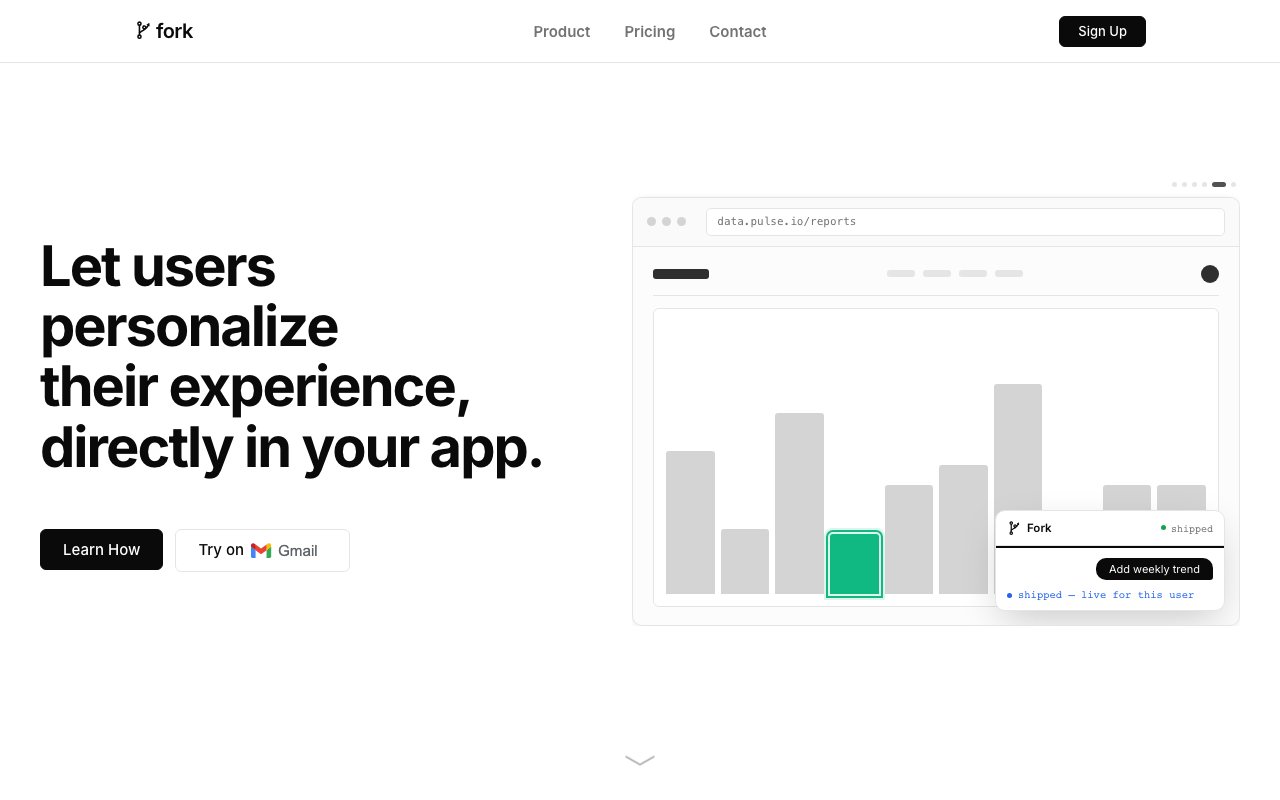
Fork is a developer platform that lets the people using your software ask for a feature and actually get it, built on top of your real app rather than dropped into a wish list. A customer opens Fork inside your product, describes the change they want in plain language, and a coding agent builds it from your codebase. The result is a private branch that belongs to that user, so your app can bend to fit each customer without your team writing every one-off request by hand.
The idea behind it is that highly personalized software is where things are heading, and most teams can't staff the backlog that idea creates. Enterprise buyers want a button moved, an export added, a report reshaped, and today those requests either wait months or never ship. Fork turns that queue into something users can drive themselves, inside limits you set, so the long tail of small customizations stops being a cost center and starts being a feature of the product.
In practice a user with a feature request opens Fork, types something like add a quick-action button that exports all items, or highlight overlapping meetings, and the agent builds it against your codebase. An isolated git worktree is created for the work, the change runs in a sandbox, and the person ends up with a branch that personalizes the app just for them. Every prompt and every resulting fork is recorded under the owning container, so nothing happens off the books and you can always see who asked for what.
It works as a lightweight SDK that drops into your existing stack with no rewrites and no migrations. You add the SDK with one line, then mark the parts of your app you're willing to let people change as Forkable surfaces, each tied to a module boundary. The SDK also ships a complete chat surface, so the simplest integration is a single component that gives users a place to describe what they want and watch it get built. From there you can compose the underlying hooks yourself if you want a custom interface.
The domain model is small and consistent. An app is your host application, registered under a tenant and connected to one GitHub or GitLab repo. A container is a named, shareable branch of work backed by a git worktree that holds a chain of forks, and a fork is a single customization that belongs to one container and targets one module boundary. Under the hood a customization is delivered as a separate module bundle that runs in the same JavaScript context as your host app, and the SDK shares your existing React instance so nothing gets double-bundled or reaches into server-only code.
Structure and control sit at the center of the design. You define the constraints, permissions, and scope, so people can only touch the surfaces you've opened and nothing sensitive. An admin view lists every fork across the app, lets you filter by status, and drills into each container's chain. Access runs through per-user logins, each teammate's Fork identity links to their end-user identity in your app, and branches execute in sandboxed environments with data encrypted in transit and at rest. Fork also states it doesn't use your personalization inputs or branch state to train models and doesn't sell personal data.
Setup is meant to take minutes rather than months. You install the Fork GitHub app on a repo, finish the installation and choose the repository to connect, and Fork hands you an app ID, a publishable key, and a secret key to drop into the SDK. The publishable key is safe in the browser while the secret key stays on your server, and Fork keeps a canonical clone of your repo that it rebases before every run so the agent always builds against current code. From there, marking a surface Forkable is one more line.
Fork fits SaaS teams whose customers keep asking for bespoke features the roadmap can't absorb, especially products serving a handful of high-value accounts that each want the software shaped their way. Because it runs alongside your codebase instead of replacing anything, there's no architectural change and no vendor lock-in. It's a weaker fit if you're not on a standard git and JavaScript stack, since GitHub is supported today and GitLab connect is noted as coming soon.
Access is free to start with no credit card, framed as enough to ship custom features for your first handful of customers. Larger teams move to volume pricing with dedicated support and custom integrations for shipping at scale. The closer you already are to a modern React app in a connected repo, the faster the wiring goes, and the more of the roadmap you can hand back to the people actually using the product.
Key Features
- Drop-in SDK, one-line install
- AI agent builds from your codebase
- Per-user branches on git worktrees
- Forkable surfaces with scoped permissions
- GitHub repository integration
- Admin dashboard tracking every fork
Pros & Cons
What we like
- Turns customer feature requests into shipped branches
- Runs alongside your codebase with no rewrites
- You define scope, so changes stay within limits
- Free tier needs no credit card
Room for improvement
- GitLab support is still coming soon
- Aimed at standard git and JavaScript stacks
- Younger product with a smaller community
- Enterprise pricing is quote-based, not public
Frequently Asked Questions
What is Fork?
Is Fork free?
How does Fork connect to my code?
Who is Fork for?
Best For
Featured in
Alternatives to Fork

1Lookup
Real-time data verification API for phone, email, IP, and domain validation to fight fraud

Codedex
A gamified, story-driven platform that teaches Python, web dev, and more like an RPG quest
Hack2hire
Practice real SDE interview questions from top tech companies with expert worked solutions
Cloudflare Pages
Free Jamstack hosting on Cloudflares edge with unlimited bandwidth and tight integration with Workers.
Reviews (8)
Pulled its weight from week one
Have been running Fork for a while, here is where I land. Where it really wins is per-user branches on git worktrees. It fits well for giving each user a branch to personalize. Would sign up again without thinking twice.
Quietly excellent
Have been running Fork for a while, here is where I land. The per-user branches on git worktrees is more useful than I expected. Recommending it to people in a similar spot.
Decent with some rough edges
Fork has quietly become part of my daily flow. Where it really wins is you define scope, so changes stay within limits. The catch is aimed at standard git and javascript stacks. Would sign up again without thinking twice.
Recommended without reservation
Fork solves a real problem for me without making a fuss about it. Their take on turns customer feature requests into shipped branches is genuinely good. Found it works best for shipping one-off customizations without a backlog. Hard to imagine going back to my old setup.
Solid but not perfect
Fork solves a real problem for me without making a fuss about it. It has shaved real time off my week. The catch is gitlab support is still coming soon. Recommending it to people in a similar spot.
Exactly what I needed
Three months of Fork later, here is what holds up. Their take on github repository integration is genuinely good. Found it works best for shipping one-off customizations without a backlog. Recommending it to people in a similar spot.
Recommended without reservation
Hadn't planned on switching, but Fork was hard to ignore. What stands out is how it handles admin dashboard tracking every fork. The defaults are sensible, so I was not fighting settings on day one. It fits well for prototyping per-account tweaks on top of your app.
Solid daily driver
Found Fork on a Show HN thread and I am glad I clicked. The ai agent builds from your codebase is more useful than I expected. The defaults are sensible, so I was not fighting settings on day one. Found it works best for prototyping per-account tweaks on top of your app.
Badge builder
Add Fork to your website
Choose a badge style and size, preview it here, then copy the generated HTML. Badge images are self-contained SVGs and do not require an external script.

<a href="https://toolindex.net/tools/fork?ref=badge" target="_blank" rel="noopener">
  <img src="https://toolindex.net/badge/fork/medium.svg" alt="Fork - Listed on Tool Index" width="180" height="50" />
</a>How to use the badge
- 1. Pick the style, size, and theme that fit your layout.
- 2. Copy the generated HTML from the code block.
- 3. Paste it into your footer, homepage, or press page.
Standard badge available
The standard listing badge is available now. Score and circle badges are limited to tools currently ranked in the top 10 of a category.
Badge clicks return visitors to this profile with a referral tag so the source remains identifiable.
Related Tools

Kevin Gabeci
Solo developer building web apps, cozy browser games, and AI creator toolkits.

Coolify
Self-hostable, open source alternative to Heroku and Netlify

Warp
The modern terminal reimagined with AI and collaboration

Bolt.new
Prompt-to-deployed full-stack app inside the browser
Work on Fork? Request listing access or correction