
Front
Customer operations platform built on a shared inbox
Gallery
About Front
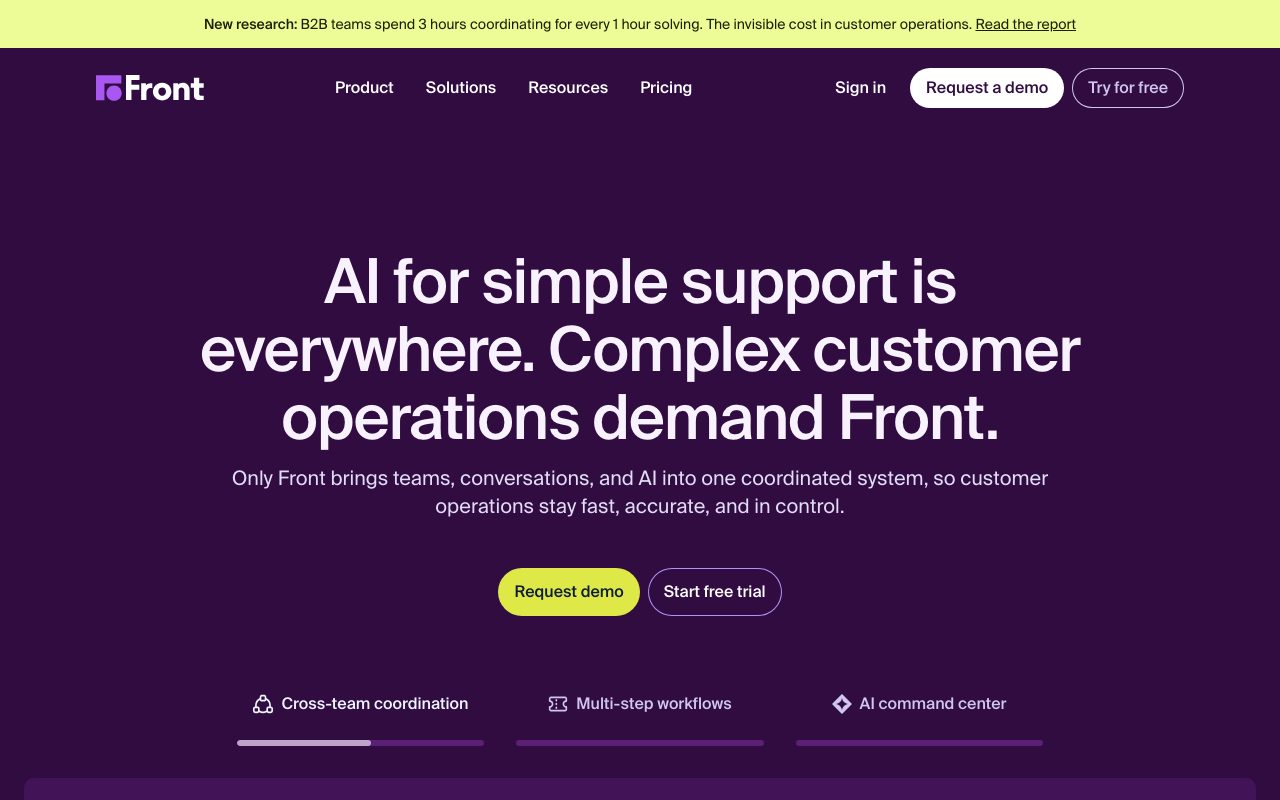
Front is a customer communication platform that takes the shared inbox idea and runs further with it than most. The pitch is simple: stop bouncing customer messages between Slack, Gmail, and your help desk.
It blends email-style threads, social channels, SMS, and live chat into one workspace. Reps work in something that feels like a familiar inbox, but managers see the workflows, assignments, and metrics on top.
If you've used Zendesk and wished it felt less like a ticketing portal and more like email, Front is the alternative most teams discover next.
What Front actually does
Front centralizes channels: shared email addresses, social DMs, SMS lines, chat widgets, even WhatsApp in higher tiers. Everything lands in one place. Reps assign, comment internally, and respond externally.
Internal comments are the killer feature for me. You can @ a coworker inside a customer thread without forwarding emails or pasting screenshots into Slack. Context lives where the work lives.
Rules and workflows
Front's automation engine routes messages based on sender, content, tags, or time-of-day. It's not as deep as a true workflow tool, but it covers the cases support and ops teams hit daily.
Who Front is for
Customer-facing teams that don't want to feel like they're working in a ticketing system. Account managers handling complex client relationships. Operations teams in logistics, real estate, or financial services where threads matter.
It's less suited to high-volume, low-touch support where deflection and self-service dominate. Those workflows lean toward Zendesk or Intercom.
The relationship-business niche
Front shines for businesses where the same rep talks to the same customer over months. Tickets close. Threads continue. Front respects that distinction.
Pricing breakdown
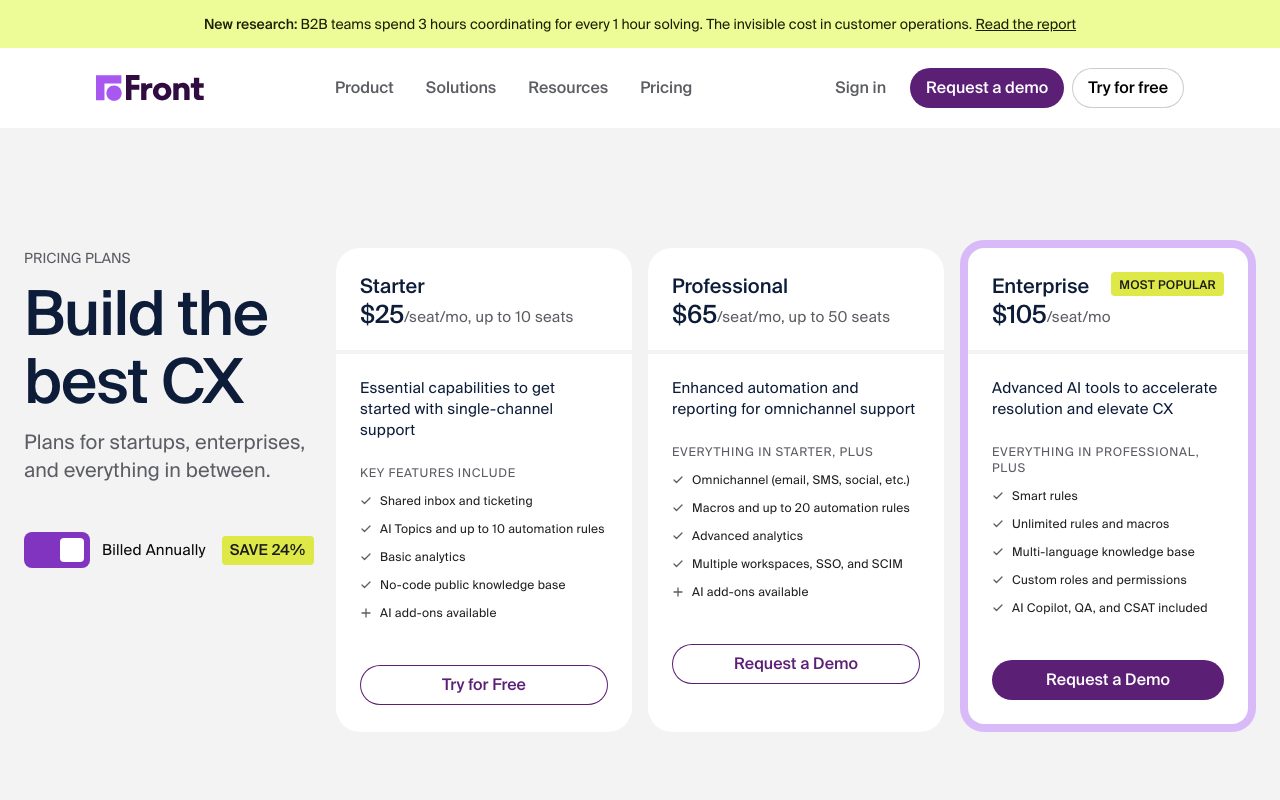
Plans run per seat per month with a few tiers. Starter, Growth, Scale, and Premier. The big jumps are around analytics, integrations, and API access.
It's not the cheapest tool in the category. The pricing assumes Front is your primary customer ops surface, not a side experiment. Budget accordingly.
What you pay for
Seat count, channel count, and tier features. SMS and WhatsApp add carrier costs on top. Some advanced workflow features are reserved for higher tiers.
Standout features of Front
The shared inbox model. Reps work the way they always have, in something that feels like email, but everyone has visibility. No more "did anyone reply to that customer?"
The integrations with CRMs like Salesforce and HubSpot are deep. Customer context appears alongside the thread without context-switching to another tab.
Analytics that mean something
Response time, resolution time, and team load are first-class metrics. Front's reporting is opinionated about what matters, which is refreshing in a category that often dumps charts on you.
Honest tradeoffs with Front
It's pricey. Per-seat costs add up quickly for larger teams. The value is real but the bill arrives anyway.
The mobile app is functional but not best-in-class. Reps doing significant on-the-go work sometimes complain. Plan to keep desktop as the primary surface.
Front is the customer ops tool for teams who'd rather collaborate inside a thread than juggle three apps. It feels human in a category that often doesn't.
Front vs alternatives
Front vs Zendesk: Zendesk is heavier, more ticket-shaped. Front is lighter, more conversation-shaped.
Front vs Intercom: Intercom is biased toward live chat and product messaging. Front is biased toward email and shared inbox workflows.
Front vs Help Scout: Help Scout is the nearest cousin. Both are email-centric. Front is broader on channels, Help Scout is simpler on price.
For the broader category, see the best customer support tools or check Zendesk alternatives.
When Front wins
You're running a relationship-driven business. You want collaboration inside threads. You're tired of Slack-and-Gmail context-switching.
Bottom line on Front
Front is the customer communication platform for teams that take threads seriously and care about how they feel to work in. The pricing is real but so is the lift in team productivity.
If your support is high-volume self-service, look elsewhere. If your work lives in long, multi-party threads, Front earns its keep. See tools for account managers for related picks.
What makes Front different from a help desk
Help desks treat conversations as tickets. Tickets get statuses, queues, and SLAs. The metaphor is good for high-volume support but bad for relationship work. Front treats conversations as conversations.
That shift sounds small. It changes how reps feel and how customers feel. Reps don't have to file tickets. Customers don't get those soulless ticket-number replies. The communication feels human because the tool treats it as such.
Internal comments without forwarding
Inside any thread, you can @ a coworker and they see the full context. No forwarding chains, no Slack threads referencing email IDs. Context lives where the work lives. This is the single feature most converts cite.
Front for different team shapes
Logistics companies use Front because shipping issues are conversations, not tickets. Account managers use it because client relationships span months and channels. Real estate teams use it because every lead is a relationship.
The common thread is "the same person talks to the same customer over time." Front respects that. Tools optimized for one-and-done deflection don't.
Workflow integrations
Salesforce, HubSpot, and other CRM integrations bring customer context into the thread. You see open opportunities, past tickets, and account health without leaving the inbox. The depth of these integrations is genuinely Front's competitive moat.
Common Front questions
Does Front replace email? It augments your email by giving the team a shared workspace. Can Front handle WhatsApp? Yes, on appropriate tiers. Is there a free trial? Yes, with full features.
For broader views, see tools for customer success and Front vs Help Scout.
Final take on Front
Front is the customer ops platform for teams that take relationships seriously. It costs more than budget tools, but the lift in collaboration quality is real. For relationship-driven businesses, it's worth the investment.
Front's automation rules in practice
Rules can route by sender domain, subject keywords, message content, time of day, or current assignee. You can chain conditions and actions to build sophisticated routing without code. Most teams set up rules for VIP customer routing, after-hours coverage, and channel-specific assignments.
The rule engine isn't as deep as a true workflow tool, but it covers the cases customer ops teams hit daily. Where Front falls short, Zapier or webhook integrations fill the gap.
SLA tracking
Front lets you set response time targets and track team performance against them. Managers can see at a glance which conversations are at risk of breaching SLA. The reporting is straightforward, not buried under analytics complexity.
Front for sales teams
Sales teams use Front as a shared inbox for inbound leads, account communications, and SDR-to-AE handoffs. The CRM integrations bring opportunity context into threads. Reps don't switch between Front and Salesforce constantly.
The sequence-style outbound features are lighter than dedicated tools like Outreach or SalesLoft. Most sales teams use Front for the relationship side and a separate sequencer for cold outbound.
Workflow design in Front
The right way to use Front is to map your customer touchpoints first, then configure inboxes, rules, and integrations to match. Teams that skip the mapping end up with a Front configuration that mirrors their old email mess, which defeats the purpose.
The setup investment is real. Plan for a couple of weeks of configuration with a power user driving the work. The payoff is a customer ops surface that actually reflects how your team operates.
Mobile reality check
The Front mobile app handles core actions: read, reply, assign, comment. It's not as polished as the desktop. Power users do most of their work on desktop. Mobile is for staying responsive on the go, not deep work.
Pricing per seat reality
Per-seat pricing means scaling team size scales the bill linearly. For teams of fifty plus, the math gets serious. Enterprise tiers offer volume pricing but require negotiation. Budget planning matters more on Front than on tools with flat fees.
Front wrap-up
The platform succeeds because it understood early that customer relationships aren't tickets. Other tools are slowly catching up to this realization. By the time they do, Front will have moved further into the relationship-ops territory it pioneered.
For teams currently using Gmail plus Slack plus a CRM as their de facto customer ops stack, Front is the consolidation that actually works. The shared inbox model maps to how your team already thinks. The internal comments replace the Slack-back-and-forth pattern that wastes hours weekly.
Run the audit
Before committing, audit how your team currently handles customer threads. Track every context-switch, every forwarded email, every Slack channel created to discuss a customer. The waste is usually shocking once you measure it. Front's value shows up in eliminating that waste, and the math justifies the per-seat cost surprisingly often.
One closing reflection: Front fits a specific cultural shape. Teams that value collaboration and relationship work love it. Teams that prefer ticket queues and process boundaries find it loose. Neither preference is wrong. The right question is which culture matches your team's actual work, not which tool is objectively best. Front aligns with relationship-driven cultures and aligns less with ticket-driven cultures.
For more options, see the best shared inbox tools and the tools for customer operations page. Front, Help Scout, and Missive are the closest peers. Each has a slightly different philosophy, and the choice between them often comes down to feel during a hands-on trial more than feature comparison.
Tutorial / Demo
Key Features
- Shared inbox with assignments and internal comments
- Email, SMS, chat, and social channels
- Workflow rules and message templates
- Analytics on volume, response time, and SLAs
- CRM-style customer profiles
- Integrations with Salesforce, HubSpot, and Slack
Pros & Cons
What we like
- Email feels like email, not tickets
- Internal comments cut down on cc-everyone replies
- Reporting is solid for ops-heavy teams
Room for improvement
- Pricing per seat adds up at scale
- Less of a fit for self-service helpdesks
- Some integrations are gated to higher tiers
Frequently Asked Questions
What's the difference between Front and a regular shared inbox like Help Scout?
Is Front expensive?
Does Front have a free tier?
Can Front be used for cold outreach?
Does Front have a mobile app?
Best For
Featured in
Tags
Alternatives to Front
View all
Help Scout
Email-first shared inbox and help center for small teams

Intercom
Customer service platform with messenger, helpdesk, and AI agent

Zendesk
Enterprise customer service suite for ticketing, chat, and voice
Crisp
Multichannel customer messaging platform with a generous free tier
Our take
Tool Index Editorial · May 2026· 4.6/5
What Front is really selling — beyond the marketing copy — is customer operations platform built on a shared inbox.
Where it wins: Email feels like email, not tickets, Internal comments cut down on cc-everyone replies, and Reporting is solid for ops-heavy teams. Less impressive: Pricing per seat adds up at scale and Less of a fit for self-service helpdesks.
Recommendation: this is a strong default when you need account managers handling shared client inboxes. If pricing per seat adds up at scale would be a dealbreaker, the alternatives section below is worth a scroll.
Editorial opinion from the Tool Index team, written from the public product pages. Not a user review.
Reviews (3)
Recommended without reservation
Took a few weeks for Front to click, then it stuck. Honestly impressed by how email feels like email, not tickets. Sticking with Front.
Pros
- Internal comments cut down on cc-everyone replies
- Email feels like email, not tickets
- Reporting is solid for ops-heavy teams
Stuck the landing for our team
First impression of Front was 'huh, this is actually thought through.' What stands out is how internal comments cut down on cc-everyone replies. The integrations with Salesforce, HubSpot, and Slack is more useful than I expected. It fits well for logistics and operations teams coordinating on email and SMS. Worth the price for what I get out of it.
Pros
- Email feels like email, not tickets
- Internal comments cut down on cc-everyone replies
- Reporting is solid for ops-heavy teams
Underrated honestly
The pitch for Front sounded too good to be true. Mostly true. What stands out is how reporting is solid for ops-heavy teams. Got real value out of email, SMS, chat, and social channels.
Badge builder
Add Front to your website
Choose a badge style and size, preview it here, then copy the generated HTML. Badge images are self-contained SVGs and do not require an external script.

<a href="https://toolindex.net/tools/front?ref=badge" target="_blank" rel="noopener">
  <img src="https://toolindex.net/badge/front/medium.svg" alt="Front - Listed on Tool Index" width="180" height="50" />
</a>How to use the badge
- 1. Pick the style, size, and theme that fit your layout.
- 2. Copy the generated HTML from the code block.
- 3. Paste it into your footer, homepage, or press page.
Score badge available
Front qualifies for the score and circle badges based on its current top-10 positionin Customer Support.
Badge clicks return visitors to this profile with a referral tag so the source remains identifiable.
Related Tools

Probed
Customer chat, feedback, and public roadmaps in one shared space

QuickPing
A dead-simple contact link so customers can message you and you reply from one inbox
Zendesk
Enterprise customer service suite for ticketing, chat, and voice
Crisp
Multichannel customer messaging platform with a generous free tier
Work on Front? Request listing access or correction