
Kario
Generate editable motion graphics from a brief, assets, or product URL
Gallery
About Kario
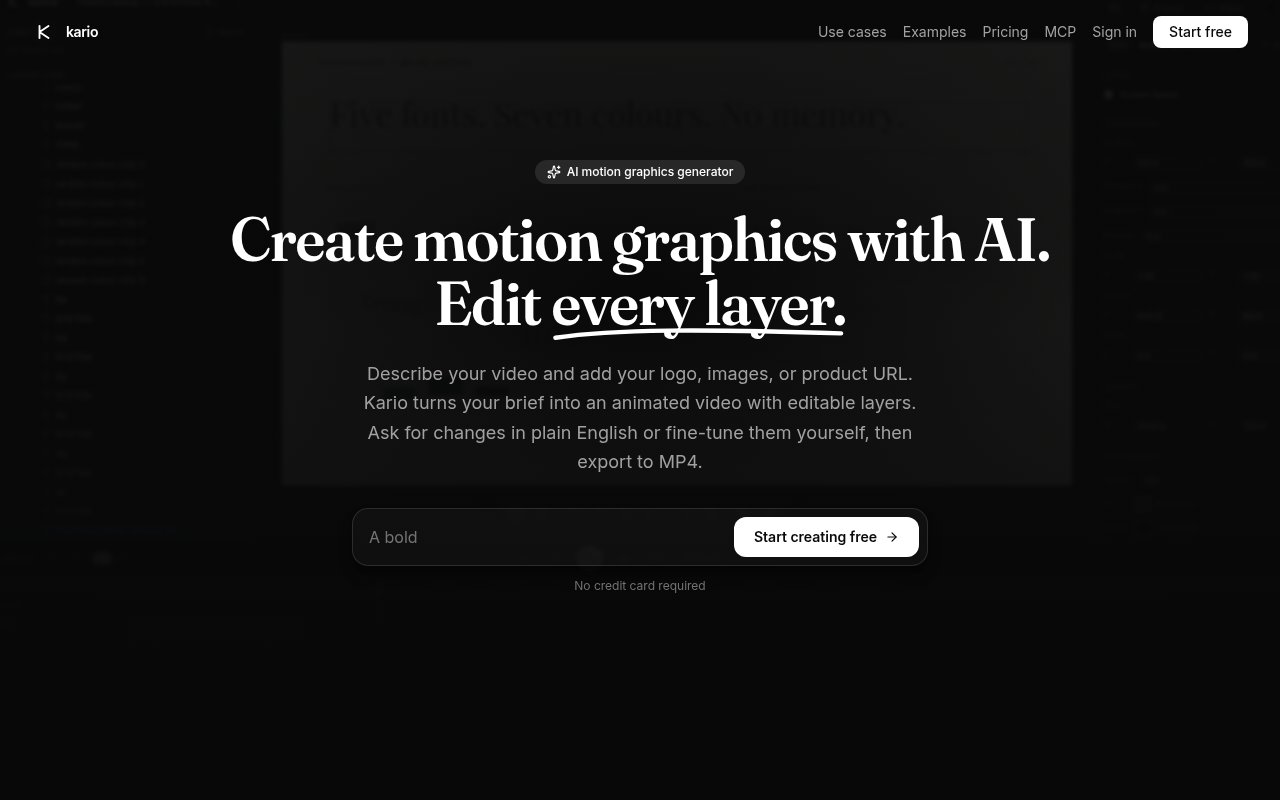
Kario is an AI motion graphics generator that turns a written brief and brand assets into an animated video project. A user can describe the video they need, add a logo, product images, or a product URL, and let Kario plan the scenes, choose typography, and animate the elements. The result isn't limited to a flattened clip. Text, shapes, images, video, and audio remain separate layers with keyframes, so the project can keep evolving after its first generation. This gives product marketers, founders, designers, and content teams a middle ground between one-click video generation and building every motion sequence by hand.
The workflow starts more like briefing a designer than operating a timeline. Kario interprets the requested message and supplied visual material, builds scenes, and returns the project inside its editor. The user can ask for changes in plain English or select a layer and fine-tune it directly. Layers, keyframes, and the timeline stay intact, which matters when a product screenshot changes, a line of copy needs revision, or the pacing isn't quite right. Instead of regenerating an opaque video from scratch, the creator can revise the existing structure and preserve the parts that already work.
Kario focuses on designed motion graphics rather than camera footage or avatar-led presentations. Its public examples include software launch videos, animated product ads, vertical app ads, brand spots, and visual explainers. Projects export to MP4 in landscape or vertical sizes. The examples shown on the public site are described as direct exports, while featured brand recreations are identified as unofficial and unaffiliated. The template library helps users begin with an established format, while manual layer control gives experienced motion designers room to adjust the generated result. No motion-design background is required to start, though the editor remains available for anyone who has it. People without motion-design experience can rely on the brief and conversational revisions, although good source assets and clear direction still influence what the agent has to work with.
The editable project is the clearest distinction from prompt tools that return only a rendered clip. A marketing team can inspect the text, shapes, product shots, audio, and other media as separate elements rather than accepting the agent's composition as a black box. Keyframes and timing remain exposed in the same project, so a designer can intervene where precision matters. That also makes repeat revisions more practical. A team can change a logo, refine a transition, update product imagery, or rewrite one scene without giving up the underlying project structure.
A notable integration is its Model Context Protocol endpoint. Users can connect supported AI clients, including Claude and ChatGPT, then ask their own assistant to build, remix, and share Kario videos from chat. This can fit a workflow where campaign research, launch copy, and visual production already happen through an AI assistant. It doesn't remove the Kario editor, since the generated project can still be opened and changed layer by layer. Business customers can also ask about API access, custom branded templates, dedicated support, and a service-level agreement.
The credit model separates agent work from routine output. Credits cover work such as planning, writing, animating, and voiceover, while rendering and MP4 exporting don't consume credits. The Free plan includes 10 credits each month, the full editor, template access, MCP support, and unlimited MP4 exports. Starter costs $7 per month for 50 credits and adds HD exports. Pro costs $99 per month for 700 credits, 4K exports, and priority support. Extra credits can be purchased at the published rate of $1 for 10, while the Business plan uses custom pricing and offers unlimited credits.
Kario is most useful when a team needs polished, reusable motion graphics more often than it can justify a traditional animation process. Editable output makes it better suited to iterative product marketing than generators that return only a finished file. At the same time, it is still a focused web editor with MP4 as its published export format, and higher-resolution delivery sits behind paid plans. The free allowance is enough to test the agent without a credit card, but regular publishing will likely require more credits. Teams should see it as an assisted production environment that leaves room for direction and editing, not as a promise that every first prompt produces a final campaign asset.
Key Features
- Prompt-based motion generation
- Fully editable project layers
- Plain-language video revisions
- Layer keyframes and timeline
- Claude and ChatGPT MCP
- Landscape and vertical MP4 export
Pros & Cons
What we like
- Generated scenes remain editable after creation
- Supports conversational and manual refinement
- Free plan needs no credit card
- Rendering and exports don't use credits
Room for improvement
- Free plan includes only 10 monthly credits
- HD export requires the Starter plan
- 4K output is reserved for Pro
- Published exports are limited to MP4
Frequently Asked Questions
What does Kario produce?
Can I edit a video generated by Kario?
Is Kario free?
Can Kario work with Claude or ChatGPT?
Best For
Featured in
Alternatives to Kario
View allKling AI
Kuaishou's video model that punches above its weight on motion
Luma Dream Machine
Fast, photoreal video generation from the team behind Genie 3D
HeyGen
Generate talking-head avatar videos in dozens of languages

Runway
Video generation, editing, and effects in one creative suite
Our take
Tool Index Editorial · Sep 2026· 4.0/5
Kario turns a brief, logo, images, or product URL into motion graphics while preserving editable layers, keyframes, and a timeline. We found that editable project structure much more useful than a generator that returns only a flat clip. Users can revise by chat, edit manually, or connect Claude and ChatGPT through MCP. The free plan includes 10 monthly credits, Starter is $7 for 50, and Pro is $99 for 700. Rendering and MP4 exports don't consume credits.
This fits product marketers and small teams that need repeatable launch clips, app ads, and explainers without rebuilding every animation. The first result will still depend on the brief, assets, and human taste, so exposed layers are essential rather than optional. Free output isn't HD, 4K requires Pro, and MP4 is the only published export format. Regular agent use can also outrun the small free allowance quickly.
Editorial opinion from the Tool Index team, written from the public product pages. Not a user review.
Reviews (0)
Badge builder
Add Kario to your website
Choose a badge style and size, preview it here, then copy the generated HTML. Badge images are self-contained SVGs and do not require an external script.

<a href="https://toolindex.net/tools/kario?ref=badge" target="_blank" rel="noopener">
  <img src="https://toolindex.net/badge/kario/medium.svg" alt="Kario - Listed on Tool Index" width="180" height="50" />
</a>How to use the badge
- 1. Pick the style, size, and theme that fit your layout.
- 2. Copy the generated HTML from the code block.
- 3. Paste it into your footer, homepage, or press page.
Standard badge available
The standard listing badge is available now. Score and circle badges are limited to tools currently ranked in the top 10 of a category.
Badge clicks return visitors to this profile with a referral tag so the source remains identifiable.
Related Tools
Pika
Playful AI video generator known for fun effects and short clips

Vidu
AI video generator built around reference-to-video, keep characters, props and styles consistent across every clip
Luma Dream Machine
Fast, photoreal video generation from the team behind Genie 3D
Seedance
ByteDance's benchmark-leading AI video model that delivers cinematic, audio-synced clips at a fraction of rival pricing
Work on Kario? Request listing access or correction