
Kuvu AI
Create AI images, videos, voiceovers, and campaign variants in one studio
Gallery
About Kuvu AI
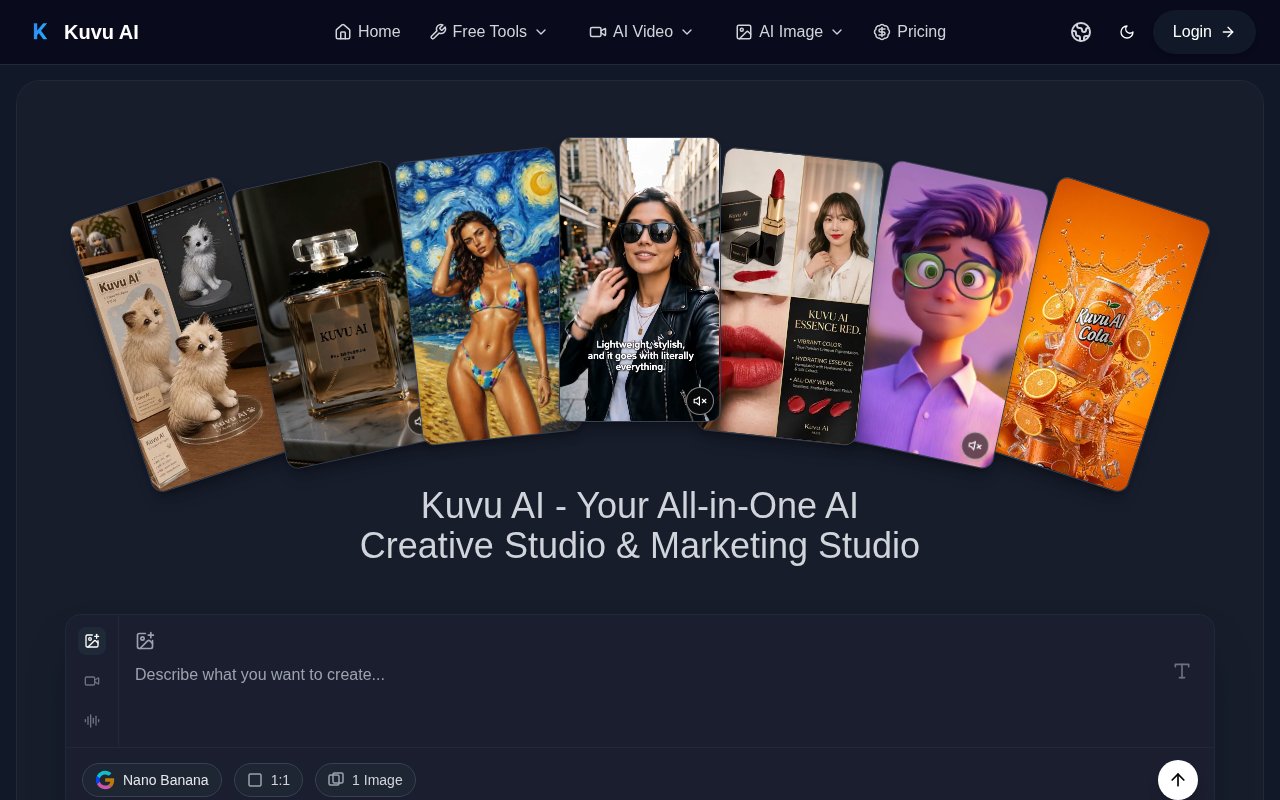
Kuvu AI is a browser-based creative studio that puts several image, video, and audio generation models behind one interface. It is built for creators and marketing teams that would otherwise move between separate subscriptions, model dashboards, and generation histories. A user can start from a text prompt or an existing image, choose a model, set the format, and create visual material without configuring model APIs. The submitted product page highlights AI-generated user-generated-content style marketing videos, while the broader product also covers still images, general video generation, voiceovers, sound effects, and prompt assistance. That makes it closer to a multi-model production workspace than a single-purpose avatar tool.
For images, Kuvu supports text-to-image generation, image-to-image transformation, and prompt-based photo editing. The site lists GPT Image, Nano Banana, Seedream, and Flux families alongside its own Kuvu model. Users can select styles, aspect ratios, and resolutions, with some image workflows supporting output up to 4K. The product also includes free utilities for extracting a prompt from an image, removing a background, and upscaling an image. Prompt enhancement expands a short idea into a more detailed generation request, which can help users who know the result they want but aren't comfortable writing long prompts for a particular model. Multiple variations can be generated together when a campaign needs more than one direction.
Video work can begin with text, a still image, or a reference. Kuvu lists Seedance, Veo, Kling, Hailuo, Minimax, and other video model options, with availability changing as the catalog evolves. Text-to-video turns a written scene into a clip, image-to-video adds motion and depth to a still, and reference-to-video aims to preserve the identity of a character, object, or scene through the result. The site says supported models can create clips up to 30 seconds, with resolution depending on the selected model. Audio tools add voiceovers and sound effects through providers including ElevenLabs and OpenAI text to speech, so a short campaign asset can be assembled without sourcing narration in a separate service.
A shared credit balance is the practical link across those tools. Each generation spends credits, and the amount varies by the model and settings. Batch generation lets a user request multiple variations, compare outputs from different models, and choose the strongest result. Paid plans remove watermarks from paid generations and include commercial usage, subject to the rights and restrictions of the underlying model. Higher tiers increase the credit pool, allow more parallel generation jobs, and provide more capacity for campaign batches. Yearly plans issue their listed credit balance up front, while eligible Pro users can purchase non-expiring add-on packs. This model works well for experimenting across generators, but it also means users need to watch both credit usage and the specific terms attached to the model they select.
Kuvu AI suits social teams, independent creators, ecommerce marketers, and agencies producing a steady mix of campaign visuals. It can support product photography concepts, social clips, video ads, creator-style promotional content, concept art, and fast variations for testing. Its main distinction is convenience rather than a single exclusive generation method. The value comes from reaching multiple current model families in one workspace, switching between them without separate accounts, and keeping image, motion, and audio tasks together. Output quality, generation time, available resolution, and credit cost still depend on the chosen model, so it doesn't remove the need to compare results or review generated material before publication.
Kuvu uses paid credit plans, with monthly, yearly, and one-time purchase options shown on its pricing page. The Lite plan is presented for casual creators, Pro adds a larger balance, more parallel jobs, multi-model video access, and optional top-ups, while Ultra targets teams and high-volume production. The site advertises a free starting path and free utilities, but it doesn't publish a durable free subscription tier with a recurring allowance. Paid generations receive commercial usage and no watermark, and the stated refund window is three days when no more than 20 credits have been used. Buyers should check the live credit table before subscribing because model availability, promotional prices, and the number of outputs a balance can produce can change.
Key Features
- Multi-model image generation
- Text and image video creation
- Reference-based video consistency
- AI voiceovers and sound effects
- Prompt enhancement tools
- Batch variation generation
Pros & Cons
What we like
- Combines several image and video model families
- Supports text, image, and reference inputs
- Batch tools make model comparison easier
- Paid generations include commercial usage
Room for improvement
- Credit cost varies by model and settings
- No clearly published recurring free tier
- Parallel generation is limited by plan
- Commercial rights remain subject to underlying model terms
Frequently Asked Questions
What is Kuvu AI?
Which kinds of content can Kuvu AI create?
How does Kuvu AI pricing work?
Can Kuvu AI output be used commercially?
Best For
Featured in
Alternatives to Kuvu AI
View allKling AI
Kuaishou's video model that punches above its weight on motion
Luma Dream Machine
Fast, photoreal video generation from the team behind Genie 3D
HeyGen
Generate talking-head avatar videos in dozens of languages

Runway
Video generation, editing, and effects in one creative suite
Our take
Tool Index Editorial · Sep 2026· 3.5/5
Kuvu AI is a browser studio that combines several image, video, voice, and sound models under one credit balance. We found the mix of text, image, and reference inputs, batch variations, prompt help, and free utility tools convenient for social teams and creators comparing campaign directions. The captured annual sale pricing starts at $10 per month for Lite and $14.50 for Pro, with credits issued up front.
Its value is convenience across model families rather than a unique generation engine. Credit cost, speed, resolution, and output quality change with the selected model, and commercial use remains subject to that model's terms. The site doesn't state a durable recurring free allowance, and its countdown pricing may not last. Buyers should inspect the live credit table and test representative outputs before committing to a year.
Editorial opinion from the Tool Index team, written from the public product pages. Not a user review.
Reviews (0)
Badge builder
Add Kuvu AI to your website
Choose a badge style and size, preview it here, then copy the generated HTML. Badge images are self-contained SVGs and do not require an external script.

<a href="https://toolindex.net/tools/kuvu-ai?ref=badge" target="_blank" rel="noopener">
  <img src="https://toolindex.net/badge/kuvu-ai/medium.svg" alt="Kuvu AI - Listed on Tool Index" width="180" height="50" />
</a>How to use the badge
- 1. Pick the style, size, and theme that fit your layout.
- 2. Copy the generated HTML from the code block.
- 3. Paste it into your footer, homepage, or press page.
Standard badge available
The standard listing badge is available now. Score and circle badges are limited to tools currently ranked in the top 10 of a category.
Badge clicks return visitors to this profile with a referral tag so the source remains identifiable.
Related Tools
Pika
Playful AI video generator known for fun effects and short clips

Vidu
AI video generator built around reference-to-video, keep characters, props and styles consistent across every clip
Luma Dream Machine
Fast, photoreal video generation from the team behind Genie 3D
Seedance
ByteDance's benchmark-leading AI video model that delivers cinematic, audio-synced clips at a fraction of rival pricing
Work on Kuvu AI? Request listing access or correction