
Lific
Free self hosted issue tracker built for coding agents and human developers
Gallery
About Lific
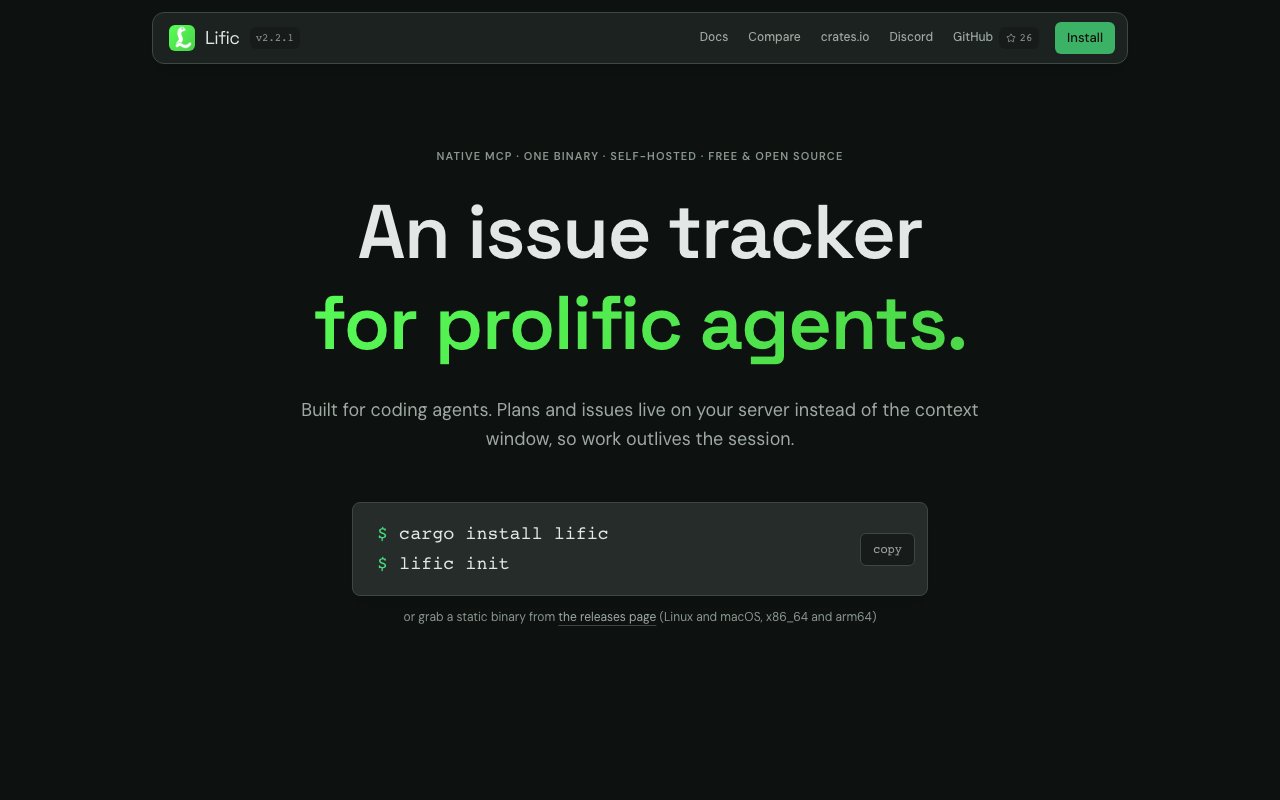
Lific is a self-hosted issue tracker built specifically for the emerging workflow where AI coding agents handle development tasks alongside human programmers. Traditional issue trackers assume humans will read tickets, understand context, and execute work manually. They present information through web interfaces designed for visual scanning and clicking, expecting a person to interpret status indicators and navigate between views. Lific instead provides native Model Context Protocol support, allowing AI agents to interact with issues, plans, and comments directly through structured tools. When an agent needs to check what work remains, update progress, or close completed items, it queries Lific through MCP rather than parsing human-readable interfaces. The result is persistent work storage that outlives individual coding sessions and survives context window limits that would otherwise force agents to forget earlier work.
The architecture addresses a practical limitation of current AI coding workflows that anyone using agents seriously has encountered. Agents lose context when sessions end, forgetting what they planned and what remains incomplete. A complex refactoring might span multiple conversations, with each new session starting from scratch unless the human carefully re-explains what came before. Lific stores this information on your server rather than in the agent's context window, creating a durable record that any future session can reference. Issues receive stable identifiers like APP-42 that appear consistently across logs, commit messages, searches, and conversations regardless of when they happen. When an agent or human mentions APP-42, everyone understands which specific piece of work they mean without ambiguity or context-dependent interpretation.
Planning hierarchies allow agents to break complex work into nested task trees where completing child steps automatically closes parent issues. A large feature might decompose into subsystems, each with implementation tasks, and completion flows upward automatically as leaves get done. A workable filter returns only unblocked issues ready for immediate development, preventing agents from wasting precious context tokens on tasks that have dependencies or prerequisites that aren't yet satisfied. The system can generate AGENTS.md files containing tracker instructions formatted for repository integration, helping new agents onboard to a project's workflow quickly without lengthy explanation. The entire MCP interface consumes approximately 5.6k tokens, roughly equivalent to reading a single code file, preserving valuable context space for actual development work rather than tracker navigation overhead.
Human developers aren't afterthoughts in this design despite the agent-centric positioning. The web interface includes a kanban board for visual workflow management, an issue list for comprehensive viewing, document pages for longer-form planning and specification, and discussion threads for ongoing conversation. Project-scoped roles let teams define who can do what within specific projects. OAuth 2.1 authentication integrates with existing identity providers. Audit trails track who did what and when for compliance and debugging purposes. Discussion threads accommodate both synchronous human conversation and asynchronous agent updates, recognizing that future development teams will likely include both human and AI participants contributing at different times and cadences.
For agents that lack MCP support or teams using older tools, a CLI provides identical functionality with JSON output. Every operation available through MCP works through the command line with structured responses that scripts and non-MCP agents can parse. This ensures compatibility across the AI tooling landscape as it evolves, rather than betting everything on MCP becoming the universal standard.
Installation takes roughly one minute through cargo. Running lific init creates configuration files, a local SQLite database, and an API key. The lific connect command configures MCP in detected AI clients automatically by finding their configuration files and adding Lific's server entry. A doctor command validates the entire setup and reports any issues. The application runs on localhost:3456 with automatic service registration, requiring no account creation for local use. Self-hosting means your issue data stays on infrastructure you control rather than flowing through third-party services where it might be used for training, analyzed for metrics, or exposed through breaches.
Lific ships under the Apache 2.0 license with no telemetry whatsoever, meaning it's completely free without hidden data collection or usage tracking. Solo developers, small teams, and organizations needing on-premises infrastructure can adopt it without licensing concerns, usage limits, or surprise charges as workloads grow. The combination of agent-native design, human-friendly interfaces, and zero-cost self-hosting makes Lific a practical choice for teams building workflows where AI agents become regular contributors to codebases alongside their human colleagues.
Key Features
- Native MCP integration for coding agents
- Web UI with kanban and issue lists
- Hierarchical planning linked to issues
- CLI tools with JSON output
- Role based project access controls
- Full audit trail of changes
Pros & Cons
What we like
- Built specifically for AI coding assistants
- Free and fully open source under Apache 2.0
- Self hosted so you own your data
- Context efficient at around 5,600 tokens
Room for improvement
- Requires local installation and setup
- No hosted cloud option available
- Smaller community than established trackers
- Limited to developers comfortable with terminal setup
Frequently Asked Questions
What is Lific?
Is Lific free?
Which AI tools work with Lific?
How do I install Lific?
Best For
Featured in
Alternatives to Lific

1Lookup
Real-time data verification API for phone, email, IP, and domain validation to fight fraud

Kevin Gabeci
Solo developer building web apps, cozy browser games, and AI creator toolkits.

Codedex
A gamified, story-driven platform that teaches Python, web dev, and more like an RPG quest
Hack2hire
Practice real SDE interview questions from top tech companies with expert worked solutions
Reviews (8)
Two months in, no regrets
Found Lific on a Show HN thread and I am glad I clicked. Their take on context efficient at around 5,600 tokens is genuinely good. It slotted into my routine without much fuss. Worth it for what I get out of it.
Does the job, a few gripes
Three months of Lific later, here is what holds up. The self hosted so you own your data is more useful than I expected. It just works, day after day, without surprises. Mostly using it for running a lightweight local tracker for solo projects. It would be a five if not for limited to developers comfortable with terminal setup. Glad I made the switch.
Worth a look
Started using Lific casually, now it is pinned in my dock. Their take on role based project access controls is genuinely good. The defaults are sensible, so I was not fighting settings on day one. No regrets so far.
Solid daily driver
Tried Lific on a side project first, then rolled it out everywhere. It just works, day after day, without surprises. Glad I made the switch.
Quietly excellent
Tried Lific on a side project first, then rolled it out everywhere. What stands out is how it handles web ui with kanban and issue lists. It fits well for running a lightweight local tracker for solo projects. Glad I made the switch.
Powerful once it clicks
Found Lific on a Show HN thread and I am glad I clicked. The free and fully open source under apache 2.0 is more useful than I expected. It fits well for planning sprints with issues linked to plan steps. My only gripe is no hosted cloud option available. Easy yes for anyone weighing the same trade offs.
Recommended without reservation
Three months of Lific later, here is what holds up. The core workflow is smooth once you are set up. It fits well for planning sprints with issues linked to plan steps. No regrets so far.
Solid daily driver
Lific solves a real problem for me without making a fuss about it. The hierarchical planning linked to issues is more useful than I expected. The output quality holds up better than I expected. No regrets so far.
Badge builder
Add Lific to your website
Choose a badge style and size, preview it here, then copy the generated HTML. Badge images are self-contained SVGs and do not require an external script.

<a href="https://toolindex.net/tools/lific?ref=badge" target="_blank" rel="noopener">
  <img src="https://toolindex.net/badge/lific/medium.svg" alt="Lific - Listed on Tool Index" width="180" height="50" />
</a>How to use the badge
- 1. Pick the style, size, and theme that fit your layout.
- 2. Copy the generated HTML from the code block.
- 3. Paste it into your footer, homepage, or press page.
Standard badge available
The standard listing badge is available now. Score and circle badges are limited to tools currently ranked in the top 10 of a category.
Badge clicks return visitors to this profile with a referral tag so the source remains identifiable.
Related Tools
Kevin Gabeci
Solo developer building web apps, cozy browser games, and AI creator toolkits.

Coolify
Self-hostable, open source alternative to Heroku and Netlify

Warp
The modern terminal reimagined with AI and collaboration

Bolt.new
Prompt-to-deployed full-stack app inside the browser
Work on Lific? Request listing access or correction