
Maxx
Live token usage tracker for Claude Code in your terminal status line
Gallery
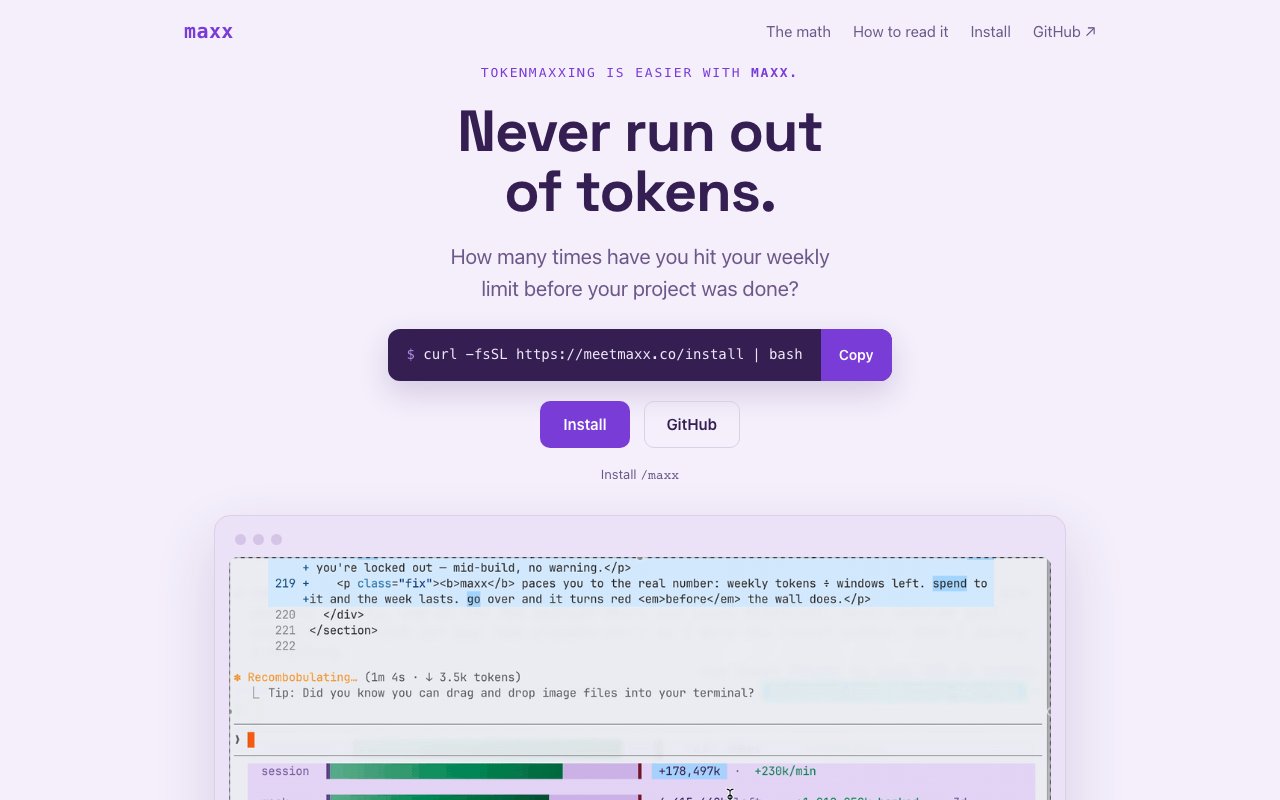
About Maxx
Maxx is a real-time token usage tracker built specifically for Claude Code users who need to keep an eye on their API consumption without guessing. It displays a live fuel gauge showing how much of your weekly quota you've burned through, broken down by session and by the rolling seven-day window. If you've ever wondered whether you're about to hit a rate limit or blow past your budget mid-project, this is the tool that answers that question before it happens. The interface updates every second, so you're never looking at stale data while making decisions about whether to run that next expensive generation.
The core problem Maxx solves is visibility into something that Anthropic doesn't surface clearly on its own. Claude Code doesn't give you granular usage data in a way that lets you pace yourself, especially if you're running sessions across multiple machines or mixing local IDE work with cloud routines and automated pipelines. Maxx aggregates all of that into a single pool so you see one unified number regardless of where the requests originated. Whether you're coding on a laptop, triggering routines in CI, or using claude.ai directly, the dashboard shows the total spend in real time. You stop having to wonder which machine ate your quota.
Under the hood, Maxx calculates usage in a standardized unit called coins. The formula weights input tokens, output tokens, cache writes, and cache reads, then multiplies by a model-specific price factor that reflects how expensive each model is relative to the others. Haiku costs about one coin for the same work that Opus might cost five, and Fable sits around ten. This lets you compare efficiency across models without doing mental math on raw token counts or trying to remember the pricing page. Think of it as an MPG meter for your weekly AI spend, giving you a single number that captures how fast you're burning through your allowance regardless of which model you're using.
Installation takes one line in the terminal, and the setup process doesn't require configuration files or environment variables to get started. Once running, Maxx integrates directly into your Claude Code environment and displays a status line that updates continuously while you work. You can also configure it to run as a standalone terminal bar if you prefer to keep usage visible in a dedicated window. For teams or automated workflows, you can set up webhook alerts at configurable thresholds, so you'll get pinged when you hit 80%, 90%, or 95% of your quota. If you're managing shared quotas or running pipelines that might spike unexpectedly, those alerts can route to Slack, Discord, or whatever notification system your team already uses.
Privacy is handled carefully, which matters when you're instrumenting something that watches your AI sessions. Maxx only logs coins, timestamps, and model names. It never sees your prompts, your code, or any content from your sessions. The project is open source under the MIT license, so you can audit the code yourself if you need to verify that claim before connecting it to production infrastructure. The repo is public, the architecture is documented, and you can self-host if you don't want to trust the hosted version with even the metadata it collects.
The product is free. There's no pricing tier because the service itself doesn't charge anything to use, it just reads the usage data Claude already tracks and presents it in a more useful way. The only cost you'll face is your existing Claude Code subscription or API spend, which Maxx helps you manage but doesn't add to. This makes it a straightforward addition to your toolkit without budget approval or trial period anxiety. You install it, you use it, and if it doesn't fit your workflow, you remove it with no sunk cost.
Who benefits from Maxx? Developers who run Claude Code across multiple machines or environments and want a single source of truth for their usage rather than checking each machine separately. Teams that share a quota and need alerts before someone burns through the week's budget on a heavy generation run during a deadline crunch. Anyone who wants to understand the cost profile of different models at a glance so they can make informed choices about when Opus is worth it and when Haiku will do. If you've ever been surprised by a rate limit, struggled to explain where your tokens went, or simply want the peace of mind that comes from seeing your usage in real time, Maxx provides the visibility that the native tooling doesn't give you out of the box.
Key Features
- Real time token balance in terminal status line
- Session and weekly limit tracking
- Sustainable pace calculation and comparison
- Per model price weighting for accuracy
- Cache hit rate display
- Animated digit updates on changes
Pros & Cons
What we like
- Open source under MIT license
- All processing runs locally with no data sent out
- Works across popular macOS and Linux terminals
- Single command installation
Room for improvement
- Only useful for Claude Code users
- Requires terminal environment that supports ANSI
- No Windows support documented
- Depends on Anthropic usage endpoint staying consistent
Frequently Asked Questions
What is Maxx?
Is Maxx free?
How does Maxx calculate sustainable pace?
Does Maxx send my data anywhere?
Best For
Featured in
Alternatives to Maxx

1Lookup
Real-time data verification API for phone, email, IP, and domain validation to fight fraud

Kevin Gabeci
Solo developer building web apps, cozy browser games, and AI creator toolkits.

Codedex
A gamified, story-driven platform that teaches Python, web dev, and more like an RPG quest
Hack2hire
Practice real SDE interview questions from top tech companies with expert worked solutions
Reviews (7)
Recommended without reservation
Came to Maxx after getting frustrated with what I had before. Got real value out of per model price weighting for accuracy. It handles the boring parts so I can focus on the work that matters. Found it works best for avoiding unexpected session or weekly throttles. No regrets so far.
Good, with a few caveats
Picked Maxx for the price, stayed for the quality. The per model price weighting for accuracy is more useful than I expected. It would be a five if not for only useful for claude code users. Glad I made the switch.
Does the job, a few gripes
Maxx solves a real problem for me without making a fuss about it. Got real value out of sustainable pace calculation and comparison. The interface stays out of my way, which I appreciate. It would be a five if not for depends on anthropic usage endpoint staying consistent. Recommending it to people in a similar spot.
Decent with some rough edges
Started using Maxx casually, now it is pinned in my dock. What stands out is how it handles real time token balance in terminal status line. It just works, day after day, without surprises. Mostly using it for pacing claude code usage across a work week. The catch is depends on anthropic usage endpoint staying consistent.
Quietly excellent
Maxx has quietly become part of my daily flow. It just works, day after day, without surprises. Recommending it to people in a similar spot.
Recommended without reservation
Found Maxx on a Show HN thread and I am glad I clicked. The sustainable pace calculation and comparison is more useful than I expected. Mostly using it for monitoring token burn during intensive coding sessions.
Two months in, no regrets
Maxx has quietly become part of my daily flow. Got real value out of sustainable pace calculation and comparison. Mostly using it for tracking cache hit rates for cost awareness. Hard to imagine going back to my old setup.
Badge builder
Add Maxx to your website
Choose a badge style and size, preview it here, then copy the generated HTML. Badge images are self-contained SVGs and do not require an external script.

<a href="https://toolindex.net/tools/maxx?ref=badge" target="_blank" rel="noopener">
  <img src="https://toolindex.net/badge/maxx/medium.svg" alt="Maxx - Listed on Tool Index" width="180" height="50" />
</a>How to use the badge
- 1. Pick the style, size, and theme that fit your layout.
- 2. Copy the generated HTML from the code block.
- 3. Paste it into your footer, homepage, or press page.
Standard badge available
The standard listing badge is available now. Score and circle badges are limited to tools currently ranked in the top 10 of a category.
Badge clicks return visitors to this profile with a referral tag so the source remains identifiable.
Related Tools
Kevin Gabeci
Solo developer building web apps, cozy browser games, and AI creator toolkits.

Coolify
Self-hostable, open source alternative to Heroku and Netlify

Warp
The modern terminal reimagined with AI and collaboration

Bolt.new
Prompt-to-deployed full-stack app inside the browser
Work on Maxx? Request listing access or correction