
PKPass Inspector
Free browser-based tool to view, validate, and debug Apple Wallet pass files
Gallery
About PKPass Inspector
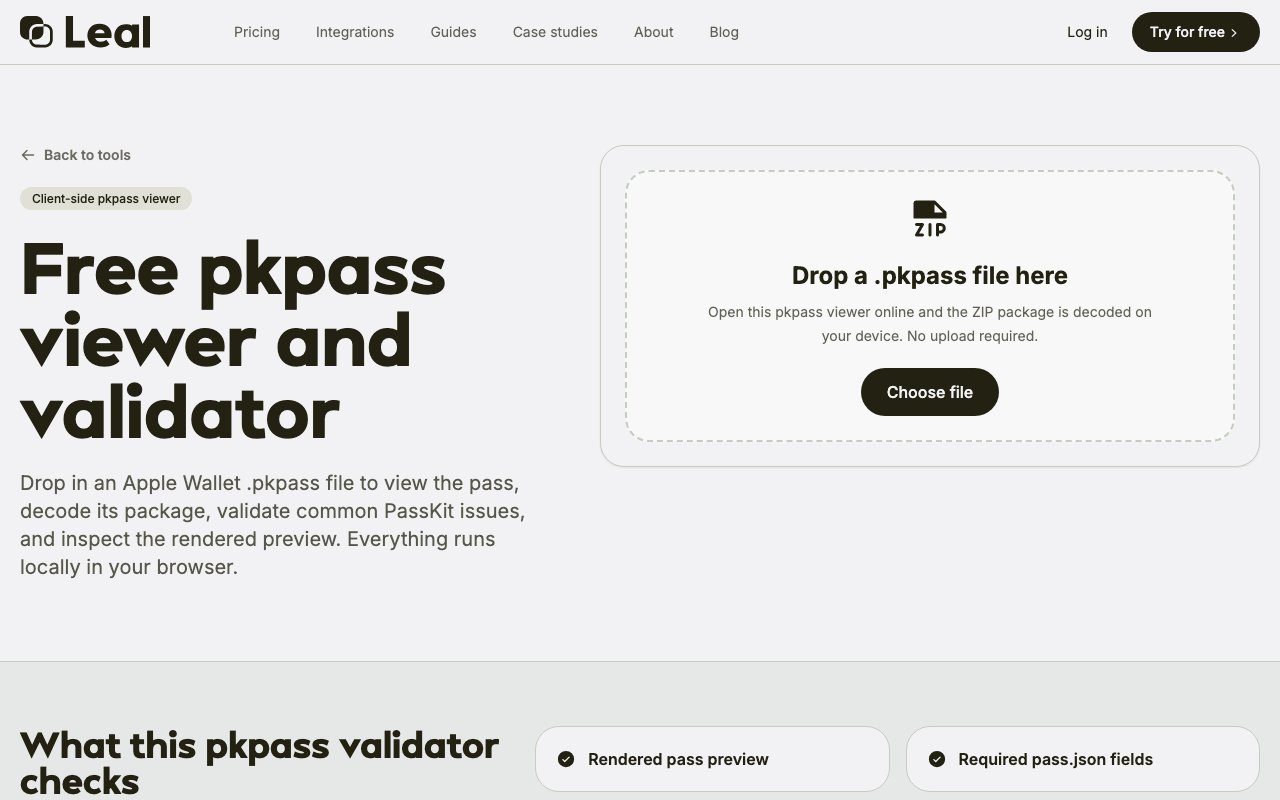
PKPass Inspector is a free browser based tool for examining Apple Wallet pass files before deploying them to production. When developing loyalty cards, boarding passes, event tickets, store cards, coupons, or any other pass type for Apple Wallet, developers need to verify that everything is configured correctly before distribution. A single misconfigured field or invalid signature means the pass won't install on customer devices, and debugging these issues after deployment wastes time and damages user experience. This tool lets you drag a pkpass file into your browser and immediately see how it will render, what data it contains, and whether the cryptographic signatures validate properly.
The inspection process happens entirely on your machine with no file uploads to external servers. Since pkpass files are essentially signed ZIP archives containing JSON configuration, images, and cryptographic signatures, the inspector unpacks and analyzes all these components client side using browser APIs. Nothing leaves your device, which matters when working with passes that contain customer data, promotional offers, or business specific configurations you don't want exposed to third party services. The privacy first approach removes a common hesitation point when teams need to share passes for review or when working with confidential client projects.
Beyond visual rendering, the tool performs comprehensive validation checks that mirror what Apple's PassKit framework expects during actual pass installation. It examines the pass.json file for required fields and proper formatting according to Apple's specifications, verifies that barcode configurations match supported formats and contain valid encoded data, and confirms that image assets meet Apple's requirements for size, format, and retina resolution variants. The manifest file containing SHA-1 hashes of all bundled content gets verified for integrity, catching cases where files were modified after manifest generation or where corruption occurred during transfer.
Most importantly, the PKCS7 signature is parsed and validated against Apple's Worldwide Developer Relations certificates, which catches signing issues that would cause passes to fail silently during installation on customer devices. Signing problems are particularly frustrating to debug because iOS provides minimal feedback when a pass fails to install, simply refusing to add it without explanation. Having signature validation during development eliminates the guesswork about whether signing certificates, provisioning profiles, or signing processes are correctly configured.
The interface exposes the internal structure of the pass package in a way that makes debugging straightforward even for those unfamiliar with the PassKit file format. You can view the raw JSON to check field values and structure, browse all bundled images to verify assets render correctly at different resolutions, examine manifest contents to confirm file integrity checksums, and inspect signature data to understand certificate chains and expiration dates. This transparency helps when debugging why a pass isn't behaving as expected, when comparing your implementation against working examples, or when trying to understand how a third party pass was constructed for reference purposes.
PassKit developers will use this throughout the development cycle for iterative testing without deploying to test devices. Mobile app teams integrating wallet functionality can verify their pass generation code produces valid output before wiring up end to end flows with backend services. Designers creating pass templates can check that visual rendering matches their intent without needing developer tooling, Xcode access, or physical test devices. QA teams can validate passes as part of release processes without specialized Apple knowledge or developer account access. Product managers can review passes created by external vendors without needing to install them on personal devices or request access to development environments.
Testing passes traditionally required either deploying to a test device through TestFlight or development provisioning, which means waiting for app installations and navigating provisioning complexity, or using Xcode's pass preview functionality which requires a Mac and active Apple developer membership. Both approaches add friction to the iteration loop and limit who on a team can participate in review. Having a web based inspector means anyone with a browser on any platform can verify passes immediately, accelerating feedback cycles and democratizing access to pass validation across roles and technical backgrounds.
The tool is completely free with no registration, accounts, or usage limits. It functions as a standalone utility within the Leal product suite, which focuses on PassKit development tools more broadly. Because all processing stays local and the tool requires no backend infrastructure to operate, there are no concerns about service availability, rate limiting, or data retention policies affecting your workflow. You can use it as frequently as needed during active development without tracking usage or managing subscriptions, and it remains available even when working offline after the initial page load.
Key Features
- Local browser-based .pkpass decoding
- Visual pass preview rendering
- JSON validation for required fields
- Barcode format and data verification
- Manifest SHA-1 hash checking
- PKCS#7 signature validation
Pros & Cons
What we like
- Completely free with no account required
- All processing happens locally, no file uploads
- Validates cryptographic signatures against Apple certificates
- Built by a team that uses PassKit in production daily
Room for improvement
- Only supports Apple Wallet passes, not Google Wallet
- No API for automated validation in CI pipelines
- Limited to inspection, cannot edit or create passes
- Requires manual file selection for each pass
Frequently Asked Questions
What is PKPass Inspector?
Is PKPass Inspector free?
Does PKPass Inspector upload my files?
Who is PKPass Inspector for?
Best For
Featured in
Alternatives to PKPass Inspector

1Lookup
Real-time data verification API for phone, email, IP, and domain validation to fight fraud

Kevin Gabeci
Solo developer building web apps, cozy browser games, and AI creator toolkits.

Codedex
A gamified, story-driven platform that teaches Python, web dev, and more like an RPG quest
Hack2hire
Practice real SDE interview questions from top tech companies with expert worked solutions
Reviews (11)
Finally something that fits
Three months of PKPass Inspector later, here is what holds up. The output quality holds up better than I expected. Performance has been steady even when I lean on it hard. Worth it for what I get out of it.
Finally something that fits
Have been running PKPass Inspector for a while, here is where I land. Where it really wins is visual pass preview rendering. Easy yes for anyone weighing the same trade offs.
Recommended without reservation
PKPass Inspector solves a real problem for me without making a fuss about it. The visual pass preview rendering is more useful than I expected. The core workflow is smooth once you are set up. Mostly using it for validating cryptographic signatures during development.
Worth a look
Started using PKPass Inspector casually, now it is pinned in my dock. What stands out is how it handles barcode format and data verification. Found it works best for verifying barcode data before production deployment. Recommending it to people in a similar spot.
Solid daily driver
Three months of PKPass Inspector later, here is what holds up. The thing I keep coming back to is how reliable it is. It earns its place in my stack.
Worth a look
Started using PKPass Inspector casually, now it is pinned in my dock. Got real value out of local browser-based .pkpass decoding. No regrets so far.
Pulled its weight from week one
PKPass Inspector has quietly become part of my daily flow. Support actually answered when I had a question, which surprised me. The defaults are sensible, so I was not fighting settings on day one. It earns its place in my stack.
Exactly what I needed
PKPass Inspector has quietly become part of my daily flow. The interface stays out of my way, which I appreciate. It just works, day after day, without surprises. Would sign up again without thinking twice.
It just works
Started using PKPass Inspector casually, now it is pinned in my dock. The validates cryptographic signatures against apple certificates is more useful than I expected. It handles the boring parts so I can focus on the work that matters. It fits well for checking image assets meet apple's requirements. Worth it for what I get out of it.
Quietly excellent
Picked PKPass Inspector for the price, stayed for the quality. What stands out is how it handles json validation for required fields. The core workflow is smooth once you are set up. Found it works best for checking image assets meet apple's requirements. Recommending it to people in a similar spot.
Pulled its weight from week one
Came to PKPass Inspector after getting frustrated with what I had before. What stands out is how little babysitting it needs. Worth it for what I get out of it.
Badge builder
Add PKPass Inspector to your website
Choose a badge style and size, preview it here, then copy the generated HTML. Badge images are self-contained SVGs and do not require an external script.

<a href="https://toolindex.net/tools/pkpass-inspector?ref=badge" target="_blank" rel="noopener">
  <img src="https://toolindex.net/badge/pkpass-inspector/medium.svg" alt="PKPass Inspector - Listed on Tool Index" width="180" height="50" />
</a>How to use the badge
- 1. Pick the style, size, and theme that fit your layout.
- 2. Copy the generated HTML from the code block.
- 3. Paste it into your footer, homepage, or press page.
Standard badge available
The standard listing badge is available now. Score and circle badges are limited to tools currently ranked in the top 10 of a category.
Badge clicks return visitors to this profile with a referral tag so the source remains identifiable.
Related Tools
Kevin Gabeci
Solo developer building web apps, cozy browser games, and AI creator toolkits.

Coolify
Self-hostable, open source alternative to Heroku and Netlify

Warp
The modern terminal reimagined with AI and collaboration

Bolt.new
Prompt-to-deployed full-stack app inside the browser
Work on PKPass Inspector? Request listing access or correction