
QuickBooks Online
Cloud accounting and bookkeeping for US small businesses
Gallery
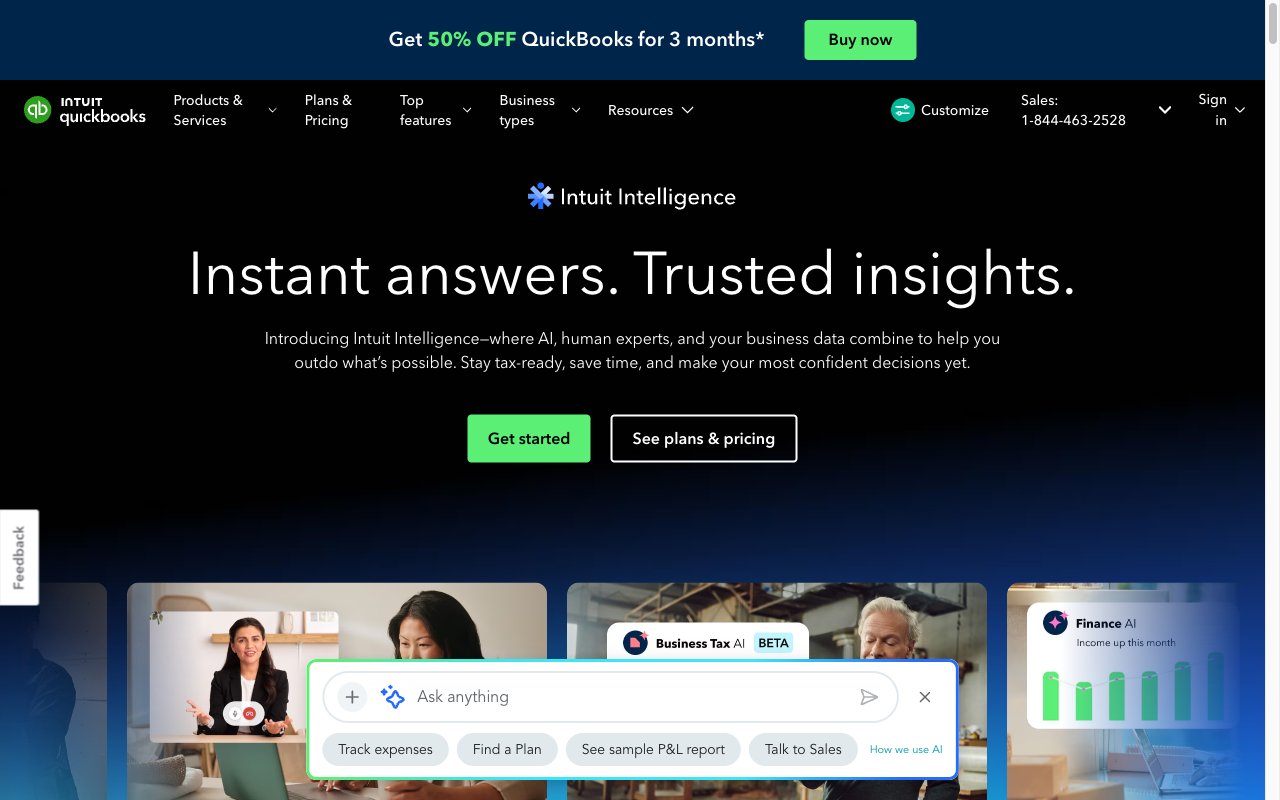
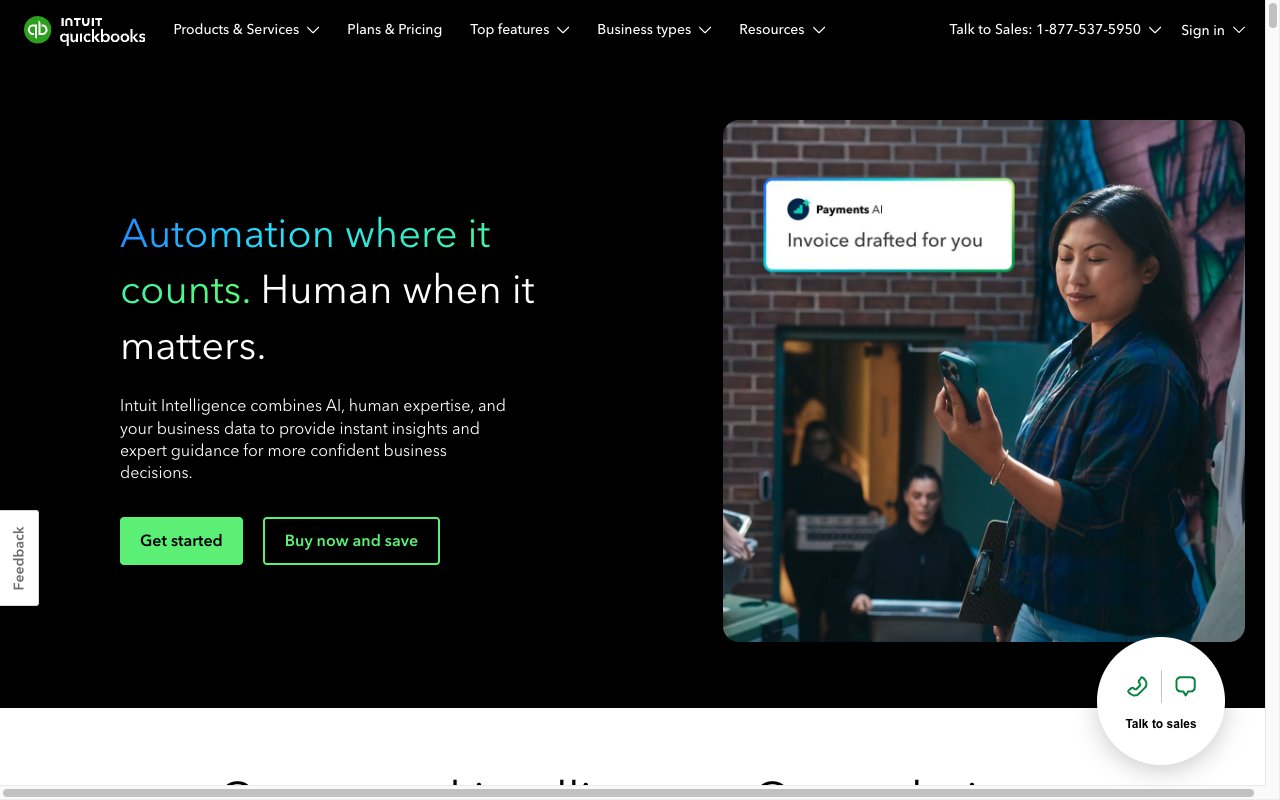
About QuickBooks Online
QuickBooks Online is the default accounting software for US small businesses. Intuit owns the category by a wide margin. If you've ever filed a 1099 or reconciled a business bank account, you've probably touched QuickBooks Online.
The product isn't fashionable. It isn't fast. It's just deeply embedded in how US accounting actually works. That's the moat.
What QuickBooks Online actually does
QuickBooks Online tracks your income, expenses, invoices, and bank activity in the cloud. It connects to your bank, pulls in transactions, and lets you categorize them against the chart of accounts.
From there it generates reports: profit and loss, balance sheet, cash flow, sales tax summaries. Tax-time exports go straight to your CPA or to TurboTax. The wiring with Intuit's broader product line is tight.
Add-ons cover payroll, contractor management for 1099s, and mileage tracking. The full stack covers most US small business accounting needs.
Who QuickBooks Online is for
US small businesses needing tax-ready books. Bookkeepers managing client files at scale. Service businesses tracking 1099 contractors. Sole proprietors graduating from spreadsheets to real software.
It's overkill for personal finance. It's underbuilt for mid-market enterprises with multi-entity consolidation. The sweet spot is the long tail of US SMBs.
QuickBooks Online pricing breakdown
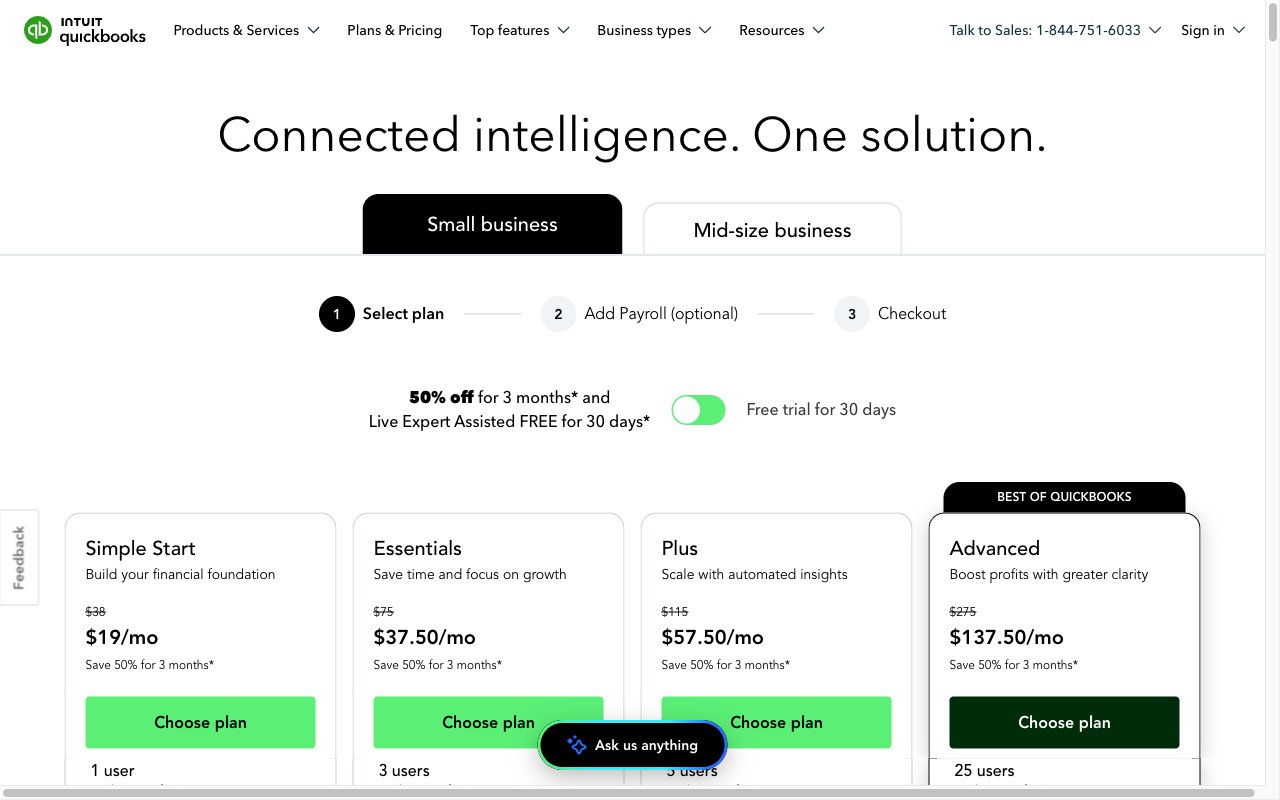
Plans start at Simple Start, around $35 per month. Essentials runs roughly $65. Plus runs around $99. Advanced runs $235 and up.
Promotional discounts often slash the first three months by 50 percent or more. The post-promo prices are what you actually plan around.
Payroll is a separate add-on starting at $50 per month plus $6 per employee. Live bookkeeping services can be bundled if you want a human touching the books monthly.
Pricing has crept up over recent renewal cycles. Some long-time customers feel the squeeze. The switching cost keeps most of them in place anyway.
Standout QuickBooks Online features
The accountant ecosystem is unmatched. Almost every US bookkeeper or CPA can open a QuickBooks Online file without a learning curve. That alone matters more than features.
Bank feeds and reconciliation work cleanly with most US financial institutions. Transactions match up, balances reconcile, and the audit trail is solid for tax season.
Sales tax tracking handles state-by-state US complexity. That's hard to match in alternatives that try to be globally generic.
1099 contractor management is built in. Track payments throughout the year, generate forms in January, file electronically. The workflow saves real hours each January.
Honest tradeoffs
The UI is denser and clunkier than newer competitors. Years of features piled on top of older flows show. Onboarding feels like learning a system, not using a tool.
Pricing has crept up. Some long-time customers grumble at renewal. The cost of switching keeps them paying.
Customer support quality is inconsistent. You'll get great help one call, frustrating help the next. Building a relationship with a local QuickBooks ProAdvisor often pays off more than calling the helpline.
QuickBooks Online is US-centric. UK, Canada, and Australia versions exist but they're second-class citizens. Outside North America, alternatives usually win.
QuickBooks Online isn't beautiful. It's just the accounting tool your accountant already uses. That matters more than UI polish.
QuickBooks Online vs the alternatives
The biggest peer is Xero. Xero leads outside the US, especially in Australia and the UK. QuickBooks Online dominates inside the US.
FreshBooks targets service businesses and freelancers. Cleaner UI, lighter accounting depth.
Wave is the free option. Solid for very small businesses. Limited at scale.
For modern startup accounting, Puzzle and Pilot's tooling have been gaining traction. Most still hand off to QuickBooks Online for tax filing.
See best accounting software, QuickBooks alternatives, and QuickBooks vs Xero.
Bottom line on QuickBooks Online
QuickBooks Online is the safe pick for US small businesses. Boring, expensive at renewal, and exactly what your CPA expects. That's why it wins.
If you're a US SMB and you don't have a strong reason to pick something else, start here. Your accountant will thank you.
QuickBooks Online for service businesses
The most common use case is professional services tracking time, invoicing clients, and reconciling payments. The flow is simple. Track hours per project, generate invoices from time entries, send via email, mark paid when payment hits the bank.
1099 contractor management is built in. Track payments to contractors throughout the year, generate forms in January, e-file to the IRS. The workflow saves hours every tax season.
Sales tax tracking handles US state-by-state complexity that generic accounting tools fumble. QuickBooks Online knows which states require sales tax on which services and at which rates.
QuickBooks Online integrations
Bank feeds connect to almost every US bank and credit card issuer. Daily transactions auto-import. Bookkeepers categorize and reconcile from there.
Stripe, Square, and PayPal connections pipe sales data into QuickBooks Online. Reconciliation works against bank deposits automatically.
Payroll integration via QuickBooks Payroll handles tax filings, direct deposits, and contractor payments. Many small businesses use the bundle for simplicity.
The third-party app marketplace covers CRMs, time tracking, expense management, and ecommerce. Most US small business tools have a QuickBooks Online integration.
QuickBooks Online common questions
"Is QuickBooks Online better than Desktop?" For most users now, yes. Desktop is being phased out for new customers. Online has caught up on features.
"Can I do my own bookkeeping?" Yes for simple businesses. Service businesses with few transactions DIY successfully. Complex businesses benefit from a bookkeeper.
"What about international accounting?" QuickBooks Online has UK, Canada, and Australia versions. They're capable but second-tier compared to the US product.
"Does it integrate with TurboTax?" Yes. Year-end exports flow into TurboTax for self-filers.
Final word on QuickBooks Online
QuickBooks Online is the boring, expensive, deeply embedded standard. That's the reason it wins. Your CPA expects QuickBooks Online. Your bank reconciles against QuickBooks Online. Your payroll vendor integrates with QuickBooks Online.
If you're a US small business and you don't have strong reasons to pick something else, start here. The cost of switching later is usually higher than the price difference.
QuickBooks Online for ecommerce
Shopify, BigCommerce, and Amazon integrations pipe sales data into QuickBooks Online. Transactions, fees, and refunds flow into the books automatically.
The reconciliation workflow handles ecommerce-specific complexity. Stripe and PayPal payouts arrive net of fees. QuickBooks Online untangles the gross sales, fees, refunds, and net deposits.
Sales tax calculation by ship-to address handles US economic nexus rules. Automated reporting prepares state filings without manual spreadsheet work.
Inventory tracking is available on higher tiers. Cost of goods sold flows correctly into reports. Margin analysis works.
QuickBooks Online for service businesses
Time tracking integrations (TSheets, now QuickBooks Time) feed billable hours into invoices. Generate invoices from approved time. Track payment status against each project.
Recurring invoices automate retainer billing. Set up once, invoices send monthly without manual work.
Project profitability reports compare revenue against costs per engagement. Useful for agencies pricing future work.
1099 contractor management handles payments throughout the year and form generation in January.
QuickBooks Online with bookkeepers
Most US small businesses pay a bookkeeper to keep their QuickBooks Online tidy. The accountant ecosystem around QuickBooks Online is the largest in the world.
Bookkeepers access client files via QuickBooks Online Accountant. Bulk operations across many clients work cleanly. Client review and approval flows are standardized.
The ProAdvisor program certifies bookkeepers and CPAs on QuickBooks Online specifically. Most US accounting professionals carry the certification.
Year-end packages from your bookkeeper feed cleanly into TurboTax or your CPA's tax software. The end-to-end workflow is smoother than alternatives.
QuickBooks Online common pitfalls
Don't ignore reconciliation. Bank feeds need monthly review. Missed reconciliations compound into year-end nightmares.
Don't categorize transactions in batch without thinking. The chart of accounts shapes your reports. Wrong categories produce wrong reports.
Don't skip backups. QuickBooks Online's hosting is reliable but exporting periodically protects against any catastrophe.
QuickBooks Online long-term outlook
Intuit's market position in US small business accounting looks unassailable for the next decade. The accountant ecosystem alone protects the moat.
Pricing has crept up steadily. Long-time customers grumble at renewal. The cost of switching keeps most of them paying.
Modernization happens slowly. The UI feels dense compared to newer competitors but improves incrementally. Major redesigns happen rarely.
Competition from Xero (international), FreshBooks (service businesses), and modern startup tools (Puzzle, Pilot) keeps Intuit honest but hasn't displaced QuickBooks Online from the US small business default.
For new businesses in the US, QuickBooks Online is still the safe pick. The accountant compatibility, bank integrations, and tax workflow alignment make it the path of least resistance.
Tutorial / Demo
Key Features
- Invoicing, bank feeds, and reconciliation
- Sales tax tracking for US states
- Payroll add-on with tax filing
- Mileage tracking and expense capture
- 1099 contractor management
- Reports for cash flow, P&L, and balance sheet
Pros & Cons
What we like
- Strongest US ecosystem of accountants and bookkeepers
- Integrates with most US payroll and payment vendors
- Tiered plans cover sole props through mid-sized businesses
Room for improvement
- UI is denser than newer competitors
- Pricing has crept up across recent renewal cycles
- Customer support quality is inconsistent
Frequently Asked Questions
QuickBooks Online vs Xero, which is better?
How much does QuickBooks Online cost?
Does QuickBooks Online integrate with Stripe and Shopify?
Is QuickBooks Online overkill for a solo founder?
Can I export my data out of QuickBooks Online?
Best For
Featured in
Alternatives to QuickBooks Online
View all
Xero
Cloud accounting software for small businesses and their advisors

Wave
Free accounting and invoicing for very small businesses
FreshBooks
Cloud accounting designed for service-based small businesses and freelancers

BILL
Accounts payable, receivable, and spend management for SMBs
Our take
Tool Index Editorial · May 2026· 4.8/5
What QuickBooks Online is really selling — beyond the marketing copy — is cloud accounting and bookkeeping for us small businesses.
The standout points: Strongest US ecosystem of accountants and bookkeepers, Integrates with most US payroll and payment vendors, and Tiered plans cover sole props through mid-sized businesses. Where it stumbles: UI is denser than newer competitors and Pricing has crept up across recent renewal cycles.
Recommendation: this is a strong default when you need uS small businesses needing tax-ready books. If uI is denser than newer competitors would be a dealbreaker, the alternatives section below is worth a scroll.
Editorial opinion from the Tool Index team, written from the public product pages. Not a user review.
Reviews (5)
Solid daily driver
About half a year of using QuickBooks Online, here's what holds up. Where it really wins is strongest US ecosystem of accountants and bookkeepers. Worth calling out the sales tax tracking for US states too. One thing that bugs me: UI is denser than newer competitors.
Pros
- Integrates with most US payroll and payment vendors
Onboarded the team in a day
Tried half a dozen options before landing on QuickBooks Online. The biggest win has been tiered plans cover sole props through mid-sized businesses. Found it works best for bookkeepers managing dozens of client files. It would be a 5 if not for UI is denser than newer competitors. Still recommending it to people in similar setups.
Finally something that fits
Honest take: QuickBooks Online delivers most of what the marketing promises. The thing I keep coming back to: integrates with most US payroll and payment vendors. Found it works best for bookkeepers managing dozens of client files. Still recommending it to people in similar setups.
Pros
- Tiered plans cover sole props through mid-sized businesses
Maybe in a year when they fix the basics
Adopted QuickBooks Online for one project, ended up using it for more. Real selling point: strongest US ecosystem of accountants and bookkeepers. The 1099 contractor management is more useful than I expected. Mostly using it for US small businesses needing tax-ready books. Wish they'd address how pricing has crept up across recent renewal cycles. Looking at alternatives but not in a rush.
Cons
- UI is denser than newer competitors
Does the job, doesn't sparkle
Started using QuickBooks Online casually, now it's pinned in my dock. What stands out is how integrates with most US payroll and payment vendors. Worth calling out the sales tax tracking for US states too. Mostly using it for service businesses tracking 1099 contractors. It would be a 5 if not for pricing has crept up across recent renewal cycles.
Pros
- Tiered plans cover sole props through mid-sized businesses
- Integrates with most US payroll and payment vendors
Cons
- Customer support quality is inconsistent
- UI is denser than newer competitors
Badge builder
Add QuickBooks Online to your website
Choose a badge style and size, preview it here, then copy the generated HTML. Badge images are self-contained SVGs and do not require an external script.

<a href="https://toolindex.net/tools/quickbooks-online?ref=badge" target="_blank" rel="noopener">
  <img src="https://toolindex.net/badge/quickbooks-online/medium.svg" alt="QuickBooks Online - Listed on Tool Index" width="180" height="50" />
</a>How to use the badge
- 1. Pick the style, size, and theme that fit your layout.
- 2. Copy the generated HTML from the code block.
- 3. Paste it into your footer, homepage, or press page.
Score badge available
QuickBooks Online qualifies for the score and circle badges based on its current top-10 positionin Finance.
Badge clicks return visitors to this profile with a referral tag so the source remains identifiable.
Related Tools
Simple RMD
Calculate, aggregate, and manage your annual IRA required minimum distributions.
FreshBooks
Cloud accounting designed for service-based small businesses and freelancers
Deel
Global payroll, contractor, and EOR platform
Chargebee
Subscription billing and revenue management for B2B SaaS
Work on QuickBooks Online? Request listing access or correction