
Reachpad
Run coding agents from your browser with persistent workspaces that stay alive when you disconnect
Gallery
About Reachpad
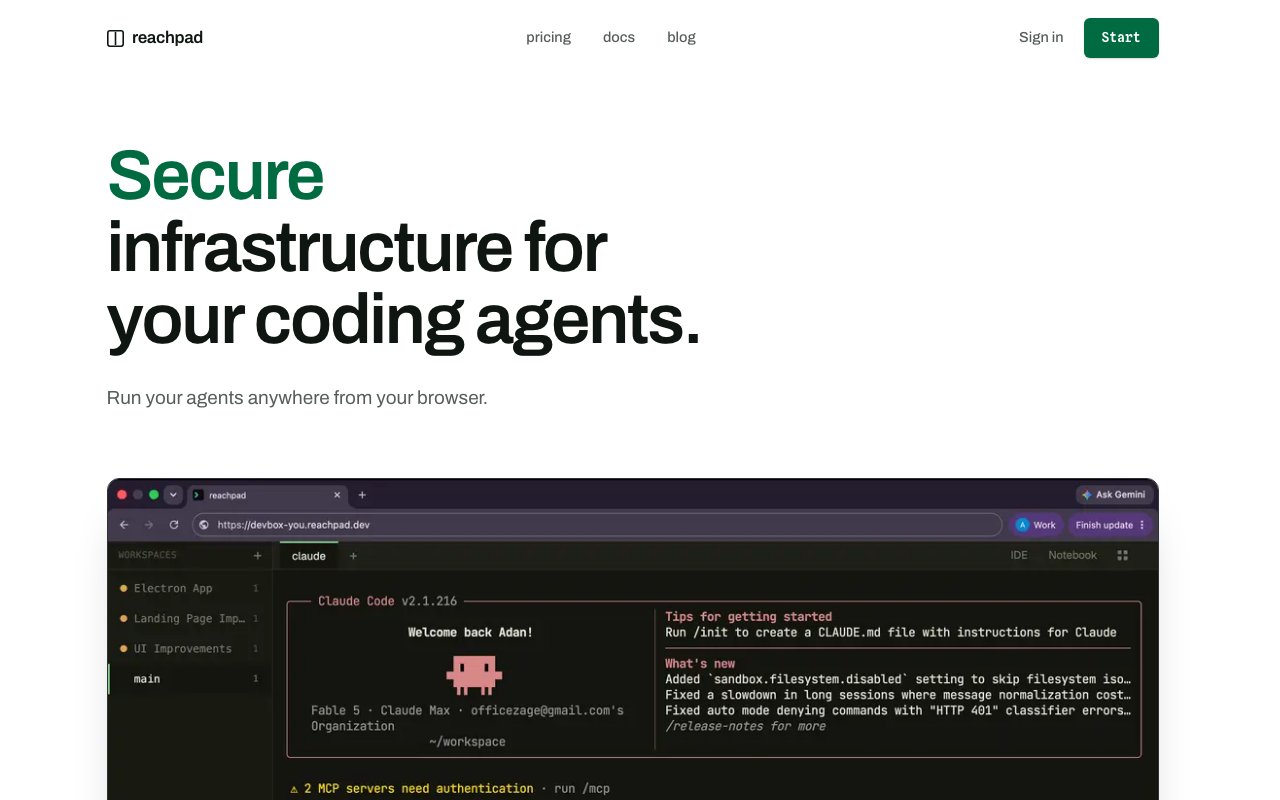
Reachpad gives you a browser-based environment for running coding agents without worrying about losing progress when you close your laptop or your connection drops. The problem it solves is simple: coding agents like Claude Code and Codex can take hours to finish a task, but if your local machine sleeps, the session dies. Reachpad keeps those agents running on hosted infrastructure so you can walk away and come back to finished work instead of a dead terminal. For developers who have adopted AI coding assistants as a core part of their workflow, the reliability gap between local sessions and production-grade infrastructure is exactly what this platform fills.
The frustration this addresses is familiar to anyone who has used an AI coding assistant for more than a quick fix. You kick off a Claude Code session to refactor a module, the agent starts working through the files, and then your laptop lid closes for a meeting. When you come back, the session is gone and you're starting over. Or you're on spotty Wi-Fi and a brief dropout kills the connection right when the agent was about to finish. The worst version of this is when the agent was nearly done with a multi-hour task and you lost all progress because of a flaky network. Reachpad moves the agent runtime off your machine entirely, so the session persists regardless of what happens on your end. Your laptop becomes a viewer into work that's happening elsewhere.
The setup works through persistent workspaces that you access from any browser. Each workspace runs independently, so you can spin up multiple agents working on different tasks at the same time. A dashboard shows the state of every agent at a glance, with clear labels for what's actively working, what's waiting on your input, and what needs permission to run a command. That last piece matters because coding agents often need approval before executing shell commands or file operations, and Reachpad tracks those permission requests so you can unblock the agent when you're ready. You're not babysitting tabs; you're checking in on a queue of work that keeps running whether you're watching or not. The permission queue prevents agents from stalling silently when they need a yes/no decision, which is one of the biggest usability gaps in local agent workflows.
The target audience is developers who rely heavily on AI coding assistants and want them to keep working outside normal laptop hours. If you're the kind of person who kicks off a Claude Code session before bed and wants to see the result in the morning, this is built for that workflow. Teams that run multiple concurrent tasks can use the multi-agent dashboard to coordinate rather than juggling terminal tabs locally. Freelancers working across client projects can have separate workspaces per engagement without context bleeding. Anyone who bills by the hour and wants to parallelize agent tasks to get more done in a day will see the appeal.
What sets Reachpad apart from just running an agent locally is the resilience and the centralized view. Your local machine going to sleep, losing Wi-Fi on a train, or accidentally closing a browser tab no longer kills your session. The workspaces persist on their end, and you reconnect when you're ready. That persistent state is the core value proposition. It also means you can start a task on your desktop at the office, check on progress from your phone on the commute, and pick it up again on a different laptop at home. The session follows you rather than being stuck on one device. For teams, this means one person can start a task and another can pick it up, or a manager can check on progress without accessing the developer's machine.
Integrations focus on the coding agents themselves. Claude Code and Codex are supported out of the box, with the expectation that you bring your own agent credentials. The platform handles the hosting and session management while you work within the agent's interface through their embedded workspace view. This is not a replacement for the agents; it's infrastructure that makes them more reliable to use on real projects where interruptions are inevitable. If you're using coding agents for anything more than toy projects, you've probably felt the pain that Reachpad is built to solve.
Pricing follows a paid model with a dev tier available through checkout. The site does not list exact numbers on the homepage, so expect to see plan details during signup. There's documentation and a blog for onboarding, and support runs through hello@reachpad.dev. If you're already deep into agent-assisted coding and find yourself frustrated when sessions die mid-task, Reachpad is worth a look. It won't make your agents smarter, but it will make them more usable for anything beyond a quick one-shot prompt.
Key Features
- Persistent browser-based agent workspaces
- Multi-agent dashboard with status tracking
- Session resilience across disconnections
- Permission request management
- Claude Code and Codex support
- Reconnect and resume from any device
Pros & Cons
What we like
- Agents keep running when your laptop sleeps or disconnects
- Manage multiple agents from a single dashboard
- Permission requests queue so nothing blocks silently
- Access workspaces from any browser on any device
Room for improvement
- Requires paid plan with no free tier visible
- Limited to supported coding agents
- Younger product with smaller community
- Pricing details only visible at checkout
Frequently Asked Questions
What is Reachpad?
Which coding agents does Reachpad support?
Is Reachpad free?
Who is Reachpad for?
Best For
Featured in
Alternatives to Reachpad


Reviews (8)
Recommended without reservation
Have been running Reachpad for a while, here is where I land. Their take on multi-agent dashboard with status tracking is genuinely good. It fits well for continuing agent work across devices. Worth it for what I get out of it.
Good, with a few caveats
Reachpad solves a real problem for me without making a fuss about it. It does what it says, which is rarer than it should be. One thing that bugs me is pricing details only visible at checkout. Hard to imagine going back to my old setup.
Pulled its weight from week one
Have been running Reachpad for a while, here is where I land. The core workflow is smooth once you are set up. It has shaved real time off my week. Would sign up again without thinking twice.
Two months in, no regrets
Reachpad has quietly become part of my daily flow. Their take on persistent browser-based agent workspaces is genuinely good. Setup was painless and I was productive the same day. Found it works best for running long coding agent tasks overnight. Hard to imagine going back to my old setup.
Finally something that fits
Reachpad solves a real problem for me without making a fuss about it. What stands out is how it handles multi-agent dashboard with status tracking. The interface stays out of my way, which I appreciate. Recommending it to people in a similar spot.
Recommended without reservation
Started using Reachpad casually, now it is pinned in my dock. Got real value out of persistent browser-based agent workspaces. No regrets so far.
Finally something that fits
Hadn't planned on switching, but Reachpad was hard to ignore. Setup was painless and I was productive the same day. It fits well for running long coding agent tasks overnight.
Quietly excellent
Found Reachpad on a Show HN thread and I am glad I clicked. The core workflow is smooth once you are set up. The interface stays out of my way, which I appreciate. Found it works best for continuing agent work across devices. It earns its place in my stack.
Badge builder
Add Reachpad to your website
Choose a badge style and size, preview it here, then copy the generated HTML. Badge images are self-contained SVGs and do not require an external script.

<a href="https://toolindex.net/tools/reachpad?ref=badge" target="_blank" rel="noopener">
  <img src="https://toolindex.net/badge/reachpad/medium.svg" alt="Reachpad - Listed on Tool Index" width="180" height="50" />
</a>How to use the badge
- 1. Pick the style, size, and theme that fit your layout.
- 2. Copy the generated HTML from the code block.
- 3. Paste it into your footer, homepage, or press page.
Score badge available
Reachpad qualifies for the score and circle badges based on its current top-10 positionin AI Coding Assistants.
Badge clicks return visitors to this profile with a referral tag so the source remains identifiable.
Related Tools

Bolt.new
Prompt-to-deployed full-stack app inside the browser

Tabnine
Privacy-first enterprise AI code assistant you control, with SaaS, VPC, on-prem, or fully air-gapped deployment
Cursor
VS Code fork built around an AI pair-programmer

Skeezo
Agent-native macOS IDE for coordinating Claude Code and AI agents
Work on Reachpad? Request listing access or correction