
ReadMyStatement
Upload a bank statement PDF and get categorized spending insights without linking accounts
Gallery
About ReadMyStatement
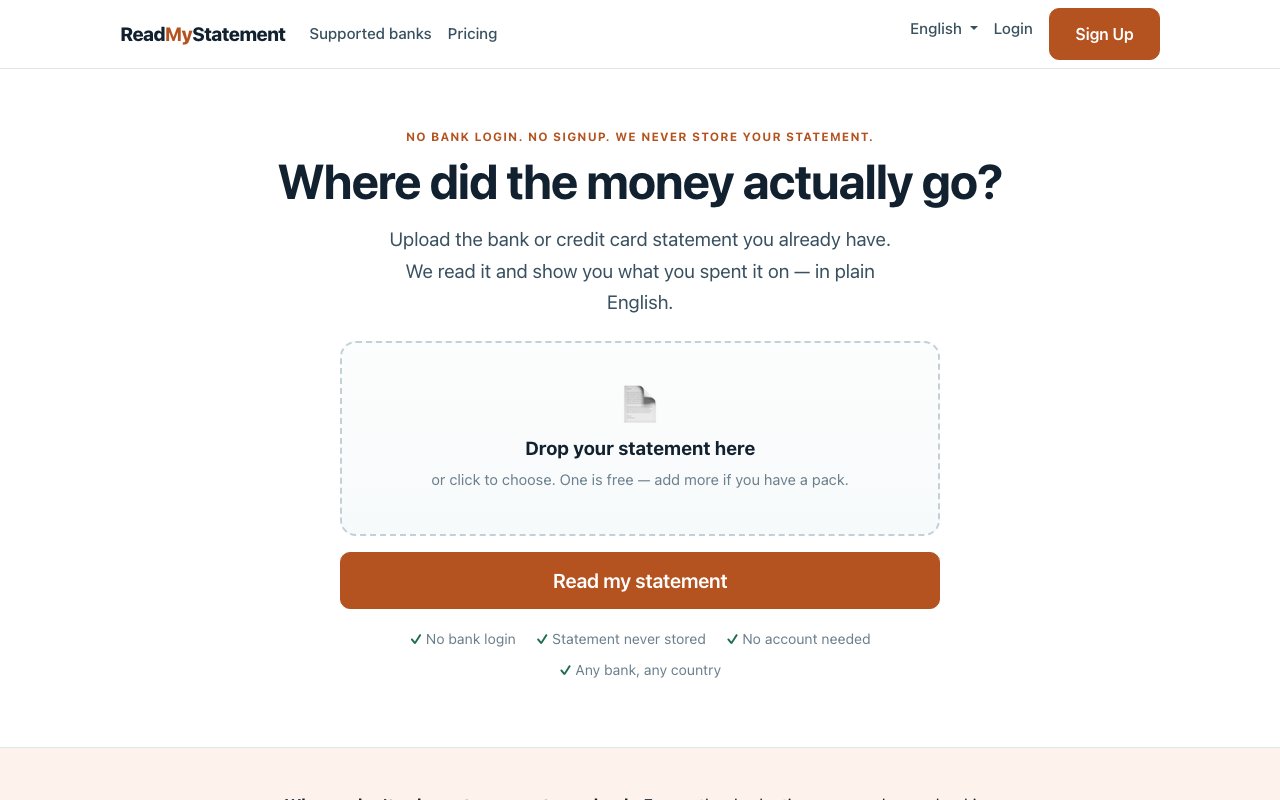
ReadMyStatement is a statement analysis tool that takes a bank or credit card statement as a PDF and breaks down your spending into categories, merchants, and recurring charges. You download a statement from your bank, upload it to the service, and get a report. There is no account linking, no bank login, no ongoing connection to your financial institution. It is a one shot analysis of a document you already have in your hands. The whole interaction happens without credentials, passwords, or OAuth flows. Unlike apps that require Plaid or similar aggregators, this one never touches your bank.
The workflow is straightforward. You go to your bank's website, download your statement as a PDF, then upload it. The service reads the document and presents your spending in a categorized format. Transactions get sorted into human readable categories like groceries, dining, transportation, utilities, entertainment, and healthcare. Merchant names are cleaned up, stripping out the reference codes, authorization numbers, and cryptic abbreviations that make bank statements hard to scan. Instead of seeing MCD 34521 NYC NY, you see McDonalds. A ranked list shows where most of your money went, so you can see your top payees at a glance without combing through every line item. If you spent more at coffee shops than you realized, the list makes that obvious. The categorization is automatic, based on the merchant data in your statement.
Recurring charges get flagged so you can see what you are paying for on repeat. This includes monthly subscriptions, but also yearly charges that slip past monthly budgets because they only appear once. Finding that forgotten annual renewal buried on page three of a statement is exactly the kind of thing this is meant to surface. If you signed up for a service a year ago and forgot about it, the recurring charge detection can catch it before it renews again. The tool looks at charge frequency and merchant patterns to identify these automatically.
For statements that are scanned images or photos rather than native PDFs, the tool uses optical character recognition to extract the text. The OCR runs entirely on their own server, not a third party API. A balance verification step compares the transactions it found against the opening and closing balances on the statement, which serves as an accuracy check. If the numbers do not add up, you know something was missed or misread. Native PDF statements from banks will produce better results than photos of paper statements, but both paths work. The balance check gives you confidence that the analysis did not skip transactions or misread amounts.
The service supports statements from a long list of banks across multiple countries. In India, it handles HDFC, State Bank, ICICI, Axis, Kotak, and others. In the Philippines, BDO, BPI, GCash, Maya, and UnionBank. In Malaysia, CIMB, Maybank, Public Bank, RHB, and Hong Leong. In Indonesia, BCA, Bank Rakyat, Mandiri, BNI, and Jago. In the United States, Chase, Bank of America, Wells Fargo, Citibank, Capital One, and more. In the United Kingdom, Barclays, HSBC, Lloyds, Natwest, and Monzo. Australia, Canada, Singapore, and several other countries are also covered. A generic reader handles unlisted banks as a fallback, so even if your institution is not on the list, there is a path forward. The generic reader parses common statement layouts and does its best to extract transactions even without bank specific formatting rules.
Privacy is the main selling point. Files are processed in memory and reportedly never written to disk or backed up. The service never asks for banking credentials, passwords, or one time codes. There is no account to create, no dashboard to maintain, and no need to come back daily. If you have hesitated to use a budgeting app because of the Plaid connection and the data sharing that comes with it, this is a different model. You hand over a document, get a result, and nothing persists. For users who want a quick answer without a long term relationship with a fintech company, this is the appeal. The value proposition is clarity without commitment.
Pricing is simple. One statement analysis is free. After that, you purchase packs for additional statements. It is not a subscription, just pay per use. The tool is meant for occasional use, not continuous financial tracking. If you want a quick answer to how much you spent on dining last month, or need to find a forgotten subscription before it renews, this does that without asking you to set up a full financial dashboard or link accounts you would rather keep private. The positioning is explicit: this is not a budgeting app, there is no budget to set, nothing to maintain, and no reason to come back daily. For users who value privacy over ongoing convenience, that tradeoff is the point.
Key Features
- PDF upload with no bank login required
- Transaction categorization by type
- Merchant ranking with cleaned names
- Recurring and annual subscription detection
- OCR support for scanned statements
- Balance verification accuracy check
Pros & Cons
What we like
- No account linking or credentials required
- Files processed in memory, not stored
- Handles scanned statements via OCR
- First statement analysis is free
Room for improvement
- Limited to one statement at a time
- No ongoing tracking or dashboard
- OCR accuracy depends on scan quality
- Pay per use for additional statements
Frequently Asked Questions
What is ReadMyStatement?
Is ReadMyStatement free?
Does ReadMyStatement store my data?
Which banks are supported?
Best For
Featured in
Alternatives to ReadMyStatement



Reviews (0)
Badge builder
Add ReadMyStatement to your website
Choose a badge style and size, preview it here, then copy the generated HTML. Badge images are self-contained SVGs and do not require an external script.

<a href="https://toolindex.net/tools/readmystatement?ref=badge" target="_blank" rel="noopener">
  <img src="https://toolindex.net/badge/readmystatement/medium.svg" alt="ReadMyStatement - Listed on Tool Index" width="180" height="50" />
</a>How to use the badge
- 1. Pick the style, size, and theme that fit your layout.
- 2. Copy the generated HTML from the code block.
- 3. Paste it into your footer, homepage, or press page.
Standard badge available
The standard listing badge is available now. Score and circle badges are limited to tools currently ranked in the top 10 of a category.
Badge clicks return visitors to this profile with a referral tag so the source remains identifiable.
Related Tools

Simple RMD
Calculate, aggregate, and manage your annual IRA required minimum distributions.
FreshBooks
Cloud accounting designed for service-based small businesses and freelancers
Deel
Global payroll, contractor, and EOR platform
Chargebee
Subscription billing and revenue management for B2B SaaS
Work on ReadMyStatement? Request listing access or correction