Sorted Receipts
AI receipt sorting and organization built for bookkeeping practices
Gallery
About Sorted Receipts
Sorted Receipts is a receipt management platform that uses AI to read, extract, and organize expense documents for bookkeepers. It's positioned as a replacement for Hubdoc, targeting bookkeeping practices that need to process client receipts without the friction of teaching clients new apps or workflows. The pitch is simple: clients drop in phone photos or PDFs, the AI reads and sorts everything, and bookkeepers get a clean month-end ready for export. For practices that have struggled with document collection or spent too much time manually entering receipt data, this is meant to be the tool that makes that workflow disappear. The focus is explicitly on bookkeeping workflows, not general expense tracking.
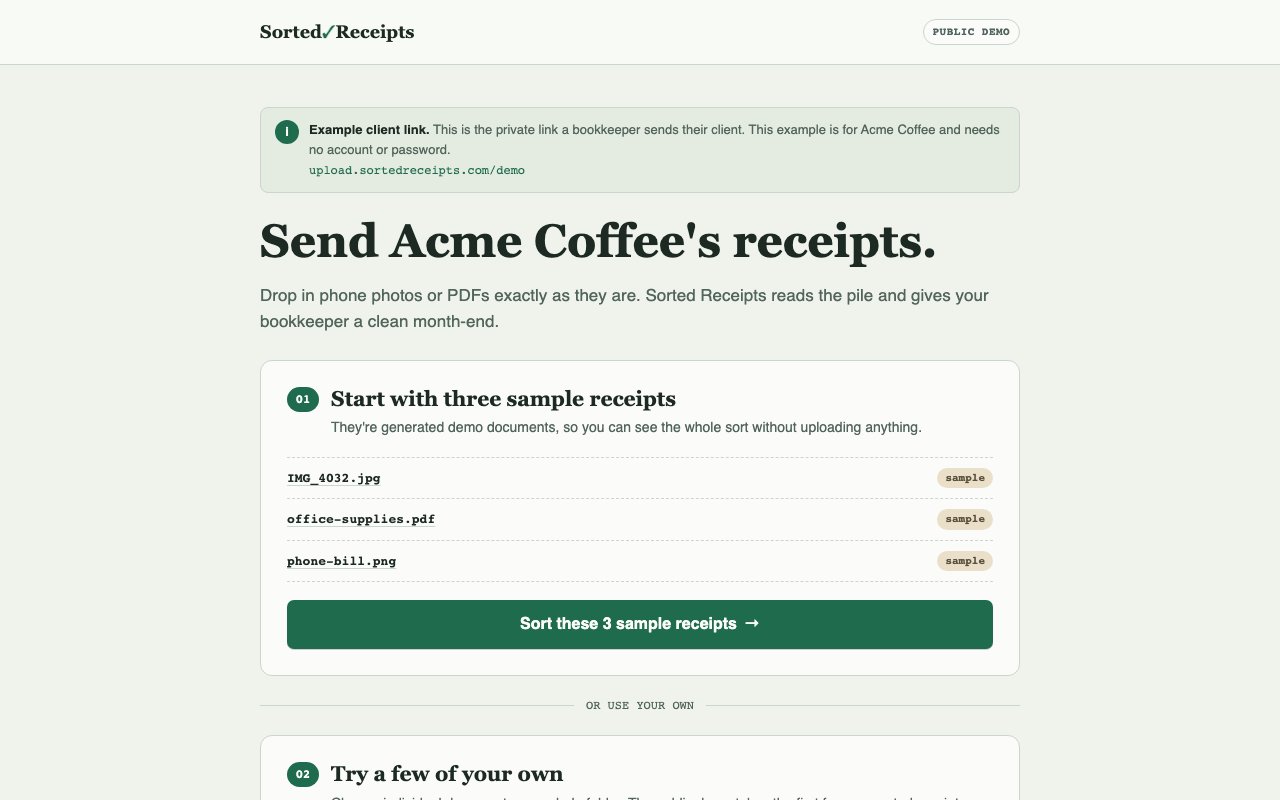
The core workflow centers on making document submission as easy as possible for the people who aren't bookkeepers. Clients get a simple upload link that requires no password and no app installation. They snap photos of receipts, upload them however is convenient, and the system takes over. There's no training clients on a new interface, no dealing with forgotten passwords, no explaining why they need to download another app. This matters because client friction is one of the biggest barriers to clean bookkeeping. The AI identifies vendors, amounts, dates, and expense categories automatically, then presents everything sorted by month. Bookkeepers review the extracted data against the original documents in a side-by-side view, with confidence flags highlighting anything that needs a second look. The interface is designed for verification rather than data entry, which is the right approach for a workflow where accuracy matters more than speed.
What makes this practical for a bookkeeping practice is the correction system. When you fix a mistake, you can create a rule that applies to future similar documents. If the AI misreads a particular vendor name or assigns the wrong category, you correct it once and tell the system to remember. This means the AI gets better at handling your specific clients over time, which compounds the time savings as your practice grows. It's the kind of learning loop that transforms a tool from a one-time convenience into a genuine efficiency gain. Each correction makes the next month easier than the last. For practices with recurring clients and consistent expense patterns, this gets better every cycle.
The platform also handles the human side of document collection, which is often the harder problem. It can identify missing receipts and send chase reminders under the bookkeeper's name, which removes one of the more tedious parts of month-end close. You're not just processing what shows up; you're also prompting clients for what's missing. The reminders go out automatically, so you're not spending time writing individual emails asking where the lunch receipt from the 15th went. For practices with clients who are chronically bad at submitting expenses on time, this automation alone might justify the cost. It shifts the burden of document collection from the bookkeeper to the system.
Export works the way accountants expect. You get CSV files compatible with QuickBooks Desktop, Xero, and QuickBooks Online, plus organized file structures for archiving. The data maps to the fields your accounting software needs, so you're not reformatting exports before import. All storage is encrypted, and the company explicitly states they don't train models on client data, which matters for practices handling sensitive financial information. Client confidentiality is non-negotiable in bookkeeping, and knowing that your data isn't being used to train a model that serves competitors is a reasonable baseline expectation. For practices that handle sensitive industries or clients with strict data requirements, this privacy posture is a prerequisite.
Pricing is flat-rate with unlimited documents, which is a deliberate contrast to per-document pricing that punishes growth. Solo practitioners pay $29 a month for up to 30 clients. Practices with up to 100 clients pay $59 a month. Firms with more than 100 clients pay $99 a month for unlimited capacity. Annual billing knocks off two months. There's no free tier in the traditional sense, but you can run a single client free to test the workflow before committing to a paid plan. For practices evaluating whether this fits their workflow, that pilot mode is enough to see the extraction quality and interface without financial commitment. The unlimited document model means you're not penalized when clients have expense-heavy months, which makes costs predictable even when volume fluctuates.
Key Features
- AI-powered receipt reading and data extraction
- Passwordless client upload links
- Automatic sorting by month, vendor, and document type
- User-defined correction rules for future documents
- Missing document identification and chase reminders
- CSV export for QuickBooks and Xero
Pros & Cons
What we like
- Flat-rate pricing means volume doesn't increase costs
- Clients can upload without installing apps or creating accounts
- Correction rules train the system on your specific clients
- No model training on client data, which matters for confidentiality
Room for improvement
- No free tier beyond single-client pilot
- Focused specifically on bookkeeping, not general expense tracking
- Newer product competing against established players like Hubdoc
- Requires bookkeeper review, not fully automated
Frequently Asked Questions
What is Sorted Receipts?
How do clients submit receipts?
Is Sorted Receipts free?
Does Sorted Receipts train AI on my client data?
Best For
Featured in
Alternatives to Sorted Receipts
View all


Reviews (8)
Two months in, no regrets
Three months of Sorted Receipts later, here is what holds up. The core workflow is smooth once you are set up. Mostly using it for chasing missing receipts automatically under your practice name. Hard to imagine going back to my old setup.
Good, with a few caveats
Sorted Receipts solves a real problem for me without making a fuss about it. It slotted into my routine without much fuss. Mostly using it for processing client receipts for monthly bookkeeping close. My only gripe is no free tier beyond single-client pilot. Would sign up again without thinking twice.
Quietly excellent
Hadn't planned on switching, but Sorted Receipts was hard to ignore. Their take on clients can upload without installing apps or creating accounts is genuinely good. It just works, day after day, without surprises. No regrets so far.
Exactly what I needed
Have been running Sorted Receipts for a while, here is where I land. What stands out is how it handles csv export for quickbooks and xero. It does what it says, which is rarer than it should be.
Finally something that fits
Tried Sorted Receipts on a side project first, then rolled it out everywhere. Setup was painless and I was productive the same day. The interface stays out of my way, which I appreciate. Hard to imagine going back to my old setup.
It just works
Three months of Sorted Receipts later, here is what holds up. The correction rules train the system on your specific clients is more useful than I expected. Setup was painless and I was productive the same day. It earns its place in my stack.
Does the job, a few gripes
Found Sorted Receipts on a Show HN thread and I am glad I clicked. What stands out is how it handles user-defined correction rules for future documents. One thing that bugs me is focused specifically on bookkeeping, not general expense tracking. No regrets so far.
Genuinely impressed
Sorted Receipts has quietly become part of my daily flow. What stands out is how it handles correction rules train the system on your specific clients. It does what it says, which is rarer than it should be. It earns its place in my stack.
Badge builder
Add Sorted Receipts to your website
Choose a badge style and size, preview it here, then copy the generated HTML. Badge images are self-contained SVGs and do not require an external script.

<a href="https://toolindex.net/tools/sorted-receipts?ref=badge" target="_blank" rel="noopener">
  <img src="https://toolindex.net/badge/sorted-receipts/medium.svg" alt="Sorted Receipts - Listed on Tool Index" width="180" height="50" />
</a>How to use the badge
- 1. Pick the style, size, and theme that fit your layout.
- 2. Copy the generated HTML from the code block.
- 3. Paste it into your footer, homepage, or press page.
Standard badge available
The standard listing badge is available now. Score and circle badges are limited to tools currently ranked in the top 10 of a category.
Badge clicks return visitors to this profile with a referral tag so the source remains identifiable.
Related Tools

Simple RMD
Calculate, aggregate, and manage your annual IRA required minimum distributions.
FreshBooks
Cloud accounting designed for service-based small businesses and freelancers
Deel
Global payroll, contractor, and EOR platform
Chargebee
Subscription billing and revenue management for B2B SaaS
Work on Sorted Receipts? Request listing access or correction