
Spend.Report
Upload a bank statement and get a one-page report of leaks, price hikes, and forgotten subscriptions
Gallery
About Spend.Report
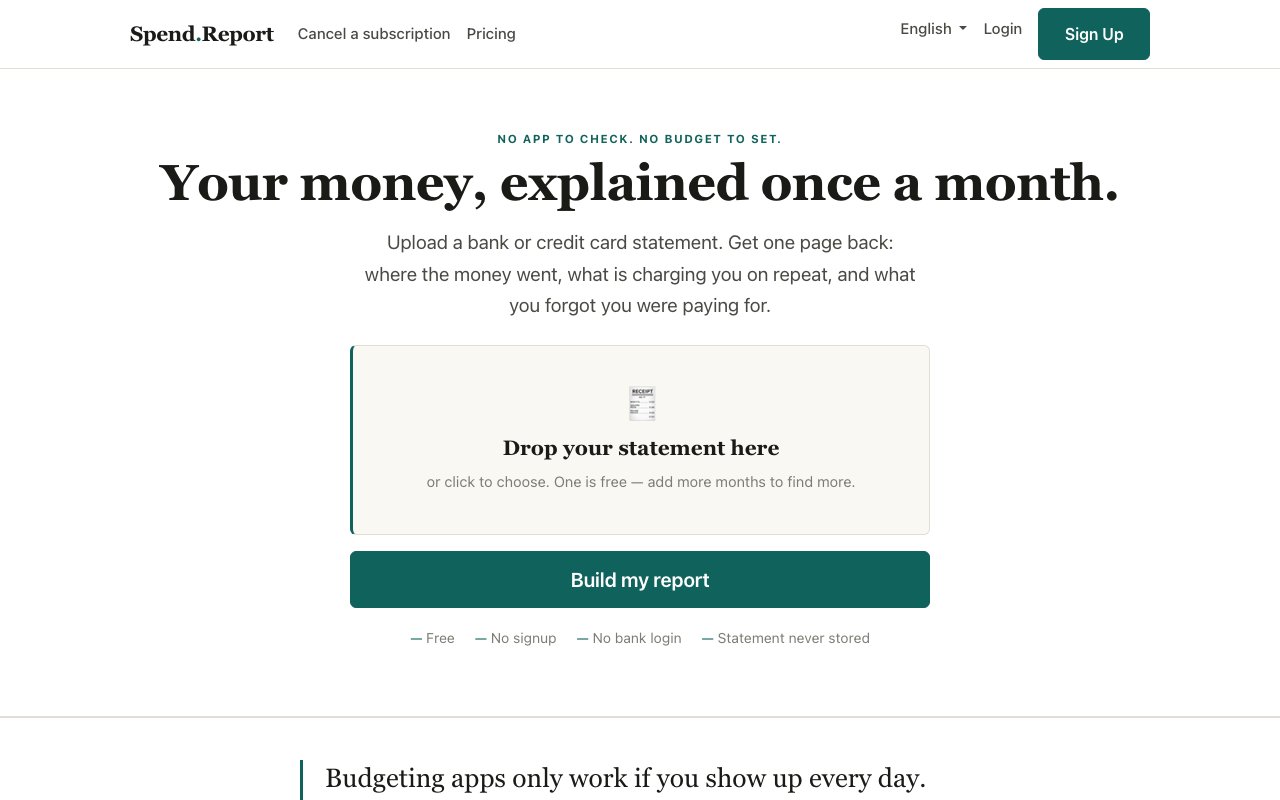
Spend.Report reads a PDF bank or credit card statement and turns it into a one-page report of where your money actually went. It's pointedly not a budgeting app. There's no daily check-in, no budget to set, no streak to maintain, and no account to babysit. The reasoning is right on the homepage, the people who most need help with their spending are the least likely to keep up with an app that demands attention every day. So instead of asking you to change your habits, it asks for one statement and a few minutes, then hands you findings you can act on. The output is deliberately compact, a single page that highlights what deserves a second look rather than a dashboard with forty charts.
The workflow is short. You upload a statement, the service reads it in memory, generates the report, and deletes the file. There's no bank login anywhere in the process, no credentials to hand over, and nothing stored afterward. Because the file is processed in memory and then deleted, there's also no growing archive of your financial life sitting in someone's database. The report even reconciles against the statement's opening and closing balances, so the numbers tie out instead of being a loose approximation. For a category where most tools start by asking you to connect your bank account through a third-party aggregator, that's a meaningfully different posture. If handing a login to an aggregator has been the thing stopping you from using any spending tool at all, this one removes the objection entirely.
The findings focus on the money that leaks out quietly. Small recurring charges you stopped noticing months ago. Merchants that have raised prices without an announcement. Annual charges that arrive rarely enough to surprise you every time. Duplicate subscriptions doing the same job. And a plain breakdown of what you actually spent by category and top merchant. Subscription detection works by pattern recognition, the same merchant showing up on a regular cadence, rather than by matching against a database of known companies, so an obscure niche service gets caught just as reliably as the famous ones. The categories aren't the point by themselves, plenty of tools can bucket transactions. The point is the handful of specific, actionable flags sitting on top of them.
There's one catch with that approach, and the site is upfront about it. Pattern detection needs history. A single statement is enough to break down categories and merchants, but spotting a monthly subscription takes at least three statements, and catching an annual charge takes twelve. That's not a paywall, it's arithmetic, and it shapes how the free and paid tiers divide up. If you only ever upload one statement, you still get the category and merchant breakdown, just not the recurring-charge detective work. It also means the report gets more useful the longer you keep the habit, which is about the gentlest version of a retention hook a product can have.
The free tier gives you one statement analysis, and the site commits that every leak it spots and every cancellation link stays free on every plan. It takes no commission on cancellations either, the cancellation guide is simply there. Paid plans exist to unlock the time dimension. Plus runs $4 a month or $29 a year and adds month-over-month trends, advance alerts before annual charges land, multiple accounts combined into one report, monthly email reports, and one-click cancellation. A lifetime option costs $59 once, with no renewal and no date to remember.
Who's it for? Anyone who has downloaded a budgeting app in January and abandoned it by February. The tool is built around the admission that most people won't do daily financial homework, and it doesn't ask them to. If you keep meaning to audit your subscriptions and never do, uploading one PDF is about as low as the activation energy gets. It also suits people who flatly refuse to hand bank credentials to a third party, since the statement-upload model never asks for them. Households juggling several cards get something out of the multi-account reports too, since everything lands in one combined view.
Compared with the broader personal finance category, the differences are focus and restraint. It doesn't forecast, doesn't score you, doesn't gamify anything, and doesn't try to become your daily dashboard. It reads a statement, tells you where the leaks are, and gets out of the way. Automated email reports mean that once you're on a paid plan, the monthly ritual can shrink to reading an email. Between the no-signup free report and the modest pricing, trying it costs nothing but the minute it takes to download a statement from your bank.
Key Features
- One-page statement spending report
- Pattern-based subscription detection
- Price increase and duplicate charge flags
- Advance warnings before annual charges
- In-memory processing with file deletion
- Opening and closing balance reconciliation
Pros & Cons
What we like
- No bank login or credentials ever required
- Free report needs no signup
- Cancellation links stay free with no commission taken
- Cheap paid tiers including a $59 lifetime option
Room for improvement
- Subscription detection needs at least three statements of history
- Statements are uploaded manually, there's no automatic bank sync
- Works from PDF statements only
- Reporting only, no budgeting or forecasting tools
Frequently Asked Questions
What is Spend.Report?
Does Spend.Report connect to my bank?
Is Spend.Report free?
How is Spend.Report different from a budgeting app?
Best For
Featured in
Alternatives to Spend.Report



Reviews (0)
Badge builder
Add Spend.Report to your website
Choose a badge style and size, preview it here, then copy the generated HTML. Badge images are self-contained SVGs and do not require an external script.

<a href="https://toolindex.net/tools/spend-report?ref=badge" target="_blank" rel="noopener">
  <img src="https://toolindex.net/badge/spend-report/medium.svg" alt="Spend.Report - Listed on Tool Index" width="180" height="50" />
</a>How to use the badge
- 1. Pick the style, size, and theme that fit your layout.
- 2. Copy the generated HTML from the code block.
- 3. Paste it into your footer, homepage, or press page.
Standard badge available
The standard listing badge is available now. Score and circle badges are limited to tools currently ranked in the top 10 of a category.
Badge clicks return visitors to this profile with a referral tag so the source remains identifiable.
Related Tools

Simple RMD
Calculate, aggregate, and manage your annual IRA required minimum distributions.
FreshBooks
Cloud accounting designed for service-based small businesses and freelancers
Deel
Global payroll, contractor, and EOR platform
Chargebee
Subscription billing and revenue management for B2B SaaS
Work on Spend.Report? Request listing access or correction