
SubCrisp
Track subscriptions, plan renewals, and spot ways to cut recurring spending
Gallery
About SubCrisp
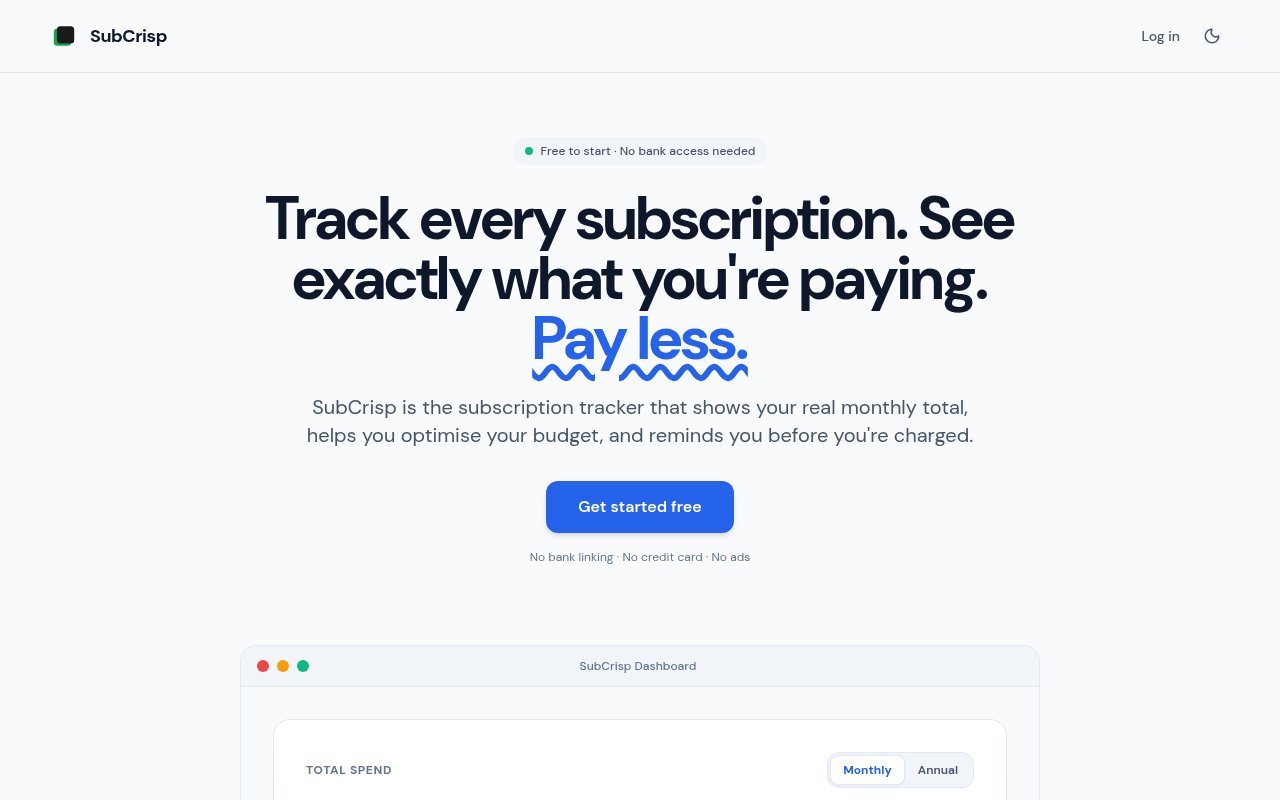
SubCrisp is a subscription tracker for people who want a clear view of recurring spending without connecting a bank account. You add each subscription yourself with its name, price, and billing frequency, then the service turns those entries into monthly and annual totals. Its dashboard separates charges that have settled from those still to come in the current cycle, shows upcoming renewals, and measures spending against a monthly budget. The result is a deliberately manual approach to subscription management. It takes a little work at the start, but it gives people a single place to see what they have agreed to pay and when the next charges will arrive.
The tracking flow is straightforward. A user records a subscription and SubCrisp normalizes the billing schedule so annual and monthly services can be understood together. The service supports multi-currency entry and conversion, filters the full subscription list, and provides a monthly budget view. Email reminders arrive before a charge, while trial alerts are intended to catch a free period before it becomes paid. The same account works in a modern browser and in the native Android app, with the list kept in sync. There is no automatic transaction import because SubCrisp never asks for bank credentials. Accuracy therefore depends on users entering subscriptions and keeping prices or billing details current. The dashboard can be viewed in monthly or annual terms, and the current cycle view distinguishes money already settled from charges still expected. Users can also see the share of a chosen budget that recurring services have consumed. Those views make bills with different schedules easier to compare without pretending that every charge happens monthly.
Beyond a calendar of renewals, the free plan includes tools meant to surface spending that is easy to overlook. It calculates a subscription health score, detects possible duplicates, flags subscriptions that may have been forgotten, and offers budget suggestions. Overlap detection covers categories such as VPNs, password managers, and cloud backup services, which can help reveal when several products solve the same job. SubCrisp also publishes its own cancellation guides for common services. These guides are available without signing up and provide direct steps and official links, so finding the exit path doesn't require searching through a provider's account menus. The public library covers 100 common subscriptions and can be used separately from the tracker.
The paid tools concentrate on understanding changes and testing possible savings. Spend projections estimate what current subscriptions are on track to cost over the next 30, 90, or 365 days. A price increase log retains the old amount when a user updates a subscription, making gradual increases visible instead of replacing the history. The what-if simulator lets someone remove a service provisionally and see the resulting monthly and annual totals before actually cancelling it. Pro also adds spending trends, benchmarks, income share, deeper overlap analysis, a weekly summary email, custom categories, and CSV export. These features are useful for a household budget review or any person trying to turn a vague sense of overspending into a specific decision.
SubCrisp is best suited to people who value privacy and control more than automatic discovery. Someone with a dozen recurring charges can build a trustworthy register without granting a third party access to financial accounts. The lack of bank linking also means it won't scan transactions to find every payment automatically, so it isn't a set-and-forget replacement for reviewing statements. That tradeoff is central to the product rather than a missing integration. It also distinguishes SubCrisp from trackers built around transaction aggregation. Users decide what goes into the list, and the service focuses on scheduling, comparison, and reminders once the list exists.
Access is freemium. The free plan costs nothing, has no ads, and allows unlimited subscriptions. It includes the dashboard, renewal views, multi-currency support, budget tracking, detection tools, cancellation guides, and dark mode. Pro is listed at £0.99 per month or £9.99 per year and adds projections, history, simulation, advanced savings views, weekly summaries, custom categories, and export. No credit card is required to start, and the site says Pro can be cancelled at any time. That makes the free edition substantial enough for basic tracking, while the inexpensive upgrade is aimed at people who want to model future spending and inspect how recurring costs change over time.
Key Features
- Monthly and annual spending totals
- Upcoming charge email reminders
- Subscription overlap and duplicate detection
- Price increase history
- What-if savings simulator
- Built-in cancellation guides
Pros & Cons
What we like
- Works without linking a bank account
- Free plan supports unlimited subscriptions
- Combines renewal tracking with savings tools
- Available on web and Android
Room for improvement
- Every subscription must be entered manually
- Records depend on users updating price changes
- Advanced projections require Pro
- No native iOS app is listed
Frequently Asked Questions
What is SubCrisp?
Does SubCrisp connect to a bank account?
Is SubCrisp free?
Which platforms support SubCrisp?
Best For
Featured in
Alternatives to SubCrisp
View all


Our take
Tool Index Editorial · Sep 2026· 4.0/5
SubCrisp is a manual subscription tracker for people who want renewal reminders and spending analysis without giving an app bank access. We found the free plan generous, with unlimited subscriptions, monthly and annual totals, budgets, multi-currency support, duplicate checks, trial alerts, and cancellation guides. Pro costs GBP 0.99 per month or GBP 9.99 per year and adds projections, price history, what-if savings, trends, and CSV export.
The web and Android apps make a clear, inexpensive household register, and the lack of transaction access is a legitimate privacy advantage. It also removes automatic discovery. Every service, renewal date, and price change must be entered and maintained by the user, so an incomplete list produces confident but incomplete totals. There is no native iOS app listed.
Editorial opinion from the Tool Index team, written from the public product pages. Not a user review.
Reviews (0)
Badge builder
Add SubCrisp to your website
Choose a badge style and size, preview it here, then copy the generated HTML. Badge images are self-contained SVGs and do not require an external script.

<a href="https://toolindex.net/tools/subcrisp?ref=badge" target="_blank" rel="noopener">
  <img src="https://toolindex.net/badge/subcrisp/medium.svg" alt="SubCrisp - Listed on Tool Index" width="180" height="50" />
</a>How to use the badge
- 1. Pick the style, size, and theme that fit your layout.
- 2. Copy the generated HTML from the code block.
- 3. Paste it into your footer, homepage, or press page.
Standard badge available
The standard listing badge is available now. Score and circle badges are limited to tools currently ranked in the top 10 of a category.
Badge clicks return visitors to this profile with a referral tag so the source remains identifiable.
Related Tools

Simple RMD
Calculate, aggregate, and manage your annual IRA required minimum distributions.
FreshBooks
Cloud accounting designed for service-based small businesses and freelancers
Deel
Global payroll, contractor, and EOR platform
Chargebee
Subscription billing and revenue management for B2B SaaS
Work on SubCrisp? Request listing access or correction