
SysEdge
Ontological knowledge graph for requirements traceability and test coverage in AI coding workflows
Gallery
About SysEdge
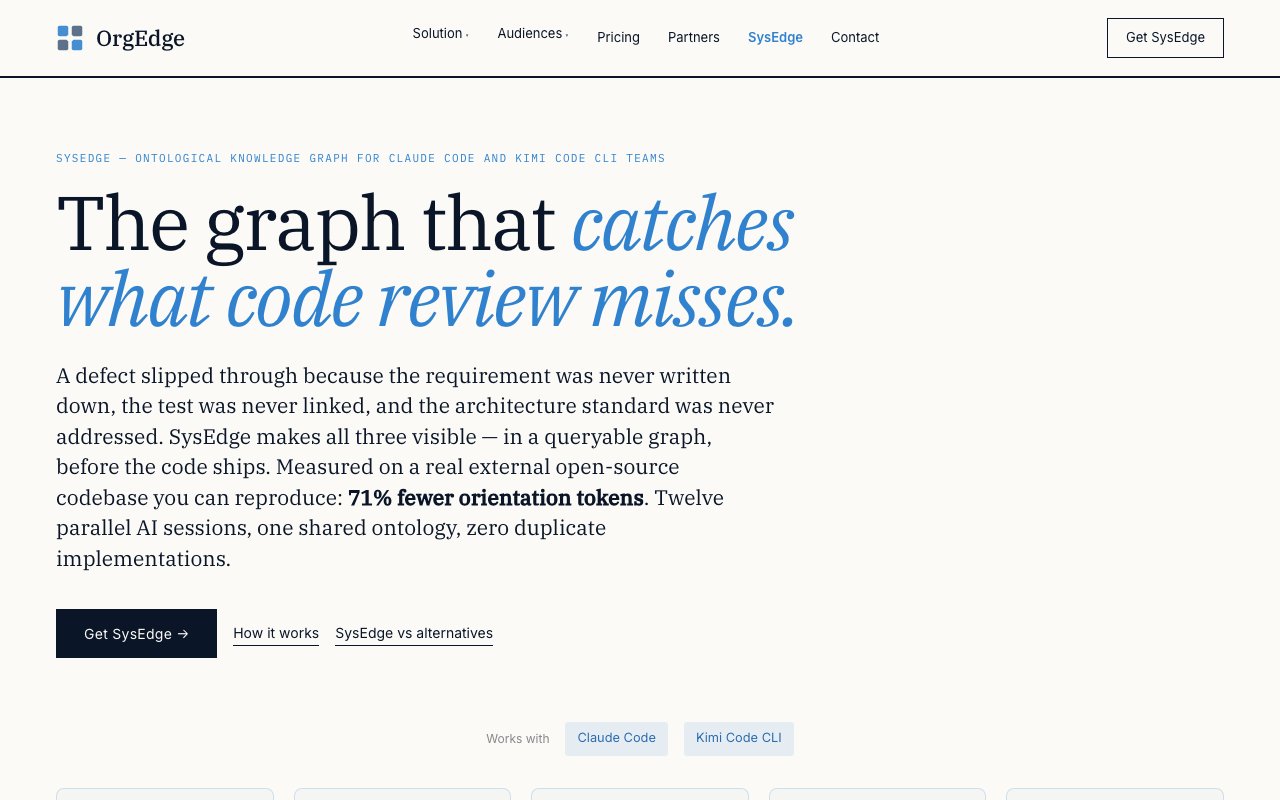
SysEdge is an ontological knowledge graph built for AI coding teams working with Claude Code or Kimi Code CLI. It addresses the gap between automated code generation and engineering standards by making requirements, test coverage, and architecture decisions visible and queryable before code ships. The platform functions as a structural verification layer that catches what typical code review misses, particularly when multiple AI agents or developers are working in parallel on the same codebase. Rather than treating quality as an afterthought that surfaces during PR review, SysEdge embeds verification into the development loop itself, shifting left on quality without slowing down velocity.
The tool operates through a CLI interface with commands like quality-review, coverage-review, test-gaps, and audit-test. When analyzing requirements, SysEdge applies 13 QUS (Quality User Story) criteria and 6 traceability rules to flag specification gaps, missing exception paths, and untestable acceptance criteria. These structural checks run without requiring an API key, making them accessible for teams that want to validate their requirements documentation before implementation begins. The system integrates with a Neo4j graph database backend, storing relationships between requirements, tests, and architecture decisions in a queryable format. This graph structure allows queries that traditional file-based analysis would miss, like finding all tests that trace back to a specific user story or identifying requirements that have no corresponding acceptance criteria.
Test coverage analysis in SysEdge diverges from traditional single-percentage metrics by mapping four distinct tiers separately: unit tests, API tests, UI flow tests, and end-to-end journeys. This granular approach reveals coverage gaps that aggregate numbers would obscure. A codebase might show 85% overall coverage while having zero end-to-end journey coverage for critical user flows. The architecture standards module includes 53 predefined standards spanning security, operations, and infrastructure concerns. When a standard lacks a corresponding Architecture Decision Record in the codebase, SysEdge surfaces that gap as a queryable item rather than silently ignoring it. Teams can extend the standards library with their own patterns, turning institutional knowledge into verifiable checks that persist across team member changes.
Teams running multiple parallel AI coding sessions benefit from the multi-agent coordination feature. Twelve simultaneous sessions can share a single ontology, with each session marking its in-progress work to prevent duplicate implementations. On the Formbricks open-source project, measured with actual Anthropic API tokens, teams using SysEdge saw 71% fewer input and output tokens during orientation phases compared to baseline approaches. This reduction comes from agents querying the graph for context rather than re-reading source files. The token savings compound across sessions and projects, making the tool economically meaningful for teams running substantial AI workloads against large codebases.
SysEdge supports codebases written in Go, TypeScript, Python, Java, and C#. It works cold on external repositories without prior knowledge of the codebase structure. Setup runs through Docker Compose, and the system can audit unfamiliar projects from the first command. The cold-start capability matters for consultants, auditors, or teams inheriting legacy codebases who need to understand quality posture without months of context-building. The free CLI operates under an MIT plus Commons Clause license, providing the core quality-review, coverage-review, and test-gap analysis commands without cost. Teams can evaluate whether the graph-based approach fits their workflow before spending anything.
For teams wanting visualization, AI-powered audit commands, and expanded standards libraries, the Bootstrap Kit costs $149 as a one-time purchase per repository. That license includes 12 months of updates and covers unlimited team members working on that specific repository. The pricing model avoids per-seat charges that would scale poorly for larger engineering organizations. A team of twenty engineers working on one repository pays the same $149 as a team of three. Teams evaluating the tool can start with the free CLI on their actual codebase, run the quality-review and coverage-review commands against their real requirements and tests, and upgrade to the Bootstrap Kit only after confirming the approach fits their workflow and delivers value in their specific environment.
Key Features
- Ontological knowledge graph for requirements
- V-model test coverage mapping
- 53 predefined architecture standards
- Automated traceability gap detection
- CLI queries for coverage and standards
- Integration with Claude Code and Kimi Code
Pros & Cons
What we like
- Maps requirements to tests across four tiers, not just percentages
- Free CLI for structural checks without an API key
- Designed to give AI assistants ground truth about the codebase
- Works with real open-source codebases, not just demos
Room for improvement
- Requires upfront effort to model your requirements ontology
- Paid tier needed for web visualizer and AI commands
- Narrow focus on traceability, not general project management
- Documentation assumes familiarity with V-model and ontologies
Frequently Asked Questions
What is SysEdge?
Is SysEdge free?
Who is SysEdge for?
How does SysEdge differ from code coverage tools?
Best For
Featured in
Alternatives to SysEdge
View all
1Lookup
Real-time data verification API for phone, email, IP, and domain validation to fight fraud

Kevin Gabeci
Solo developer building web apps, cozy browser games, and AI creator toolkits.

Codedex
A gamified, story-driven platform that teaches Python, web dev, and more like an RPG quest
Hack2hire
Practice real SDE interview questions from top tech companies with expert worked solutions
Reviews (10)
Genuinely impressed
Have been running SysEdge for a while, here is where I land. It slotted into my routine without much fuss. Found it works best for giving ai coding assistants queryable project context. Worth it for what I get out of it.
It just works
SysEdge has quietly become part of my daily flow. It handles the boring parts so I can focus on the work that matters. It fits well for preparing audit evidence for regulated software. Hard to imagine going back to my old setup.
Worth a look
Three months of SysEdge later, here is what holds up. What stands out is how little babysitting it needs. The defaults are sensible, so I was not fighting settings on day one. Easy yes for anyone weighing the same trade offs.
Pulled its weight from week one
SysEdge has quietly become part of my daily flow. Where it really wins is integration with claude code and kimi code. Found it works best for giving ai coding assistants queryable project context.
Pulled its weight from week one
Have been running SysEdge for a while, here is where I land. What stands out is how it handles automated traceability gap detection. The defaults are sensible, so I was not fighting settings on day one. It earns its place in my stack.
Powerful once it clicks
Tried SysEdge on a side project first, then rolled it out everywhere. Got real value out of automated traceability gap detection. The thing I keep coming back to is how reliable it is. It would be a five if not for paid tier needed for web visualizer and ai commands. Glad I made the switch.
Pulled its weight from week one
Picked SysEdge for the price, stayed for the quality. What stands out is how it handles 53 predefined architecture standards. It just works, day after day, without surprises. Mostly using it for giving ai coding assistants queryable project context. Easy yes for anyone weighing the same trade offs.
Quietly excellent
Three months of SysEdge later, here is what holds up. Where it really wins is designed to give ai assistants ground truth about the codebase. No regrets so far.
Powerful once it clicks
Three months of SysEdge later, here is what holds up. The thing I keep coming back to is how reliable it is. It fits well for preparing audit evidence for regulated software. It would be a five if not for requires upfront effort to model your requirements ontology. Would sign up again without thinking twice.
Decent with some rough edges
Picked SysEdge for the price, stayed for the quality. Where it really wins is v-model test coverage mapping. Found it works best for preparing audit evidence for regulated software. It would be a five if not for requires upfront effort to model your requirements ontology.
Badge builder
Add SysEdge to your website
Choose a badge style and size, preview it here, then copy the generated HTML. Badge images are self-contained SVGs and do not require an external script.

<a href="https://toolindex.net/tools/sysedge?ref=badge" target="_blank" rel="noopener">
  <img src="https://toolindex.net/badge/sysedge/medium.svg" alt="SysEdge - Listed on Tool Index" width="180" height="50" />
</a>How to use the badge
- 1. Pick the style, size, and theme that fit your layout.
- 2. Copy the generated HTML from the code block.
- 3. Paste it into your footer, homepage, or press page.
Standard badge available
The standard listing badge is available now. Score and circle badges are limited to tools currently ranked in the top 10 of a category.
Badge clicks return visitors to this profile with a referral tag so the source remains identifiable.
Related Tools
Kevin Gabeci
Solo developer building web apps, cozy browser games, and AI creator toolkits.

Coolify
Self-hostable, open source alternative to Heroku and Netlify

Warp
The modern terminal reimagined with AI and collaboration

Bolt.new
Prompt-to-deployed full-stack app inside the browser
Work on SysEdge? Request listing access or correction