
useSocial
A LinkedIn and X command-line tool that lets your AI agent post, read, and engage
Gallery
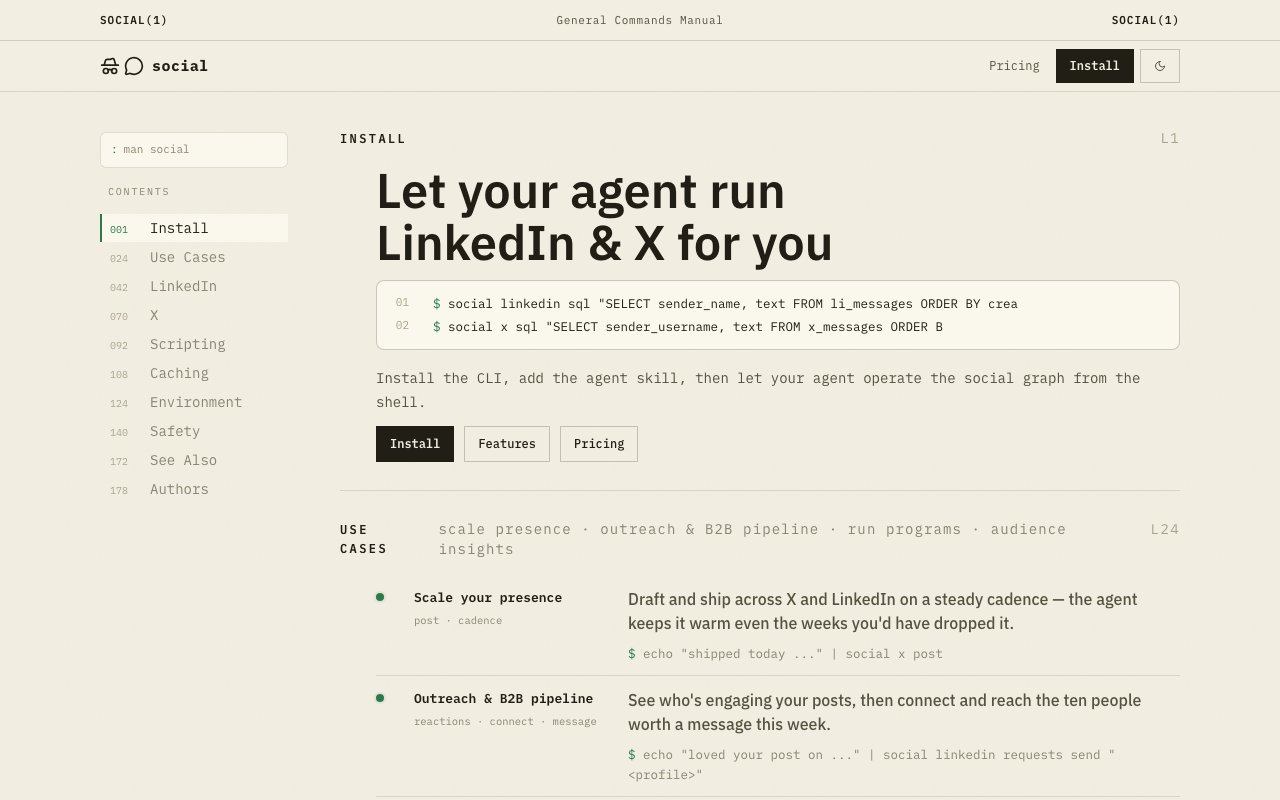
About useSocial
useSocial is a command-line tool that lets an AI agent run LinkedIn and X on your behalf. Its own line for this is to let your agent run LinkedIn and X for you. You install the CLI, connect your accounts once, and from then on an agent can post, read, and engage through plain commands instead of fighting with brittle browser automation or unofficial scraping that breaks the moment a site changes its markup. The command surface is the product, and it's designed to be driven by a model rather than clicked through by a person.
The problem it solves is that social platforms are awkward for agents to touch. Official APIs are limited or expensive, scraping breaks constantly, and neither reliably returns data in a shape an agent can reason about cleanly. useSocial wraps both networks behind one consistent command surface that emits structured JSON, with deterministic exit codes and predictable error handling, which is exactly what an autonomous workflow needs in order to branch on a result and recover when something fails. An agent can check an exit code and know what happened instead of parsing a wall of HTML.
On LinkedIn the CLI can post, comment, react, read profiles and connections, send and manage connection requests, send direct messages, and query a local mirror of your data with SQL. On X it can post, repost, like and unlike, fetch tweets, bookmark, read profiles, follow and unfollow, and send direct messages. Both sides share the same output format, so an agent learns one interface and applies it across two networks rather than juggling two different integrations with their own quirks. The parity between the two is deliberate, since it keeps the agent logic simple.
A caching layer sits underneath to keep things fast and cheap. Reads are cached with a fifteen-minute default TTL, and repeated reads that hit the cache don't cost anything, so an agent that checks the same profile twice in a run isn't billed twice for it. It also mirrors your data locally so you can run free SQL queries against your messages, connections, and posts instead of paying for every lookup, which turns routine analysis into ordinary database work you can join and filter however you like. That local mirror is what makes bulk analysis practical without a surprise bill.
It's built for agents first, though developers wiring up automation fit just as well. The structured JSON piping makes it natural to chain into scripts and agent frameworks, and the documented commands cover the kinds of jobs people actually automate on these platforms. Content scheduling, audience analysis, B2B outreach, and engagement tracking are the examples the project points to, and each maps cleanly onto a handful of commands. Because everything is scriptable, the same building blocks compose into workflows the tool never explicitly shipped.
What separates it from a raw API wrapper is the operational polish aimed squarely at automation. The caching, the local SQL mirror, the deterministic exit codes, and the consistent JSON are all there so an agent can run unattended without constant babysitting. Spending is metered and auditable, so you can see exactly what each run cost rather than guessing at charges after the fact, which is the kind of visibility you want before you let something loose on your accounts.
A practical example makes the shape clearer. An agent tasked with outreach can query the local mirror with SQL to find recent conversations, read a handful of profiles to gather context, draft and send connection requests or messages, and then track which ones got a reply, all through the same command set and all returning JSON it can act on. Because reads are cached and mirrored locally, the analysis half of that loop is essentially free, and only the writes that actually touch a platform cost anything. Connecting an account is a one-time step per network, after which the agent operates as that account within whatever the platform itself allows, so useSocial doesn't try to get around the networks' own rules. The metered billing then gives you a running record of exactly which actions ran and what they cost, useful both for budgeting and for auditing what an autonomous agent has been doing on your behalf.
Pricing is usage-based and there's no free tier. Each connected account runs twenty dollars a month and includes fifteen dollars of usage, with the account topping up in fifteen-dollar increments as you go past that allowance. Individual actions are priced by type, so reading profile data is a fraction of a cent, messages and interactions are under a few cents, and publishing a post runs a couple of dozen cents, while cached repeat reads spend nothing. For a team pointing agents at LinkedIn and X at any real volume, the appeal is a single auditable bill instead of a pile of fragile integrations to maintain.
Key Features
- One CLI for LinkedIn and X
- Structured JSON output for agents
- Local SQL mirror of your data
- Fifteen-minute read caching
- Deterministic exit codes and errors
- Metered, auditable per-action billing
Pros & Cons
What we like
- Wraps two networks behind one consistent interface
- Cached reads and local SQL keep costs down
- JSON output pipes cleanly into agent workflows
- Transparent, auditable usage-based spend
Room for improvement
- No free tier, twenty dollars per account monthly
- Depends on your own connected accounts and platform rules
- Support runs through the founder's X, not email
- Younger product with a smaller community
Frequently Asked Questions
What is useSocial?
Is useSocial free?
Which platforms does useSocial support?
Who is useSocial for?
Best For
Featured in
Alternatives to useSocial

1Lookup
Real-time data verification API for phone, email, IP, and domain validation to fight fraud

Codedex
A gamified, story-driven platform that teaches Python, web dev, and more like an RPG quest
Hack2hire
Practice real SDE interview questions from top tech companies with expert worked solutions
Cloudflare Pages
Free Jamstack hosting on Cloudflares edge with unlimited bandwidth and tight integration with Workers.
Reviews (7)
Genuinely impressed
Found useSocial on a Show HN thread and I am glad I clicked. It slotted into my routine without much fuss. Mostly using it for tracking engagement across two networks programmatically. Recommending it to people in a similar spot.
Recommended without reservation
useSocial has quietly become part of my daily flow. Their take on json output pipes cleanly into agent workflows is genuinely good. Setup was painless and I was productive the same day. Found it works best for tracking engagement across two networks programmatically. Worth it for what I get out of it.
Solid daily driver
Hadn't planned on switching, but useSocial was hard to ignore. What stands out is how little babysitting it needs. It earns its place in my stack.
Two months in, no regrets
useSocial solves a real problem for me without making a fuss about it. Got real value out of one cli for linkedin and x. It does what it says, which is rarer than it should be. Hard to imagine going back to my old setup.
Good, with a few caveats
useSocial solves a real problem for me without making a fuss about it. Their take on local sql mirror of your data is genuinely good. The catch is support runs through the founder's x, not email. It earns its place in my stack.
Finally something that fits
useSocial has quietly become part of my daily flow. Got real value out of metered, auditable per-action billing. The output quality holds up better than I expected. No regrets so far.
Good, with a few caveats
Three months of useSocial later, here is what holds up. What stands out is how it handles fifteen-minute read caching. It would be a five if not for support runs through the founder's x, not email. Worth it for what I get out of it.
Badge builder
Add useSocial to your website
Choose a badge style and size, preview it here, then copy the generated HTML. Badge images are self-contained SVGs and do not require an external script.

<a href="https://toolindex.net/tools/usesocial?ref=badge" target="_blank" rel="noopener">
  <img src="https://toolindex.net/badge/usesocial/medium.svg" alt="useSocial - Listed on Tool Index" width="180" height="50" />
</a>How to use the badge
- 1. Pick the style, size, and theme that fit your layout.
- 2. Copy the generated HTML from the code block.
- 3. Paste it into your footer, homepage, or press page.
Standard badge available
The standard listing badge is available now. Score and circle badges are limited to tools currently ranked in the top 10 of a category.
Badge clicks return visitors to this profile with a referral tag so the source remains identifiable.
Related Tools

Kevin Gabeci
Solo developer building web apps, cozy browser games, and AI creator toolkits.

Coolify
Self-hostable, open source alternative to Heroku and Netlify

Warp
The modern terminal reimagined with AI and collaboration

Bolt.new
Prompt-to-deployed full-stack app inside the browser
Work on useSocial? Request listing access or correction